How To Ssh Without Password Windows How To Set Up SSH Passwordless Login Step by Step Tutorial Come Usare Il Protocollo SSH In Windows 3 Passaggi How To Login To SSH Without A Password Using Private Key GeeksforGeeks How To Configure SSH Passwordless Login Authentication On Linux Using Passwordless Ssh From Linux To Windows Super User 5 I am trying to login to Windows without password from a Linux server I have already installed OpenSSH from GitHub and I m able to do scp and ssh I tried copying the authorized keys to the Windows location But it s still not working
1 SasukeUchiha A blank password is still a password if you want literally no password prompt then your only option is to use key authentication A blank password is obviously incredibly insecure and if the system is accessible to the internet will be completely compromised there are services that literally search for vulnerable servers Step 1 Generate a key pair Use ssh keygen to generate a key pair consisting of a public key and a private key on the client computer This command can be run on any modern Linux client distribution the Terminal in macOS or in the Command Prompt in Windows 10 11 ssh keygen t rsa
Passwordless Ssh From Linux To Windows Super User How To Enable SSH On Windows 10 Command Prompt How To SSH Into Your Device From A Mac And Change Your Root Password How To SSH Without A Password like A Boss YouTube How To SSH Without Password SSH Password less Login YouTube Shell Script How To Login Using Ssh With Password Unix Linux SSH Login Without Password YouTube SSH Access Without Password Internetdevels Official Blog Windows Ssh Login Without Password To Linux Server YouTube
How To Ssh Without Password Windows
 How To Ssh Without Password Windows
https://discover.strongdm.com/hubfs/ssh-passwordless-tutorial.jpeg#keepProtocol
Do the following steps ssh keygen t rsa C email protected Creates a new ssh key using the provided email as a label Generating public private rsa key pair Use the default file and empty passphrase Simply press enter in the next 2 steps start the ssh agent in the background eval ssh agent s Agent pid 59566 ssh add
Pre-crafted templates provide a time-saving solution for developing a varied range of documents and files. These pre-designed formats and designs can be made use of for different individual and professional projects, including resumes, invitations, leaflets, newsletters, reports, discussions, and more, enhancing the material development process.
How To Ssh Without Password Windows

How To Enable SSH Key Based Authentication Passwordless SSH
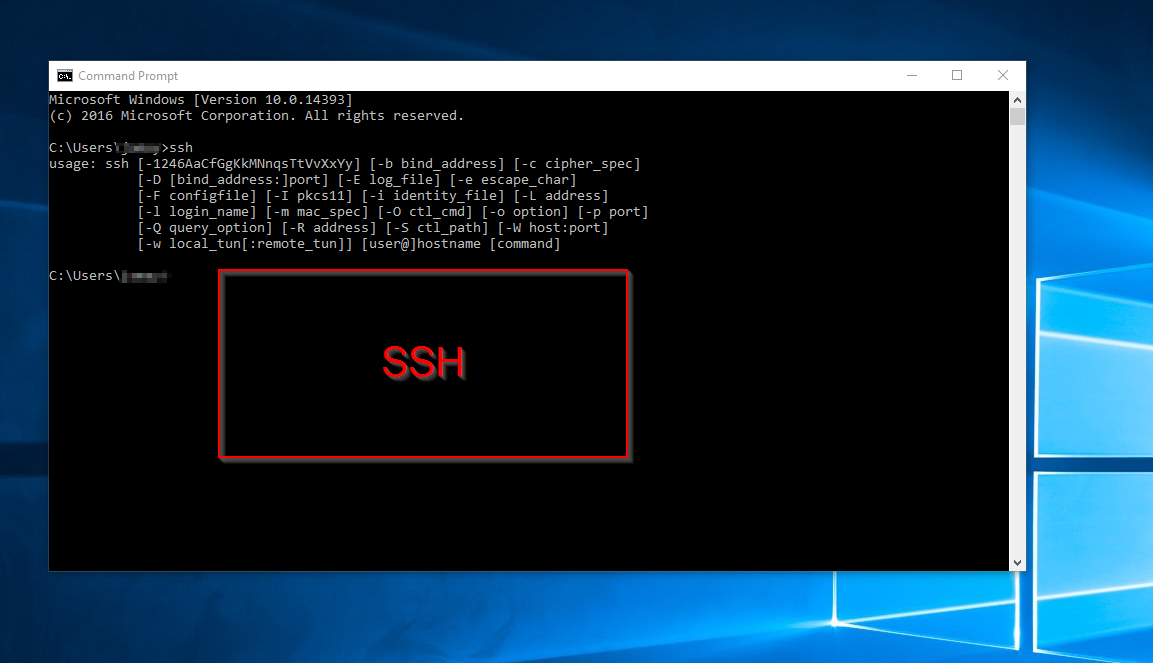
How To Enable SSH On Windows 10 Command Prompt
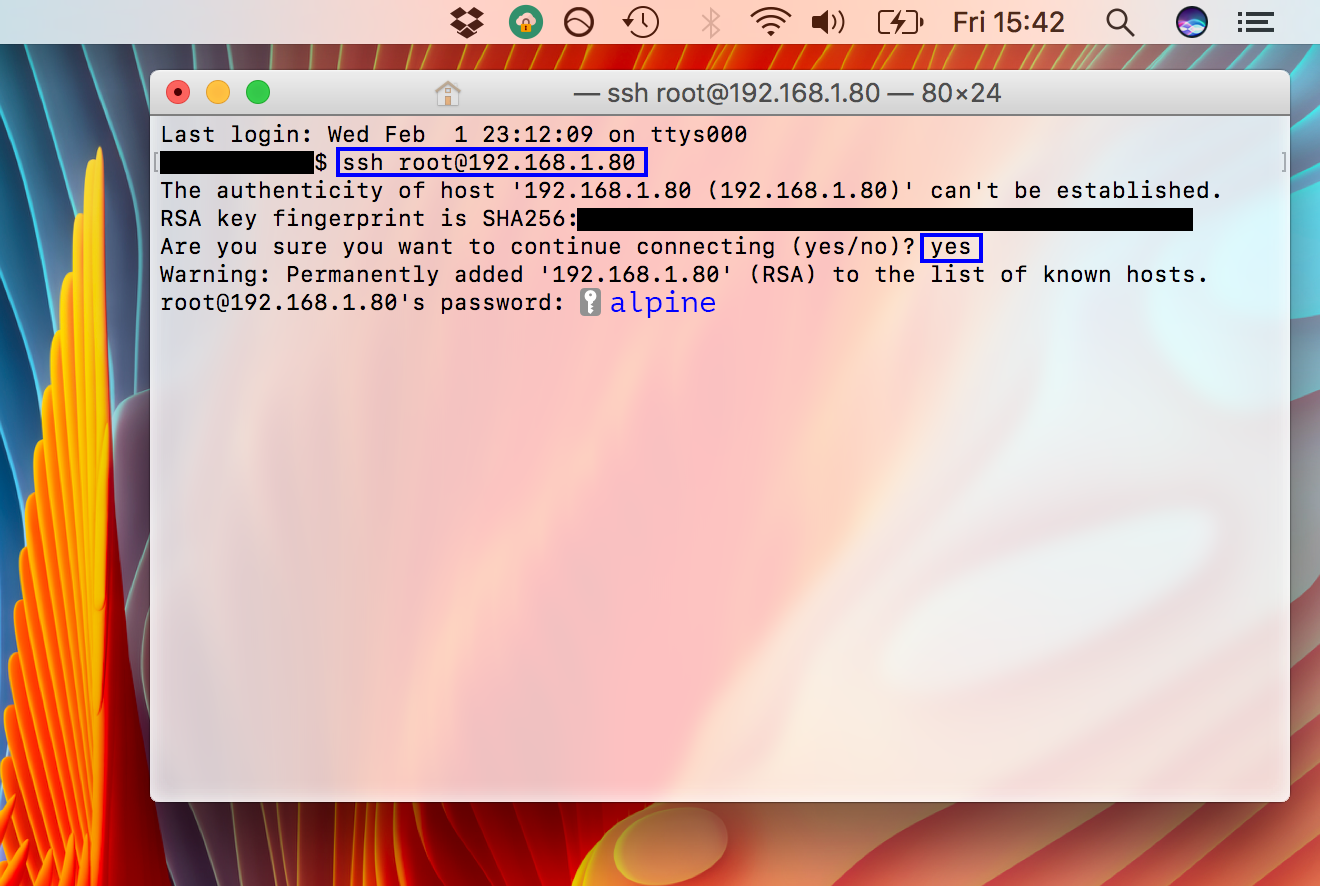
How To SSH Into Your Device From A Mac And Change Your Root Password

How To SSH Without A Password like A Boss YouTube

Shell Script How To Login Using Ssh With Password Unix Linux
SSH Login Without Password YouTube

How to login to SSH without Password To start open up a command prompt on your Windows 10 Type in your Cortana CMD Now enter the command ssh keygen this will asked to enter a file name for it make sure to leave it as blank so that it will save the pair as the default filename id rsa Generating public private rsa key pair

211 Generate a SSH key if you don t have one If you happen to use GNOME the seahorse application Passwords and Encryption Keys can do it for you File New Secure Shell Key If you prefer terminal run ssh keygen t type to generate a keypair Valid keypair types are rsa the default

9 Answers Sorted by 13 You have to run an authentication agent on Windows For example Pageant used in combination with PuTTY graphical SSH client or Plink its command line equivalent You ll need to tell Pageant your SSH server s public key After that it will deal with your server s authentication requests while running in the background

3 Answers Sorted by 28 As an addition to the answer by Thomas S I found a way Windows can remember the passphrase even after reboot This uses PowerShell Run this in an elevated PowerShell Session run as admin Get Service ssh agent Set Service StartupType Automatic PassThru Start Service

1 I installed OpenSSH server in a virtual machine with no password for the user and whenever I try to SSH into it I am asked for a password since this is a virtual machine that will be scrapped I don t want to go into key authentication
SSH Agent and OpenSSH are tools in Windows that can be used to authenticate to remote Git repositories such as GitLab GitHub Azure DevOps etc Once set up as a service that stores your various SSH keys this can facilitate authentication without entering a password each time removing the irritation of entering a password every time you 2 min read Oct 9 2020 This is how you can connect ssh from your Windows 10 machine to your Linux server CentOS in my case without entering the SSH password First open
Configure SSH for login without a password by PragmaticLinux May 20 2021 Looking for a way to login to your Linux server via SSH without specifying a password Using an SSH key pair is the way to go then If done properly this results in more convenience for you and more security for your server