How To Squash Commits Into One Commit Git What Is The Difference Between A Merge Commit A Squash Copy PR Description To Squash And Merge Commit Message Issue 2103 How To Squash Many Commits Into One Commit In SourceTree Sting How To Squash Many Commits Into One Commit In SourceTree Sting How To Squash Many Commits Into One Commit In SourceTree Sting Remove unwanted programs on your computer Before you reset your browser settings check your computer for unwanted programs Learn how to reset your browser settings
Learn more at the Google Docs Editors Help Center Control and monitor access Allow access from outside your organization By default access is restricted to people inside your You can use Google Forms to create online surveys quizzes and forms send them to others to fill out and then analyze their responses in real time To edit forms and analyze responses with
How To Squash Many Commits Into One Commit In SourceTree Sting Learn Git Squash In 3 Minutes Explained With Live Animations YouTube How To Git Squash Commits Ahmad Rosid Git Squash Commits Locally And Remotely By Patrick Langechuan Liu How To Squash Many Commits Into One Commit In SourceTree Sting Squashing Commits In Git How To Squash Git Commits By Srebalaji Thirumalai Git Rebase Git Topics Help GitLab Squash The Last X Commits Using Git Baeldung
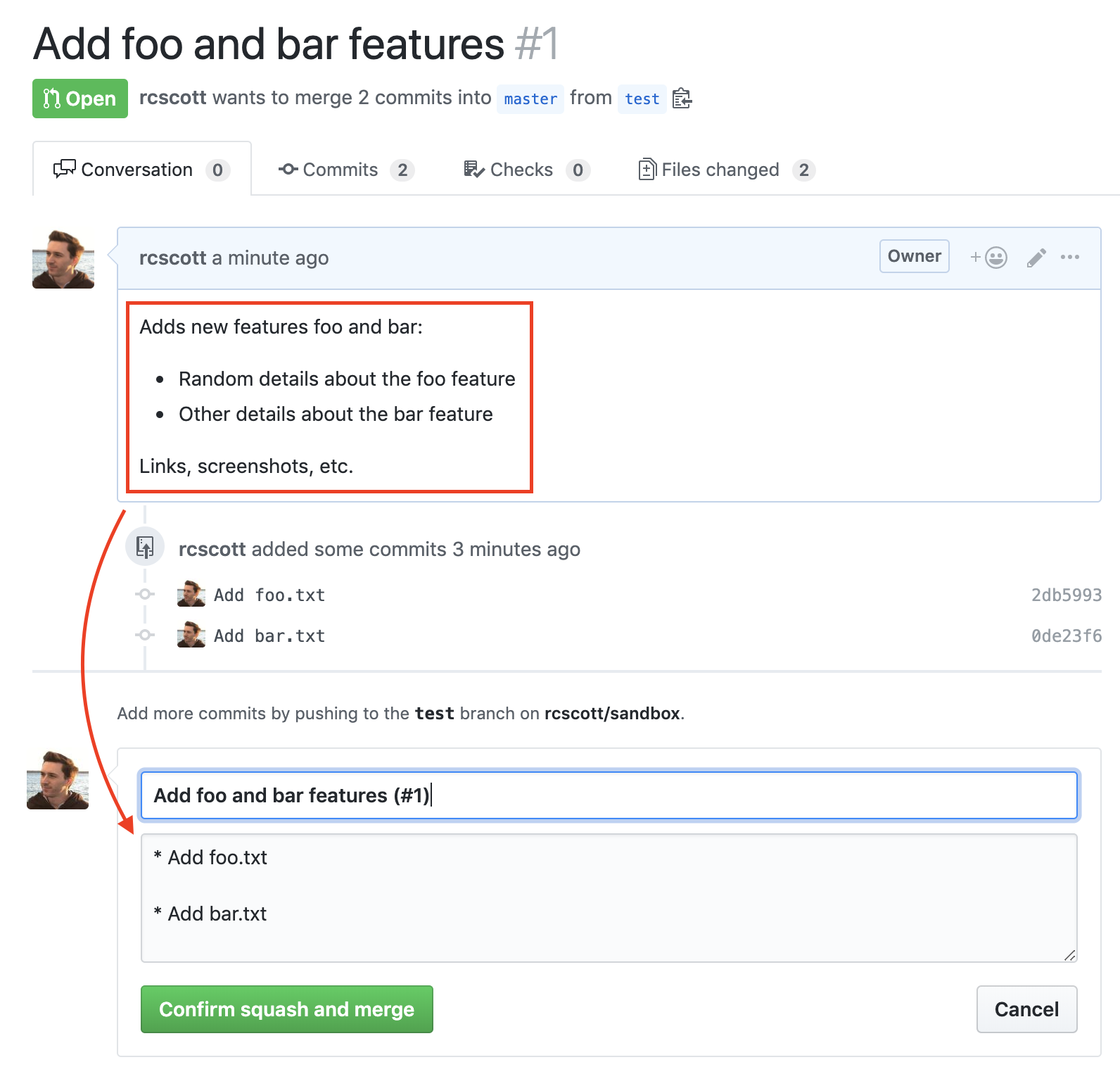
How To Squash Commits Into One Commit Git
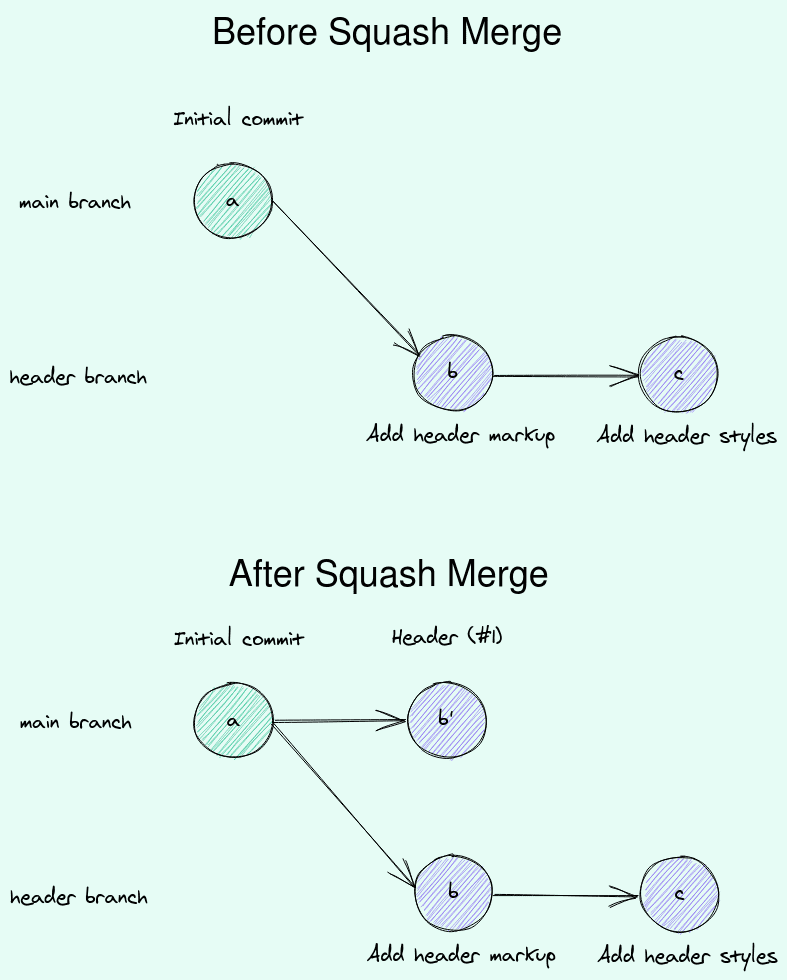 How To Squash Commits Into One Commit Git
https://blog.mergify.com/content/images/2022/06/squash-merge.png
When you add a Google account the information associated with that account such as your email and contacts is automatically added to your phone When you remove an account you
Templates are pre-designed documents or files that can be used for different purposes. They can conserve effort and time by offering a ready-made format and design for developing different kinds of content. Templates can be used for personal or professional projects, such as resumes, invites, leaflets, newsletters, reports, presentations, and more.
How To Squash Commits Into One Commit Git
How To Squash Many Commits Into One Commit In SourceTree Sting
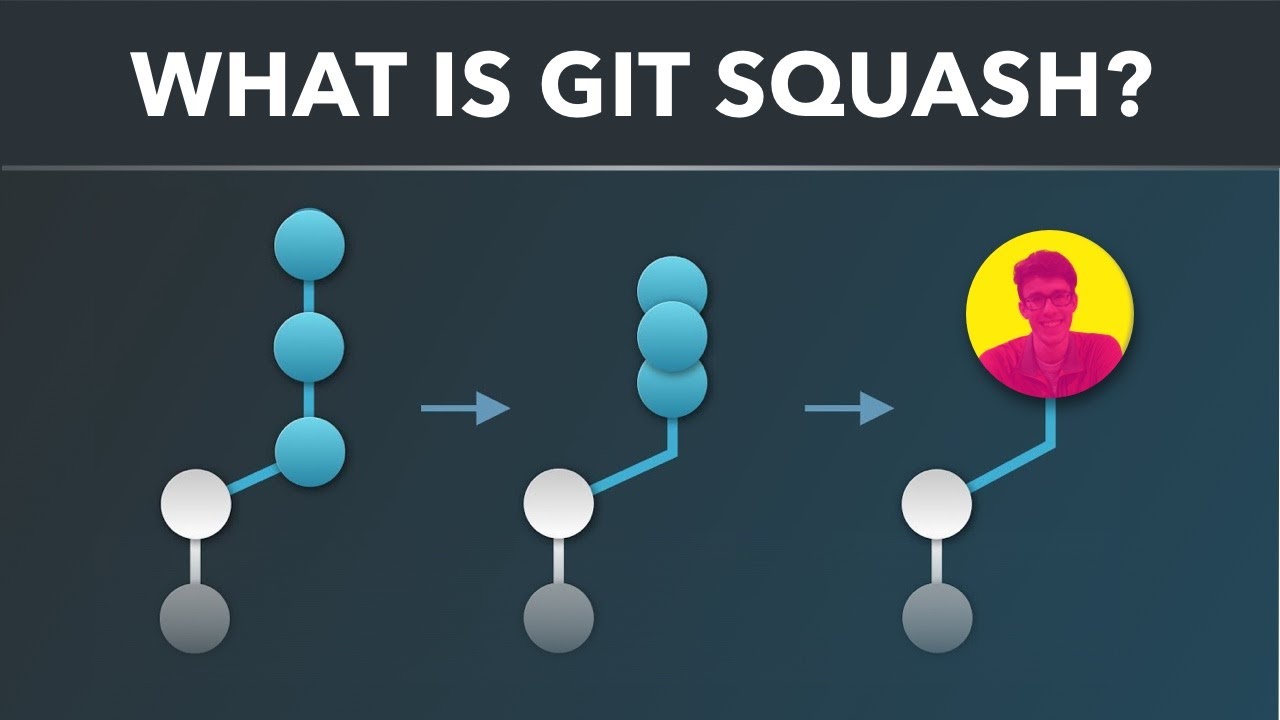
Learn Git Squash In 3 Minutes Explained With Live Animations YouTube

How To Git Squash Commits Ahmad Rosid

Git Squash Commits Locally And Remotely By Patrick Langechuan Liu
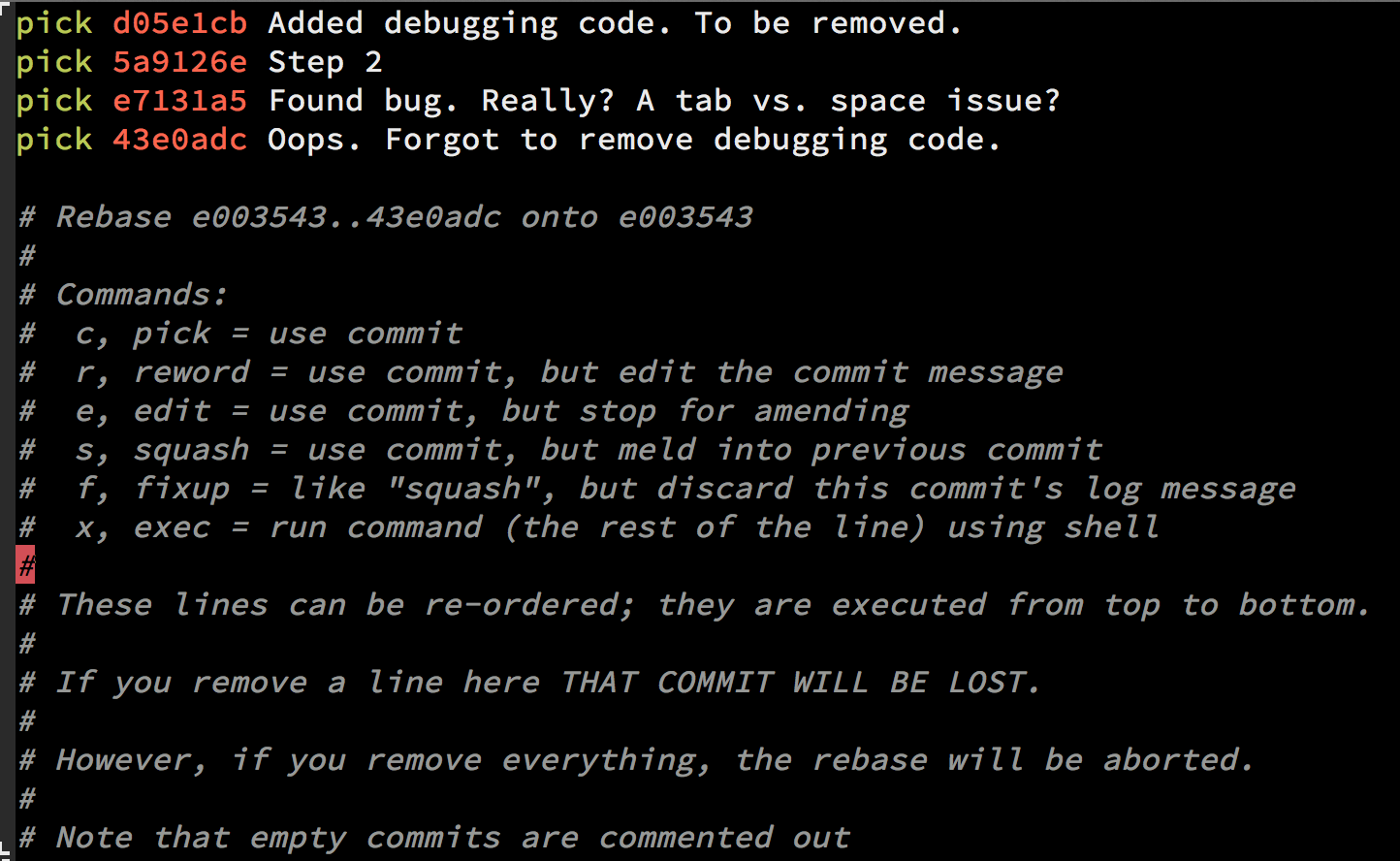
Squashing Commits In Git
How To Squash Git Commits By Srebalaji Thirumalai
Important When you create a Google Account for your business you can turn business personalization on A business account also makes it easier to set up Google Business Profile
Sign in to Gmail Tip If you sign in to a public computer make sure to sign out before you leave the computer Learn how to sign in on a device that s not yours
Important Before you set up a new Gmail account make sure to sign out of your current Gmail account Learn how to sign out of Gmail From your device go to the Google Account sign in
If you forgot your password or username or you can t get verification codes follow these steps to recover your Google Account That way you can use services like Gmai
To easily manage and share content across all of your devices and the cloud use Google s desktop sync client Drive for desktop If you edit delete or move a file on the Cloud the same
[desc-11] [desc-12]
[desc-13]