How To Split A Pdf Into Multiple Files Using Adobe Acrobat Pro How To Split A PDF Document Into Multiple Files Free Easy YouTube How To Add A Video In PDF Using Adobe Acrobat Pro DC Step By Step How To Split A PDF Document Into Multiple Files Free YouTube How To Split A PDF Into Multiple PDFs In Adobe Acrobat PC Mac How To Split A PDF File Into Separate PDFs Online After you ve signed into your account to split a PDF file Acrobat saves the split files in a new folder created in Adobe Document Cloud You can then rename download or share your files with others as desired Maximize productivity with Split PDF and other Acrobat tools
Follow these steps Open the PDF in Acrobat Select Organize Pages Split Choose how you want to split a single file or multiple files Name and save Click Output Options to decide where to save what to name and how to split your file Split your PDF Click OK and then Split to finish Learn how to split a PDF into multiple PDFs in Adobe Acrobat PDFs can be split by number of pages file size or top level bookmarks Plus explore the diff
How To Split A PDF File Into Separate PDFs Online HOW TO SPLIT A PDF DOCUMENT INTO MULTIPLE FILES YouTube How To Split A Pdf Document Yellowmh How To Create A Fillable PDF Form Using Adobe Acrobat Pro DC Convert How To Split A PDF File Into Separate PDFs Online Split PDF A Free How To Split PDF Pages Into Separate Files YouTube How To Split A PDF Into Multiple Files Without Acrobat Split PDF 50 Best Ideas For Coloring Pdf Separate Documents How To Split PDF Documents How To Separate PDF Pages YouTube
How To Split A Pdf Into Multiple Files Using Adobe Acrobat Pro
 How To Split A Pdf Into Multiple Files Using Adobe Acrobat Pro
https://i.ytimg.com/vi/Wv_QNR9MuPc/maxresdefault.jpg
In Acrobat DC choose Organize Pages Split 2 Choose how you want to split the PDF file or whether you ll split multiple files 3 Click Output Options to decide where to save the split the PDF file by page range or whether it should be named 4 Click OK then click Split Learn more about splitting PDFs Related Features Combine and merge files
Pre-crafted templates use a time-saving service for developing a diverse series of files and files. These pre-designed formats and layouts can be made use of for numerous personal and expert projects, including resumes, invitations, flyers, newsletters, reports, discussions, and more, enhancing the content creation process.
How To Split A Pdf Into Multiple Files Using Adobe Acrobat Pro
How To Split A PDF File Into Multiple Files For Free YouTube
HOW TO SPLIT A PDF DOCUMENT INTO MULTIPLE FILES YouTube
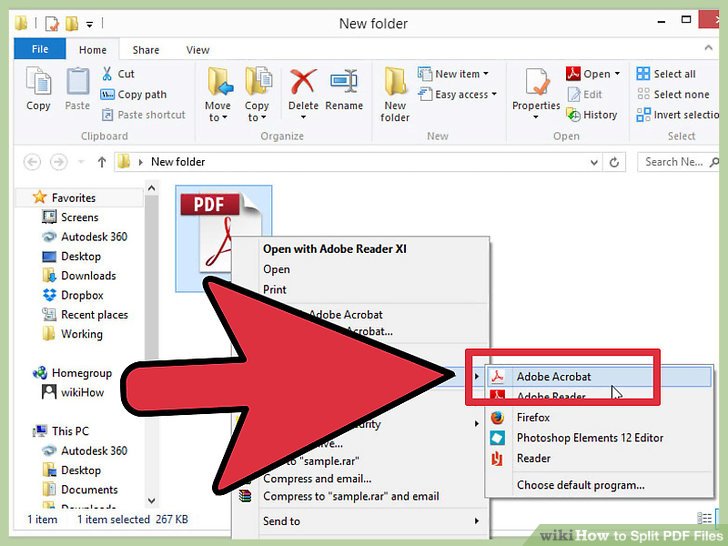
How To Split A Pdf Document Yellowmh

How To Create A Fillable PDF Form Using Adobe Acrobat Pro DC Convert

How To Split PDF Pages Into Separate Files YouTube

How To Split A PDF Into Multiple Files Without Acrobat Split PDF

Get your work done fast online Use a supported browser to access these tools and more

Method 1 Using Google Chrome Download Article 1 Open the PDF file in Google Chrome The easiest way to do this is to drag the PDF file into an open Chrome window 1 You can also right click on the PDF file select Open With and then select Google Chrome from the list of available programs

Steps to split a PDF file into multiple PDFs Sign in to Acrobat Web at https documentcloud adobe with your Adobe ID and password or with your social Facebook or Google account In the top navigation bar click Edit Split PDF Do one of the following to select the files that you want to split and then click Continue

Choose Tools Organize Pages Select the Split tool Adjust the settings on how you want to split your document Use the Output Options to rename the split files and set a save destination Select Split to finish the process You can also complete this task online with Acrobat online services Navigate to the Split a PDF tool
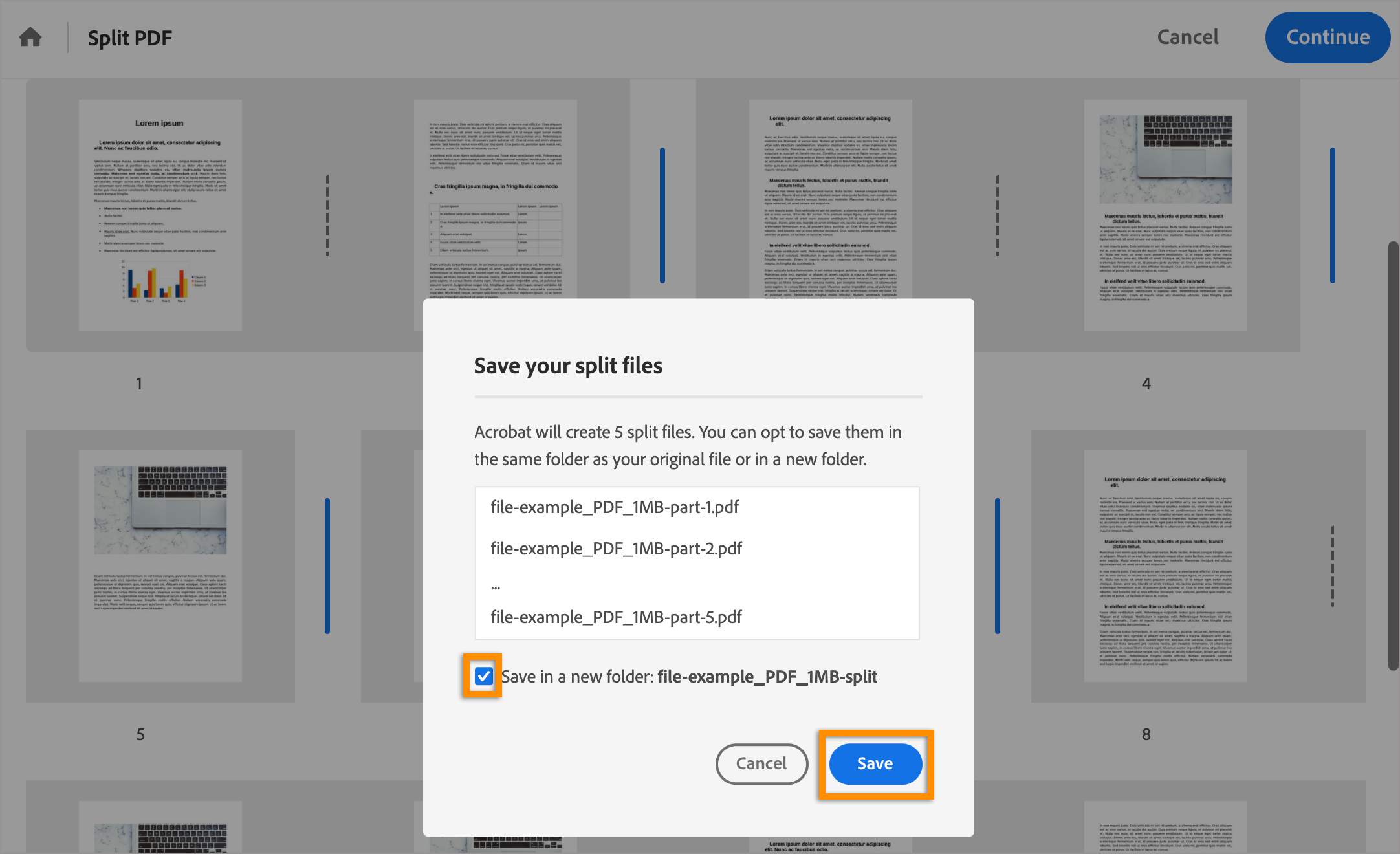
Go to the Split PDF page on Acrobat online Click the blue button labeled Select a file or drag and drop your PDF into the drop zone to upload your file Sign in to an account to continue with your file After your PDF uploads you will see thumbnail images of the pages
Open the PDF that you want to split Select the Tools tab Figure 1 Tools tab Select Organize Pages in the Tools Center Figure 2 Organize Pages button Select Split in the Organize Pages toolbar Figure 3 Click Output Options to specify a target folder for the split PDF files and set file labeling preferences For the Bodea pdf sample file use the default options which save copies of the new split PDF files in the same folder where the original file is saved and adds Part 1 and Part 2 labels to the end of each new file name Click OK to proceed
Joel prestonsmith Explorer Jul 14 2020 I used Safari to save the info on a website as a PDF but Safari saved all the info as a SINGLE page I would have guessed it would save as 5 6 pages How do we split one page into many pages I ve searched the documentation but haven t found a way to do it Thank you TOPICS How to 12 6K Translate Report