How To Split A Column In Excel How To Split Cells In Excel Ultimate Guide Coupler io Blog 2022 Excel Split Cells Into Two Filtervsera Split Data Into Different Columns In Microsoft Excel YouTube Ma Excel Split Cells Lasopawave Split Excel Column At Space Hot Sex Picture To split a column in Excel with a formula follow these steps 1 Open the Excel file Open the project that contains the column you want to split To do this double click on the Excel icon on your desktop or search
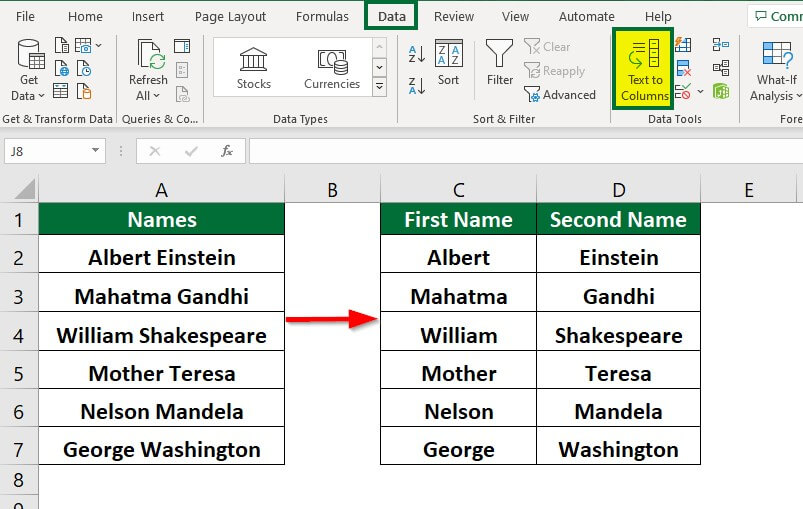
Split the content from one cell into two or more cells Select the cell or cells whose contents you want to split Important When you split the contents they will overwrite On the Data tab in the Data Tools group click Text to Columns The Convert Text to Columns Wizard opens Choose Delimited Split text into different columns with functions Excel for Microsoft 365 Excel for Microsoft 365 for Mac Excel for the web More You can use the LEFT MID RIGHT SEARCH and LEN text functions to manipulate strings of text in your data
Split Excel Column At Space Hot Sex Picture Excel Split Cells Into Two Adventuresgawer How To Split Columns In Excel 2013 LammTech IT Support Excel Round To 2 Decimal Places And No Display 0 Or How To Make 0 A How To Split Cells In Excel LegalherofMy Site How To Split Column In Excel By Comma 8 Quick Methods ExcelDemy Microsoft Excel Split Cells Into Multiple Columns Vermedi How To Split Text In Excel In 5 Ways Riset Excel Split Cells Into Multiple Rows Or Columns Canvasaceto
How To Split A Column In Excel
 How To Split A Column In Excel
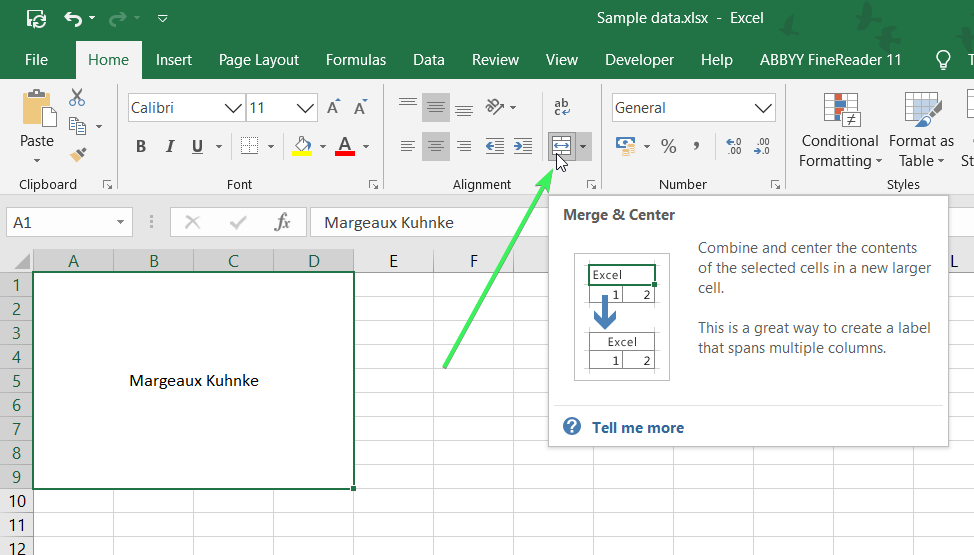
https://blog.coupler.io/wp-content/uploads/2021/10/merge-and-center-button.png?is-pending-load=1
Select the cells you want to split Select Data from the menu and select Text to Columns from the ribbon Select the Delimited radio button from the pop up window and select the Next button Select the appropriate delimiter character in this example semicolon and select the Next button You will see a preview of what the output cells
Templates are pre-designed files or files that can be used for different functions. They can save time and effort by providing a ready-made format and layout for developing different kinds of material. Templates can be used for individual or professional projects, such as resumes, invites, flyers, newsletters, reports, presentations, and more.
How To Split A Column In Excel
Split Cell In Excel Examples How To Split Cells In Excel
Excel Split Cells Into Two Adventuresgawer
How To Split Columns In Excel 2013 LammTech IT Support
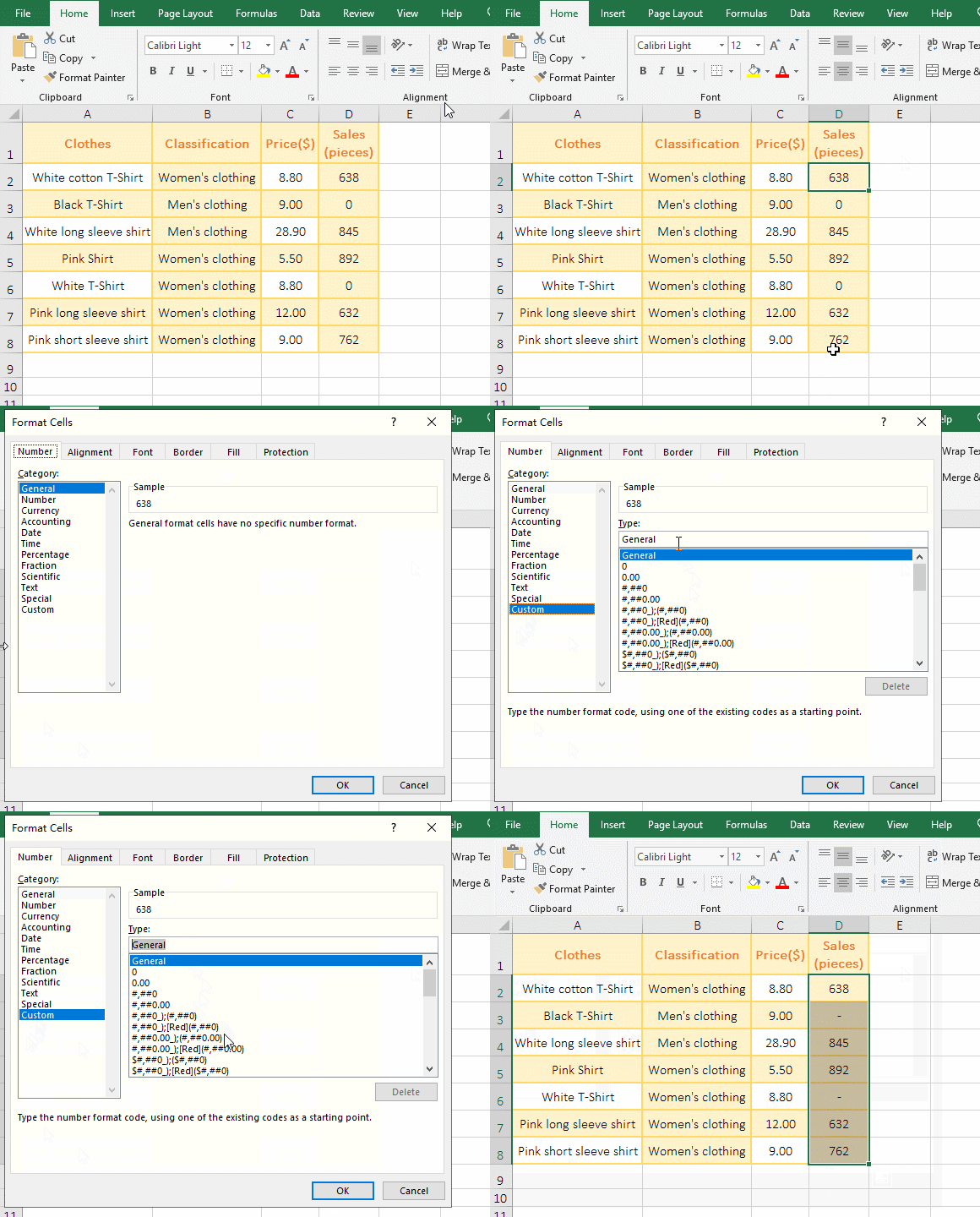
Excel Round To 2 Decimal Places And No Display 0 Or How To Make 0 A
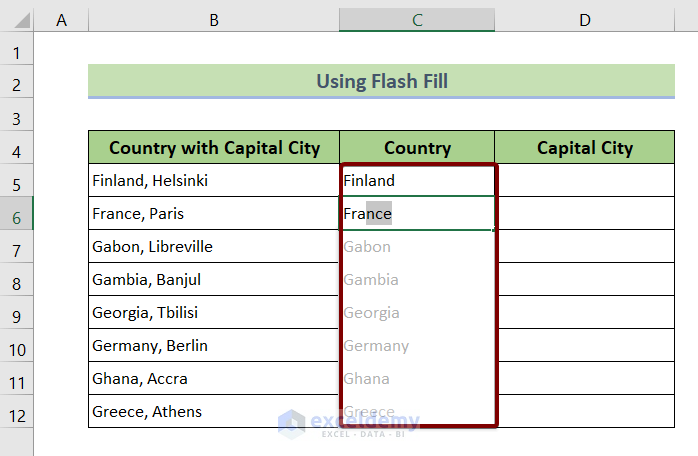
How To Split Column In Excel By Comma 8 Quick Methods ExcelDemy
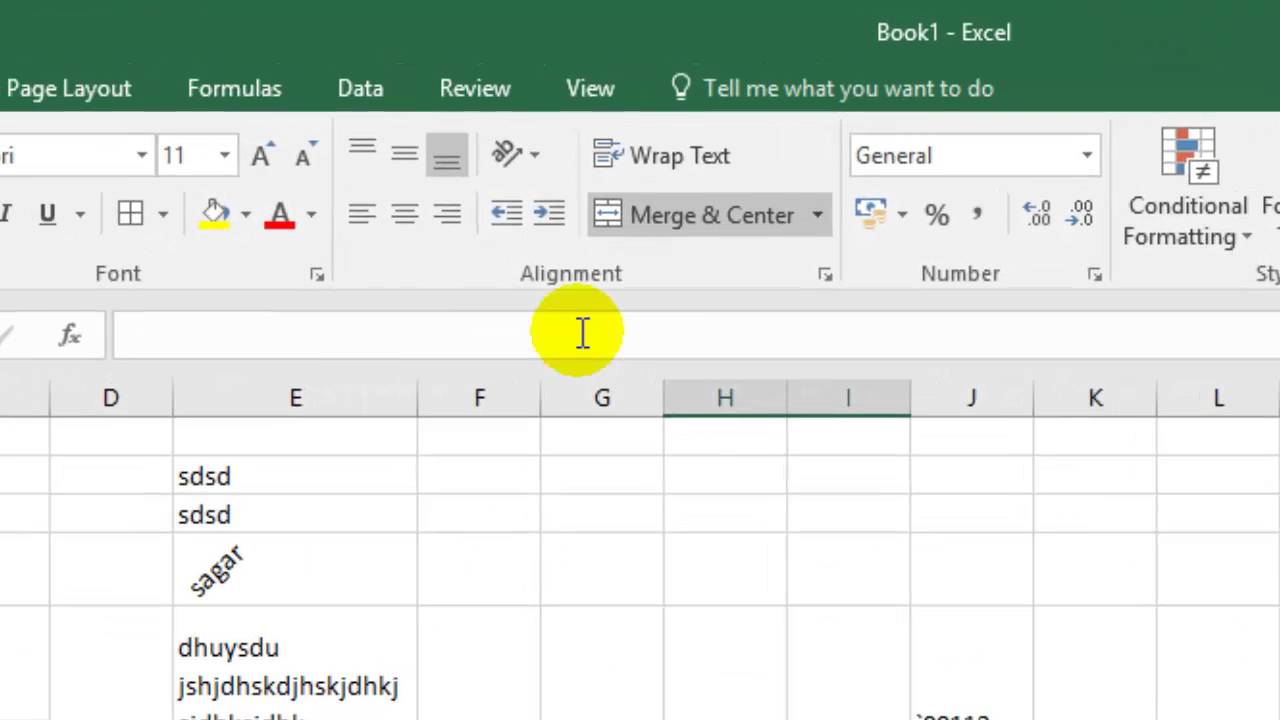
Microsoft Excel Split Cells Into Multiple Columns Vermedi

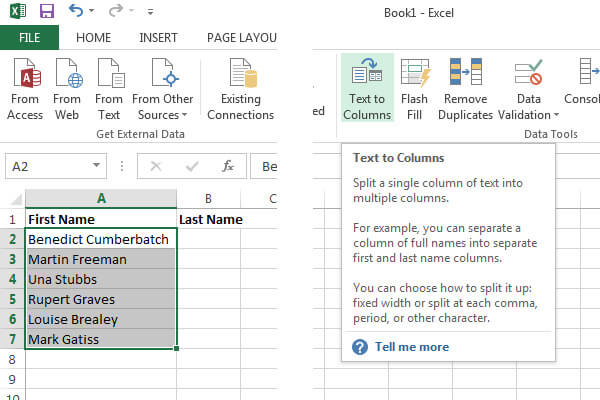
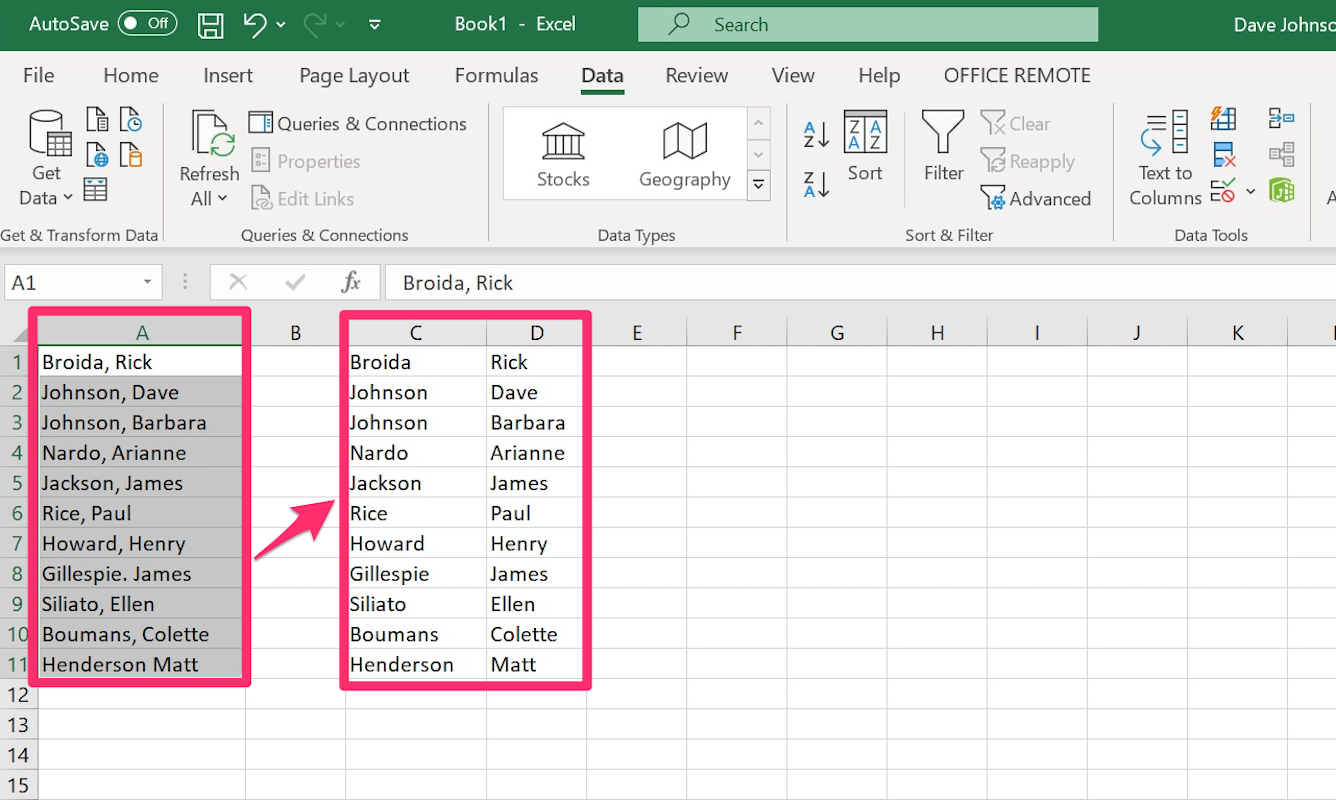
Select the cells you want to split by clicking the first cell and dragging down to the last cell in the column In our example we ll split the first and last names listed in column A into two different columns column B last name and column C first name Click the Data tab at the top of the Excel Ribbon
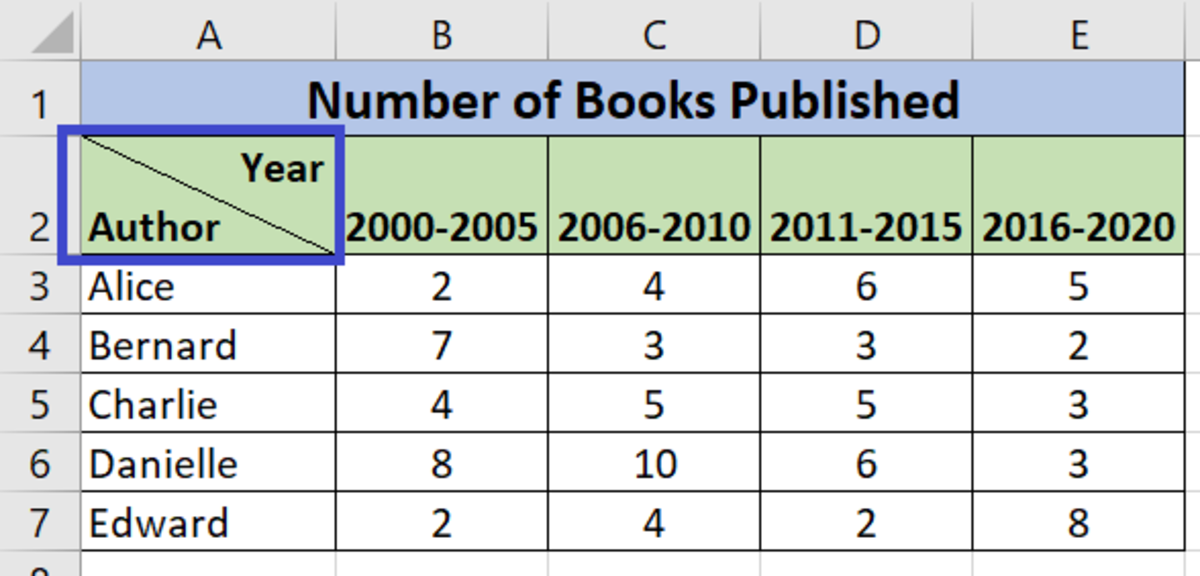
In the Data tab from the Data Tools section select Flash Fill And instantly Excel will split the names from all the B column records and add those to the C column To split the obtained marks click the D2 cell and manually type the marks for the B2 cell In this case it will be 80 Click the B2 cell so it s selected

Split a Cell 1 For example task B starts at 13 00 and requires 2 hours to complete Suppose task B starts at 13 30 We would like 2 Select column C 3 Right click and then click Insert Result 4 The default width of a column is 64 pixels Change the width of column B and C to 32 pixels 5
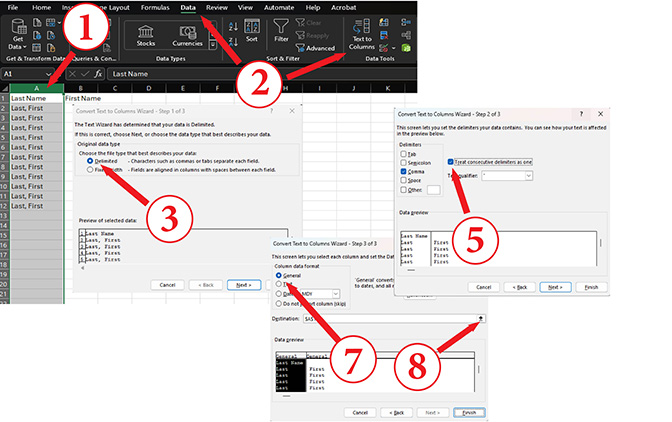
How to Split Cells in Excel In this tutorial you ll learn how to split cells in Excel using the following techniques Using the Text to Columns feature Using Excel Text Functions Using Flash Fill available in 2013 and 2016 Let s begin Split Cells in Excel Using Text to
Select the Sales Rep column and then select Home Transform Split Column Select Choose the By Delimiter Select the default Each occurrence of the delimiter option and then select OK Power Query splits the Sales Rep names into two different columns named Sales Rep 1 and Sales Rep 2
[desc-11] [desc-12]
[desc-13]