How To Shutdown Vm From Command Line How To Suspend A VMware Workstation 12 VM From Command Line Robots Windows 10 Restart Shutdown Without Update December 2018 VMCustomization Is Not Enabled For The Subscription Error Trying To How To Get User Input From Command Line With Node js CodingTheSmartWay Cmd To Shutdown Windows 7 8 10 Shutdown Windows Using Command Prompt Web Identify the VM id number in the Gui or with cat etc pve vmlist with the shell on the Proxmox server Identify who process id has the lock on the VM fuser var lock qemu
Web To stop a Hyper V VM use the following command Stop VM VMName quot Kali Linux quot Stop a Hyper V VM with PowerShell This command shuts down the VM through the guest Web Use the virsh shutdown command on the host If the VM is on a local host virsh shutdown demo guest1 Domain demo guest1 is being shutdown If the VM is on a
Cmd To Shutdown Windows 7 8 10 Shutdown Windows Using Command Prompt How To Remotely Shut Down Windows 10 With CMD Command Line Windows How To Shutdown Windows 10 With Command Prompt Timer YouTube From Command Line Docs IONOS Deploy Now How To Convert Images To Webp On Mac From Command Line 12 Essential Docker Commands You Should Know By Mahbub Zaman The Windows Shutdown Timer Command Corehety Run Abap Program From Command Line PDF Command Line Interface Shutdown Icon 171972 Free Icons Library
How To Shutdown Vm From Command Line
 How To Shutdown Vm From Command Line
https://robots.net/wp-content/uploads/2023/11/how-to-suspend-a-vmware-workstation-12-vm-from-command-line-1700830021.jpg
Web Three power off methods are available Soft is the most graceful hard performs an immediate shutdown and force should be used as a last resort Alternate power off
Pre-crafted templates offer a time-saving option for creating a diverse series of documents and files. These pre-designed formats and designs can be utilized for different individual and expert tasks, including resumes, invitations, flyers, newsletters, reports, presentations, and more, enhancing the material creation process.
How To Shutdown Vm From Command Line
Create VM From Command Line Arguments By QiliangFan Pull Request 1

How To Remotely Shut Down Windows 10 With CMD Command Line Windows
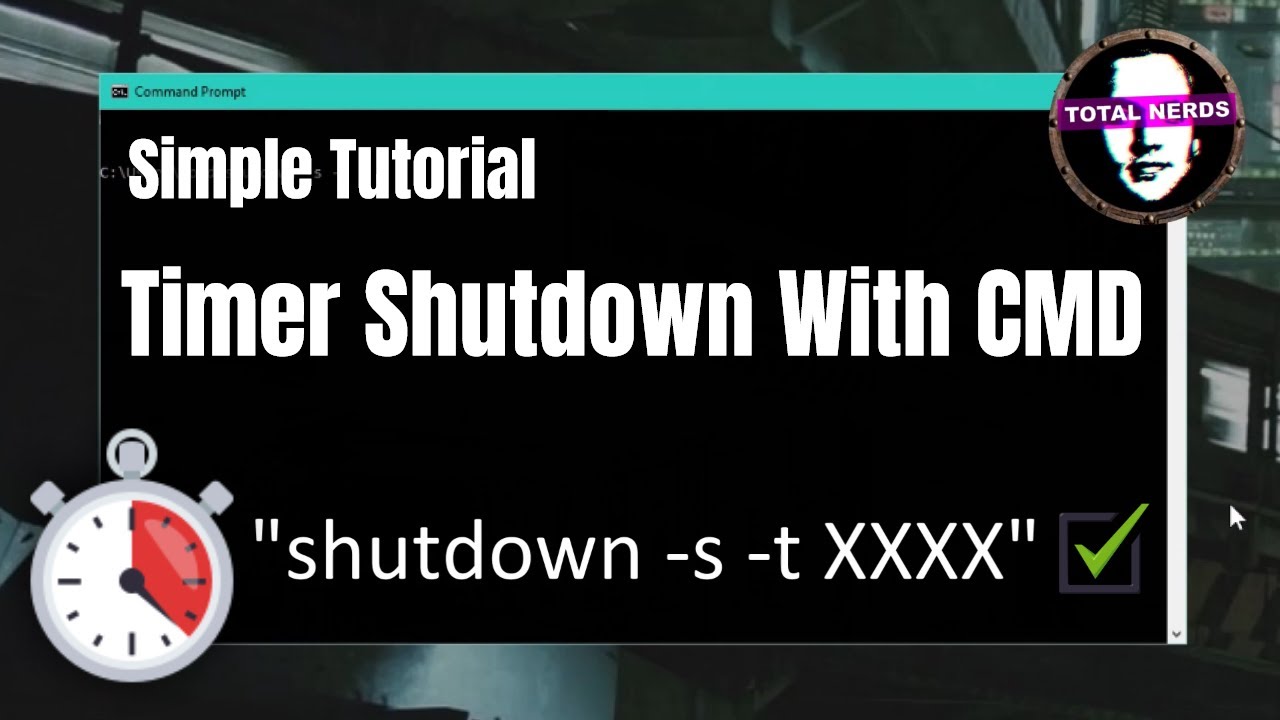
How To Shutdown Windows 10 With Command Prompt Timer YouTube
From Command Line Docs IONOS Deploy Now

12 Essential Docker Commands You Should Know By Mahbub Zaman The

Windows Shutdown Timer Command Corehety
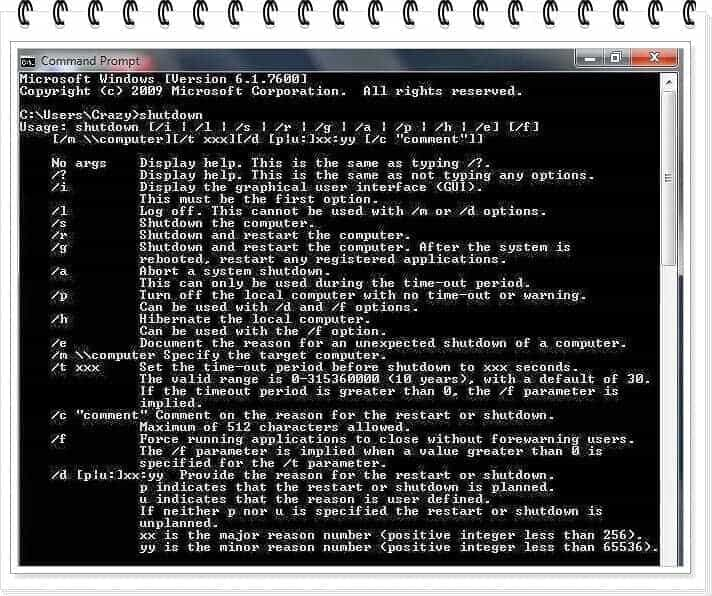
Web You need the shutdown command something like shutdown r m ComputerName Type shutdown at the command prompt for a full list of options It may be that you are
Web Oct 16 2013 nbsp 0183 32 How to run a VirtualBox VM from command line Ask Question Asked 13 years 6 months ago Modified 4 months ago Viewed 106k times 43 I want to know how

Web Jul 20 2014 nbsp 0183 32 Find the entry named quot Shutdown Allow system to be shut down without having to log on quot Double click on it change it to quot Enabled quot Drill into Computer

Web command Share Improve this answer answered May 13 2011 at 12 14 Egil 14 2k 2 46 54 4 As covered by this answer on Superuser there is a slightly alternative approach

Web Feb 15 2023 nbsp 0183 32 PowerShell Task Manager or Process Explorer Let s see the steps involved for each method Read Hyper V Virtual Machine stuck in Starting State 1 Stop an
Web 1 To start a virtual machine quot C Program Files VMware VMware Workstation vmrun quot T ws start quot C VMs Linux vmx quot 2 To Shut down a VM quot C Program Web Jun 15 2016 nbsp 0183 32 Open your terminal with CTRL ALT T and do these following commands To shutdown the system sudo shutdown h now To restart sudo reboot amp one more
Web Mar 19 2024 nbsp 0183 32 Start KVM Virtual Machines from Command Line To begin with list the available virtual machines either running or stopped or paused virsh list all Id Name