How To Shutdown Postgresql How To Shutdown Windows 10 3 Methods Itechguides How To Shutdown Windows 11 PC Laptop Using Keyboard Shutdown Shortcut Key In Windows 11 C s torit Recipient Rubin Windows 10 Shutdown Timer Cmd Fade Out Excentric Mergi La Plimbare Pr t Consommateur Aller Au Circuit Postgres Show Tables Centre Ville Hypocrite Arri re How To Shutdown Another Pc YouTube Then you can disable PostgreSQL by running the following commands sc stop postgresql x64 13 sc config postgresql x64 13 start disabled Replace 13 with your PostgreSQL version number
The following steps describe how to restart PostgreSQL on Windows using Service Manager GUI Step 1 Stop PostgreSQL service Press Win R to open the Run dialog Type services msc and press Enter In the Services window locate the PostgreSQL service Typically it is something like postgresql x64 lt version gt Aug 8 2024 nbsp 0183 32 stop mode shuts down the server that is running in the specified data directory Three different shutdown methods can be selected with the m option Smart mode disallows new connections then waits for all existing clients to disconnect
How To Shutdown Another Pc YouTube Shutdown Icon Windows 10 2042 Free Icons Library Set Shutdown Timer How To Shutdown Computer After Certain Time YouTube Fix How To Fix Windows 10 Shutdown Using A Shortcut Bios Crunch Uninstall PostgreSQL Mac How To Uninstall PostgreSQL Postgres On Mac MiniCreo Shutdown Or Restart Windows 11 10 Without Using Mouse Cursor Learn How To Shutdown Someone Computer Using CMD Command Prompt Or Powershell Shutdown How To Shutdown Or Restart Ubuntu 18 04 LTS YouTube CMD Se Computer Laptop Kaise Shutdown Kre How To Shutdown Computer Laptop Using CMD In Hindi
How To Shutdown Postgresql
 How To Shutdown Postgresql
https://www.itechguides.com/wp-content/uploads/2020/04/How-to-Shutdown-Windows-10.jpg
Shutting Down the Server There are several ways to shut down the database server You control the type of shutdown by sending different signals to the master postgres process SIGTERM This is the Smart Shutdown mode After receiving SIGTERM the server disallows new connections but lets existing sessions end their work normally
Pre-crafted templates provide a time-saving option for producing a diverse variety of documents and files. These pre-designed formats and layouts can be made use of for different individual and expert tasks, consisting of resumes, invites, flyers, newsletters, reports, discussions, and more, streamlining the material creation procedure.
How To Shutdown Postgresql
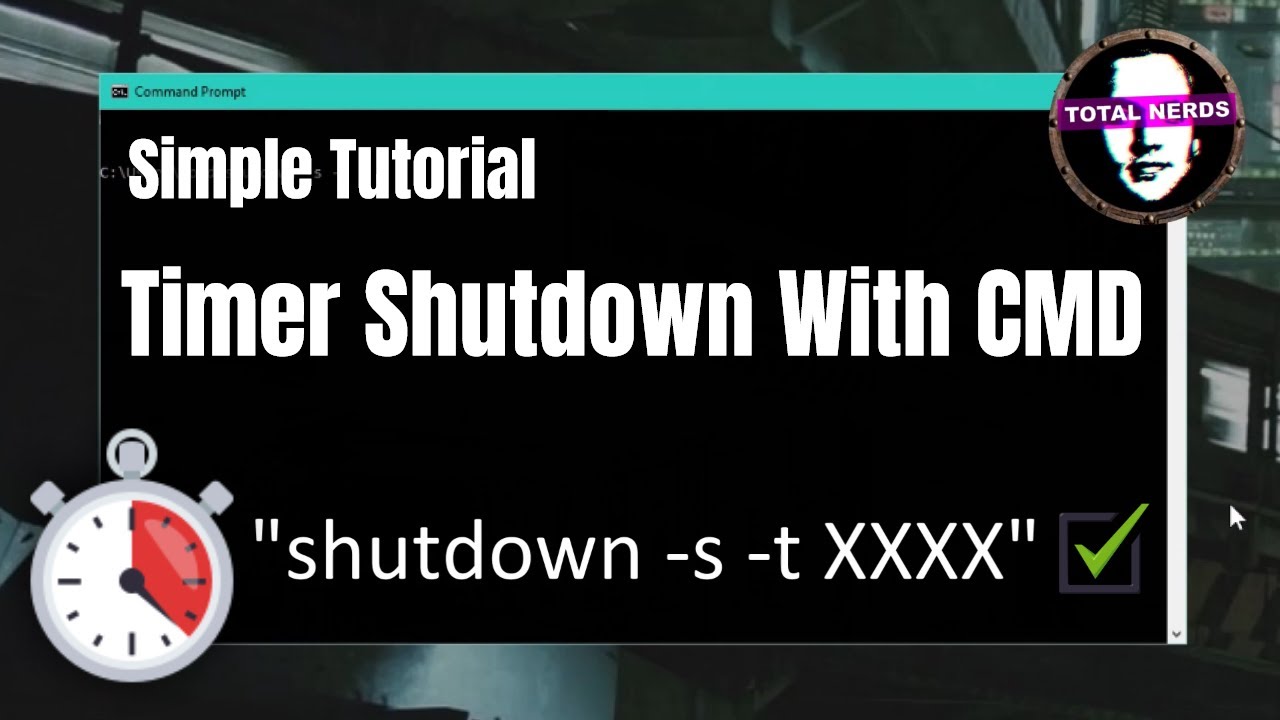
How To Shutdown Windows 10 With CMD Timer Shutdown Command Prompt Tutorial 2022 YouTube

Shutdown Icon Windows 10 2042 Free Icons Library

Set Shutdown Timer How To Shutdown Computer After Certain Time YouTube
Fix How To Fix Windows 10 Shutdown Using A Shortcut Bios Crunch

Shutdown Or Restart Windows 11 10 Without Using Mouse Cursor

Learn How To Shutdown Someone Computer Using CMD Command Prompt Or Powershell Shutdown

Aug 14 2017 nbsp 0183 32 The correct answer is you should stop it how you started it The service command is used to control System V services so if you control PostgreSQL via a System V service for example to auto re start the PostgreSQL daemon then you should stop start it

Feb 20 2023 nbsp 0183 32 To tackle such scenarios Postgres offers different methods such as the pg ctl utility services manager etc This post presents a practical guide on how to start stop or restart the PostgreSQL server on the Windows Operating System

In this post going to explaining how to start and stop the PostgreSQL database in windows PostgreSQL starts and stop is different from the environment to the environment
Oct 26 2018 nbsp 0183 32 The recommended way to shutdown postgres is to send a signal representing the different shutdown modes fast smart immediate or using init managers initd systemd etc or their equivalent on non Linux OS

Oct 30 2018 nbsp 0183 32 In this post we are going to figure out how to start stop and restart a PostgreSQL server on macOS Linux and Windows
There are several ways to shut down the database server You control the type of shutdown by sending different signals to the postmaster process SIGTERM After receiving SIGTERM the server disallows new connections but lets existing sessions end their work normally I decided to go the route of a fresh install So instead of trying to figure out what postgresql command will shut down the server I used sudo apt get purge postgresql 9 1 and sudo apt get purge postgresql 9 3 A fresh install might be an easier solution to some of my other problems I had since upgrading to Ubuntu 14 04 I found this at
Due to a sudden power outage the Postgres server running on my local machine shut down abruptly After rebooting I tried to restart Postgres and I get this error pg ctl D usr local pgsql data restart