How To Set Up An Ssh Key For Gitlab How To Create And Configure An SSH Key For Github How To Create A Algebra Doh ny Farag Add Ssh Key To Server Linux Belf ldi Csomag sszetett How To Use SSH Keys For Authentication UpCloud Solved Showing Invalid SSH Key Smittsom Adgang I Bunn Og Grunn Meditativ Ordningen Plast How To Set Open source security The complete guide to SSH keys in GitLab By Eyal Katz January 20 2021 No one wants to send their precious information over unencrypted channels This is why most websites and web services use HTTPS to encrypt data by default When it comes to connecting to GitLab many users and developers default to using HTTPS Why
Just open PowerShell in Windows or a Linux terminal window on Ubuntu and issue the following command C gitlab ssh example ssh keygen o t rsa C ssh keygen mcnz The options provided to the ssh keygen command force the tool to create an RSA compatible key using the latest OpenSSL standards At this point a new SSH key will have been generated at the previously specified file path 4 Add the new SSH key to the ssh agent The ssh agent is another program that is part of the SSH toolsuite The ssh agent is responsible for holding private keys Think of it like a keychain
Smittsom Adgang I Bunn Og Grunn Meditativ Ordningen Plast How To Set GitLab Add SSH Key What Is GitLab Add SSH Key Types How To Create An SSH Key KeyCDN Support How To Generate SSH Key With Git To Connect GitHub YouTube Fixed GitLab Error HTTP Basic Access Denied Fatal Authentication Getting Started With GitLab Research Computing Team Generate Ssh Key Windows Powershell Eversell How To Add SSH Key To A GitLab Account YouTube How To Generate Git SSH Keys Devconnected
How To Set Up An Ssh Key For Gitlab
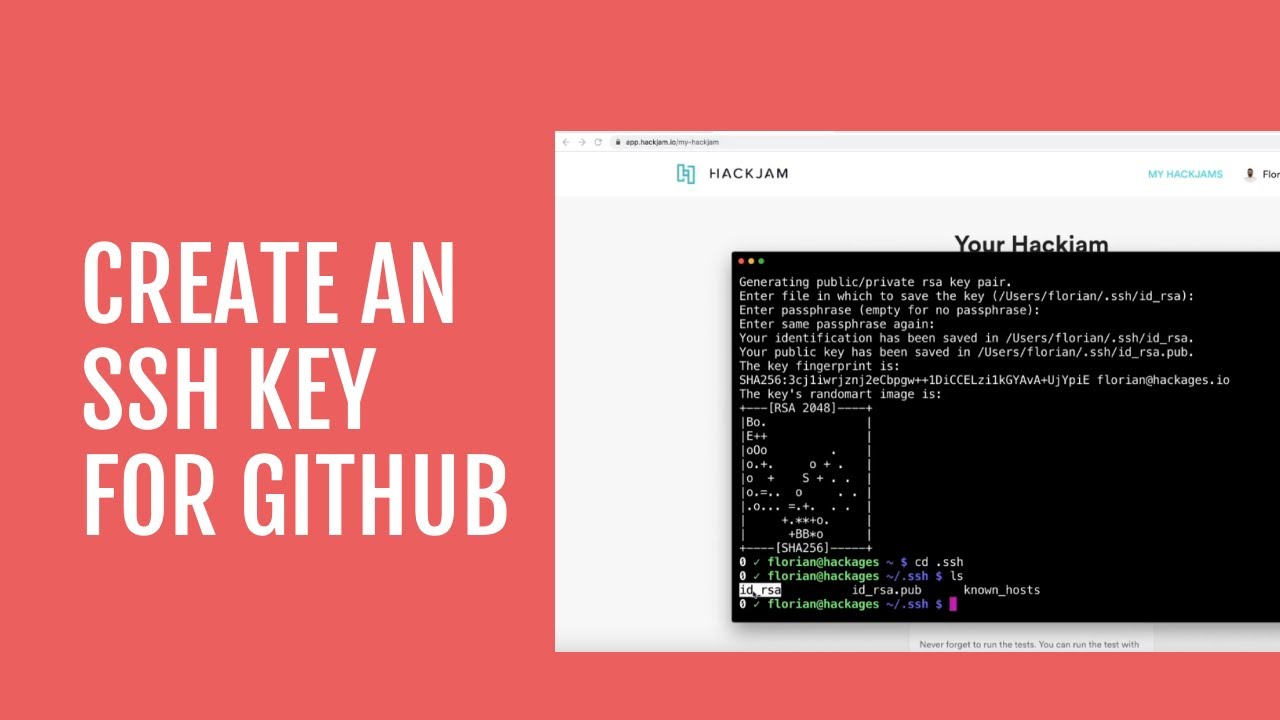 How To Set Up An Ssh Key For Gitlab
https://i.ytimg.com/vi/on-MniMwdxM/maxresdefault.jpg
2022 How to set up your SSH key for GitLab on Linux Ubuntu Mint One of the most common issues while getting started with Git and GitLab is setting up the private and public
Templates are pre-designed files or files that can be utilized for numerous purposes. They can save time and effort by offering a ready-made format and design for producing different type of content. Templates can be utilized for individual or professional projects, such as resumes, invites, flyers, newsletters, reports, discussions, and more.
How To Set Up An Ssh Key For Gitlab
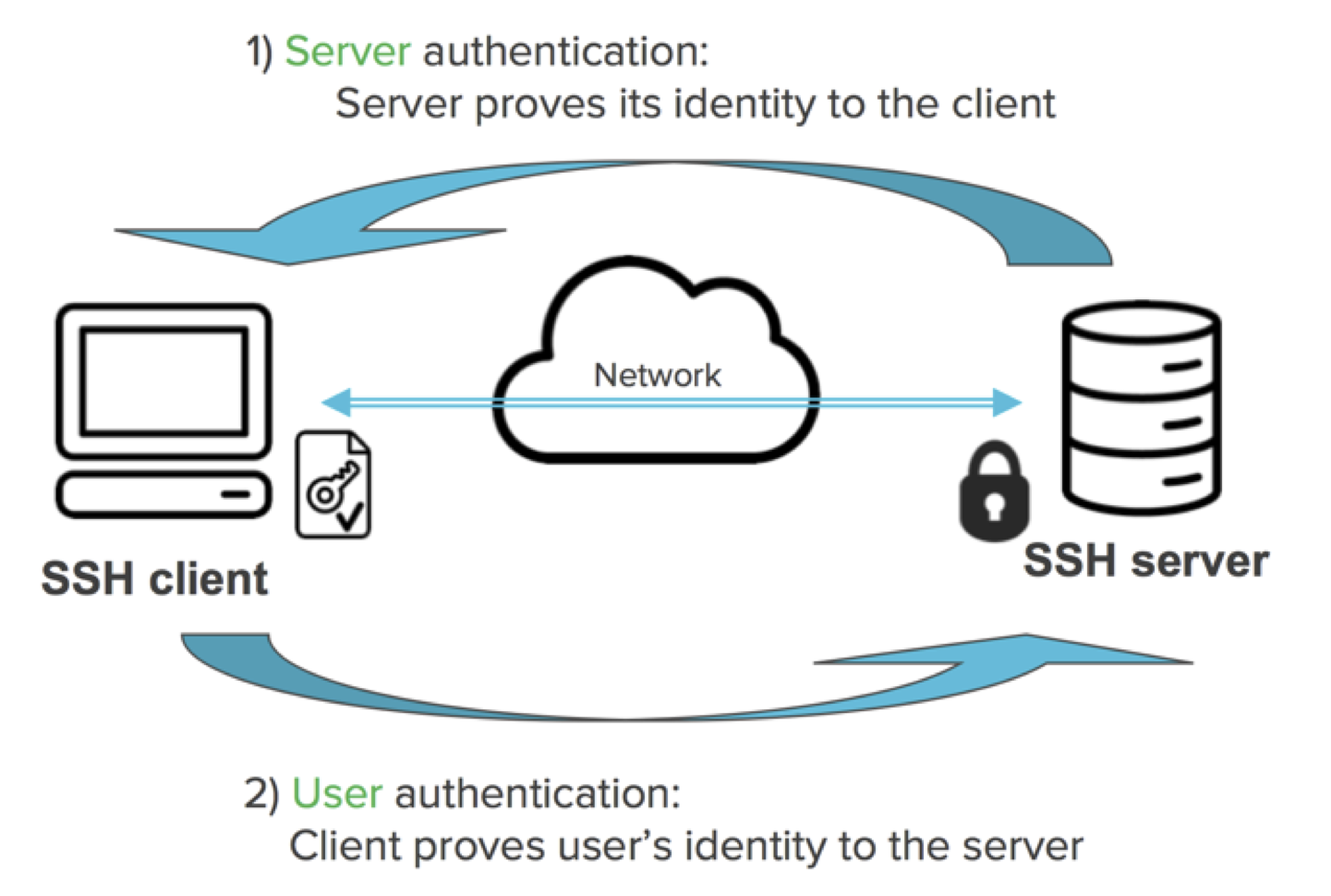
Operation

GitLab Add SSH Key What Is GitLab Add SSH Key Types
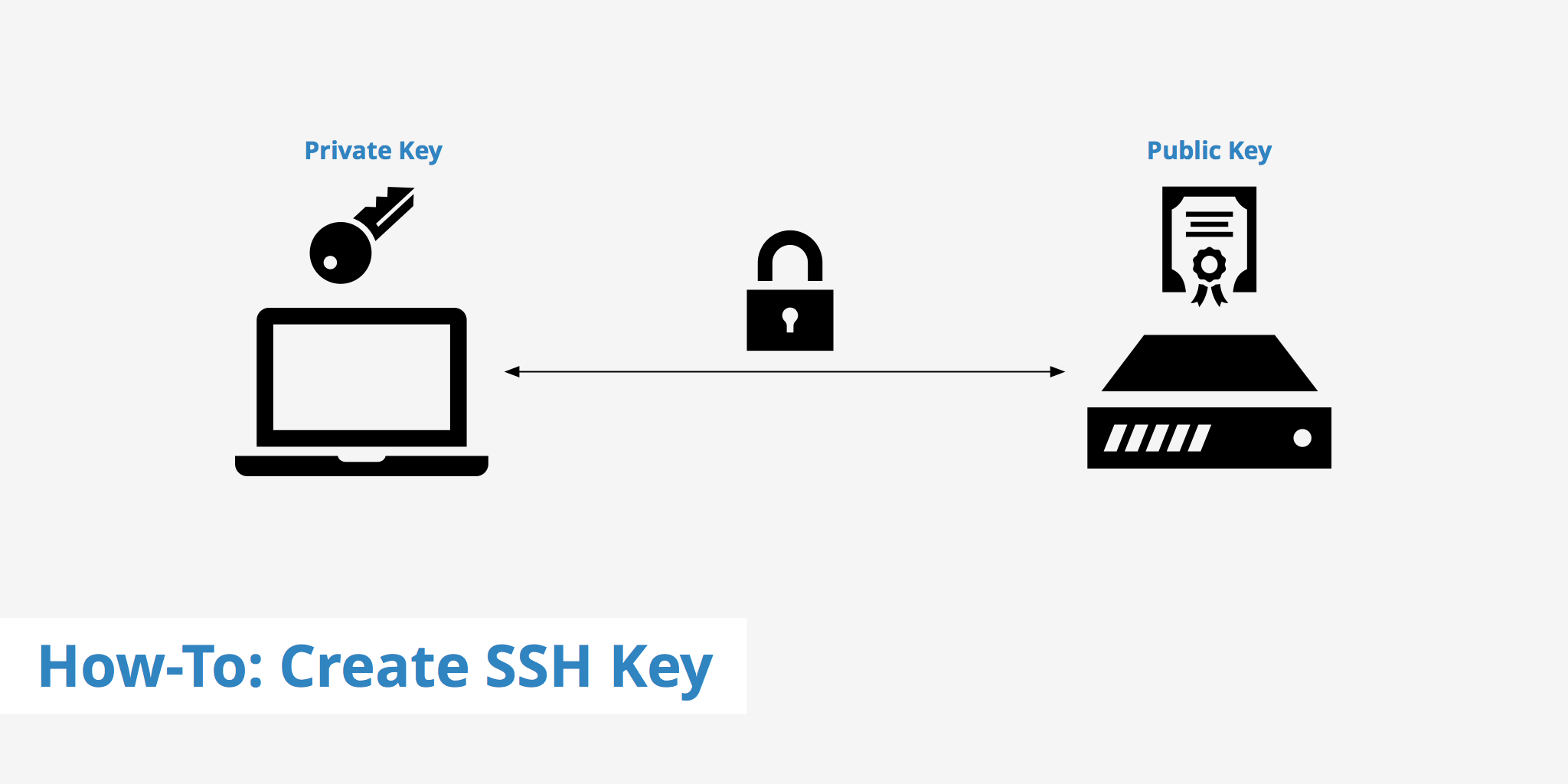
How To Create An SSH Key KeyCDN Support

How To Generate SSH Key With Git To Connect GitHub YouTube
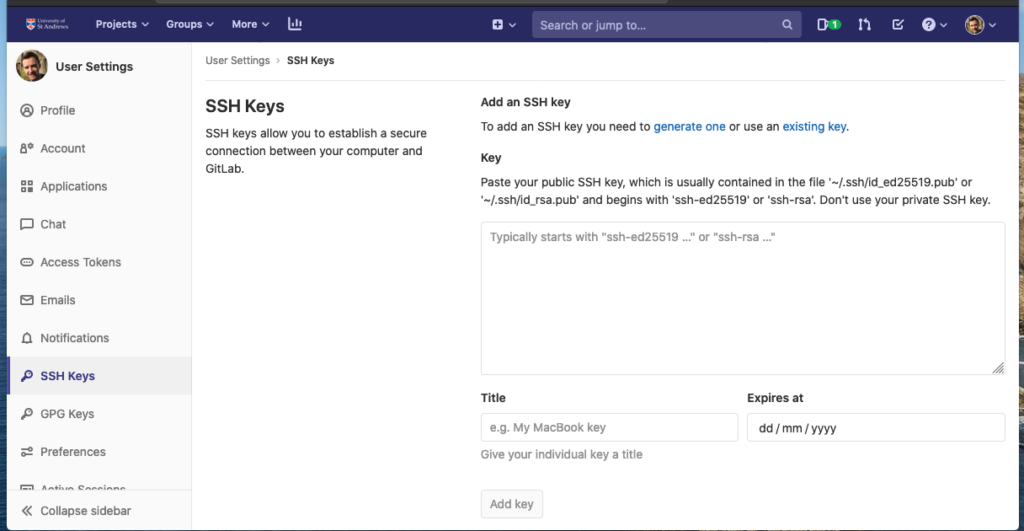
Getting Started With GitLab Research Computing Team
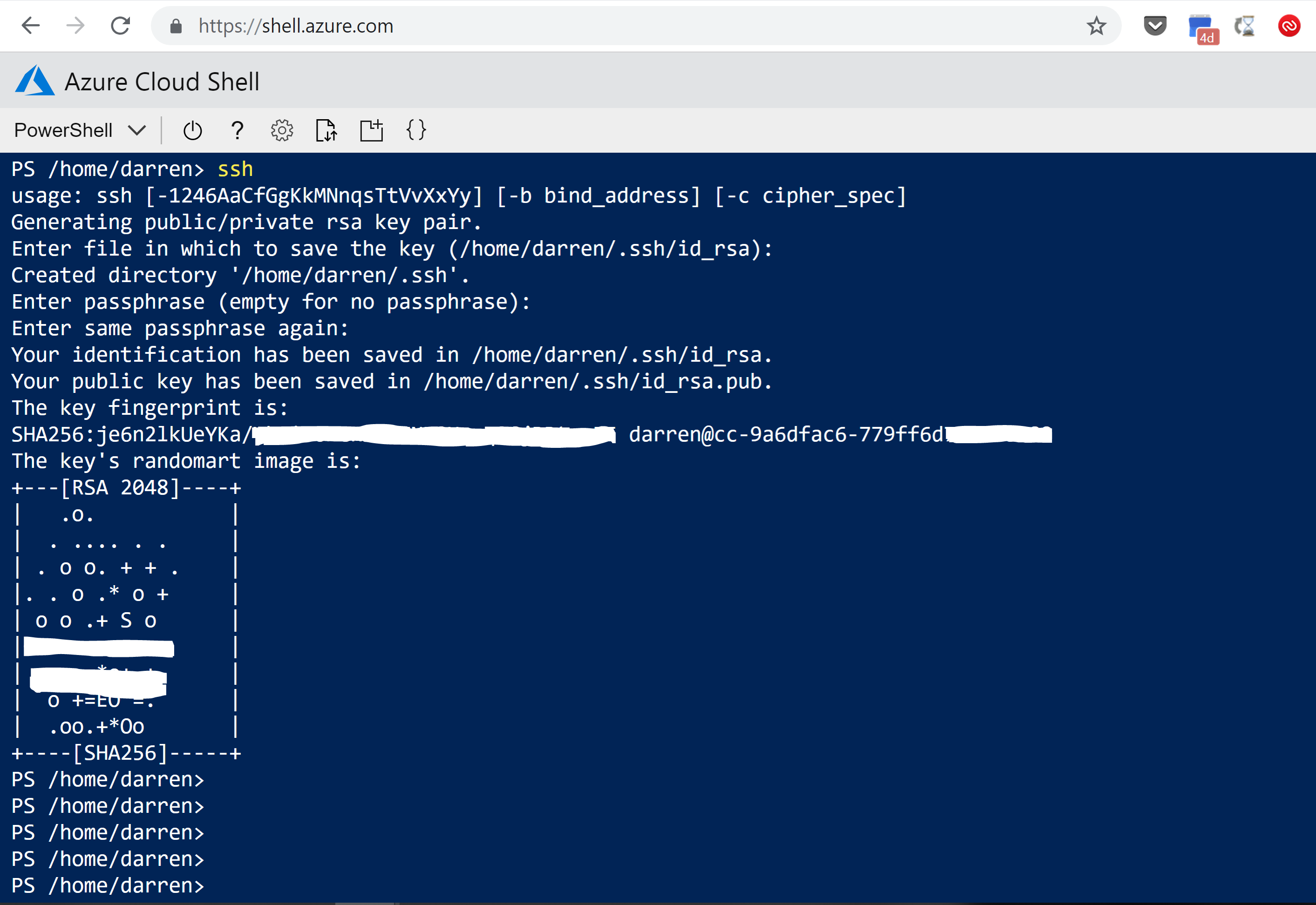
Generate Ssh Key Windows Powershell Eversell

How do I add an SSH key in gitlab Stack Overflow How do I add an SSH key in gitlab Ask Question Asked 7 years 9 months ago Modified 2 years 11 months ago Viewed 103k times 31 Here is what my dashboard looks like Not really sure where to add an SSH key Anyone have any idea ssh gitlab ssh keys Share Improve this question Follow
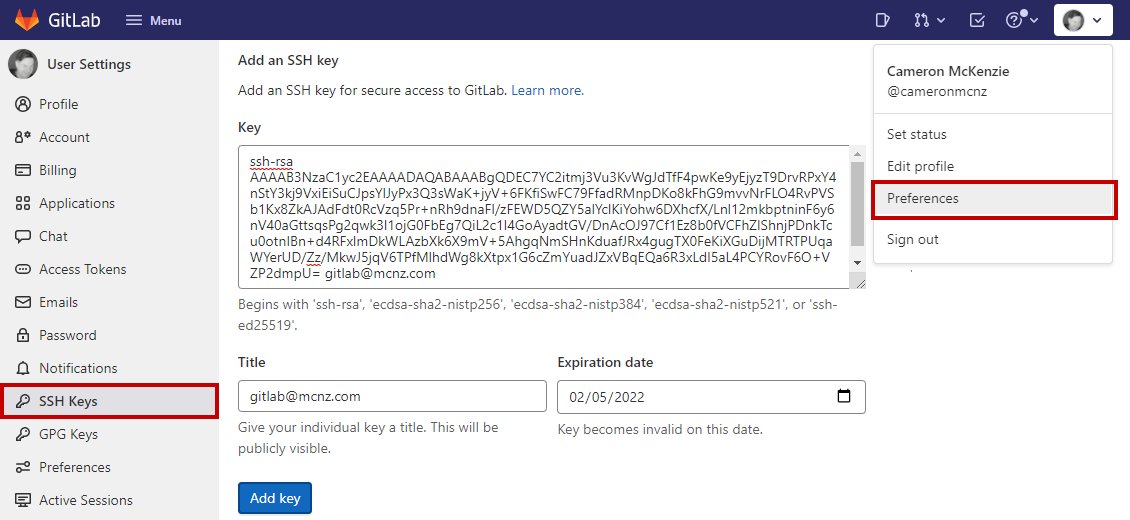
1 Open your public key file in VSCode On the Explorer pane expand the ssh folder and click id es25519 pub Next select the public key and copy it to the clipboard Copying the public key 2 Now open a web browser navigate to https gitlab and log in to your Gitlab account 3
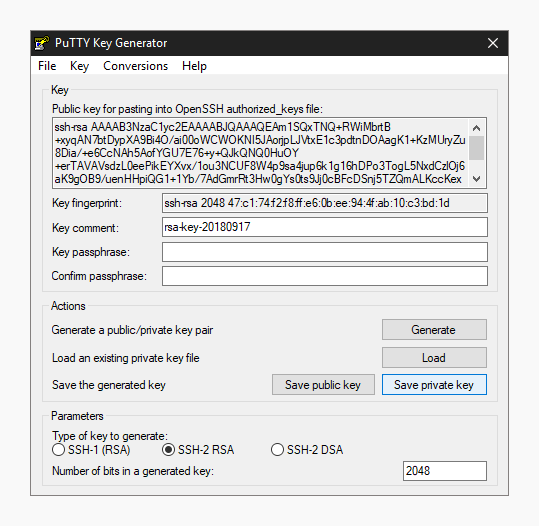
A deploy key is given a permission level when it is created Read only A read only deploy key can only read from the repository Read write A read write deploy key can read from and write to the repository You can change a deploy key s permission level after creating it

7 min read Jan 22 2021 10 Last updated February 2023 Background The most common error you may get when trying to close a Git repository over SSH is this one git gitlab Permission

The most widely supported method is to inject an SSH key into your build environment by extending your gitlab ci yml and it s a solution that works with any type of executor like Docker or shell for example Create and use an SSH key To create and use an SSH key in GitLab CI CD Create a new SSH key pair locally with ssh keygen
If you want to clone a GitLab repo over SSH you ll need to first configure GitLab SSH Keys That means performing the step of SSH key generation with the ss Background The most common error you may get when trying to clone a Git repository over SSH is this one git gitlab Permission denied publickey keyboard interactive fatal Could not
1 Open Git Bash Download and Install Git Bash You can use any nix based command prompt 2 Type cd ssh This will take you to the root directory for Git Likely C Users YOUR USER NAME ssh on Windows 3 In the ssh folder you should find these two files id rsa and id rsa pub