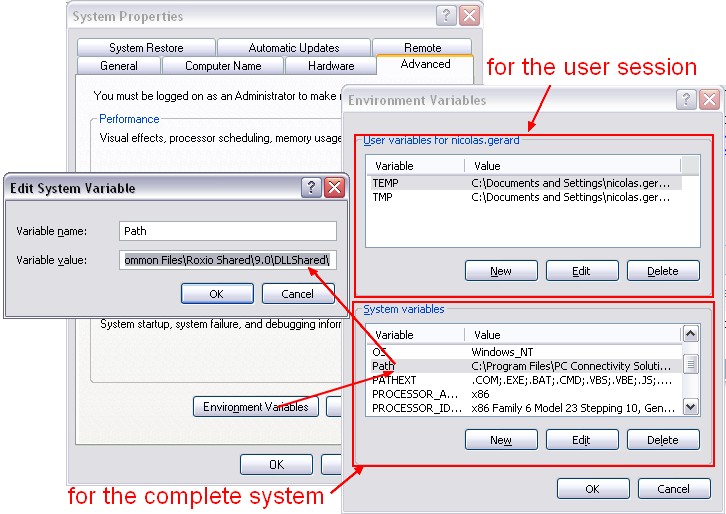
How To Set Environment Variable In Command Prompt How To Set Environment Variables In Windows 11 How To Set Environment Variables In Windows 11 How To Set Environment Variable In PowerShell How To Set Environment Variable In PowerShell AMI TO FILE How To Set Environment Variable In Windows In the System Properties window click Environment Variables Click on the variable you d like to change click Edit Many environment variables will simply take a name and value like Number of processors All you have to do to edit them is to change the value and click OK Adding an environment variable works the exact same way
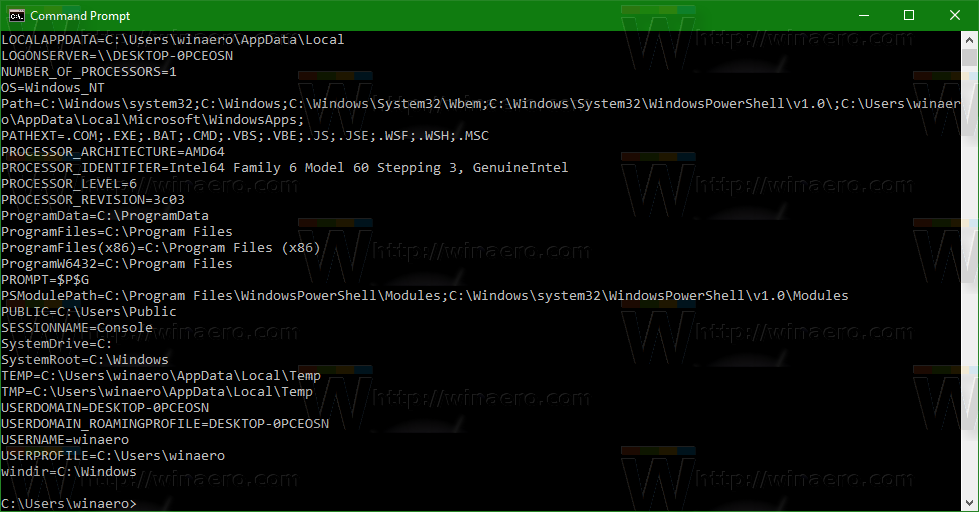
You can use this command to set values for user and system environment variables from one of three sources modes Command Line Mode Registry Mode or File Mode This command writes variables to the master environment in the registry Variables set with setxvariables are available in future command windows only not in the current command window Using command prompt Use set and setx to manipulate environment variables from the command line Get help with set and setx Let s look at what each one does Check an environment variable Check all environment variables with set set Check a specific variable like this set X You can print out an environment variable like this echo X
AMI TO FILE How To Set Environment Variable In Windows How To See Names And Values Of Environment Variables In Windows 10 Solved How To Set Environment Variable In Pre start In 9to5Answer How To Set Environment Variable On Windows To Connect Postgresql YouTube How To Set Environment Variable In Windows 10 Windows Environment Variable How To Set Environmental Variables Twilio Set Environment Variable In Windows How To PhoenixNAP KB 16 Jenkins Environment Variable Set How To Set Environment Variable
How To Set Environment Variable In Command Prompt
 How To Set Environment Variable In Command Prompt
https://geniusgeeks.com/wp-content/uploads/2022/02/set-PATH-variables-in-Windows-11.jpg
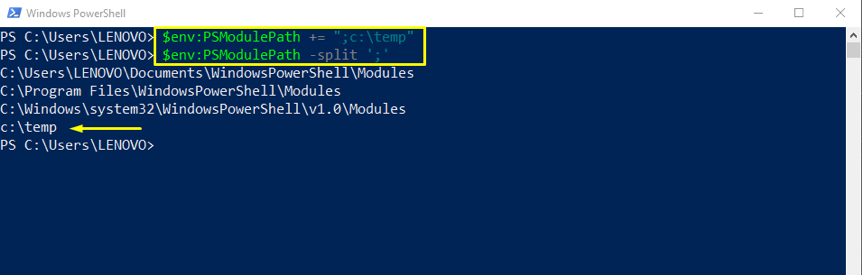
PowerShell s Environment provider gives you an interface for interacting with environment variables in a format that resembles a file system drive It lets you get add change clear and delete environment variables and values in PowerShell For example to create the Foo environment variable with a value of Bar
Pre-crafted templates use a time-saving option for creating a diverse range of files and files. These pre-designed formats and layouts can be made use of for different personal and professional jobs, consisting of resumes, invitations, flyers, newsletters, reports, presentations, and more, improving the material development procedure.
How To Set Environment Variable In Command Prompt
Linux How O Set Environment Variable ION HowTo
How To See Names And Values Of Environment Variables In Windows 10
Solved How To Set Environment Variable In Pre start In 9to5Answer

How To Set Environment Variable On Windows To Connect Postgresql YouTube
Windows Environment Variable

How To Set Environmental Variables Twilio

Permanently set an environment variable for the current user C setx VAR NAME VALUE Permanently set global environment variable for all users C setx M VAR NAME VALUE Info To see the changes after running setx open a new command prompt Was it useful Share this post with the world Comments 3 cmd powershell windows

2 Answers Sorted by 3 That s not really how the path variable works If you add a directory to the path variable you don t have to change to the directory to execute a program For example C set Path C Program Files x86 MyProgram modules bin Path C program will execute C Program Files x86 MyProgram modules bin program exe
I want to set an environment variable from the command prompt and then be able to access it globally for instance I should see it by going to System Environment Variables When I use the set command it isn t accessible in a new cmd session set NEWVAR SOMETHING echo NEWVAR Related questions
Syntax Examples Related links Displays sets or removes cmd exe environment variables If used without parameters set displays the current environment variable settings Note This command requires command extensions which are enabled by default The set command can also run from the Windows Recovery Console using different parameters
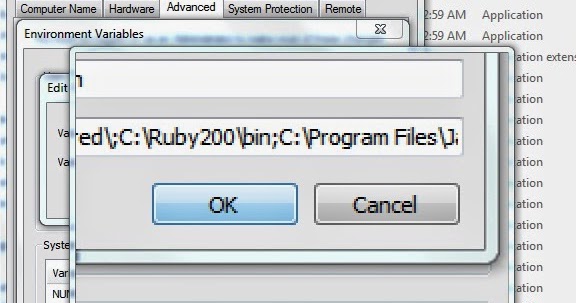
Press Windows R to open the Windows Run prompt 2 Type in sysdm cpl and click OK 3 Open the Advanced tab and click on the Environment Variables button in the System Properties window 4 The Environment Variables window is divided into two sections The sections display user specific and system wide environment variables
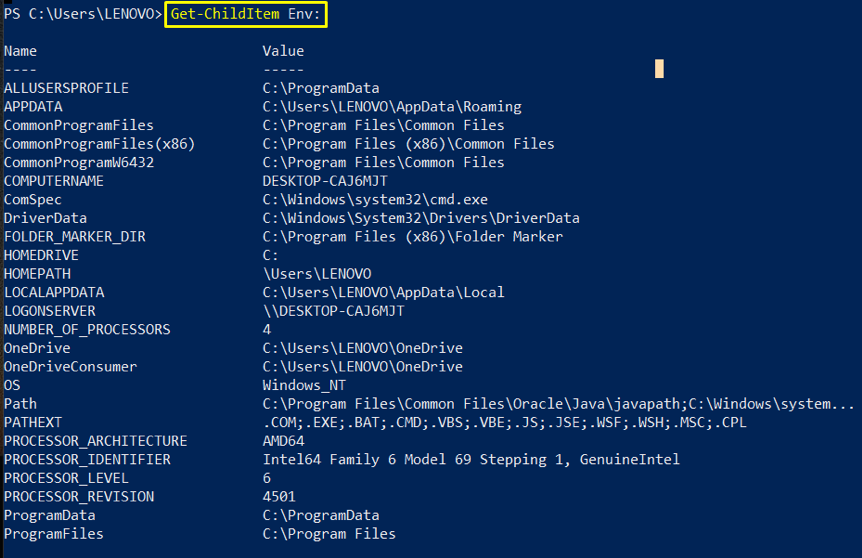
Command Prompt List all environment variables Command Prompt C 1 set Output Print a particular environment variable Command Prompt C 1 echo ProgramFiles Output 1 C Program Files Windows PowerShell List all environment variables Windows PowerShell PS C 1 Get ChildItem Env Output Print a particular environment variable Set a persistent environment variable from cmd exe Asked 12 years 7 months ago Modified 23 days ago Viewed 195k times 172 I have to set environment variables on different windows machines but I don t want to be bothered changing them manually by getting on the properties screen of My Computer
To view all environment variables Open command prompt click the search icon and type cmd in the search bar Then click on the Command Prompt from the results To view any specific variable the command is set followed by that variable name C set windir windir C WINDOWS Add or Modify Environment Variable