How To Set Default Printer In Windows 7 How To Set Default Printer In Windows 11 YouTube How To Set Default Printer In Windows 7 YouTube Setting Default Printer Windows 10 Infoupdate How To Set Default Printer In Windows 11 10 YouTube How To Set The Default Printer In Windows 11 YouTube Learn how to change more cookie settings in Chrome For example you can delete cookies for a specific site In other browsers If you use Safari Firefox or another browser check its support
Yes it is possible to send a group email without revealing all the recipients email addresses To do this you can use the quot BCC quot blind carbon copy field in Gmail When you add email Remove unwanted programs on your computer Before you reset your browser settings check your computer for unwanted programs Learn how to reset your browser settings
How To Set The Default Printer In Windows 11 YouTube How To Set Default Printer On Windows 11 How To Change Your Default Printing Preferences Windows 10 11 Technote Houselopi Blog Windows Printers 3 Ways To Set Default Printer In Windows 11 10 Cmty blog detail How To Set Default Printer In Windows 10
How To Set Default Printer In Windows 7
 How To Set Default Printer In Windows 7
https://i.ytimg.com/vi/d8iGtDzB33E/maxresdefault.jpg
Official Gmail Help Center where you can find tips and tutorials on using Gmail and other answers to frequently asked questions
Templates are pre-designed files or files that can be used for different functions. They can conserve effort and time by providing a ready-made format and design for creating various kinds of material. Templates can be utilized for personal or professional projects, such as resumes, invitations, leaflets, newsletters, reports, presentations, and more.
How To Set Default Printer In Windows 7

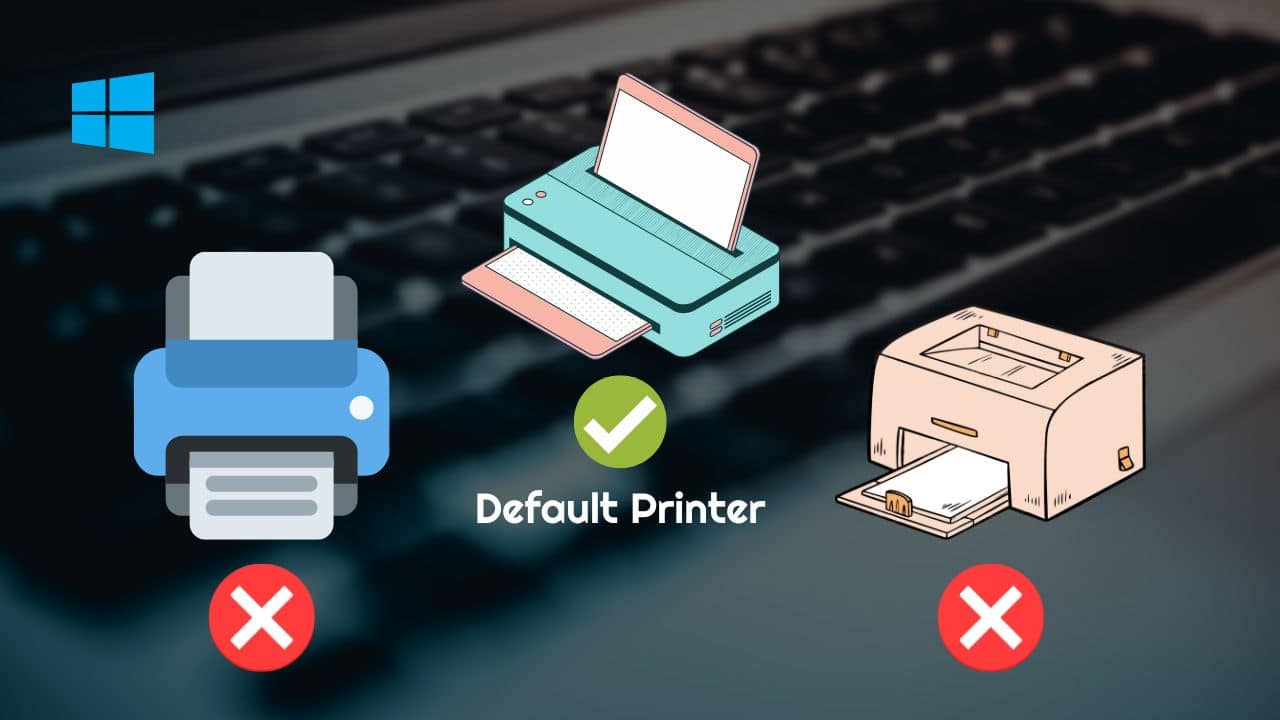
How To Set Default Printer In Windows 10 11 How To Set Default

How To Set Default Printer On Windows 11 How To Change Your Default
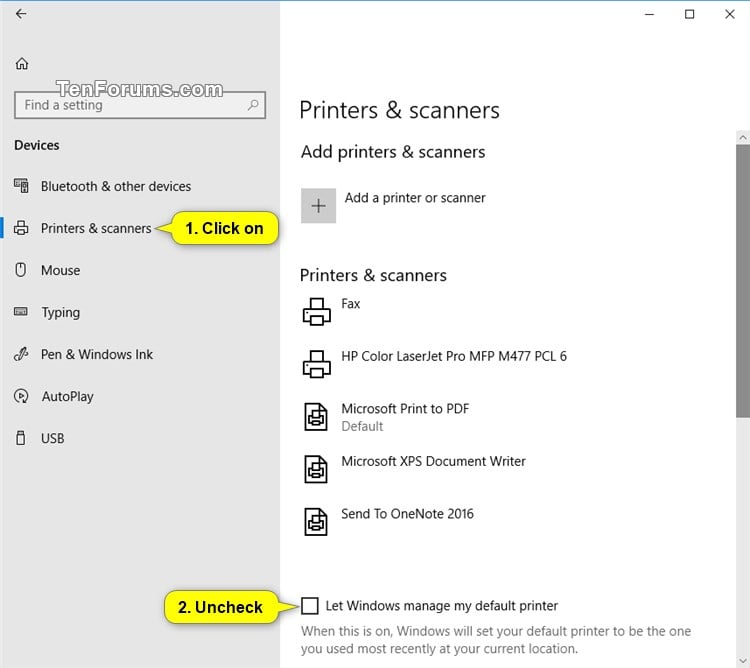
Printing Preferences
Windows 10 11 Technote
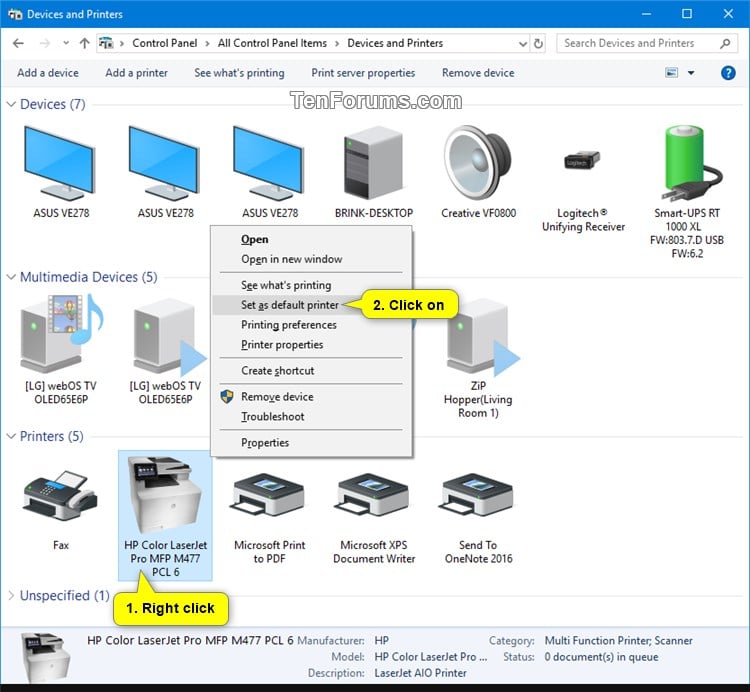
Windows Printers

3 Ways To Set Default Printer In Windows 11 10

How to install Chrome Important Before you download you can check if Chrome supports your operating system and other system requirements

Sign in to Gmail Tip If you sign in to a public computer make sure to sign out before you leave the computer Learn how to sign in on a device that s not yours

If you forgot your password or username or you can t get verification codes follow these steps to recover your Google Account That way you can use services like Gmai

Important Before you set up a new Gmail account make sure to sign out of your current Gmail account Learn how to sign out of Gmail From your device go to the Google Account sign in

To easily manage and share content across all of your devices and the cloud use Google s desktop sync client Drive for desktop If you edit delete or move a file on the Cloud the same
[desc-11] [desc-12]
[desc-13]