How To Send Data To Api In Postman How To Test An Api Using Postman Vrogue Postman API Testing By Example PostMan Run Our API Examples With Postman Digital Blog Generate Code For A REST API Call Using Postman In Just A Few Clicks Devportal Open the Postman app and click the button in the top left to create a new HTTP Request 2 In the request creation screen set the method to POST and enter the URL of the API endpoint 3 For sending data in XML format go to the Headers tab enter Content Type in the Key field and set its Value to text xml 4
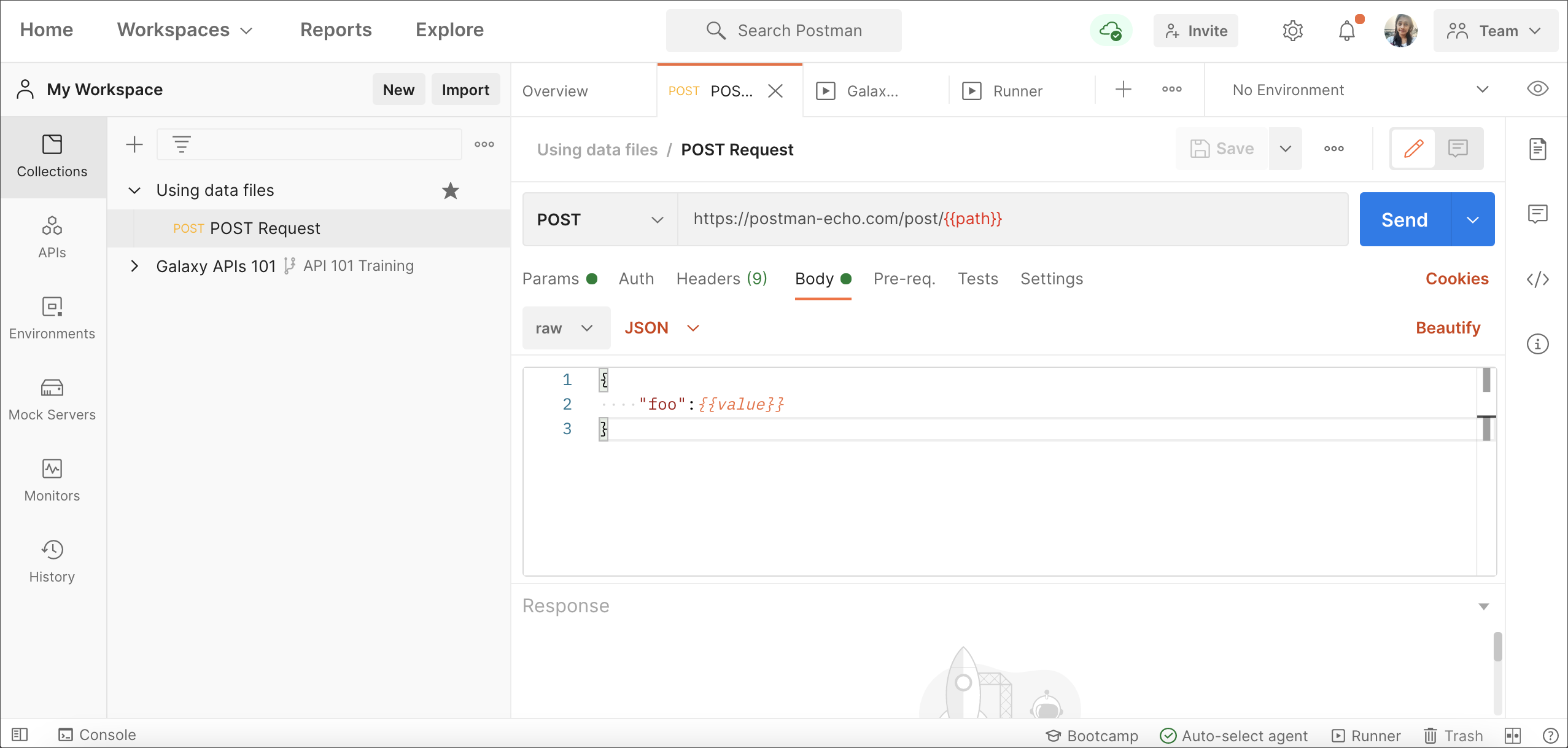
1 25 In review we had an endpoint where we wanted to post data In Postman we first created a new request where we were then able to set a method to POST instead of GET where we were able to also include a body with the type of JSON that said test equals true Once we hit Send we can see it successfully sent and see it successfully post Here is a POST request as an example Step 2 Choose the from data Select the Body tab and choose form data as the type of body In addition Postman provides uploading binary request bodies too Step 3 Click on Files Set the Value Type and select the file or text you want to upload
Generate Code For A REST API Call Using Postman In Just A Few Clicks Devportal How To Send Data To API Into ReactJS CODEDEC How To Send Data To API Into ReactJS CODEDEC Solved Bearer Token In Postman 9to5Answer En Forme Commer ant Habituellement Curl Post Json Autorisation Seuil Masse Sending Data To Any API Rows POST Request In Postman Javatpoint Sending Bearer Tokens To Web API Via Postman ITecNote Postman Download For Api Testing Earcaqwe
How To Send Data To Api In Postman
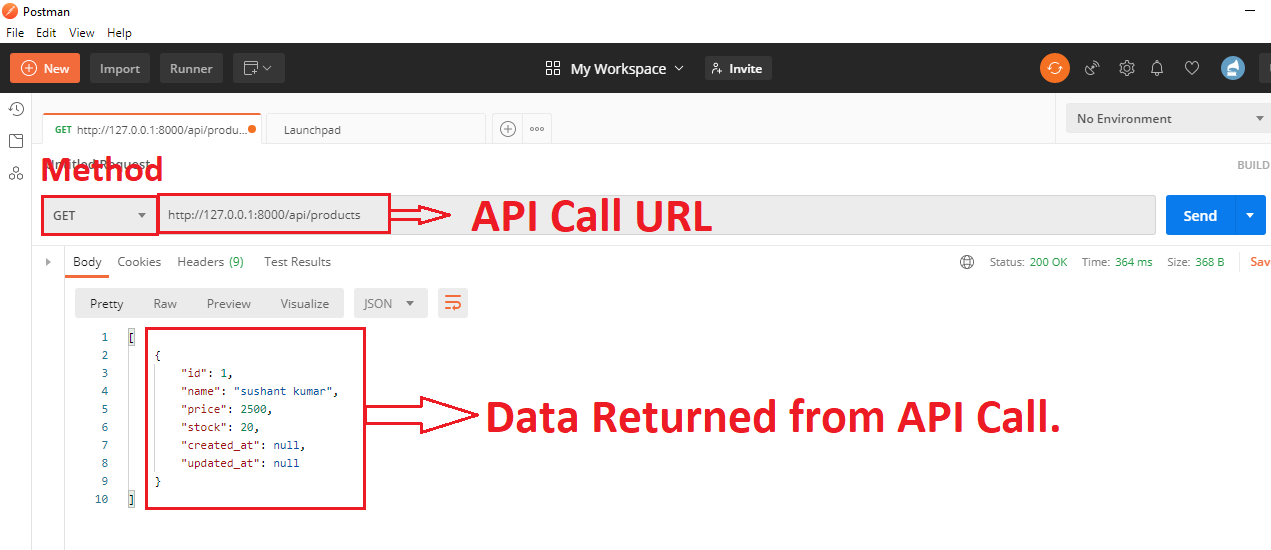 How To Send Data To Api In Postman
https://www.devopsschool.com/blog/wp-content/uploads/2020/09/postman-api.png
Step 1 Install and Set Up Postman Firstly ensure that you have Postman installed You can download and install the Postman application from the official website https www postman Once installed open Postman and either create a new account or log in to your existing account Step 2 Create a New Request
Templates are pre-designed files or files that can be utilized for various purposes. They can conserve time and effort by supplying a ready-made format and layout for creating various type of content. Templates can be utilized for personal or professional projects, such as resumes, invites, flyers, newsletters, reports, discussions, and more.
How To Send Data To Api In Postman

Building Postman

How To Send Data To API Into ReactJS CODEDEC

How To Send Data To API Into ReactJS CODEDEC

Solved Bearer Token In Postman 9to5Answer
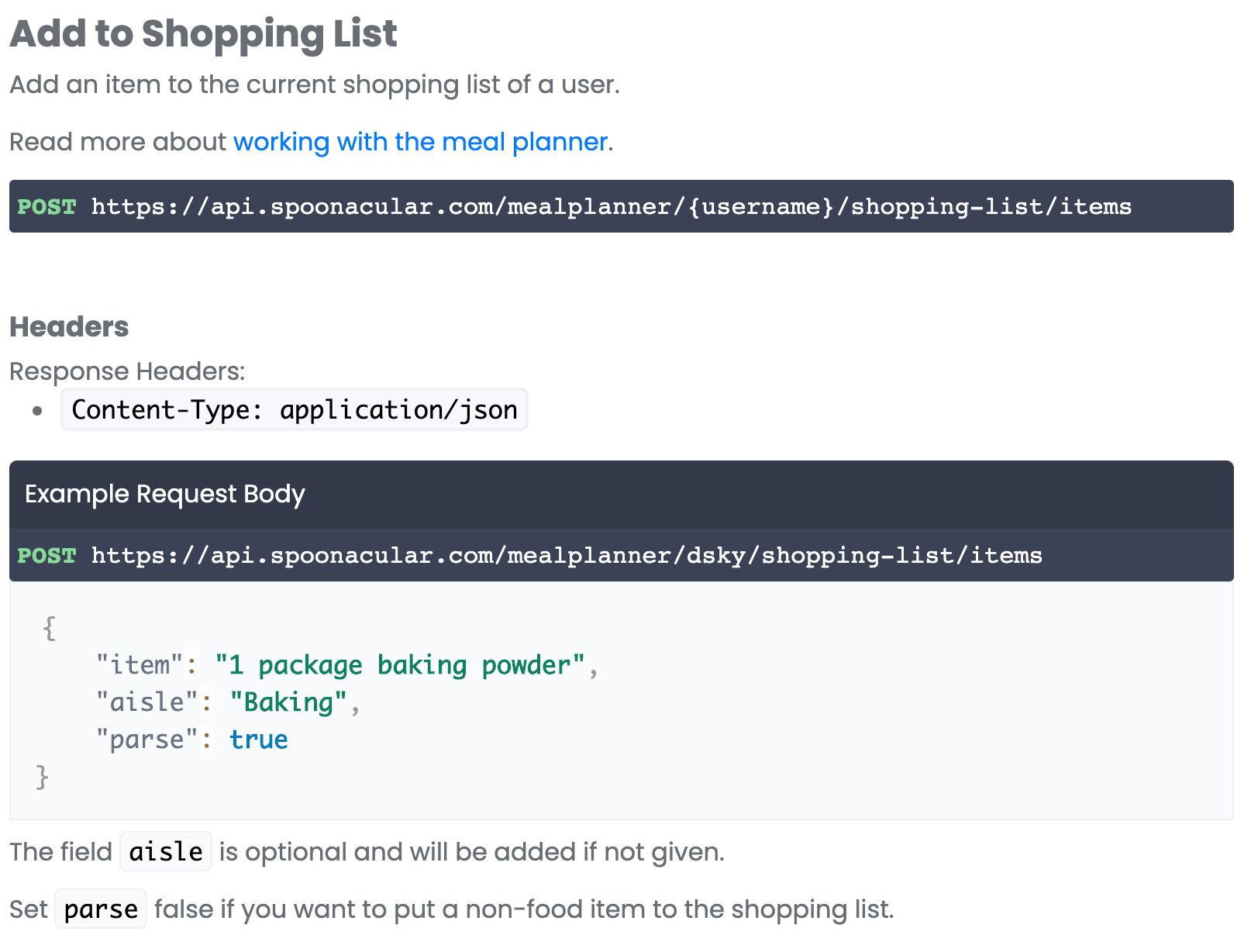
Sending Data To Any API Rows
POST Request In Postman Javatpoint
813 In postman set method type to POST Then select Body form data Enter your parameter name file according to your code On the right side of the Key field while hovering your mouse over it there is a dropdown menu to select between Text File Select File then a Select Files button will appear in the Value field

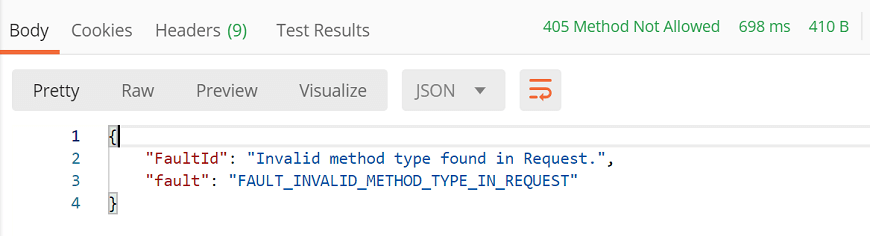
Use the API http restapi demoqa customer register This API is used for registering a new customer in the Postman endpoint bar and press Send Make sure that GET is selected in the Method type dropdown See the HTTP status code it will be 405 Method not allowed Which means that we are hitting the endpoint with incorrect method type
Select the settings icon in the header then select Settings Select the Data tab then select Request Data Export to start your request for the data dump Select Export Data then select the data types you want to export Select Request Data Export to submit the request

Learn how a Postman POST Request work and send sample from data to test your API Download a free Postman Keyboard Shortcuts Cheat Sheet https bit ly 3d

Applications Build an app by adding a form or a webhook to your flow Webhook Form 2 Example Sending data to Request Body 2 Example Sending data to Request Body Fork
Follow these steps to generate an API key Click on your avatar in the top right corner You should see a dropdown menu Click on Account Settings Your profile form appears letting you edit it On the same screen you should see a left navigation menu Click on Postman API keys Step 3 Setting the Body Set the Body type to raw Next to it select JSON from the options And enter the JSON data you want to send in the text box Step 4 Sending the JSON Request Click the Send button to send the request That s how you send JSON data using Postman
Tutorials 8 min read How to Use Postman Client to Send Requests In this guide we will walk you through the process of using Postman as a REST Client to send requests to an API We ll cover how to set up Postman and how to view and analyze responses Ahmed Waheed Jul 18 2023