How To Save Image In Ms Access Database Microsoft Access 6 Ms Access Tables Forms Reports And Queries Youtube Riset Ms Access Database Design Reflecta i Orice Exclusiv Who Accessed A Table T sql Crim Africa Nobil Create A Database In Microsoft Access For Beginners YouTube Can Microsoft Access Store Images Yes you can store images in your Access database Well this task is possible by using attachments that store multiple types of files in a single field Suppose you have made a job contact database
If you have a picturebox and two buttons browse and save image Once the user click the browse button the user will browse picture from the computer then Don t try to save any image to your MS Access database eve any type of database this is not good for data manage Try to save the image file name only and should be unique name of image and image copy and paste in your application path specific folder ok
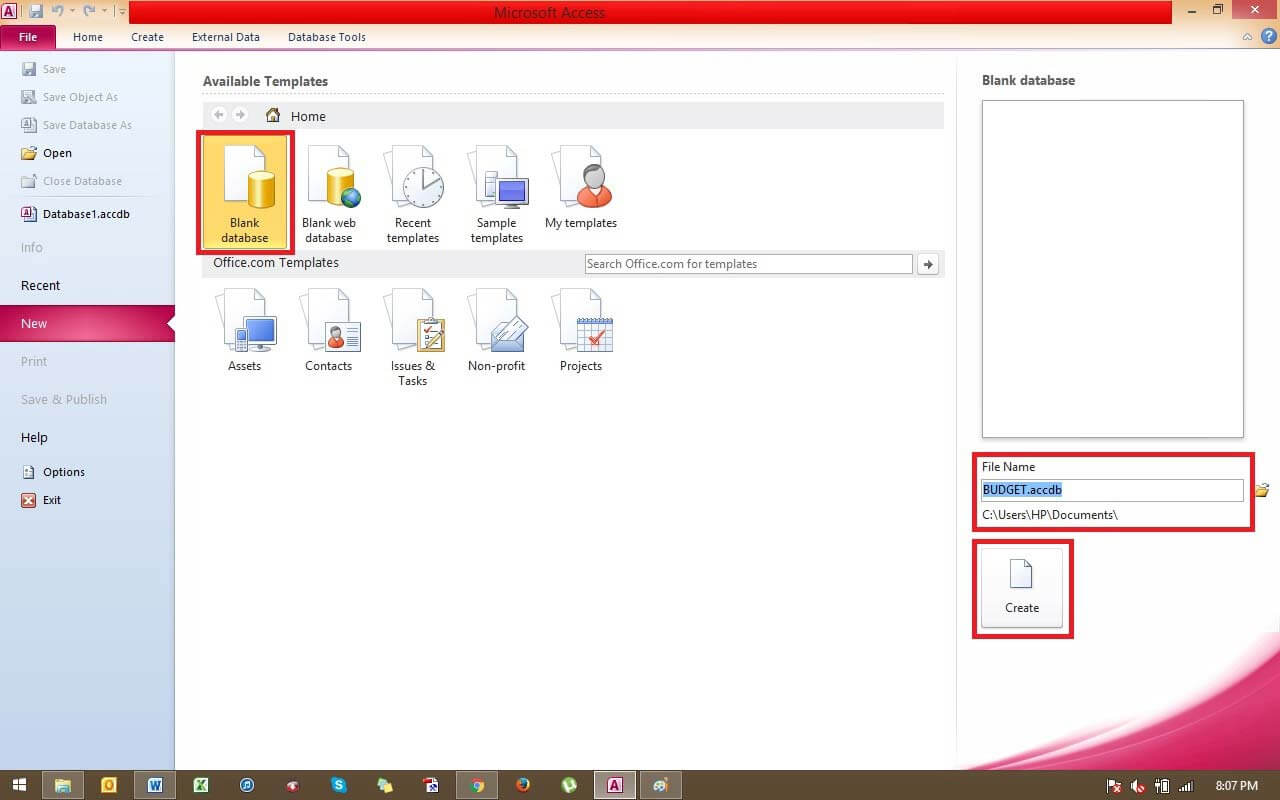
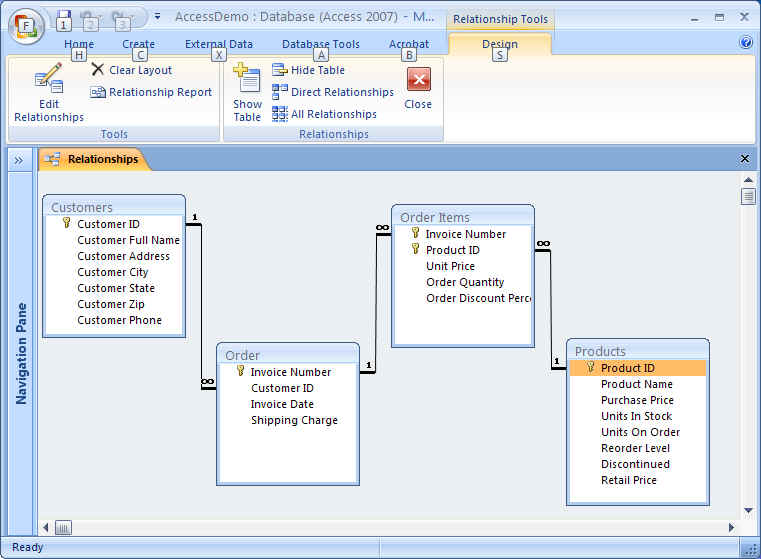
Create A Database In Microsoft Access For Beginners YouTube Ms Access Student Database Templates Download Resume Gallery 5 Reason Why MS Access Is The Best Desktop And Database Application Cara Mengatasi Masalah Tidak Terdapat Access Database Engine Kursus Basic Introduction To Microsoft Access Database 01 YouTube 2 Start The Microsoft OfficeAccess Application And Create A Blank Access 2016 Create A Database Microsoft Access Logo And Symbol Meaning History PNG Ms access GitHub Topics GitHub
How To Save Image In Ms Access Database
 How To Save Image In Ms Access Database
https://cdn.educba.com/academy/wp-content/uploads/2015/12/Microsoft-Access.jpg
First Technique It is amongst the most problematic as it is known for causing multiple server errors on OLE Object Linking and Embedding This uses the same application which is used in MS Paint to display an image This technique can also lead to a number of other images displaying problems
Pre-crafted templates use a time-saving option for producing a diverse series of files and files. These pre-designed formats and layouts can be utilized for different personal and expert projects, consisting of resumes, invites, leaflets, newsletters, reports, discussions, and more, enhancing the material production process.
How To Save Image In Ms Access Database

Data Types Ms Access 2016 IT Online Training

Ms Access Student Database Templates Download Resume Gallery

5 Reason Why MS Access Is The Best Desktop And Database Application

Cara Mengatasi Masalah Tidak Terdapat Access Database Engine Kursus
2 Start The Microsoft OfficeAccess Application And Create A Blank

Access 2016 Create A Database
You use the Attachment feature in Access to add one or more files documents presentations images and so on to the records in your database This article provides the background information and steps needed to configure a database to use attachments and to attach and manage data

Using OLE Object column types there are 3 ways you can store images and files in a Microsoft Access database or in a database e g SQL Server used by a Microsoft Access front end embedding Embedding involves creating the image file directly using the associated OLE Server application

On the Datasheet tab in the Data Type Formatting group click the down arrow next to Data Type and then click Attachment Access sets the data type for the field to Attachment and places an icon in the header row of the field The following figure shows a new Attachment field Note the paperclip icon in the header row of the field

Answers 0 Sign in to vote Believe it or not this code provided by Microsoft will actually SAVE a jpeg image file directly into an Access database without the huge overhead Moreover it can be loaded into a picturebox for viewing http support microsoft kb 103257 Instead of using the Winfile hlp as a source use any jpeg or image file

Adding pictures in a field in Microsoft Access is good The ability to take pictures from your database can often save time and give your database the flexib
janobesourcecode fullsourcecode freesourcecode vb msaccessHow to Save Picture in Access database Using VB NetHow to Display the Image in the DataGridVie This software allows to export images stored in OLE fields inside access tables This is not what I want I have a form with some logos headers and background images Those images are making the database become bigger and bigger because they are embedded in the form
Saving Picture in Microsoft Access Database