How To Save Html Form Data In Csv Using Python Pandas To csv Convert DataFrame To CSV DigitalOcean How To Parse Csv Files In Python Digitalocean Riset How To Read A Csv File In Python Using Csv Module Vrogue How To Save HTML Form Data To A Text File Using JavaScript Sending Html Form s Data To Google Sheet How To Save HTML Form Data Select All Select foo in the Name tab Select Headers You can then get the form data as shown in the image below The only thing displayed to the user is the URL called As we mentioned above with a GET request the user will see the data in their URL bar but with a POST request they won t
If csvfile is a file object it should be opened with newline 1 An optional dialect parameter can be given which is used to define a set of parameters specific to a particular CSV dialect It may be an instance of a subclass of the Dialect class or one of the strings returned by the list dialects function To save scraped data to a CSV file in Python we ll use the built in CSV module Let s take an example that scrapes the title and URL of the top 10 Google search results for a given query and saves the results to a CSV file import csv from urllib request import urlopen from bs4 import BeautifulSoup html urlopen https en wikipedia
Sending Html Form s Data To Google Sheet How To Save HTML Form Data Solved Read Specific Columns In Csv Using Python 9to5Answer JavaScript Method For Storing HTML Form Data In A Text File Javascript GitHub Jakecyr html nodejs mysql example Simple Example Of How To Read Csv And Append Csv In Python Youtube Mobile Legends How To Add Two Numbers In JavaScript Using Textbox Read Csv In Python Read Csv Data In Python Example Www vrogue co How To Call External JavaScript Function From An HTML Button Onclick How To Read Csv File Into A Dataframe Using Pandas Library In Jupyter
How To Save Html Form Data In Csv Using Python
 How To Save Html Form Data In Csv Using Python
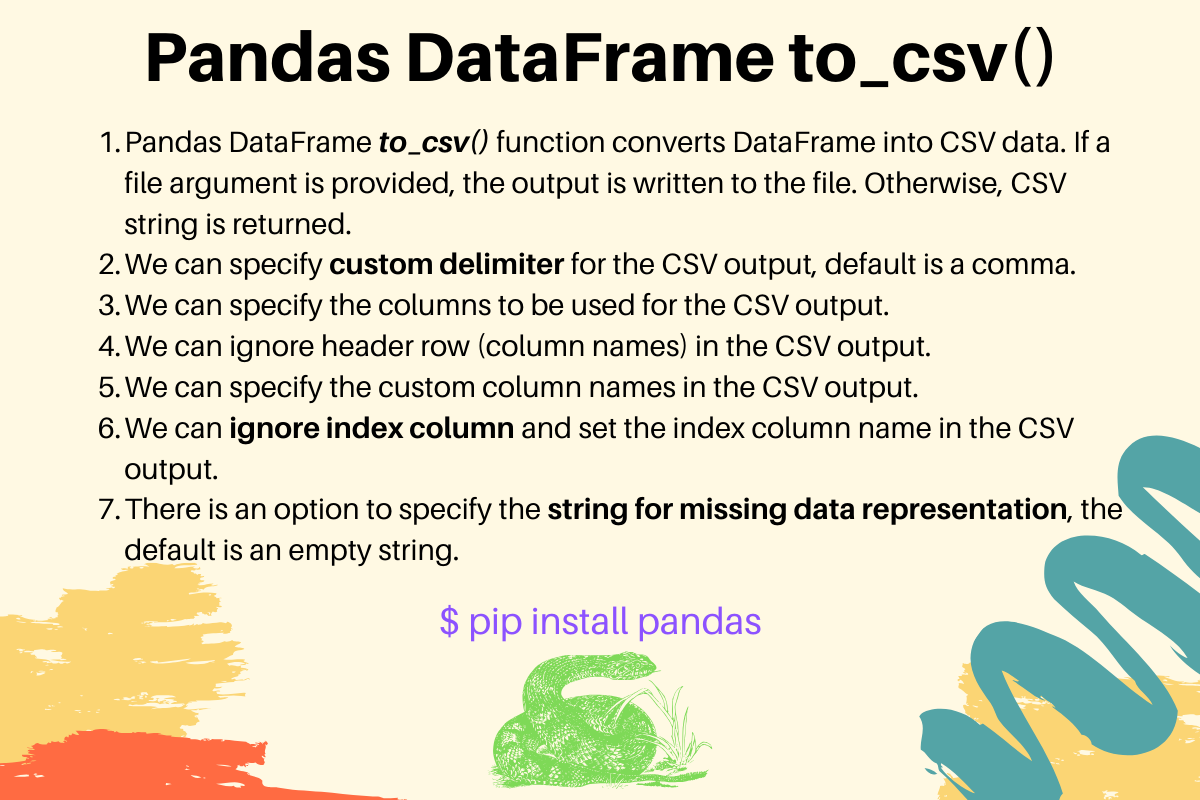
https://journaldev.nyc3.digitaloceanspaces.com/2019/11/pandas-dataframe-to-csv.png
The pandas module provides us with different tools to handle csv files To convert a csv file to an HTML table we will first open the file using the read csv method The read csv method takes the file name of the csv file as an input argument and returns a dataframe containing the data from the csv file
Pre-crafted templates use a time-saving service for creating a diverse series of documents and files. These pre-designed formats and layouts can be utilized for various personal and expert projects, consisting of resumes, invitations, leaflets, newsletters, reports, presentations, and more, simplifying the content creation process.
How To Save Html Form Data In Csv Using Python
How To Add JQuery To A JavaScript File

Solved Read Specific Columns In Csv Using Python 9to5Answer

JavaScript Method For Storing HTML Form Data In A Text File Javascript
GitHub Jakecyr html nodejs mysql example Simple Example Of How To
How To Add Two Numbers In JavaScript Using Textbox
Read Csv In Python Read Csv Data In Python Example Www vrogue co

Converting HTML Table into CSV file in Python Example Suppose HTML file looks like HTML table that can be converted to a CSV file using the BeautifulSoup and Pandas module of Python These modules do not come built in with Python To install them type the below command in the terminal pip install beautifulsoup4 pip install pandas

11 I want to convert a HTML table as obtained from the script below into a CSV file but got type error as follows TypeError sequence item 0 expected string Tag found

To download a file from a URL using the urllib package you can call urlretrieve from the urllib request module This function fetches a web resource from the specified URL and then saves the response to a local file To start import urlretrieve from urlllib request Python
Open up a blank file in the text editor you use for programming copy and paste the code below and save the file with a html extension We saved ours as ContactForm html We will walk

Given an HTML table code in a file or at a given URL First load all HTML tables into the Python script by calling Pandas pd read html passing the URL of the HTML document The result is a list of DataFrames one per HTML table in the document Second convert any specific DataFrame to a CSV by calling the df to csv function Here s the general example replace your specific URL
Create Flask application Start your virtual environment pip install virtualenv python3 m venv env pip install flask Now we will create the flask backend which will get user input from HTML form Python3 from flask import Flask request render template Flask constructor app Flask name A decorator used to tell the application The key to using it with Django is that the csv module s CSV creation capability acts on file like objects and Django s HttpResponse objects are file like objects Here s an example import csv from django http import HttpResponse def some view request Create the HttpResponse object with the appropriate CSV header response
Step 1 Create an HTML table Create a simple HTML page with a table and a button This button will be used as a trigger to convert the table into comma separated values and download it in the form of a CSV file Apply your own needed CSS stylings HTML DOCTYPE html html body center h1 style color green GeeksForGeeks h1