How To Revert To A Specific Commit In Gitlab Git Reverting To Previous Commit How To Revert To Last Commit Revert Changes Workflow Help GitLab How To Revert The Last Commit Locally And Remote In Git Become A Revert Changes Merge Requests Project User Help GitLab Git Revert File Reverting A File To A Previous Commit Web Aug 18 2022 nbsp 0183 32 If you want to revert a particular file to a previous commit you must first see all commits made to that file To do this add the file name to the command git log oneline README md In a situation where the file is located in another folder you can either navigate your terminal to the folder or use the file path in the command as seen
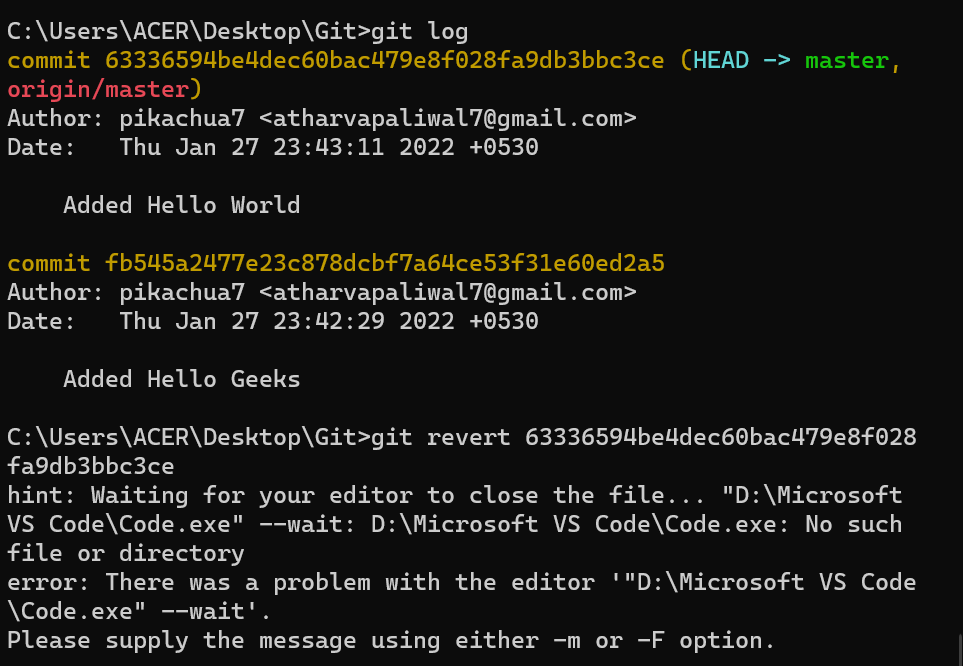
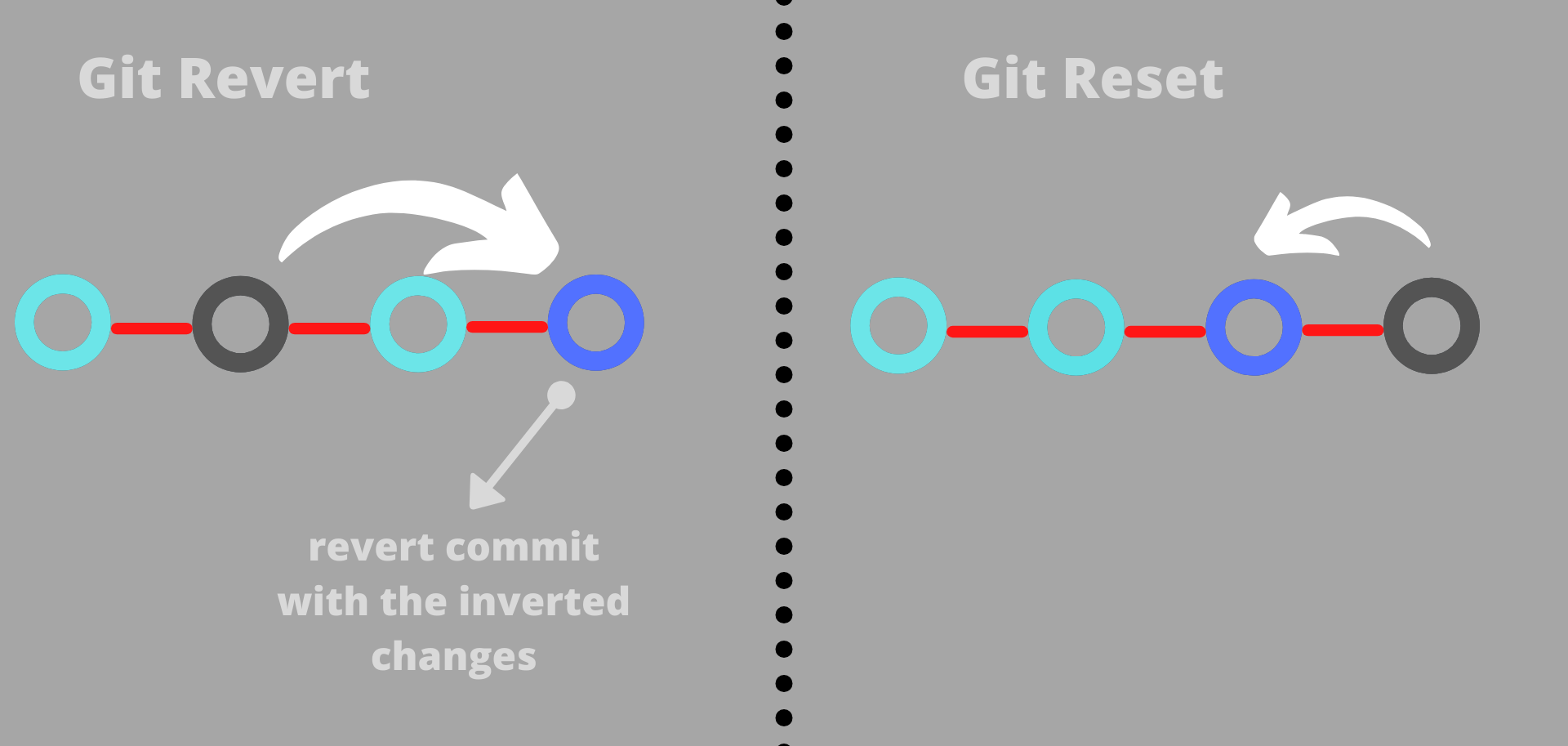
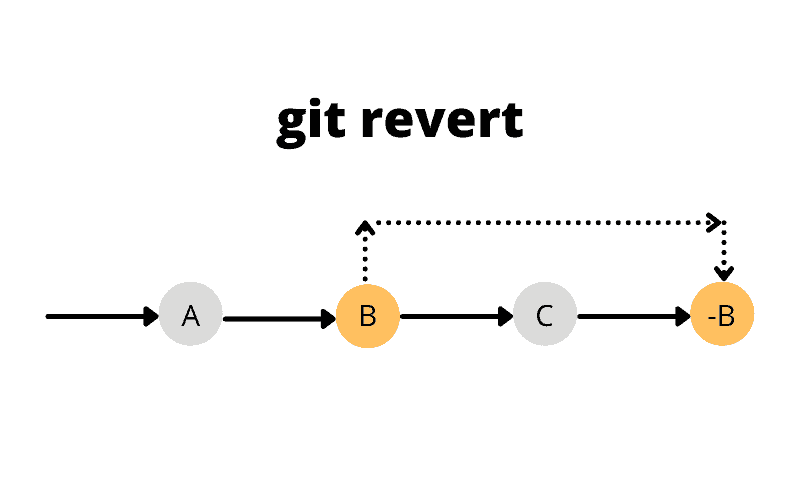
Web A revert operation will take the specified commit inverse the changes from that commit and create a new quot revert commit quot The ref pointers are then updated to point at the new revert commit making it the tip of the branch To demonstrate let s create an example repo using the command line examples below Web Reverting a Commit Using the revert command doesn t delete any commits Quite the contrary it creates a new revision that reverts the effects of a specified commit The syntax to do this is easy Just use the revert command and provide the commit you want to quot undo quot git revert 0ad5a7a6
Git Revert File Reverting A File To A Previous Commit Git What Are Differences Between Revert Revert Commit And Reset Hot How To Undo Pushed Commits With Git Sciencx Git Revert File Reverting A File To A Previous Commit How To Revert Or Undo Last Commit In Git SidTechTalks How Do I Revert A Git Repo To A Previous Commit O Reilly Napad Suknja Iskustvo Gitlab Auto Deploy Pravo Mu an Parada Git Reset And Revert Tutorial For Beginners DataCamp Git Fetch And Checkout BlissWas
How To Revert To A Specific Commit In Gitlab
 How To Revert To A Specific Commit In Gitlab
https://www.freecodecamp.org/news/content/images/2022/10/roman-synkevych-wX2L8L-fGeA-unsplash.jpg
Web Feb 6 2024 nbsp 0183 32 It doesn t revert to the previous state of a project by removing all subsequent commits it simply undoes a single commit git revert doesn t move ref pointers to the commit that we re reverting which is in contrast to other undo commands such as git checkout and git reset Instead these commands move the HEAD ref pointer to the
Templates are pre-designed documents or files that can be utilized for different purposes. They can conserve effort and time by providing a ready-made format and layout for developing different sort of content. Templates can be used for personal or professional tasks, such as resumes, invitations, flyers, newsletters, reports, discussions, and more.
How To Revert To A Specific Commit In Gitlab
Git Difference Between Git Revert Checkout And Reset GeeksforGeeks
Git What Are Differences Between Revert Revert Commit And Reset Hot
How To Undo Pushed Commits With Git Sciencx

Git Revert File Reverting A File To A Previous Commit

How Do I Revert A Git Repo To A Previous Commit O Reilly
Napad Suknja Iskustvo Gitlab Auto Deploy Pravo Mu an Parada

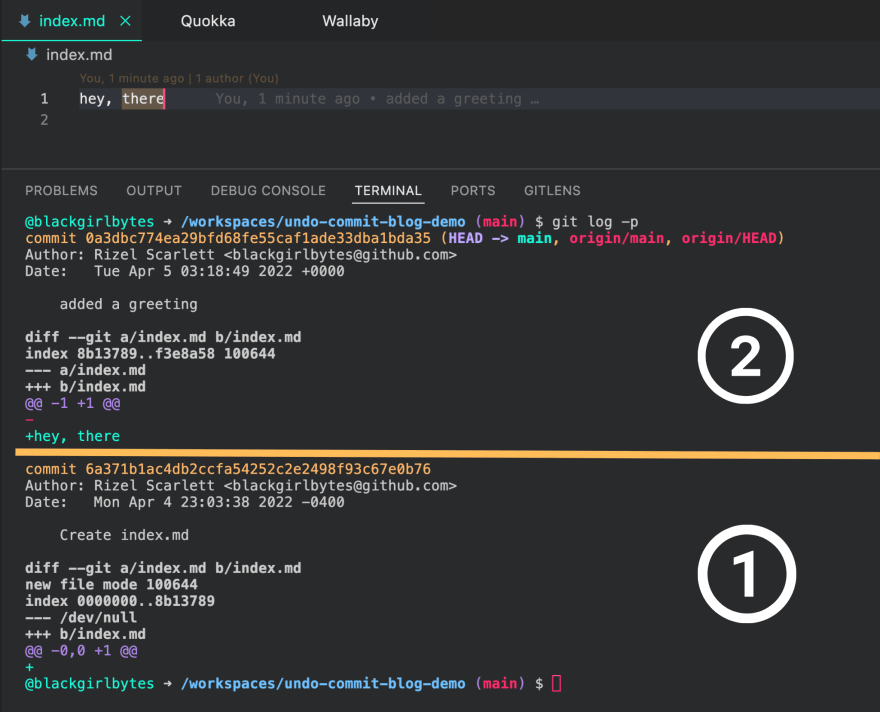
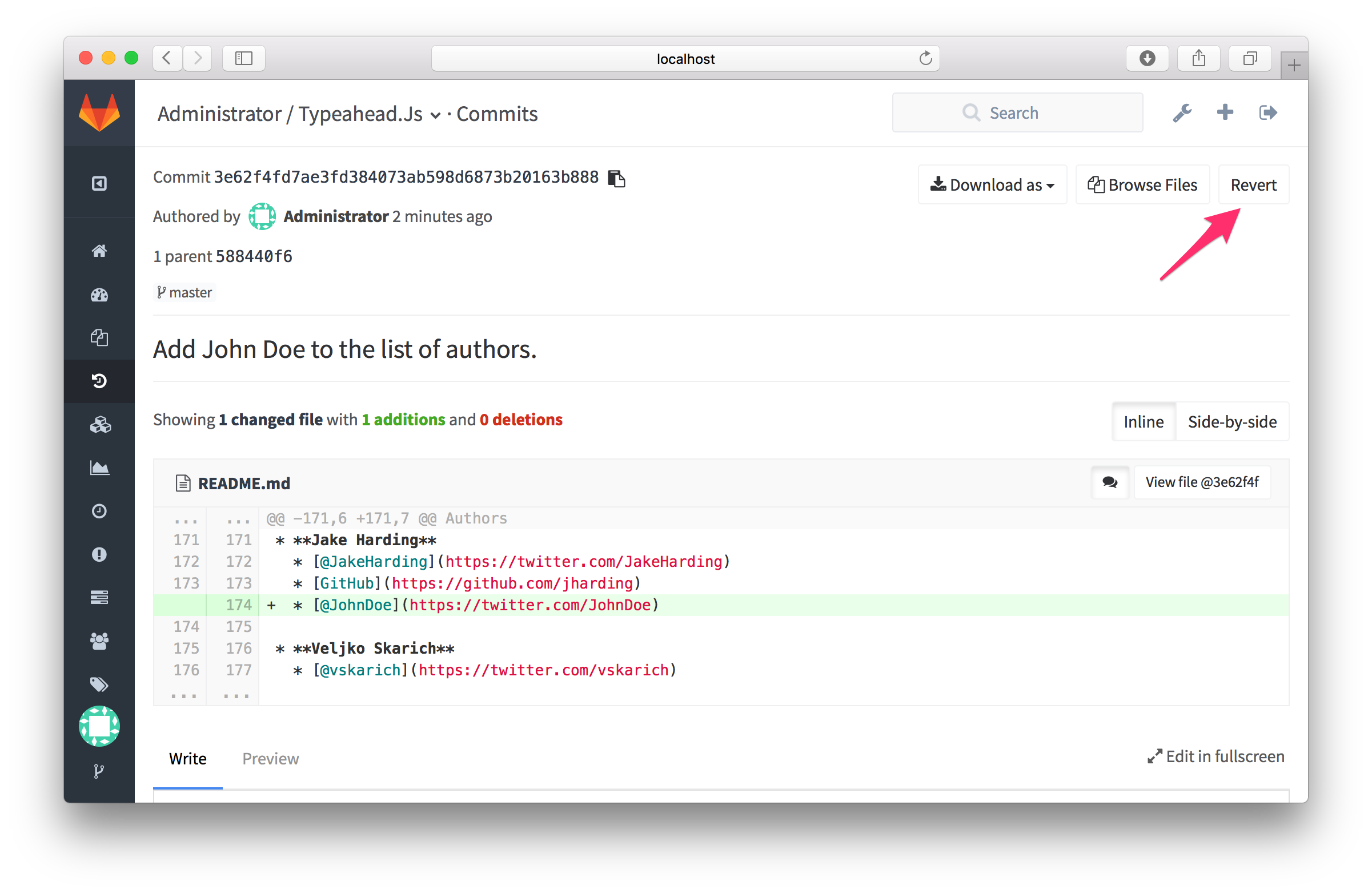
Web You can revert individual commits or an entire merge request in GitLab When you revert a commit in Git you create a new commit that reverses all actions taken in the original commit Lines added in the original commit are removed Lines removed in the original commit are added back
Web Nov 6 2010 nbsp 0183 32 Reverting Working Copy to Most Recent Commit To revert to the previous commit ignoring any changes git reset hard HEAD where HEAD is the last commit in your current branch Reverting The Working Copy to an Older Commit To revert to a commit that s older than the most recent commit
Web http www kernel pub software scm git docs git revert html using git revert lt commit gt will create a new commit that reverts the one you dont want to have You can specify a list of commits to revert An alternative http git scm docs git reset git reset will reset your copy to the commit you want

Web Sep 2 2019 nbsp 0183 32 In Git we can gracefully revert all changes to the specific commit without using the potentially dangerous git reset command In this note i am showing how to undo local changes by making a rollback to the specific commit and how to revert a commit that has already been pushed to remote Cool Tip Revert a file to the previous commit

Web lt commit gt Commits to revert For a more complete list of ways to spell commit names see gitrevisions 7 Sets of commits can also be given but no traversal is done by default see git rev list 1 and its no walk option e edit With this option git revert will let you edit the commit message prior to committing the revert
Web 1 Answer Here git revert HEAD 1 will revert to your last commit while if you want to revert to a specific commit then use git revert commit id or in your case you can also use git revert HEAD 2 which will roll you back to previous two commits Web Dec 1 2021 nbsp 0183 32 By Cameron McKenzie TechTarget Published 01 Dec 2021 The most misunderstood operation in the world of distributed version control must be the git revert command Let s walk through an example of how to revert a Git commit and differentiate the git reset and git revert commands
Web May 26 2023 nbsp 0183 32 Rewind to a commit To rewind back to a specific commit you can use git reset This command will uncommit and unstage changes but leave them in the working directory You can use the hard flag to uncommit unstage and delete changes instead reset 3050fc0 hard c0d30f3