How To Revert To A Particular Commit In Git How Do I Revert A Git Repo To A Previous Commit O Reilly Git Revert File Reverting A File To A Previous Commit How To Revert To Last Commit In Git YouTube Version Control With Git Undoing Changes How To Undo Pushed Commits With Git Sciencx Web Feb 28 2023 nbsp 0183 32 To revert to a previous commit you d need the ID of that particular commit To get the commit ID run the command below git log The command shows you the commit ID author and date of every commit It should look like this git log In our own case the commit ID is 785dd5a6dd0f1ebd9e06045df787d8d28fd38285
Web Quite the contrary it creates a new revision that reverts the effects of a specified commit The syntax to do this is easy Just use the revert command and provide the commit you want to quot undo quot git revert 0ad5a7a6 In case you are using the Tower Git client the revert command is easily available in the right click menu of a commit item Web Dec 1 2021 nbsp 0183 32 Steps to revert a Git commit In review the steps to git revert a commit and undo unwanted changes are the following Locate the ID of the commit to revert with the git log or reflog command Issue the git revert command and provide the commit ID of interest Supply a meaningful Git commit message to describe why the revert was needed
How To Undo Pushed Commits With Git Sciencx How To Undo Changes In Git reset Vs Revert Vs Restore Git What Are Differences Between Revert Revert Commit And Reset Hot Git Revert File Reverting A File To A Previous Commit How To Revert Or Undo Last Commit In Git SidTechTalks Revert Changes Workflow Help GitLab 50 Hilarious Git Commit Messages Git Commit Messages From Humorous Commit Changes To A Git Repository TestingDocs Hochland Erkl rung Hurrikan How To Roll Back In Git Eisig Vesuv Blendung
How To Revert To A Particular Commit In Git
 How To Revert To A Particular Commit In Git
https://www.oreilly.com/content/wp-content/uploads/sites/2/2020/01/how-do-i-revert-a-git-repo-to-a-previous-commit-d44a29f2bb82503f44e0d253181be072-1024x576.png
Web Feb 23 2010 nbsp 0183 32 If the commit you want to revert is a merged commit has been merged already then you should either m 1 or m 2 option as shown below This will let git know which parent commit of the merged commit to use More details can be found HERE git revert lt commit gt m 1 git revert lt commit gt m 2
Pre-crafted templates use a time-saving solution for creating a diverse variety of documents and files. These pre-designed formats and layouts can be utilized for various individual and expert jobs, consisting of resumes, invites, leaflets, newsletters, reports, presentations, and more, simplifying the content development procedure.
How To Revert To A Particular Commit In Git
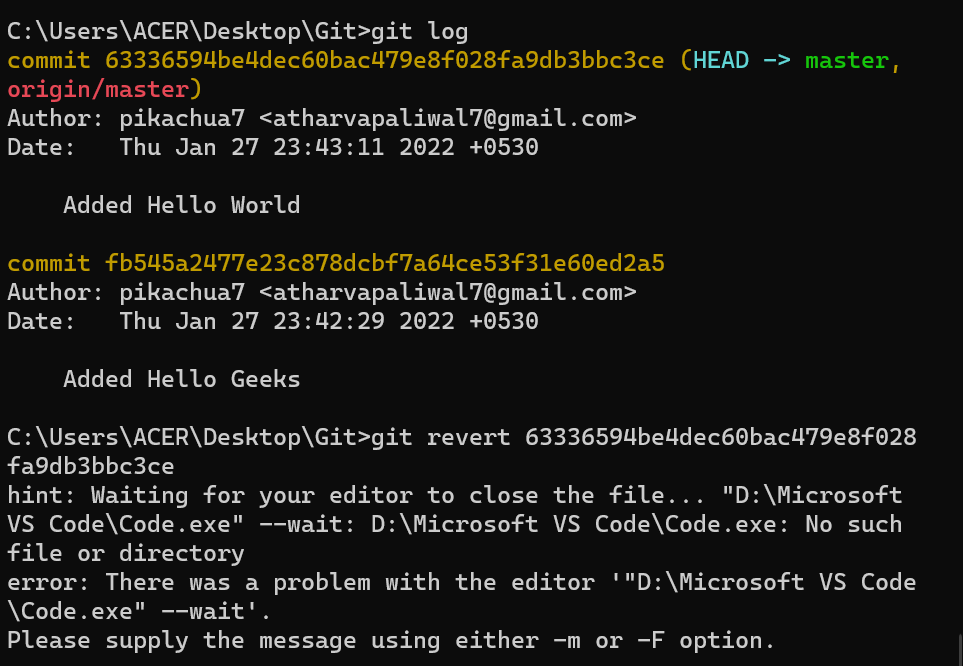
Git Difference Between Git Revert Checkout And Reset GeeksforGeeks
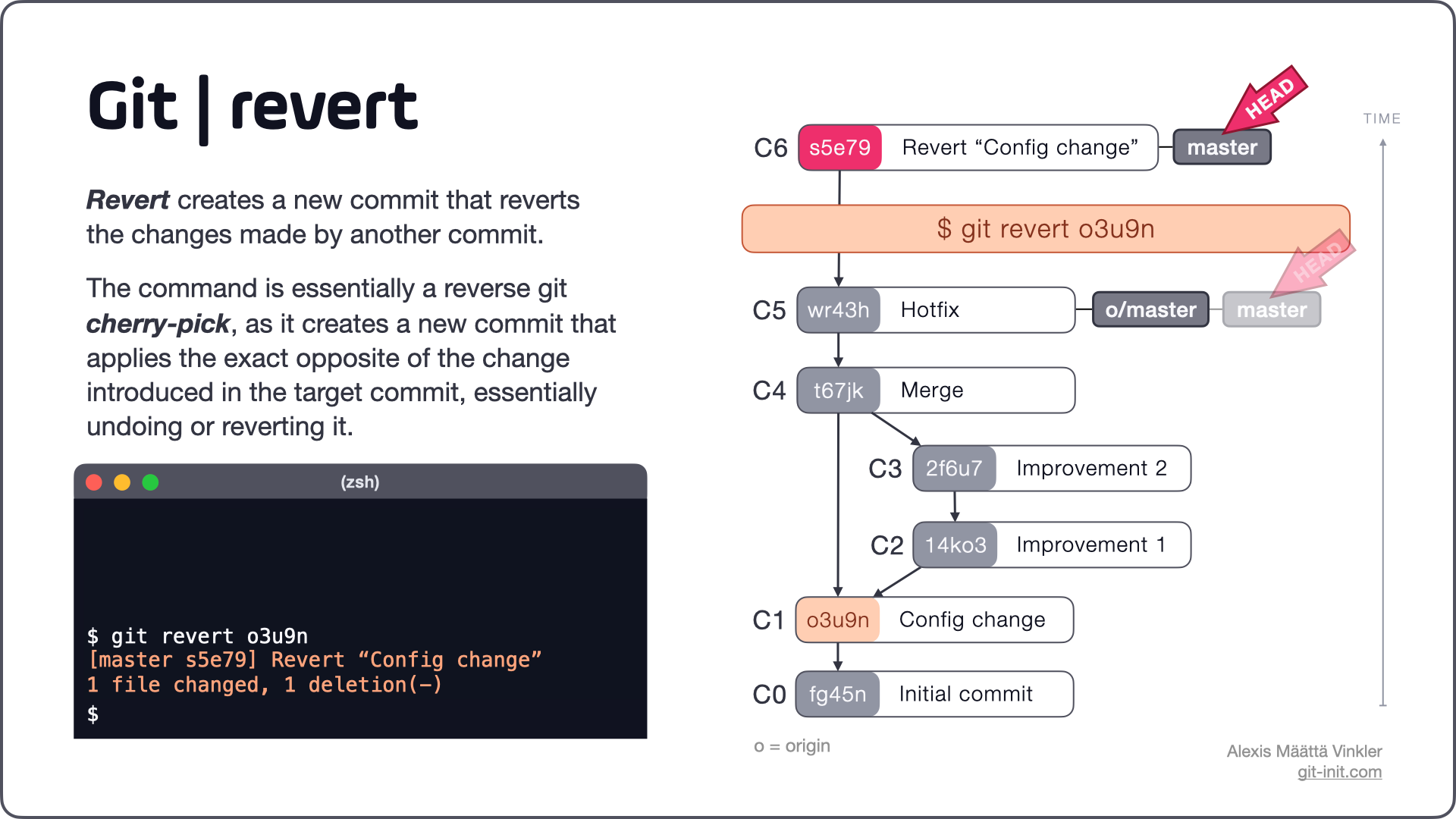
How To Undo Changes In Git reset Vs Revert Vs Restore
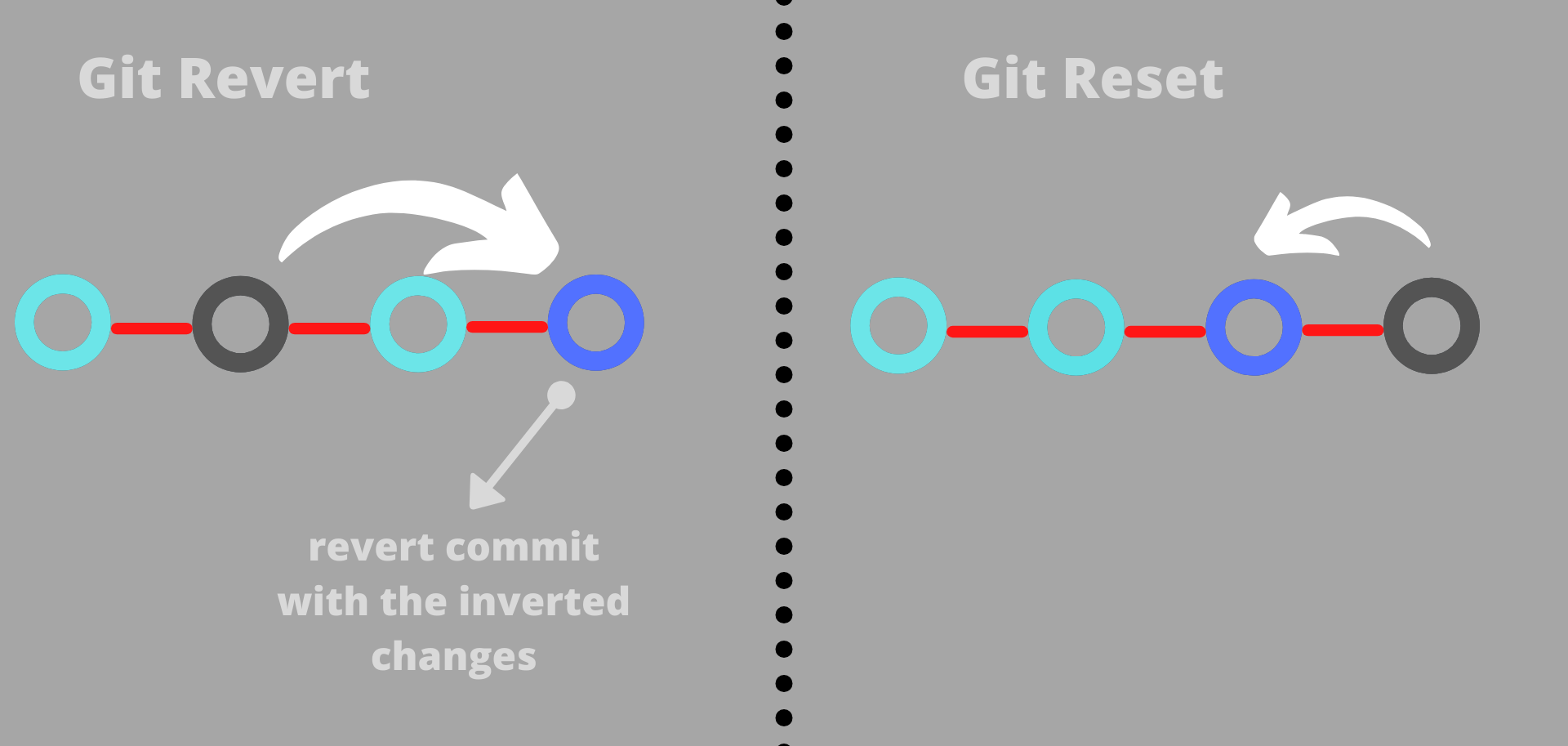
Git What Are Differences Between Revert Revert Commit And Reset Hot

Git Revert File Reverting A File To A Previous Commit
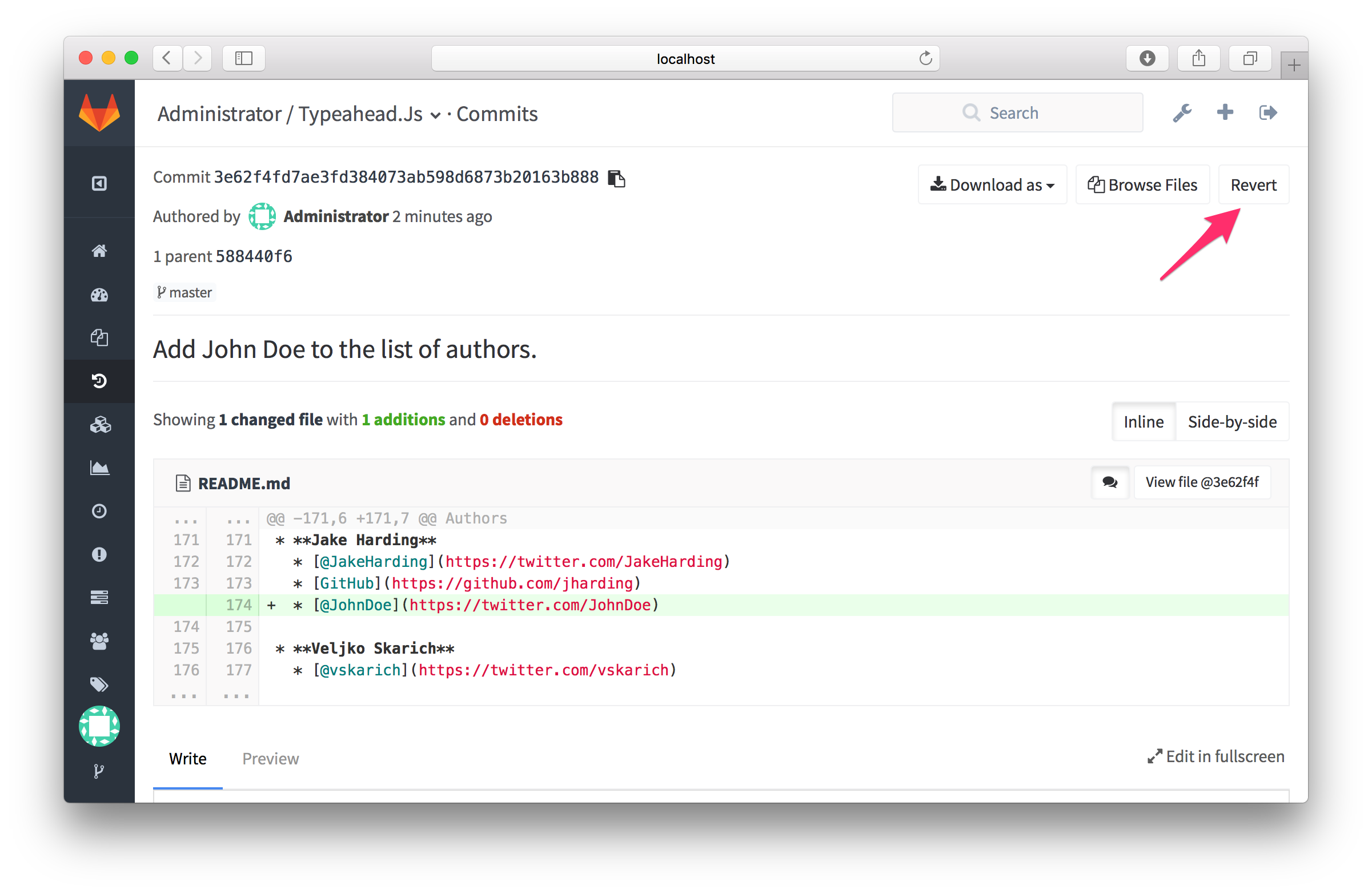
Revert Changes Workflow Help GitLab

50 Hilarious Git Commit Messages Git Commit Messages From Humorous

Web Nov 6 2010 nbsp 0183 32 With Git revert has a very specific meaning create a commit with the reverse patch to cancel it out This way you don t rewrite any history First figure out what commits to revert Depending on the technique chosen below you want to either revert only the merge commits or only the non merge commits

Web Oct 24 2009 nbsp 0183 32 This is what I recommend now Make a copy of the branch at its current state git branch crazyexperiment The git branch lt name gt command will leave you with your current branch still checked out Reset your current branch to your desired commit with git reset git reset hard c2e7af2b51
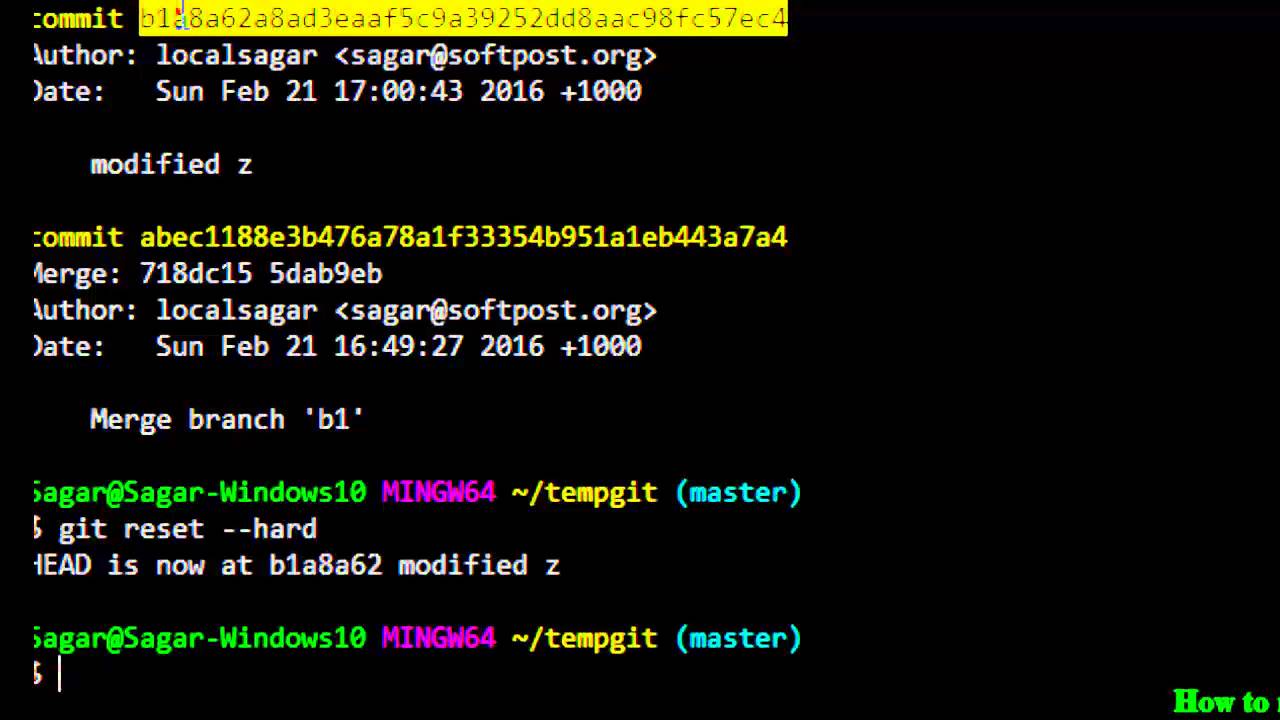
Web Jan 8 2024 nbsp 0183 32 Reverting a Commit With git revert We can revert a commit in Git by using the git revert command It s important to remember that this command isn t a traditional undo operation Instead it inverts changes introduced by the commit and generates a new commit with the inverse content

Web The git revert command is used for undoing changes to a repository s commit history Other undo commands like git checkout and git reset move the HEAD and branch ref pointers to a specified commit Git revert also takes a specified commit however git revert does not move ref pointers to this commit

Web Commits to revert For a more complete list of ways to spell commit names see gitrevisions 7 Sets of commits can also be given but no traversal is done by default see git rev list 1 and its no walk option With this option git revert will let you edit the commit message prior to committing the revert
Web Feb 16 2023 nbsp 0183 32 The only way to find and recover these unreferenced commits is with git reflog The reset command has three different options two of which we ll describe here git reset hard lt hash or ref gt Using the hard option everything is Web Oct 19 2022 nbsp 0183 32 To revert to the to the previous commit run the git revert command along with the commit ID of the current commit In our case we ll be using the ID of the third commit git revert 882ad02 The command above will undo the current commit and revert the file to the state of the previous commit
Web Dec 25 2012 nbsp 0183 32 Git commit only saves it to the stage which is locally on your computer Use Push to update it to a remote server Like github Use git revert lt ID gt to revert back to a previous commit each commit has an identifying code See here for more details on revert