How To Revert Pushed Changes In Git Command Line How To Undo Changes In Git reset Vs Revert Vs Restore Git SourceTree How To Reset Or Revert Code Changes On Git With How To Undo Changes In Git reset Vs Revert Vs Restore Git What Are Differences Between Revert Revert Commit And Reset Hot Git Revert File Reverting A File To A Previous Commit The git revert command creates a new commit that undoes the changes made by the previous commit The syntax for the git revert command is as follows git revert commit git revert Replace with the hash of the commit that you want to revert Step 3 Push the revert commit After you have reverted the commit the next step is to push the
77 To discard all local changes you do not use revert revert is for reverting commits Instead do git reset hard Of course if you are like me 7 microseconds after you enter that command you will remember something that you wish you hadn t just deleted so you might instead prefer to use git stash save Some changes There are three basic ways to do this depending on what you have done with the changes to the file A If you have not yet added the changes to the index or committed them then you just want to use the checkout command this will change the state of the working copy to match the repository git checkout A
Git Revert File Reverting A File To A Previous Commit How To Revert The Last Commit In Git Command Line MakeloGy Revert Changes Workflow Help GitLab Git Revert File Revertir Un Archivo A Una Confirmaci n Anterior Git Revert A Pushed Merge To Erase Local Undesired Changes Pushed By How To Revert Single Multiple Commits In GIT Revert Pushed Commit How To Revert Pushed Commit In Git YouTube How To Undo Pushed Commits With Git DEV Community Git Branching Commands Explained With Examples
How To Revert Pushed Changes In Git Command Line
 How To Revert Pushed Changes In Git Command Line
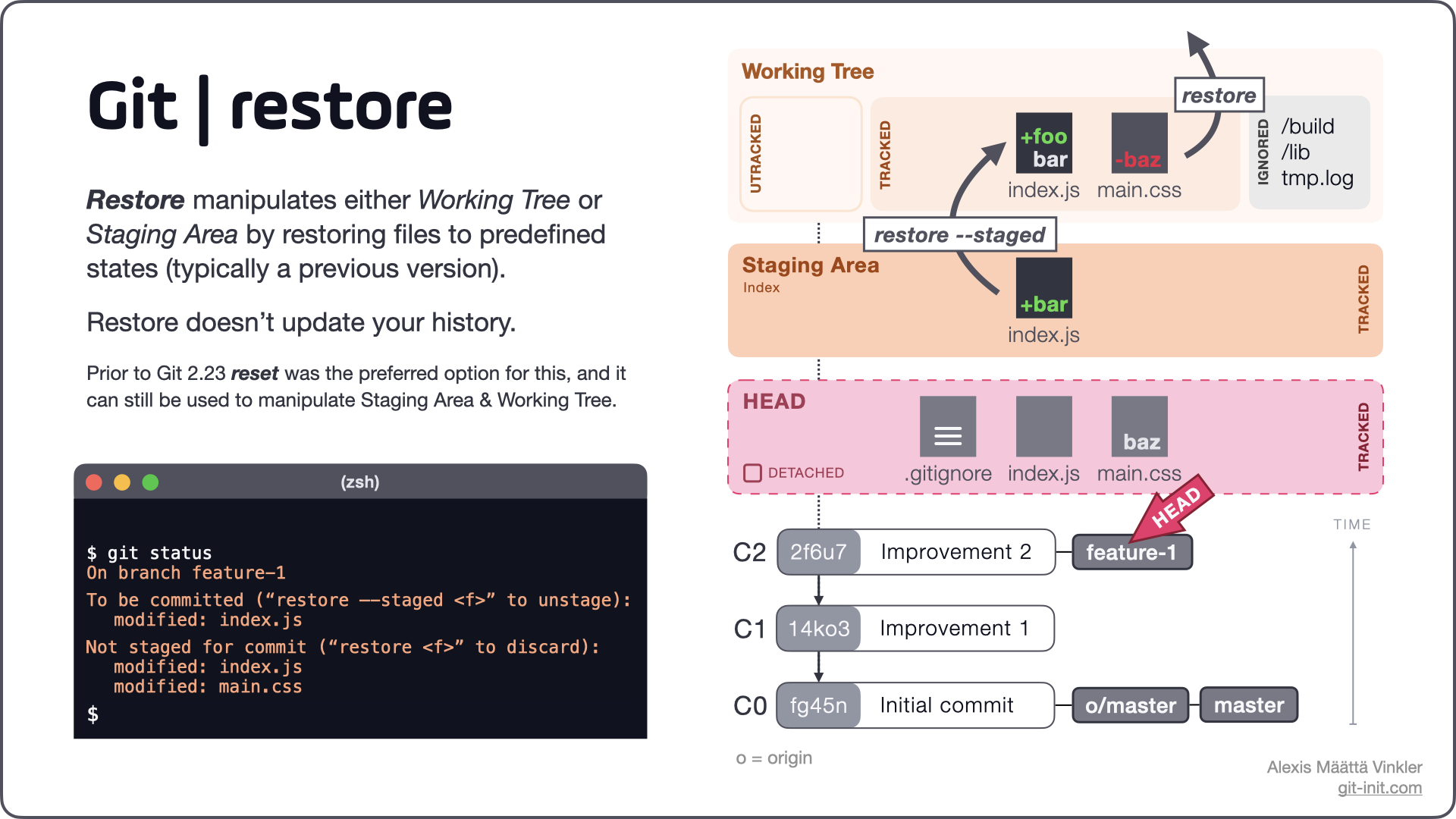
https://blog.git-init.com/content/images/size/w1600/2021/09/restore.002.png
It s not really the same situation undoing a rebase is a local repository scenario undoing a git push involves a remote repository and can be more tricky depending on the access you have CB Bailey Feb 24 2011 at 3 27 Steen you re right I probably should have I suppose
Pre-crafted templates provide a time-saving solution for producing a varied variety of documents and files. These pre-designed formats and designs can be made use of for numerous individual and expert projects, including resumes, invites, leaflets, newsletters, reports, presentations, and more, enhancing the material development process.
How To Revert Pushed Changes In Git Command Line

Reverting Changes From Remote Branch Mastering Visual Studio 2017 Book
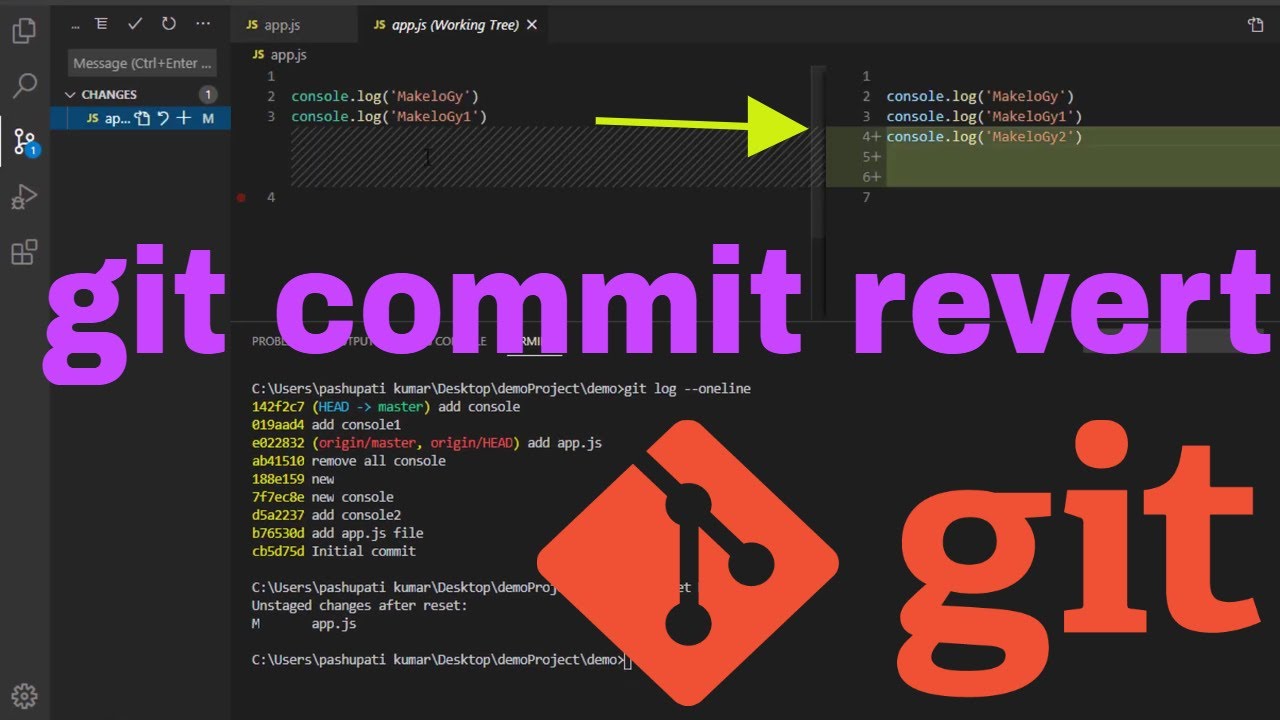
How To Revert The Last Commit In Git Command Line MakeloGy
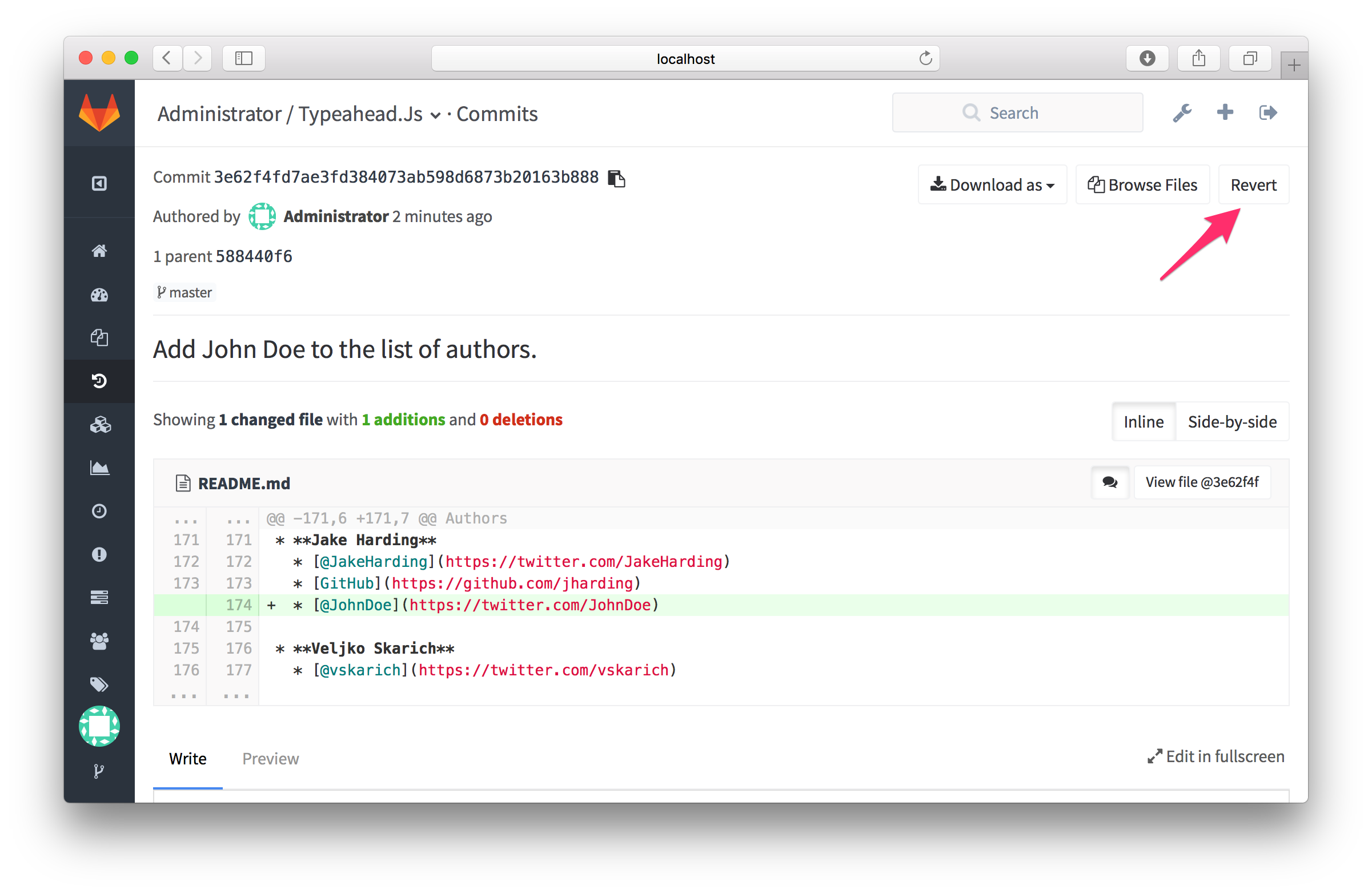
Revert Changes Workflow Help GitLab

Git Revert File Revertir Un Archivo A Una Confirmaci n Anterior

How To Revert Single Multiple Commits In GIT Revert Pushed Commit
How To Revert Pushed Commit In Git YouTube
Git reset This will revert all local uncommitted changes should be executed in repo root git checkout You can also revert uncommitted changes only to particular file or directory
DESCRIPTION Given one or more existing commits revert the changes that the related patches introduce and record some new commits that record them This requires your working tree to be clean no modifications from the HEAD commit
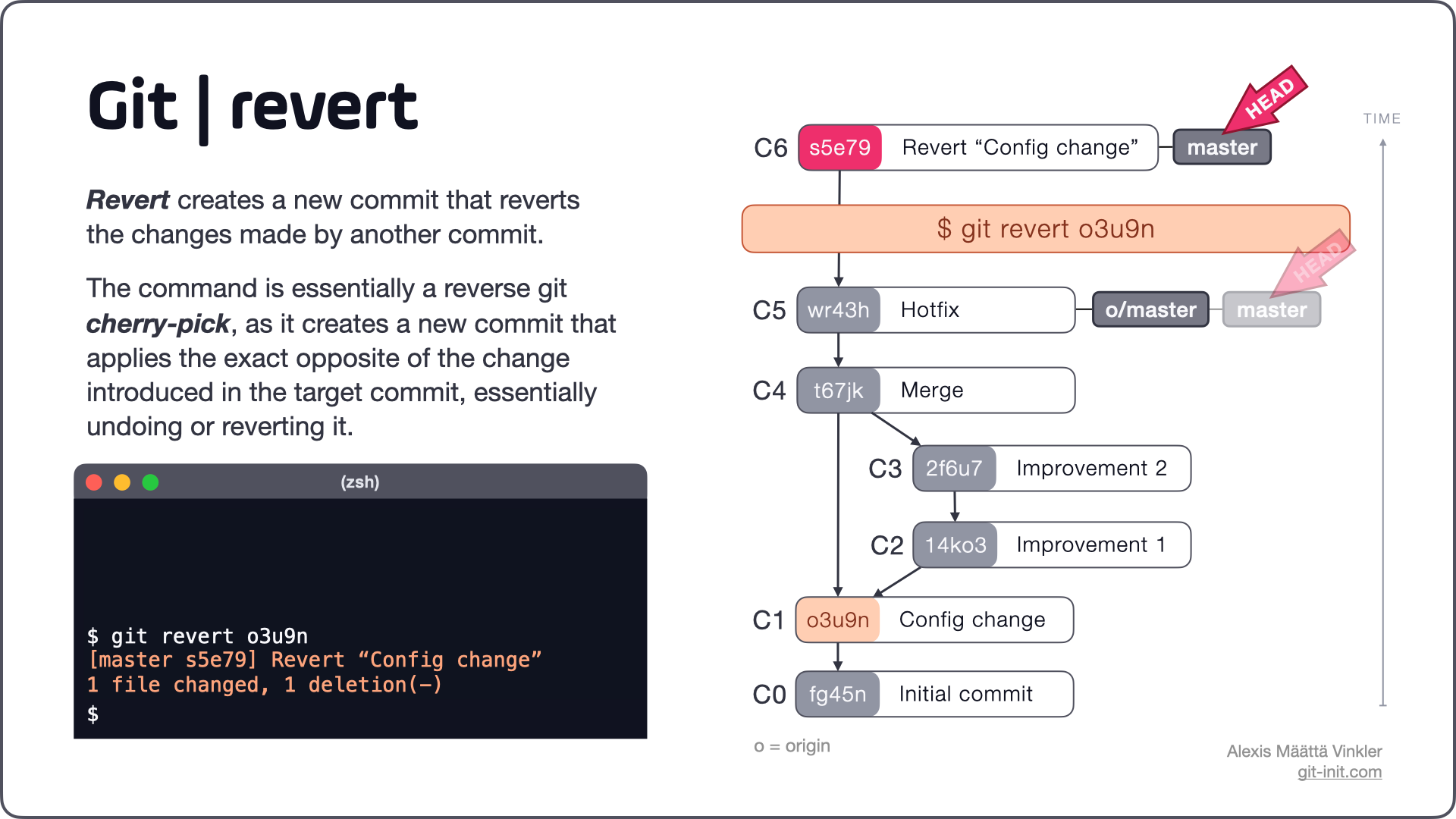
The git revert command is used for undoing changes to a repository s commit history Other undo commands like git checkout and git reset move the HEAD and branch ref pointers to a specified commit Git revert also takes a specified commit however git revert does not move ref pointers to this commit

Git supplies the reset command to do this for us For example if we want to reset master to point to the commit two back from the current commit we could use either of the following methods git reset 9ef9173 using an absolute commit SHA1 value 9ef9173 or git reset current 2 using a relative value 2 before the current tag

Invoking the command git branch a will return a list of all known branch names One of these branch names can then be logged using git log When you have found a commit reference to the point in history you want to visit you can utilize the git checkout command to visit that commit
1 How Do I Resolve Merge Conflicts 2 How to Undo Pushed Commits with Git 3 How to Prevent Merge Conflicts or at least have less of them Introduction One major benefit of version control is that you can roll back your code to any time in history without significantly disrupting your teammates Method 1 Git Revert Git revert is a safe option for undoing changes in Git as it only reverses specific commits preserving the project s history To revert changes using git revert you need to specify the commit hash that you want to revert Steps Open the command line in your local repository Type git log to view the list of commits
1 Go to your terminal window and navigate to the top level of your local repository using the cd change directory command cd repos tutorial documentation tests Enter the git log oneline command Adding oneline will display each commit on a single line that allows you to see more history in your terminal