How To Revert All Changes In Git Bash How To UNDO REVERT A PUSHED COMMIT In GIT 2 Ways Which One Suits How To Revert The Last Commit Locally And Remote In Git Become A What Is Git Bash Download A Terminal For Windows Git What Are Differences Between Revert Revert Commit And Reset Hot How To Undo Changes In Git reset Vs Revert Vs Restore Learn how to change more cookie settings in Chrome For example you can delete cookies for a specific site In other browsers If you use Safari Firefox or another browser check its support
Learn how to update apps on Android Related resources Fix problems with the Google Play app How to update apps on Android When your account reaches its storage limit you won t be able to upload or create files in Drive send or receive emails in Gmail or back up photos or videos to Google Photos If you re over
How To Undo Changes In Git reset Vs Revert Vs Restore Git Revert File Reverting A File To A Previous Commit How Do I Revert A Git Repo To A Previous Commit O Reilly Git Revert File Revertir Un Archivo A Una Confirmaci n Anterior Undo Changes With Git Revert Reverse The Committed Change DataGenX Using Git Bash Tutorial Pdf Duolasopa How To Undo Pushed Commits With Git DEV Community Git Revert And Reset Undoing Resetting Reverting The Changes In Git How To Revert A Git Commit The Git Revert Command YouTube
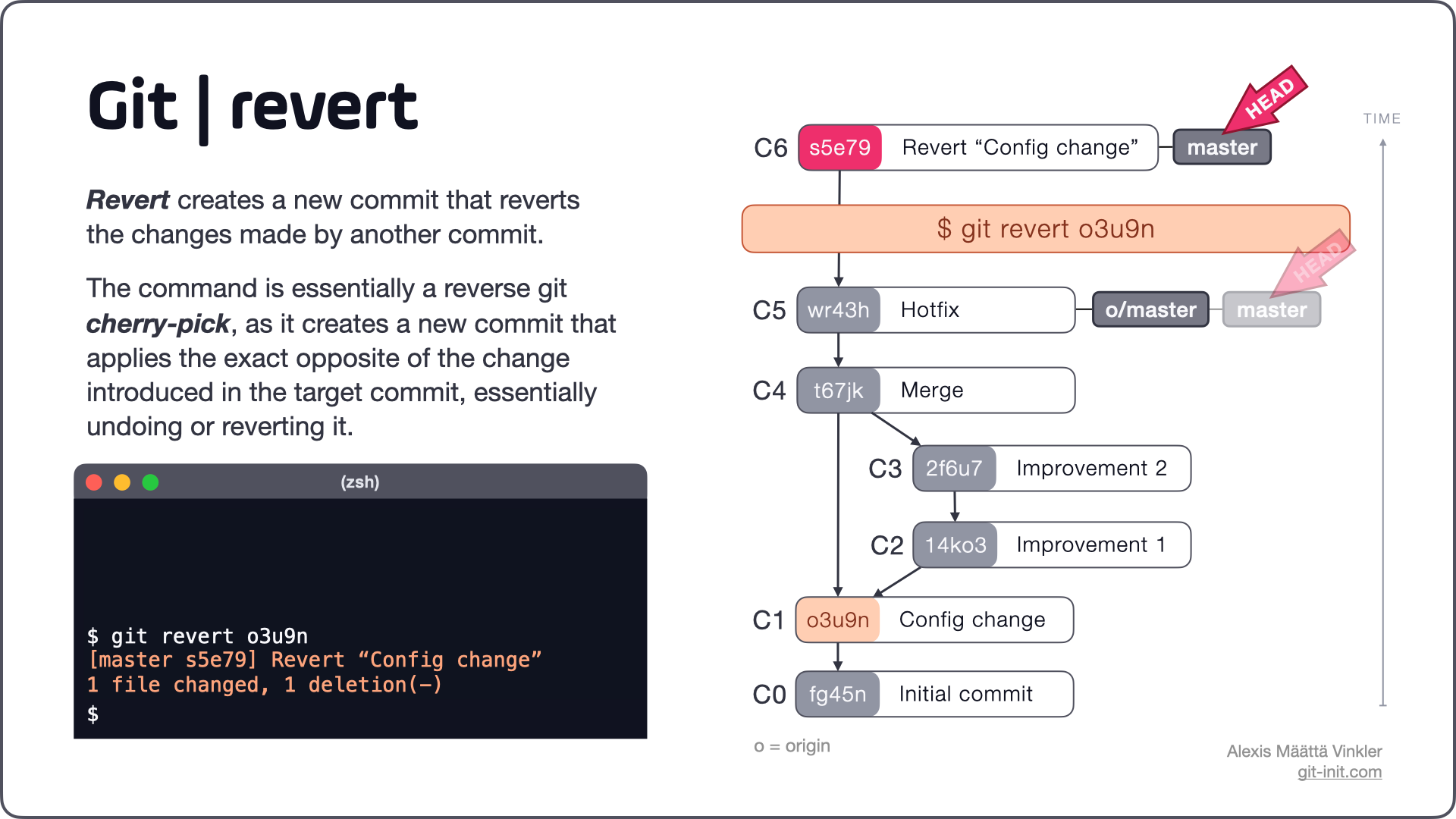
How To Revert All Changes In Git Bash
 How To Revert All Changes In Git Bash
https://i.ytimg.com/vi/H2DuJNWbqLw/maxresdefault.jpg
Official Gmail Help Center where you can find tips and tutorials on using Gmail and other answers to frequently asked questions
Templates are pre-designed documents or files that can be used for numerous functions. They can save effort and time by supplying a ready-made format and design for developing different kinds of content. Templates can be used for personal or professional projects, such as resumes, invites, flyers, newsletters, reports, discussions, and more.
How To Revert All Changes In Git Bash

Reverting Changes From Remote Branch Mastering Visual Studio 2017 Book

Git Revert File Reverting A File To A Previous Commit

How Do I Revert A Git Repo To A Previous Commit O Reilly

Git Revert File Revertir Un Archivo A Una Confirmaci n Anterior
Using Git Bash Tutorial Pdf Duolasopa
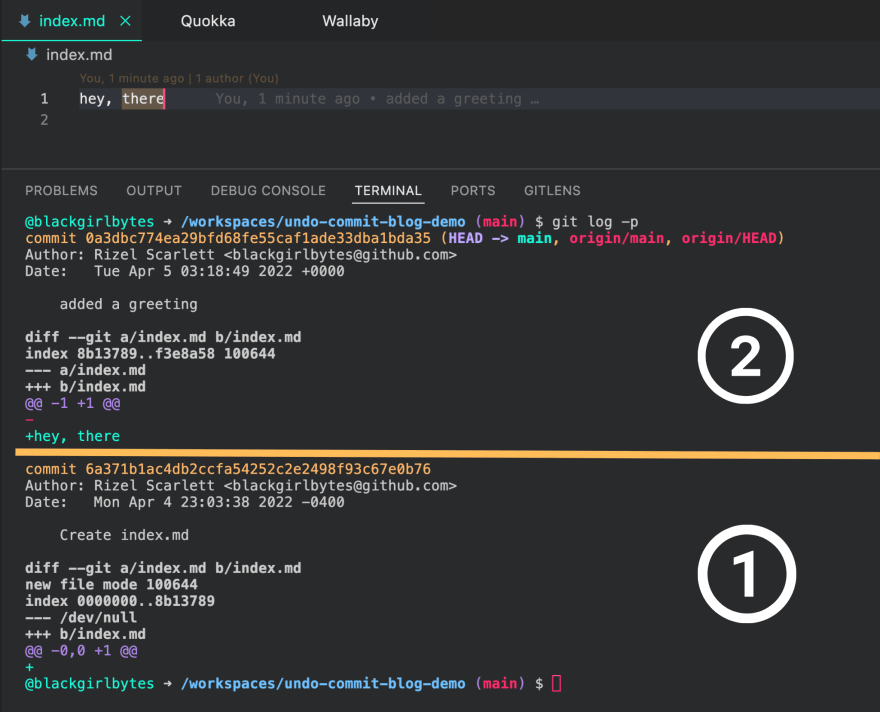
How To Undo Pushed Commits With Git DEV Community
A question often asked is how to remove not delete as that is something totally different Google Accounts from the list of Google Accounts on the sign in page For example if someone used
If you forgot your password or username or you can t get verification codes follow these steps to recover your Google Acc

Important When you create a Google Account for your business you can turn business personalization on A business account also makes it easier to set up Google Business Profile

Important Before you set up a new Gmail account make sure to sign out of your current Gmail account Learn how to sign out of Gmail From your device go to the Google Account sign in
Sign in to Gmail Tip If you sign in to a public computer make sure to sign out before you leave the computer Learn how to sign in on a device that s not yours
[desc-11] [desc-12]
[desc-13]