How To Repair Boot Manager Using Command Prompt Install Windows 11 In VMware Workstation Player Easiest Method Using Command Prompt As Part Of Windows Recovery Environment WinRE How To Repair Boot Guard Verified Failed In Windows Windows Bulletin How To Create An ISO Image From A Folder Using The Windows Command Prompt Kill Process Using Command Prompt In Windows YouTube Web Dec 20 2023 nbsp 0183 32 To use Startup Repair to resolve booting problems use these steps Click the Troubleshoot button Image credit Mauro Huculak Click the Advanced options button Image credit Mauro Huculak
Web Aug 18 2023 nbsp 0183 32 BOOTREC FIXMBR this command will fix any corruption issues with the master boot record BOOTREC FIXBOOT this command will attempt to write a new boot sector on the hard disk if Windows detects damage BOOTREC RebuildBcd this command may be able to fix an error like Boot Manager is Missing and can also Web Jun 29 2022 nbsp 0183 32 Phase 1 PreBoot In this phase the computer s firmware settings are loaded through a power on self test POST process Once this process is completed the system identifies a valid disk and
Kill Process Using Command Prompt In Windows YouTube Command Prompt Commands Cd Example Montrealtide Safe Mode With Networking Add To Windows Boot Manager Screen How To Merge Text Files Using The Command Prompt What Is Mark Down Windows 7 Backup Command Line Dusupernal Knowledge Base How To Load Active Boot Disk Over The Network Via PXE 5 Best Windows 10 Boot Repair Tools To Rescue Your PC How To Repair The Master Boot Record MBR On Windows 10 PUREinfoTech Enable Or Disable Administrator Account In Windows 11 Using Command Prompt
How To Repair Boot Manager Using Command Prompt
 How To Repair Boot Manager Using Command Prompt
https://i.ytimg.com/vi/BizVcc19pgc/maxresdefault.jpg
Web Aug 29 2023 nbsp 0183 32 Click the Repair your computer button from the lower left corner Click on Troubleshoot Click on Advanced options Click the Command Prompt option In Command Prompt use the Bootrec exe tool to repair the Master Boot Record on Windows 10 The Bootrec exe tool supports many options depending on your situation
Pre-crafted templates provide a time-saving service for producing a varied variety of files and files. These pre-designed formats and layouts can be used for numerous individual and expert jobs, including resumes, invitations, flyers, newsletters, reports, presentations, and more, improving the material production procedure.
How To Repair Boot Manager Using Command Prompt
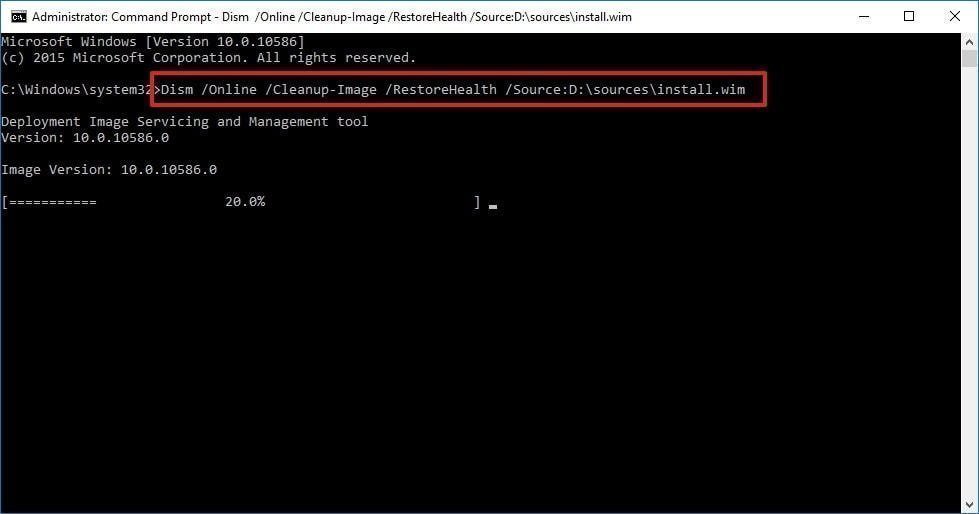
Top 5 Ways Repair Windows 10 11 Using Command Prompt

Command Prompt Commands Cd Example Montrealtide

Safe Mode With Networking Add To Windows Boot Manager Screen

How To Merge Text Files Using The Command Prompt What Is Mark Down
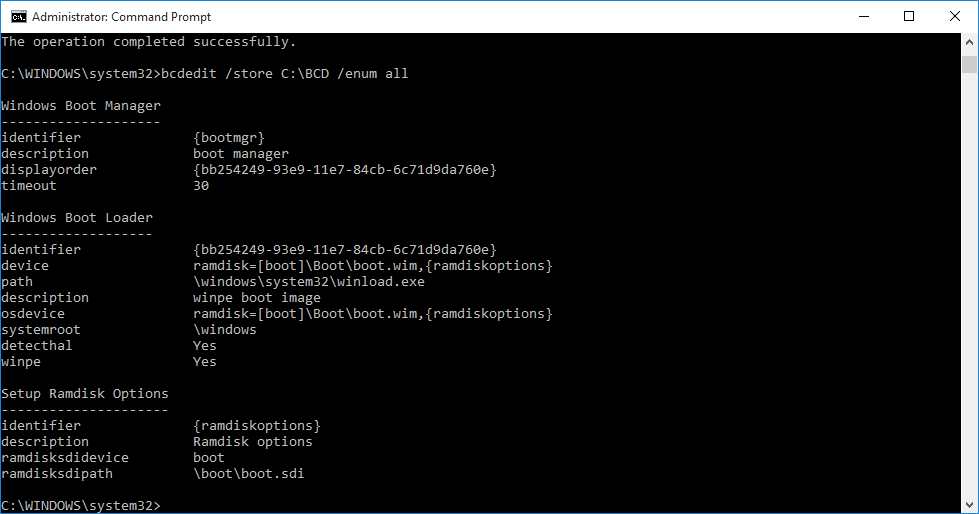
Knowledge Base How To Load Active Boot Disk Over The Network Via PXE
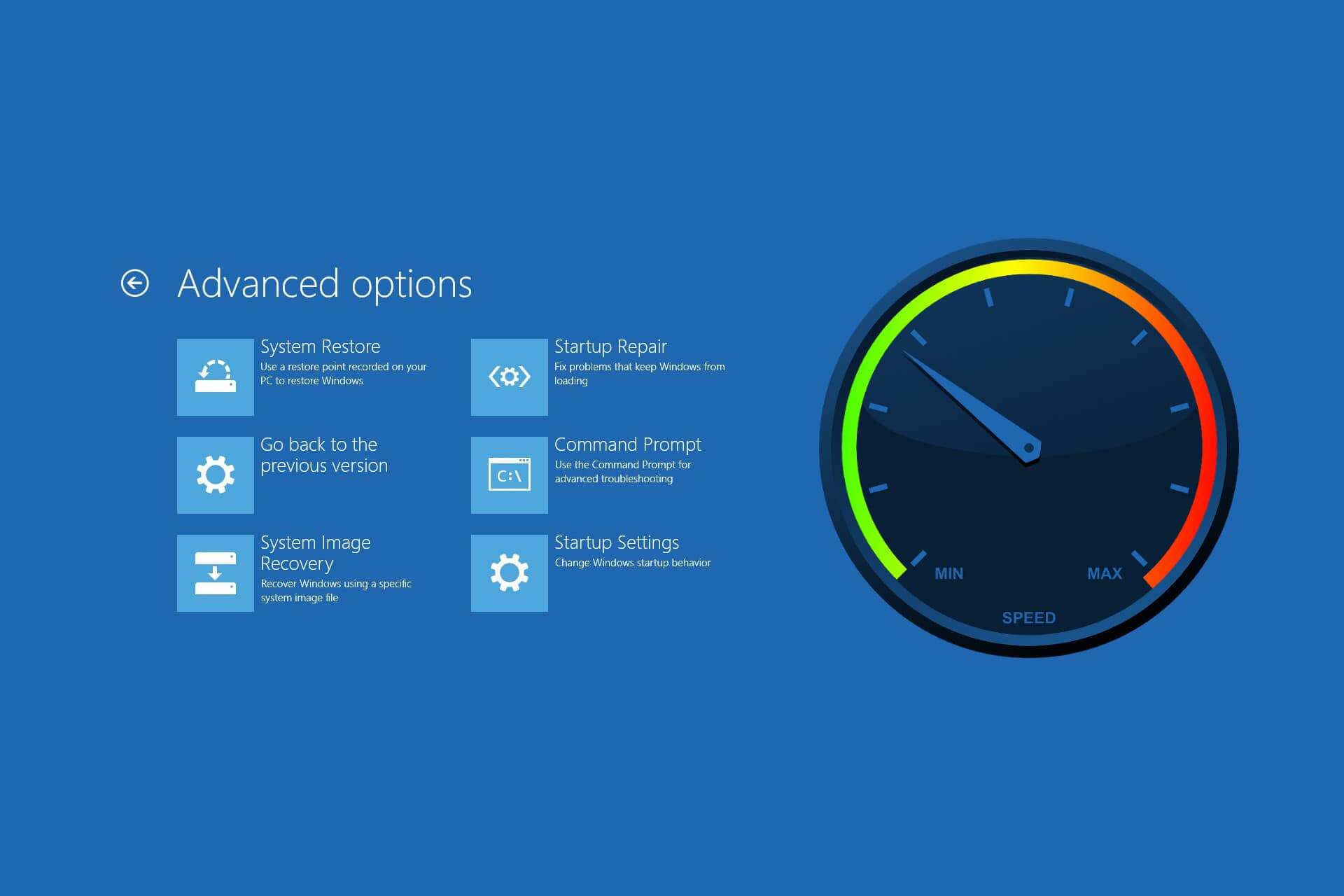
5 Best Windows 10 Boot Repair Tools To Rescue Your PC
Web Feb 10 2022 nbsp 0183 32 Boot your computer from the Windows install image and press Shift F10 on the language selection screen You will see a command prompt Try to repair the BCD file automatically using this command bootrec RebuildBCD Reboot your computer and check if Windows boots don t forget to change the boot device priority in the BIOS settings

Web Jan 3 2024 nbsp 0183 32 Way 1 Repair system files using SFC command Way 2 Check and fix disk errors through CHKDSK command Way 3 Run Bootrec exe tool to repair boot errors Way 4 Access the System Restore with Command Prompt Run Command Prompt from Windows Recovery mode first

Web Jul 29 2021 nbsp 0183 32 How To Windows 10 Won t Boot Fix it with Startup Repair and BootRec Commands By Andre Da Costa Updated July 29 2021 A black screen and a Windows 10 PC that won t boot often means that
Web Feb 8 2023 nbsp 0183 32 To troubleshoot this problem use Windows installation media to start the computer press Shift F10 for a command prompt and then use any of the following methods Method 1 Startup repair tool The Startup Repair tool automatically fixes many common problems The tool also lets you quickly diagnose and repair more complex

Web May 6 2021 nbsp 0183 32 You can manage the Boot Manager from Advanced System Properties System Configuration MSConfig exe tool or Windows command Prompt BCDEdit command BOOTMGR provides useful information for troubleshooting and resolving Windows boot errors
Web Sep 7 2016 nbsp 0183 32 Once automatic repair mode is ready you ll see the Automatic Repair screen From here select Advanced options On the next screen click Troubleshoot and then Advanced options once again You Web Oct 27 2023 nbsp 0183 32 Restore Windows boot loader via command prompt To start recovering the loader using the command prompt you need to open it first It can be done using the boot drive or the recovery and diagnostics menu If you are using a bootable drive you must press Sfit F10 on the language selection screen You can access the command
Web Dec 15 2021 nbsp 0183 32 How It Works Command Line Options Repair the system partition Show 2 more BCDBoot is a command line tool used to configure the boot files on a PC or device to run the Windows operating system You can use the tool in the following scenarios Add boot files to a PC after applying a new Windows image