How To Remove User Password How To Remove User Password In Windows 10 YouTube How To Remove User Password In Windows 10 Forgotten And Unlocked How To Remove Password From Windows 10 Computer Me Password Kaise Hataye Disable User How To Remove User Password In Windows 10 Forgotten And Unlocked How To Remove Windows 10 User Account Password Web Dec 20 2019 nbsp 0183 32 Run Netplwiz from the Start menu First click the Windows 10 Start menu and type netplwiz into the Search bar and select the same named program from the results Mark Hachman IDG
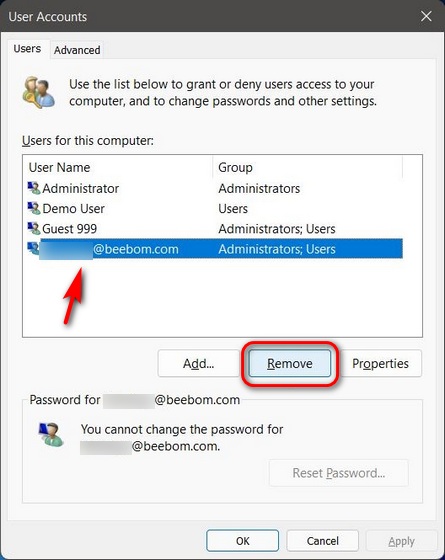
Web 1 Type netplwiz in the Start menu search bar then click the top result to run the command 2 Uncheck the tick from the box next to Users must enter a user name and password Web Sep 7 2023 nbsp 0183 32 In the User Accounts dialog select the user name for which you want to remove the password and uncheck the quot Users must enter a user name and password
How To Remove Windows 10 User Account Password How Do You Remove A Microsoft Account From Pc How To Remove User Password Picture Password Or How To Remove Login Password In Windows Showbiz Secrets How To Remove The User Password In Windows 10 5 Ways To Remove The Password In Windows 10 My TeChNo WoRLd How To Remove Microsoft Account From Laptop Remove Windows 10 Pc From A Domain Tutorials How Do I Remove My Windows Password How To Remove Your Login Password From Windows 10 PCWorld How To Remove User Password In Windows 10 Using Cmd HOWOTRE
How To Remove User Password
 How To Remove User Password
https://i.ytimg.com/vi/pOl7tiPWVvk/maxresdefault.jpg
Web Dec 26 2022 nbsp 0183 32 Well there are three methods to disable or remove Login Password for Users These are Using netplwiz Local Account Using Windows Settings Local
Pre-crafted templates use a time-saving option for creating a diverse range of documents and files. These pre-designed formats and layouts can be made use of for different personal and professional tasks, including resumes, invitations, flyers, newsletters, reports, discussions, and more, enhancing the content development process.
How To Remove User Password

How To Remove User Password In Windows 10 Forgotten And Unlocked
How Do You Remove A Microsoft Account From Pc How To Remove User Password Picture Password Or

How To Remove Login Password In Windows Showbiz Secrets

How To Remove The User Password In Windows 10
How To Remove Microsoft Account From Laptop Remove Windows 10 Pc From A Domain Tutorials

How Do I Remove My Windows Password

Web Apr 9 2017 nbsp 0183 32 Viewed 157k times 9 Is it possible to remove a user s password using the net command I tried quot net user lt name gt quot and just hitting return twice but this does not
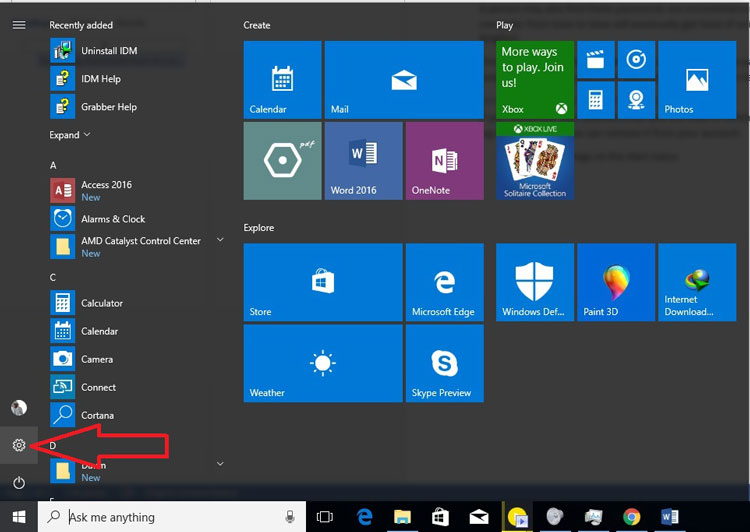
Web Oct 13 2022 nbsp 0183 32 The simplest way to remove your password is via the Settings app Hit Windows i to open the Settings window or search quot Settings quot after clicking the Start button Click on quot Accounts quot on the left

Web Remove Local User Account Password 1 First open the Settings app by searching for it in the Start menu Once opened go to the Accounts Sign in 2 You will see a
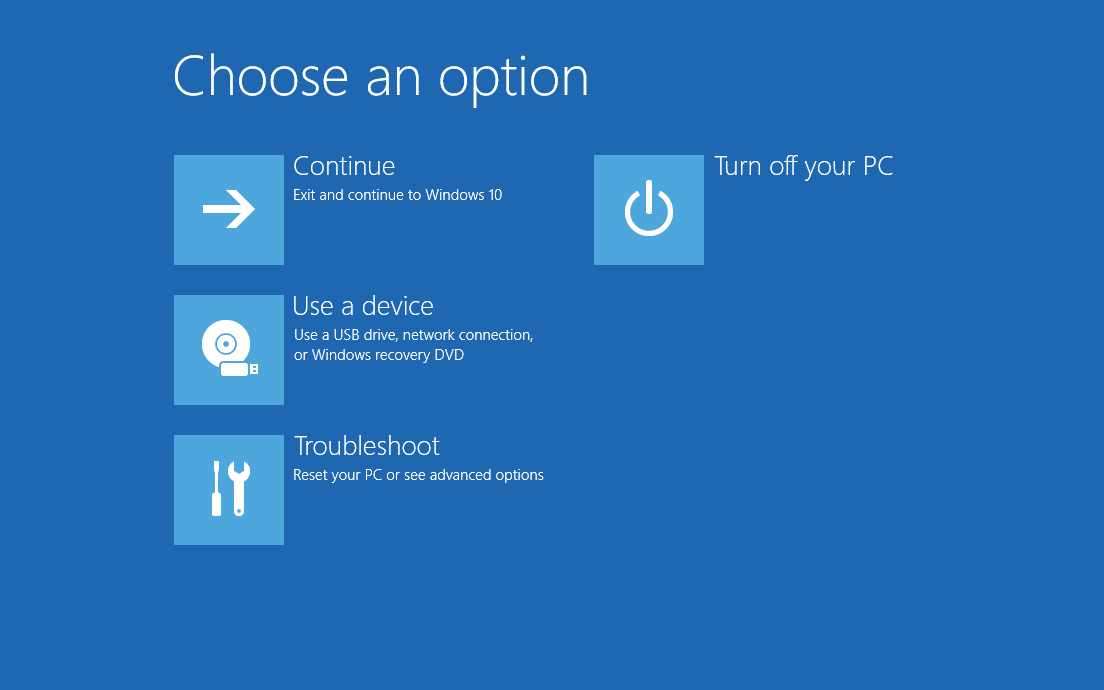
Web On the sign in screen type your Microsoft account name if it s not already displayed If there are multiple accounts on the computer choose the one you want to reset Below the

Web Jan 14 2022 nbsp 0183 32 You can delete your Windows account password from Settings or Control Panel depending on which operating system you have Follow the directions below for that method or skip to the very bottom of
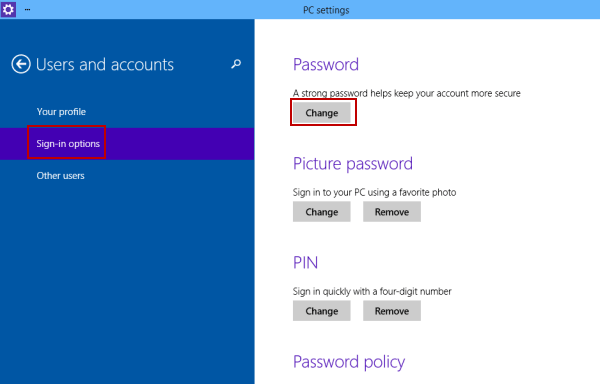
Web Apr 26 2023 nbsp 0183 32 Open Start on Windows 11 Search for netplwiz and click the top result to open the Control Panel applet Under the Users for this computer section select the Web Aug 9 2018 nbsp 0183 32 1 Press Windows key I then select Accounts 2 Click on Sign in options Under password click on Change 3 Verify the current password for your local account
Web Remove Windows 10 Password Using Local Users and Groups Step 1 Open the Run dialog box by pressing Windows R keys and enter in lusrmgr msc and hit Enter