How To Remove Read Only From Excel How To Disable Read Only In Excel 2016 4 Ways To Remove Read Only From Excel To Make It Editable 7 Modi Rapidi Per Risolvere Excel File Sola Lettura Errore How To Remove Read Only From Excel Windows Password Reset How To Remove Read only From An Excel Document 2023 If the Excel file is stored on a read only external device or network location you can try the following troubleshooting steps to remove the read only status Step 1 Move the file to a different location Copy the Excel file from its current location to a different folder or drive that allows read and write access
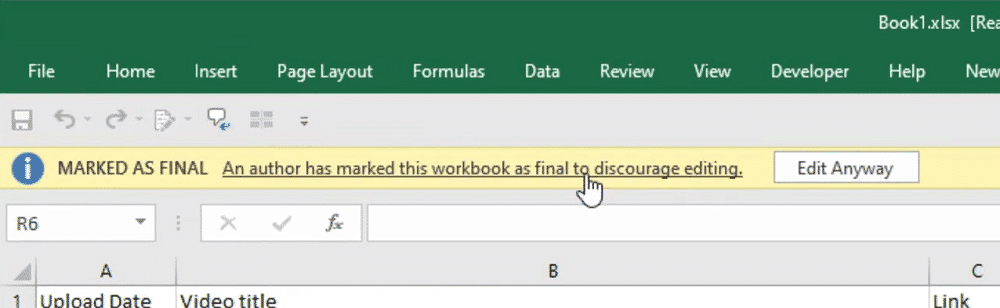
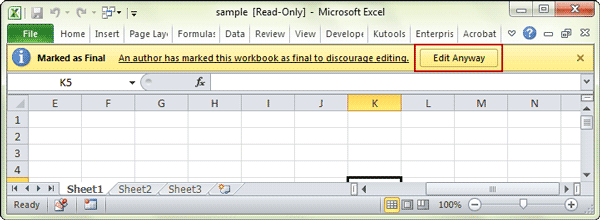
How To Remove Read Only From Excel Open as Read only Recommended The Excel file is in Read only mode Similar to the previous scenario the Read only mode will still allow users to edit However the warning message will be different as shown below The method to remove this is also different How To Remove Go to the Edit Anyway button on the right end side of the yellow Marked As Final pop up message and just click it This will remove the read only mode and you ll be able to edit the Excel sheet as needed
How To Remove Read only From An Excel Document 2023 4 Ways To Remove Read Only From Excel To Make It Editable How To Disable Read Only In Excel How To Remove Or Disable Read Only In Excel File XLS XLSX iSunshare Blog Top 5 Methods To Disable Read Only In Excel 2016 4 Ways To Remove Read Only From Excel To Make It Editable How To Remove Read Only From Excel Files All IN ONE SITE Excel Found Unreadable Content Error Solution How To Delete Read Only Excel File When I Am Going To Detele That
How To Remove Read Only From Excel
 How To Remove Read Only From Excel
https://www.isumsoft.com/it/wp-content/uploads/2016/03/disable-read-only.png
Step 2 Deselect Read only Option Once you have selected Properties you will see a pop up window showing information about the file Under the General tab you will see an option that says Read only Click to unselect the option and click Apply to save the changes
Templates are pre-designed documents or files that can be utilized for various functions. They can save effort and time by providing a ready-made format and design for developing various kinds of content. Templates can be utilized for individual or expert tasks, such as resumes, invitations, flyers, newsletters, reports, discussions, and more.
How To Remove Read Only From Excel
How To Remove Read Only From Excel Windows Password Reset
4 Ways To Remove Read Only From Excel To Make It Editable
How To Disable Read Only In Excel
How To Remove Or Disable Read Only In Excel File XLS XLSX iSunshare Blog
4 Ways To Remove Read Only From Excel To Make It Editable

How To Remove Read Only From Excel Files
Lock or unlock a workbook to make it read only Note If your workbook is shared anyone who has Write privileges can clear the read only status For stronger protection require a password to save changes On the File menu click Info Click on Protect Workbook and select the Always Open Read Only

The following script prompts you to select the target file for read only file attribute removal You choose a file from your PC and also choose a different directory to save the new file Removed read only using VBA Excel VBA does the conversion process from read only to write access file

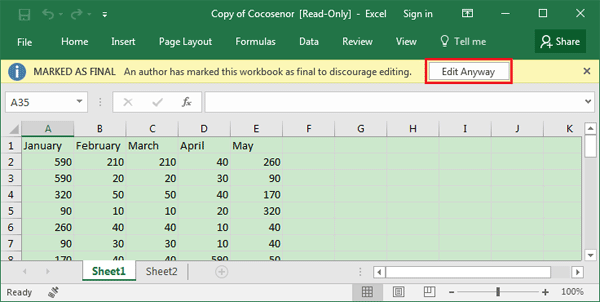
There are two ways how can remove the read only settings from an Excel file 1 Edit Anyway If your file is set to Read Only it will show a pop up or a notification when opened Click the Edit Anyway button to remove the Read Only settings Once you click this button the pop up is now removed
How to Remove Read Only from Excel 7 Suitable Ways 1 Remove Read Only from Marked As Final in Excel In case you want to edit a sheet it shows a notification that says MARKED AS FINAL To edit the sheet you will need to click on Edit Anyway

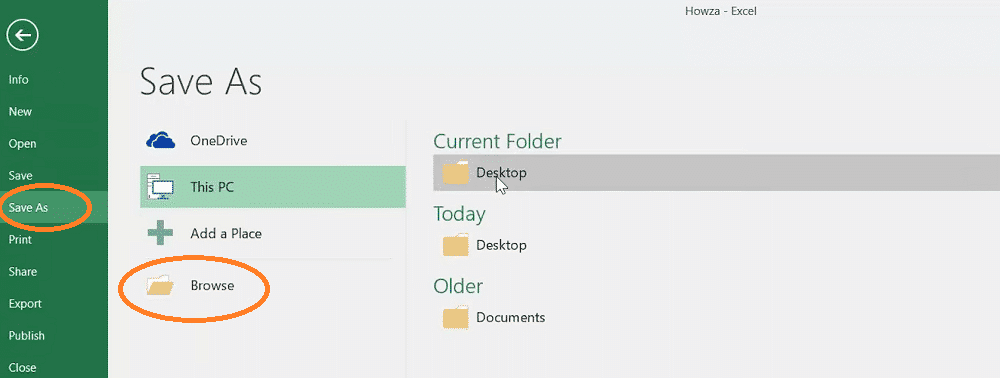
Open the Excel workbook where you want to remove the read only status The read only status can be seen in square brackets in the window s title bar Click on File in the main bar which will take you to the main Excel menu
[desc-11] [desc-12]
[desc-13]