How To Remove Index Php From Url In Codeigniter Ubuntu How To Remove Index php From Url In Codeigniter 4 YouTube How To Remove Index php From URL In Codeigniter How To Remove Index Php From URL In WordPress 2023 Hide Index Php How To Remove Index PHP From URL In WordPress How To Change How To Remove Index php From Url In Codeigniter YouTube There are several ways to remove this index php in CodeIgniter 4 You can create a htaccess file and create a rule to override URLs It will require a host to access the htaccess file it creates So it depends on a host like Apache or Nginx To remove the index php in CodeIgniter 4 you must have an installed project
Step 1 Create a htaccess file Codeigniter allowed us to remove index php from the URL by writing a part of the code in htaccess file so first of all we will need to create an htaccess file in the root directory of CodeIgniter project Let s create a htaccess file in the root directory and add the following code to this file Introduction The following has been tested on a Cloud9 server with the following versions Linux 4 9 120 c9 How to check my Linux version Ubuntu 14 04 5 LTS Trusty How to check my Linux version PHP 7 2 9 How to check my PHP version CodeIgniter 3 1 9 Based on the CodeIgniter tutorial
How To Remove Index php From Url In Codeigniter YouTube How To Remove Index php From WordPress URL CodeIgniter Magento How To Remove index php From The Website URL Template CodeIgniter 4 Form Validation Tutorial With Example PositronX io Codeigniter Remove Index php Using Htaccess How To Remove index php In Codeigniter Using Htaccess WP Dev Shed How To Remove Index php From URL In WordPress An In Depth Guide How To Implement And Use DataTables In CodeIgniter 4 PositronX io
How To Remove Index Php From Url In Codeigniter Ubuntu
 How To Remove Index Php From Url In Codeigniter Ubuntu
https://i.ytimg.com/vi/-kNYOdHw4bk/maxresdefault.jpg
How to Remove index php from URL We will basically redirect the index php to URL without it For that we will need mod rewrite Apache module Before proceeding further please ensure that you have enabled mod rewrite in Apache web server Here are the steps to enable mod rewrite in Apache
Pre-crafted templates offer a time-saving service for developing a varied range of documents and files. These pre-designed formats and designs can be utilized for numerous individual and expert tasks, including resumes, invitations, leaflets, newsletters, reports, presentations, and more, enhancing the material production procedure.
How To Remove Index Php From Url In Codeigniter Ubuntu
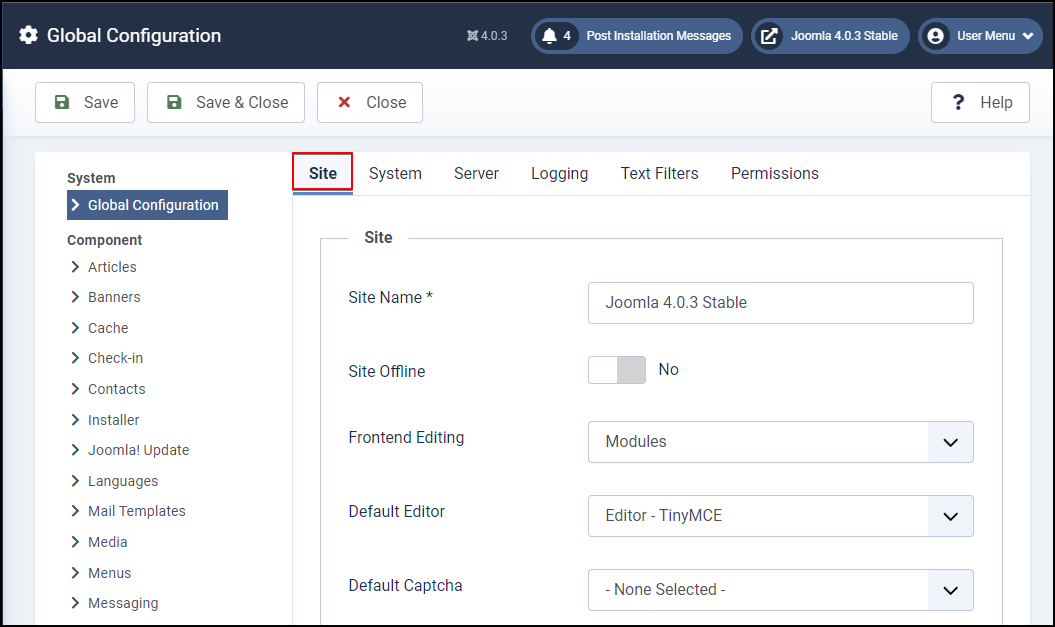
How To Remove Index php From URLs In Joomla 4 2023 LTHEME
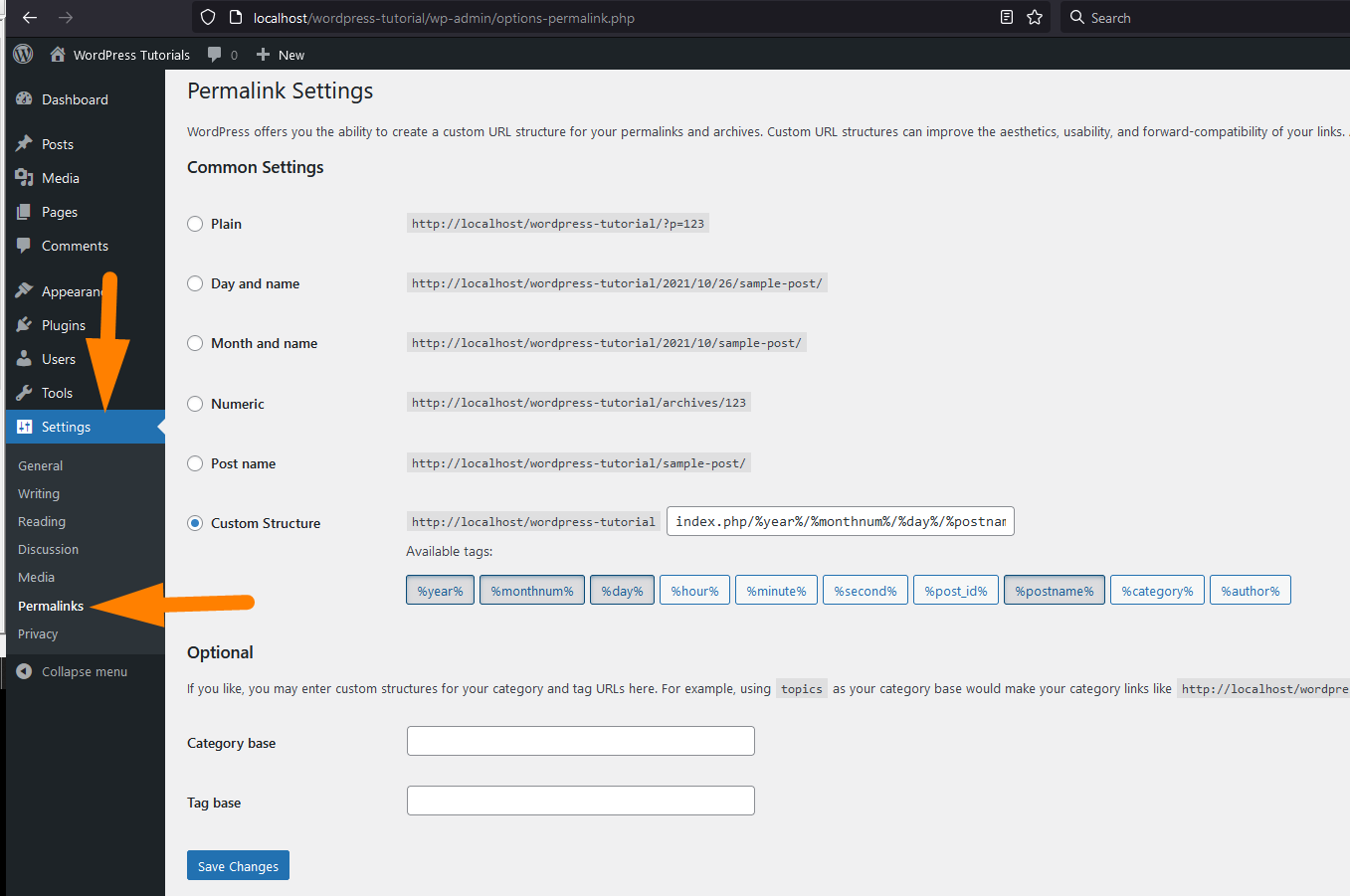
How To Remove Index php From WordPress URL

CodeIgniter
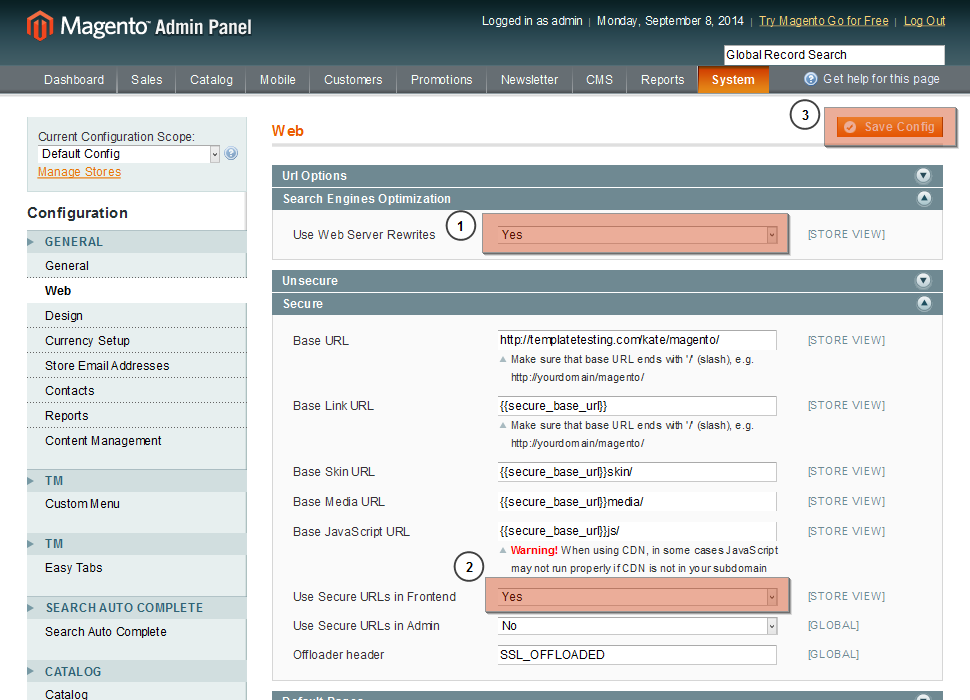
Magento How To Remove index php From The Website URL Template

Codeigniter Remove Index php Using Htaccess

How To Remove index php In Codeigniter Using Htaccess WP Dev Shed
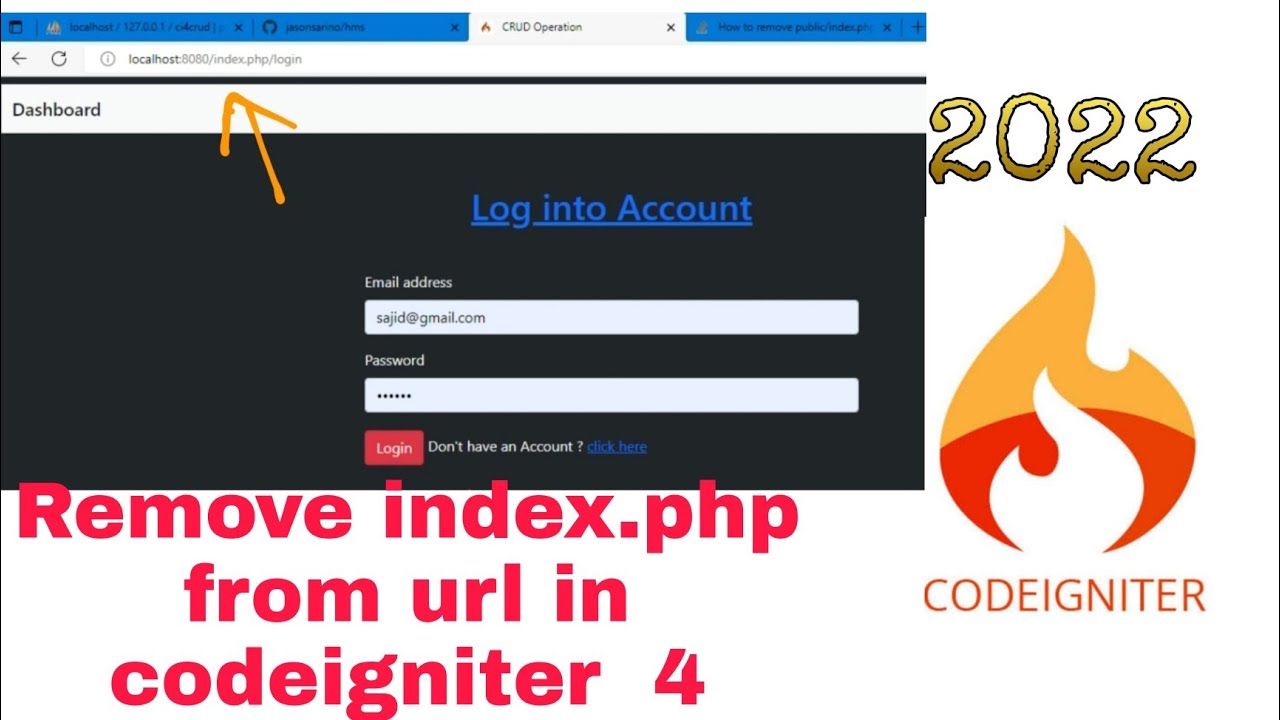
To remove public and index php from URL in Codeigniter 4 framework you just need to create htaccess file on the root directory of the codeigniter app and set some configuration on config php In this tutorial we would love to share with you how to remove public and index php from URLs in the new Codeigniter 4 frameworks

By default the index php file will be included with the URLs in CodeIgniter But you can easily remove the index php from the URL using htaccess By default all URLs in CodeIgniter looks like the below

In this article we will explain how to remove the index php file from the URL in CodeIgniter by using the htaccess file Prerequisites Assuming that you have already installed an Apache server on your system Also you have already configured your Codeigniter application to work with Apache Enable Apache Rewrite Module

How to remove index php from URL in CodeIgniter Last updated on Nov 25 2020 74 2K Views Share edureka Bookmark How to remove index php from URL in CodeIgniter In the CodeIgniter project the index php file will be included in the URL by default but to make it search engine friendly and user friendly we need to remove it
Step 1 Go to the conf directory of Apache server installation Apache24 conf where Apache24 is the installation root directory of Apache 2 4 Step 2 Open httpd conf in a text editor Step 3 Find the line which contains LoadModule rewrite module modules mod rewrite so and remove from start of line to make the module enable
Edit the htaccess file and add the following code to enable URL rewriting and remove index php from the URLs Remove index php from URLs IfModule mod rewrite c RewriteEngine On RewriteCond REQUEST FILENAME f RewriteCond REQUEST FILENAME d RewriteRule index php 1 L IfModule This code uses Apache s mod rewrite Step 2 Copy index php and htaccess files The second step Copy the index php and htaccess files file in the public directory and paste on root your project directory Step 3 Update In the index php Finally after move successfully files on the root directory The open index php file and change the pathsPath
Now let s start to discuss how to remove index php from URL in Codeigniter Apache setting First we will enable the mod rewrite on apache server because it gives permission of httacess rewrite for that we need to enable mod rewrite after enable then restart the apache server