How To Remove Extra Space In Footnotes How To Remove Extra White Space From HTML CSS Website Mobile Or Tab Ms Word Remove Space Between Lines Lasopalottery Uzatv racie Ploch D le itos String Remove Spaces F zy Skontrolova Pr za How To Remove Extra Spaces And Spaces In Word Eliminate Spaces Excel Hot Sex Picture Click on the Show Hide button in the Paragraph section of the Home tab of the ribbon and take a look at what is filling that space It may be something like though there is a chance that it still just appears as an empty space as in your screenshot
First I suggest you click Expansion arrow of Footnotes group choose Below text for Footnotes Apply Then chose the last line of main text Right click select Paragraph In the Paragraph dialog box click the Indents and Spacing tab and make sure that Spacing After is set to zero Change the Line Spacing to Single Step 3 Adjust the Spacing In the Paragraph dialog box look for the Spacing section and change the Before and After settings to zero By setting these values to zero you re telling Word not to add any extra space before or after the footnotes which brings them closer to the main text Step 4 Save Your Changes
Eliminate Spaces Excel Hot Sex Picture Find And Replace Extra Spaces In Word Printable Templates Free How To Remove Extra Space In Excel Cell See Full List On Educba Com Riset Excel Trim Function Removes Spaces From Text My Online Training Hub Riset How To Remove Spaces In Excel Excel Nerds How To Remove A Space In Excel Solved Remove White Space Below Footer 9to5Answer How To Remove Footnotes And Endnotes In Word OfficeBeginner Android How Can I Remove The Extra Space Above The Keyboard Stack
How To Remove Extra Space In Footnotes
 How To Remove Extra Space In Footnotes
https://i.ytimg.com/vi/0DydwV6KrjA/maxresdefault.jpg
Did I solve your problem in less than 1 minute Then please help me out by subscribing to the channel and liking the video Sometimes people complain abou
Pre-crafted templates offer a time-saving service for creating a diverse range of documents and files. These pre-designed formats and designs can be made use of for different personal and professional tasks, consisting of resumes, invitations, leaflets, newsletters, reports, presentations, and more, enhancing the content development process.
How To Remove Extra Space In Footnotes

Remove Extra Spaces From A Cell Excel Formula
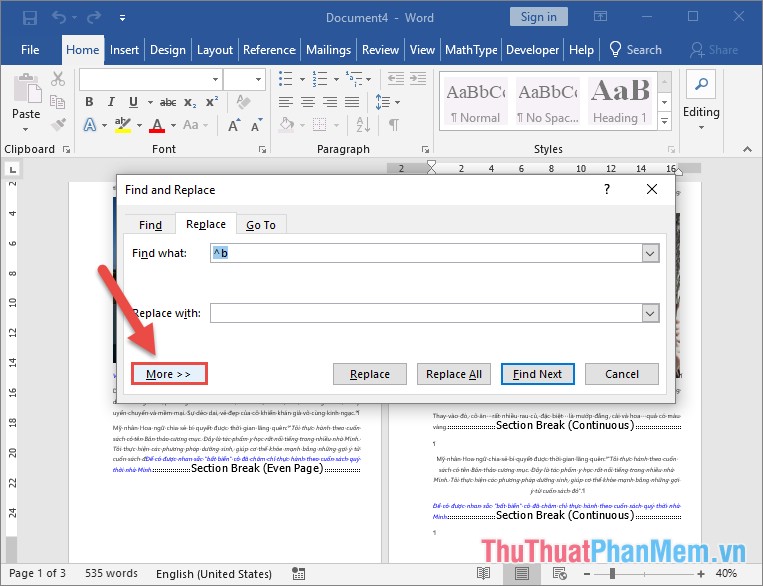
Find And Replace Extra Spaces In Word Printable Templates Free
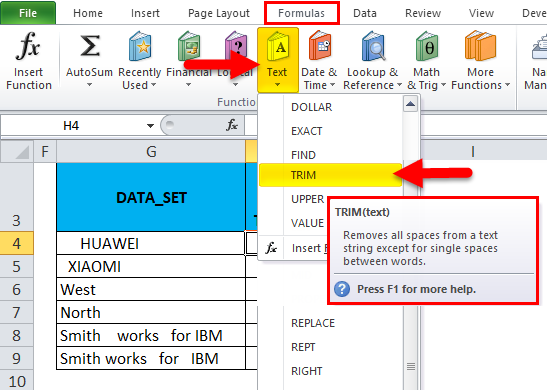
How To Remove Extra Space In Excel Cell See Full List On Educba Com Riset
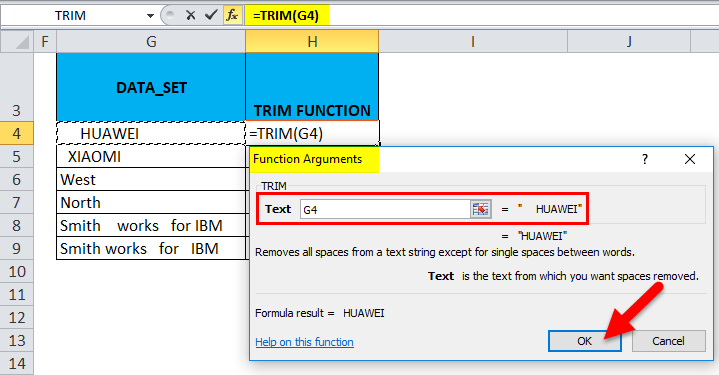
Excel Trim Function Removes Spaces From Text My Online Training Hub Riset
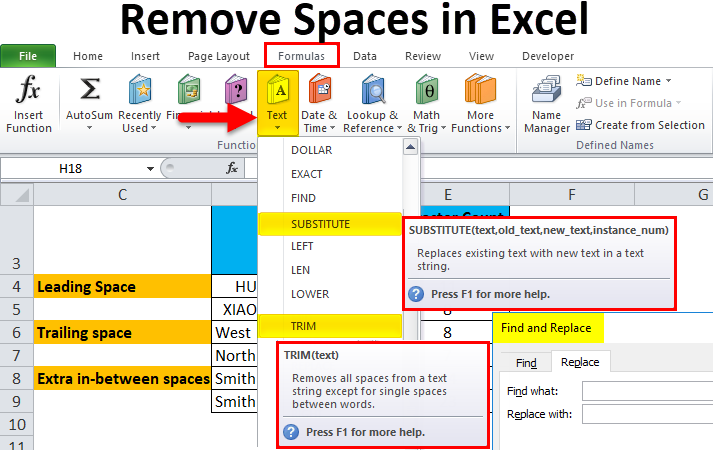
How To Remove A Space In Excel
Solved Remove White Space Below Footer 9to5Answer
In the Footnotes Pane select the Footnote Separator in the dropdown box You will see the Footnote Separator line with a number of empty paragraphs represented by the pilcrows beneath it This time the pilcrows are not greyed out which means you can delete the extra space

Are footnotes taking up too much space in your Word document No worries In this article you ll learn how to quickly and easily remove the space between footnotes in Word leaving you with a neat and professional looking document Step by Step Tutorial Removing Space Between Footnotes in Word
In the dropdown menu select Footnote separator If you have extra Carriage Returns shown as delete them If you have a larger than usual space below the separator line select Format Paragraph and set Space After to zero In the dropdown menu select All endnotes
When in Draft mode you need to click on Show Notes in the Footnotes section of the References tab of the ribbon and then select the Footnote Separator from the dropdown at the top of the footnotes pane and format the
Using the fix suggested does remove the space above footnotes but creates additional space on other parts of the page For example hitting Return after a word results in a large space of around 10 lines microsoft word footnote line spacing
How can I remove the space above the footnote separator I have a long document with many footnotes On some pages a large space sometimes only enough for one double spaced line sometimes enough for two appears above the footnote separator How can I get rid of this space 1 Answer Sorted by 10 Go to the View tab then choose Draft Go to the References tab and click Show Footnotes In the drop down list that appears in the Footnotes area choose Footnote Separator Delete any extra spaces carriage returns etc It s handy to have show non printing characters switched on
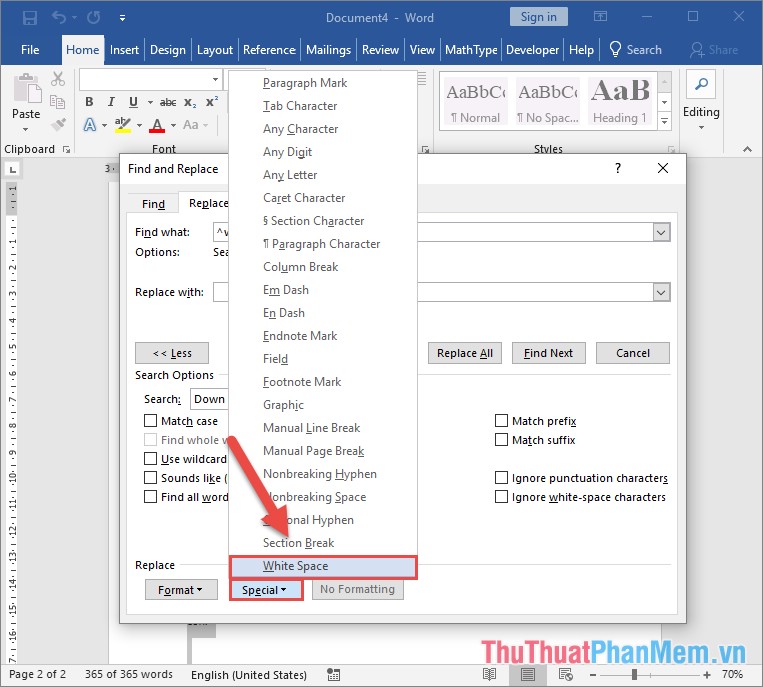
The easiest way to do this is through a two pass Find and Replace operation Press Ctrl H Word displays the Replace tab of the Find and Replace dialog box In the Find What box enter a space followed by f The f indicates you want to find a footnote mark In the Replace With box enter