How To Remove Duplicate Sheets In Excel Remove Duplicates Excel Readinghohpa How To Duplicate Sheet In Excel How To Remove Duplicates In Excel YouTube How To Get Rid Of Duplicates In Excel Rowwhole3 How To Remove Duplicates In Excel Quickly TrendyTarzan Click on any cell with data in your worksheet On the Data tab click Remove Duplicates to open the Remove Duplicates dialog box Put a checkbox by each
Select the cells you wish to remove duplicates from Click on the Data tab at the top Click Remove Duplicates to reveal a pop up Choose the Duplicate values option Step 4 Select the columns with account numbers in table 1 and table 2 Step 5 Choose the Delete values option Please let
How To Remove Duplicates In Excel Quickly TrendyTarzan Easy Step Duplicate Excel Sheet A Comprehensive Guide PublicNesia How To Remove Duplicates In Excel How To Find And Remove Duplicates In Excel the Right Way How To Remove Duplicates In Excel 5 Steps With Pictures I4Lead How To Remove Duplicate In Excel Remove Duplicates In Excel Methods Examples How To Remove 2 Simple And Easy Ways To Find Duplicates In Excel WikiHow Excel How To Remove Duplicates In Excel Quickly TrendyTarzan
How To Remove Duplicate Sheets In Excel
 How To Remove Duplicate Sheets In Excel
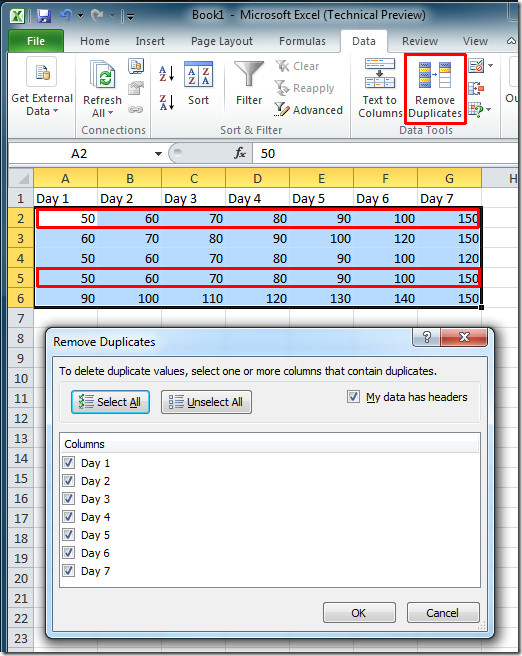
https://www.addictivetips.com/app/uploads/2009/12/excel2010removeduplicate.jpg
Use Duplicate Remover to remove duplicate rows in a worksheet If your data is on multiple sheets you can combine them on one sheet using the
Pre-crafted templates offer a time-saving option for producing a diverse range of files and files. These pre-designed formats and layouts can be made use of for various individual and professional jobs, consisting of resumes, invites, flyers, newsletters, reports, presentations, and more, improving the material production procedure.
How To Remove Duplicate Sheets In Excel
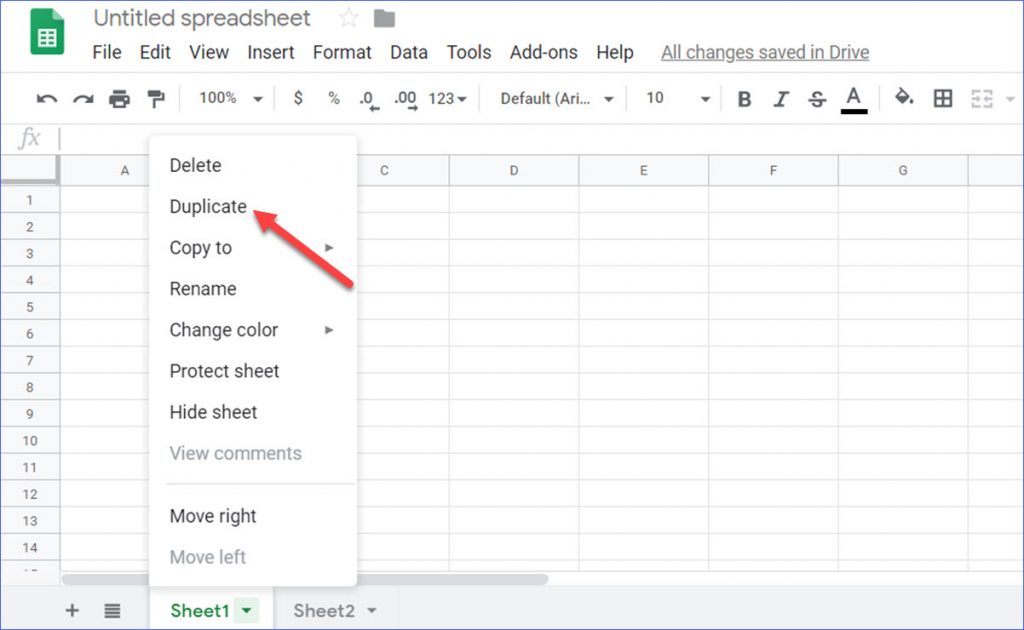
How To Duplicate Tabs Sheets In Google Sheets Riset

Easy Step Duplicate Excel Sheet A Comprehensive Guide PublicNesia
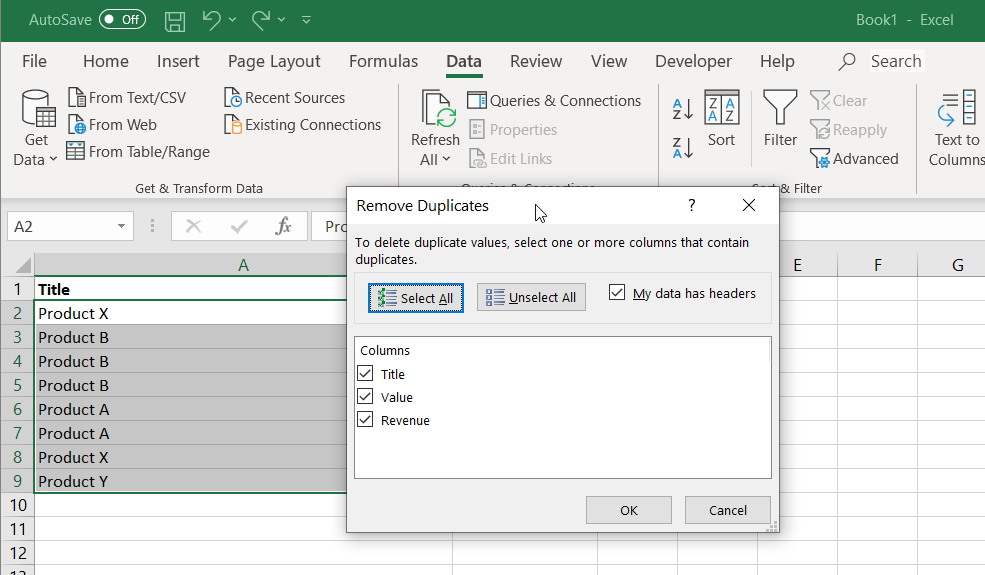
How To Remove Duplicates In Excel
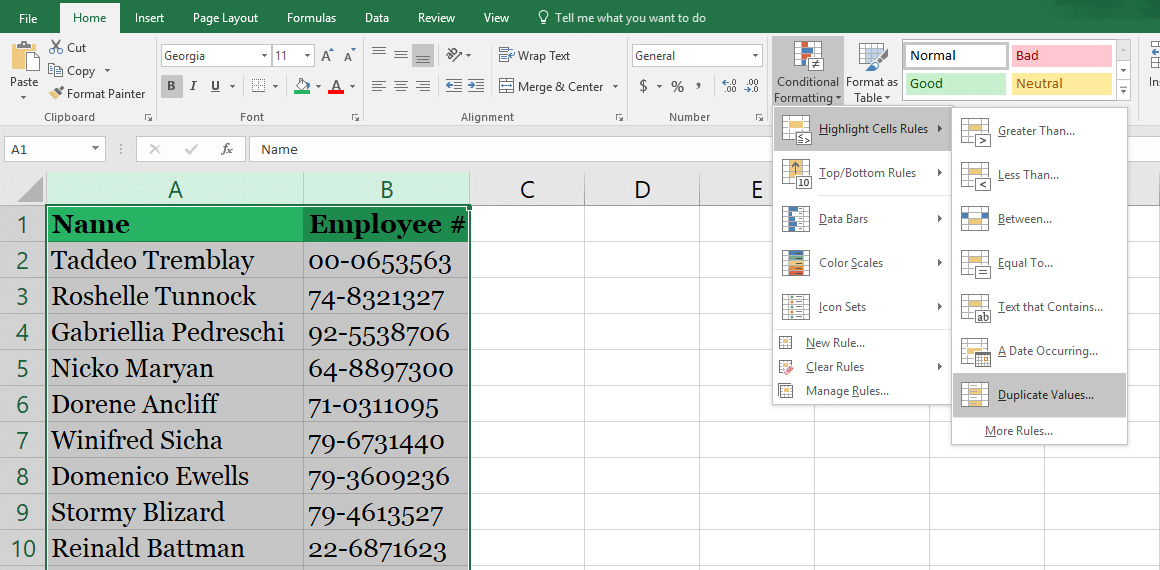
How To Find And Remove Duplicates In Excel the Right Way

How To Remove Duplicate In Excel
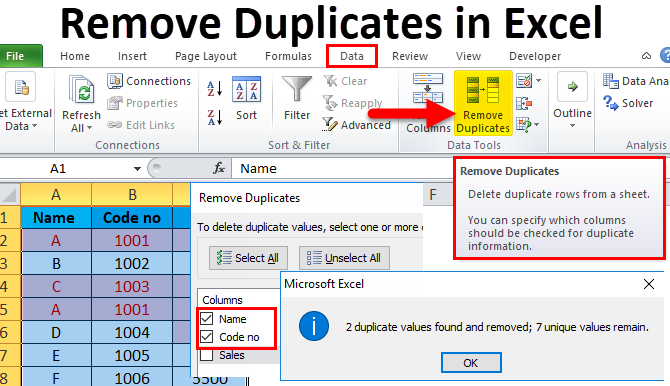
Remove Duplicates In Excel Methods Examples How To Remove
By selecting Data Remove Duplicates and then checking or unchecking the columns you wish to purge you can remove duplicate records Then

Join 400000 professionals in our courses https www xelplus courses These are 3 easy
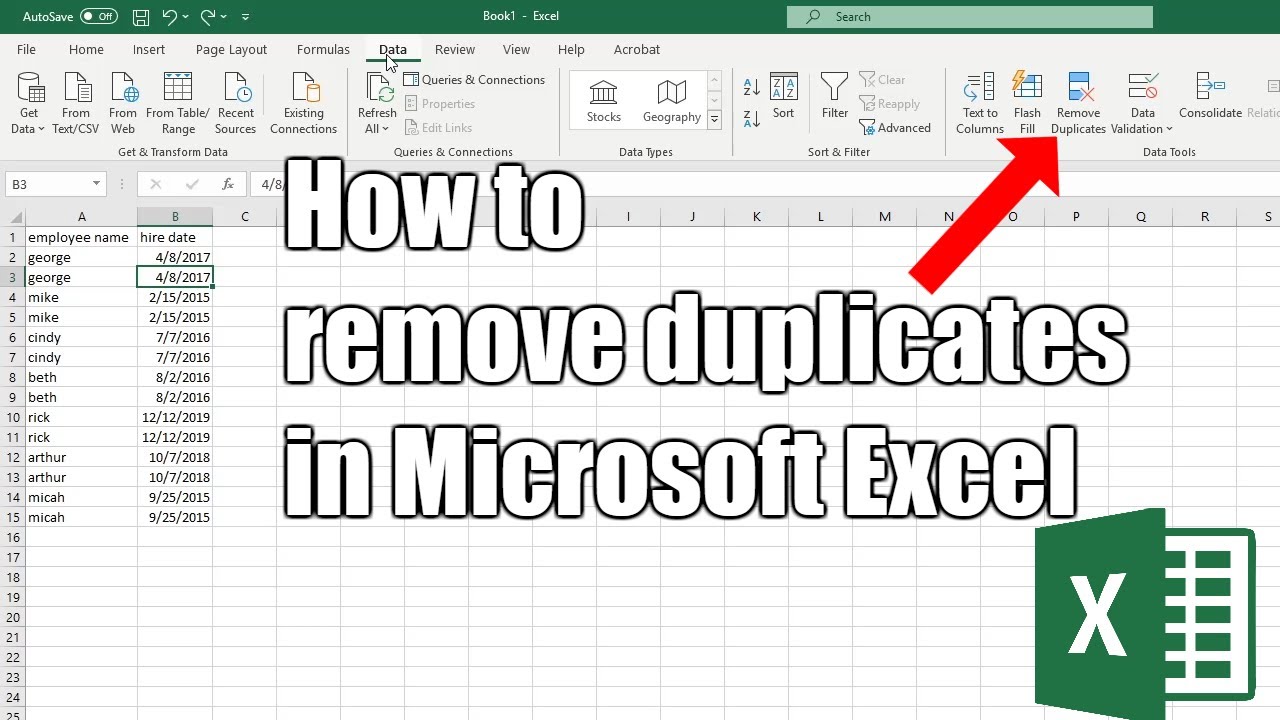
1 Open an Excel workbook 2 Select a column or columns 3 Open the Data tab 4 Find the Data Tools menu and click Remove Duplicates 5
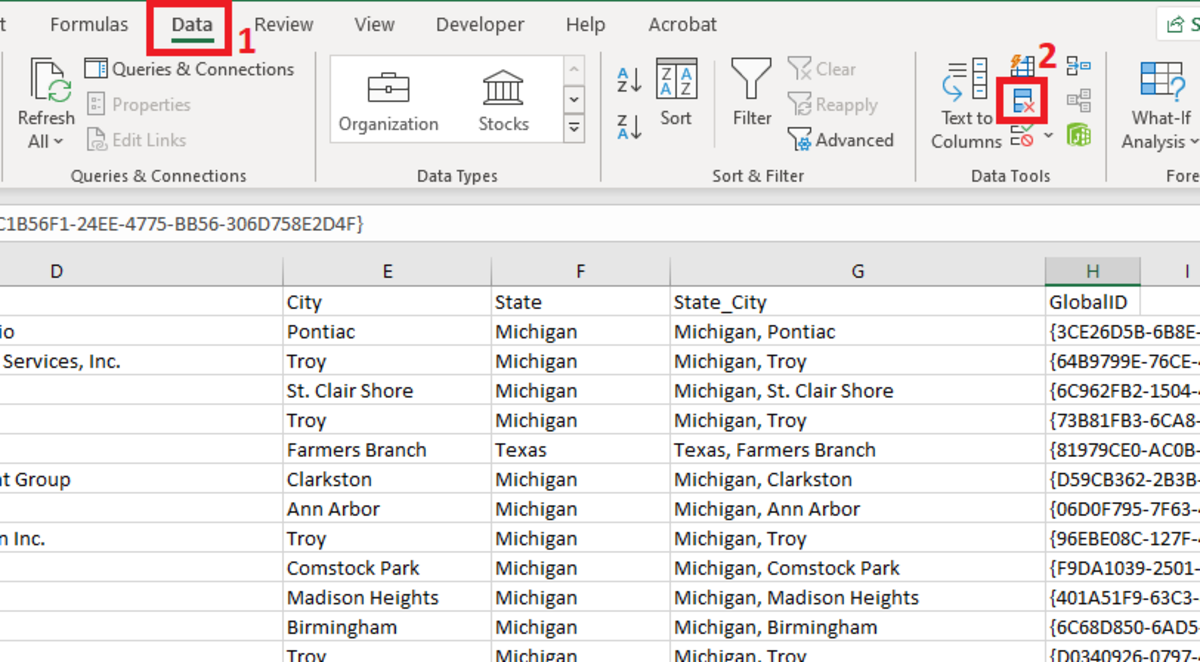
1 Click any single cell inside the data set 2 On the Data tab in the Data Tools group click Remove Duplicates 3 Leave all check boxes checked and click

Click any cell that contains data Then select the Data tab Remove Duplicates An Excel worksheet with data in columns A to C name email
In Excel there is no built in function can quickly merge sheets and remove duplicates you just can copy and paste the sheet contents one After selecting the cells or columns click the Data tab and select Remove Duplicates This will open a dialog box allowing you to specify which columns or
Select all the data Go to Data tab and click on the Remove Duplicates option Then a pop up window will open and select the columns in which we