How To Remove Default Browser In Windows 10 Mozilla Microsoft Should Make Changing The Default Windows Browser Even Easier Blackberry Smartphone How To Remove Default Calendar With Havengreenway How To Remove Microsoft Edge As Default Browser In Windows 11 How To Set Firefox As The Default Browser In Windows 10 How Set Default Browser Windows 10 Thethailawyer Official Google Search Help Center where you can find tips and tutorials on using Google Search and other answers to frequently asked questions
how Want advanced Google Workspace features for your business Try Google Workspace today Google Drive helps you keep all your files together You can upload and share your files from any device
How Set Default Browser Windows 10 Thethailawyer How To Set Or Remove Microsoft Edge As Default Browser TechWiser How To Set Google As Default Browser And Remove Edge Completely How To Set Google As Default Browser And Remove Edge Completely How To Change Default Browser In Windows 7 How To Set Chrome As Default Browser Trang Th ng Remove Microsoft Edge As Default Browser Terbritish How To Change The Default Browser In Windows 11 2022 Guide Beebom How To Set Your Default Browser In Windows 10 In Just 5 Steps IT Pro How To Set Google As Default Browser And Remove Edge Completely
How To Remove Default Browser In Windows 10
 How To Remove Default Browser In Windows 10
https://news-cdn.softpedia.com/images/news2/mozilla-microsoft-should-make-changing-the-default-windows-browser-even-easier-535150-2.jpg
Apr 3 2018 nbsp 0183 32 how do how does how do how does How do they manage to mine such a rich
Templates are pre-designed documents or files that can be used for different functions. They can conserve time and effort by providing a ready-made format and layout for developing different kinds of content. Templates can be used for individual or professional projects, such as resumes, invites, flyers, newsletters, reports, presentations, and more.
How To Remove Default Browser In Windows 10

How To Set Or Remove Microsoft Edge As Default Browser TechWiser

How To Set Or Remove Microsoft Edge As Default Browser TechWiser

How To Set Google As Default Browser And Remove Edge Completely

How To Set Google As Default Browser And Remove Edge Completely
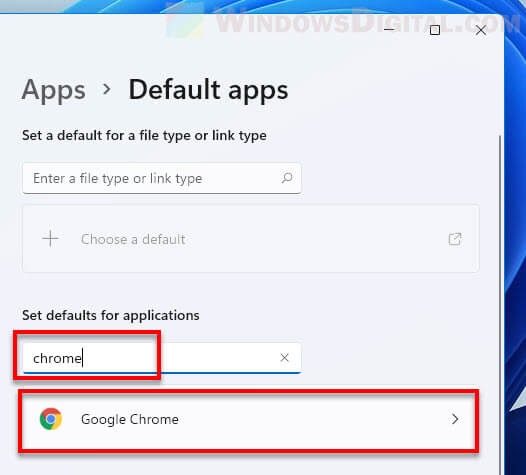
Remove Microsoft Edge As Default Browser Terbritish
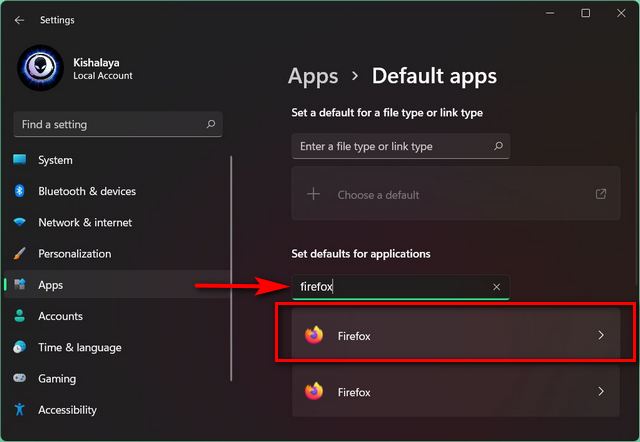
How To Change The Default Browser In Windows 11 2022 Guide Beebom

Important Before you set up a new Gmail account make sure to sign out of your current Gmail account Learn how to sign out of Gmail From your device go to the Google Account sign in page Click

How to install Chrome Important Before you download check if Chrome supports your operating system and you ve met all other system requirements
Important Some of these steps work only on Android 15 and up Learn how to check your Android version Some of these steps only work on devices with supporting hardware For more info contact
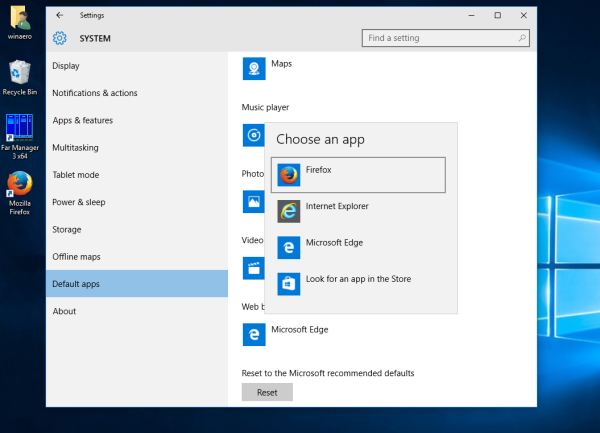
Oct 21 2020 nbsp 0183 32 how 5 4 I don t know how you did it How you did it is none of my business This is how you

Official Gmail Help Center where you can find tips and tutorials on using Gmail and other answers to frequently asked questions
[desc-11] [desc-12]
[desc-13]