How To Remove Ctrl T In Excel How To Remove CTRL T In Excel Quora How To Remove CTRL T In Excel Quora How To Remove CTRL T In Excel Quora How To Disable CTRL ALT DEL In Windows 11 Group Policy Security Screen Create Table With Ctrl T In Excel AutoFormat Your Excel Table YouTube Web Nov 16 2023 nbsp 0183 32 First up open PowerToys and select Keyboard Managers from the menu on the left It should be on by default but if it isn t toggle on Keyboard Manager 2 Select Remap a shortcut Now select
Web See Show the Developer tab If one or more controls is an ActiveX control do the following Make sure that you are in design mode On the Developer tab in the Controls group turn on Design Mode Select the control or controls that you want to delete Web There are two ways to press the shortcut keys depending on the separator character used in the sequence Plus The plus between keys means press amp hold the keys together in order For example to press the shortcut Ctrl Shift L to Toggle Filters you will Press amp hold Ctrl then press amp hold Shift then press L Then release all keys
Create Table With Ctrl T In Excel AutoFormat Your Excel Table YouTube How To Remove Table Format In Excel Shortcut Keys Medaca Ctrl t 360 Disable Task Manager Remove Ctrl Alt Del Menu Options In Windows 8 How To Use Ctrl T In Excel SpreadCheaters Excel Shortcut Apply And Remove Underline Excel Shortcuts ctrl win10 How To Disable Press Ctrl Alt Del To Log On In Windows 10 YouTube Ctrl t 360
How To Remove Ctrl T In Excel
How To Remove Ctrl T In Excel
https://qph.cf2.quoracdn.net/main-qimg-ffcc8b7b4cf64d643de6ab0bc51346fe-pjlq
Web Sep 8 2017 nbsp 0183 32 Great great way to have your charts VLOOKUP and pivot tables all automatically grow by using CONTROL T or CONTROL L actually to format as table Using Ctrl T to create a Table in Excel If you have a chart or a pivot table or a VLOOKUP based on a range of data that might expand using Ctrl T is a great way to make sure
Pre-crafted templates provide a time-saving solution for producing a varied range of documents and files. These pre-designed formats and layouts can be utilized for numerous personal and professional jobs, consisting of resumes, invites, flyers, newsletters, reports, presentations, and more, improving the material development process.
How To Remove Ctrl T In Excel
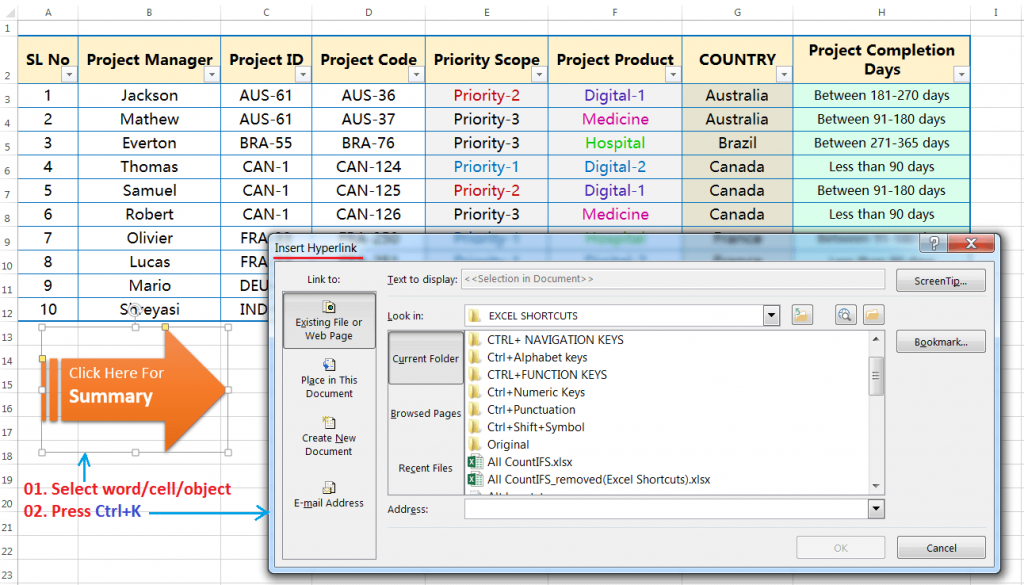
90 Best Excel CTRL Shortcuts Useful Keyboard Shortcuts KING OF EXCEL

How To Remove Table Format In Excel Shortcut Keys Medaca
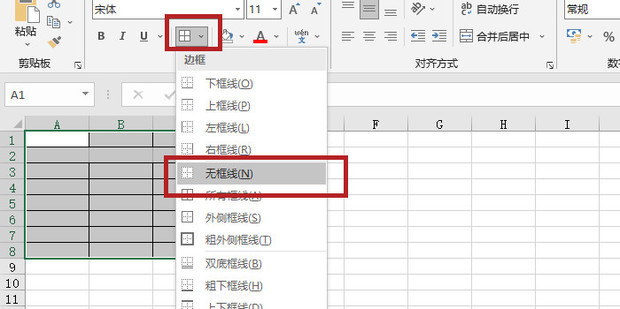
Ctrl t 360
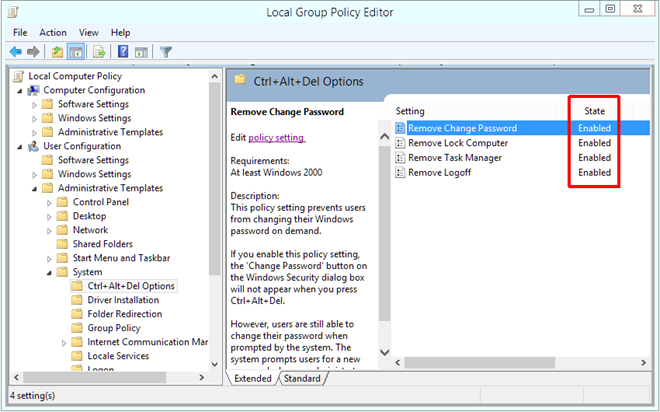
Disable Task Manager Remove Ctrl Alt Del Menu Options In Windows 8
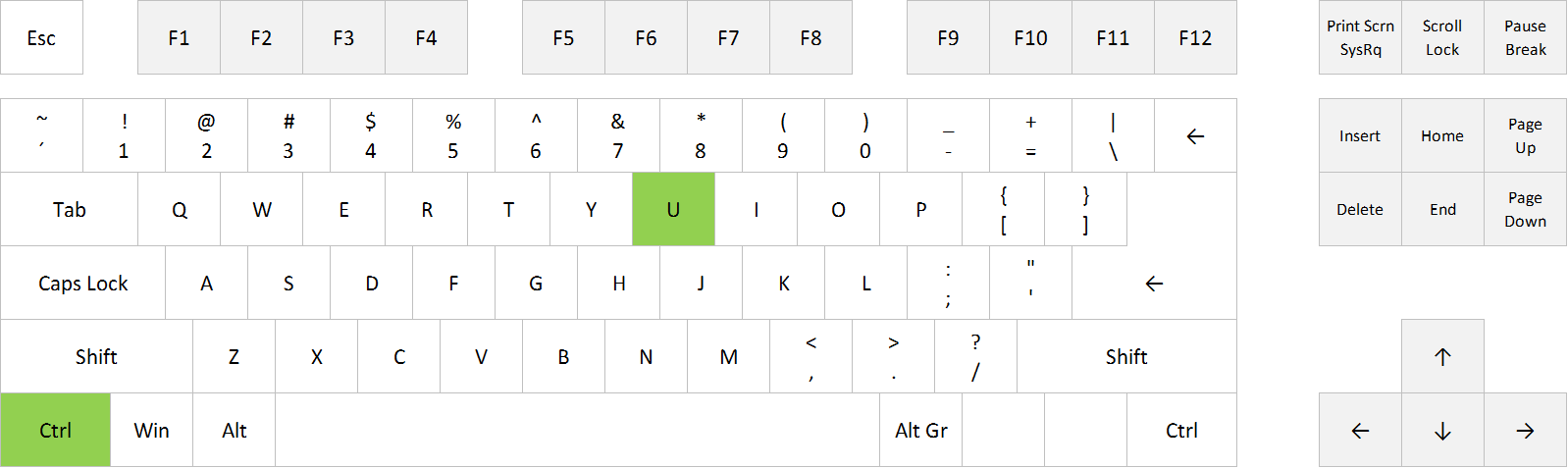
Excel Shortcut Apply And Remove Underline Excel Shortcuts

ctrl win10
Web Jul 10 2023 nbsp 0183 32 Delete Entire Table and Data To remove an entire range of data select the table by pressing CTRL A and then in the Ribbon go to Home gt Cells gt Delete gt Delete Cells If your data is formatted as a table click anywhere within the table Press CTRL A to select the rows Then press CTRL A again to include the headers in the selection
Web Italicize text or remove italic formatting Ctrl I or Ctrl 3 Bold text or remove bold formatting Ctrl B or Ctrl 2 Underline text or remove underline Ctrl U or Ctrl 4 Apply or remove strikethrough formatting Ctrl 5 Switch between hiding objects displaying objects and displaying placeholders for objects Ctrl 6
Web This article explains how to show or hide the Paste Options button on a PC Click the File tab then click Options Note If you are using Excel 2007 click the Microsoft Office Button and then click Excel Options or Word Options In the Advanced category under Cut copy and paste clear or select the Show Paste Options button when content

Web To do this click Developer gt Design Mode in Controls group When you re done working with controls turn off Design Mode Select a single control that is not contained in a group Select multiple controls that are not contained in a group Select a single control in a group Select multiple controls in a group

Web Functions of Ctrl T in Excel We can use Ctrl T in Excel to show up the Create Table dialog box This dialog box can help us to create an Excel table from our cell range Here is more or less the interface of the Create Table dialog box that will show up when we use the Ctrl T shortcut in Excel
Web Dec 3 2017 nbsp 0183 32 3 Answers Sorted by 5 By using the SHIFT and or the CTRL keys you can select non contiguous ranges However if you select a cell or area by mistake there is no built in way to remove that from the selection without Web We would like to show you a description here but the site won t allow us
Web Feb 23 2023 nbsp 0183 32 The 2nd option I can think of depending on how your data is set up is to load your data in PowerQuery Within PQ select all your columns and right click on of the headers gt Replace Values gt Advanced Options gt Replace using special characters gt Tab gt OK Load back the data to Excel Share