How To Remove Commented Lines In Notepad Remove Duplicate Lines Using Notepad Code2care How To Remove New Line In Notepad YouTube How To Remove Dllkit Pro Lanetacardio Notepad Remove Blank Lines Quick Easy Digi Dank How To Remove Duplicates In Iphoto Naaft Web Jan 17 2017 nbsp 0183 32 6 285 1 24 37 Indeed the best parser is the shell itself You could simplify this to a one liner echo quot f lt Documents shellscripts avidemux2ffmpeg sh type f tail n 4 head n 1 quot bash The tail and head commands just serve to remove the function envelope from the output
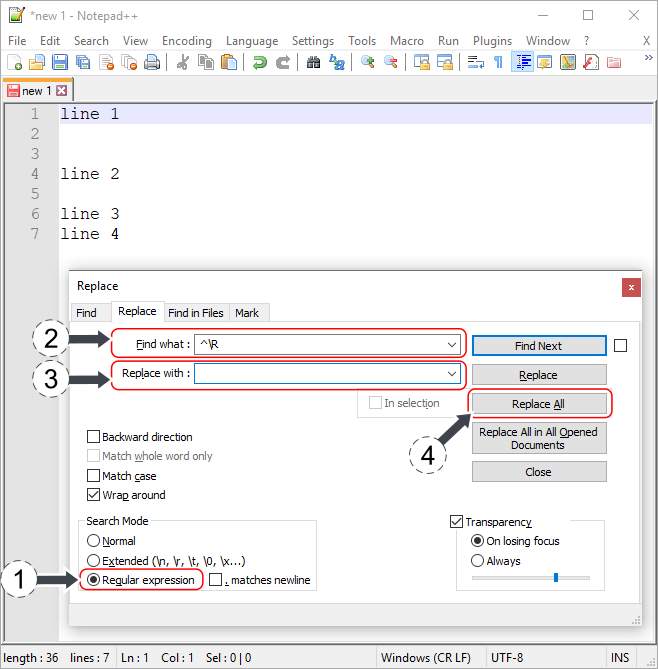
Web Jun 25 2020 nbsp 0183 32 1 Answer Sorted by 2 You ll need to Replace the following expression and make sure the matches newline option is checked The breakdown of the regular expression searches for the beginning of a comment the needs to be escaped with a backslash because otherwise it means 0 or more of the previous character Web Oct 27 2014 nbsp 0183 32 65 One way to remove all comments is to use grep with o option grep o file where o prints only matched part of the line first beginning of the line any character except repeated zero or more times Note that empty lines will be removed too but lines with only spaces will stay Share
How To Remove Duplicates In Iphoto Naaft Remove Duplicates Lines In Notepad Using SpotAssist YouTube Regex Remove The First Blank Line From Every Document Notepad Remove Empty Lines With Regex In Notepad Dirask How To Remove A Piano Track From A Song LALAL AI Help PHP Tutorial Archives Online Class Notes 24 How To Remove Avast Notification Android Advanced Guide 04 2023 Find And Replace Empty Lines In Word Printable Templates Free How To Remove Student Loans From Credit Report Credit Having
How To Remove Commented Lines In Notepad
 How To Remove Commented Lines In Notepad
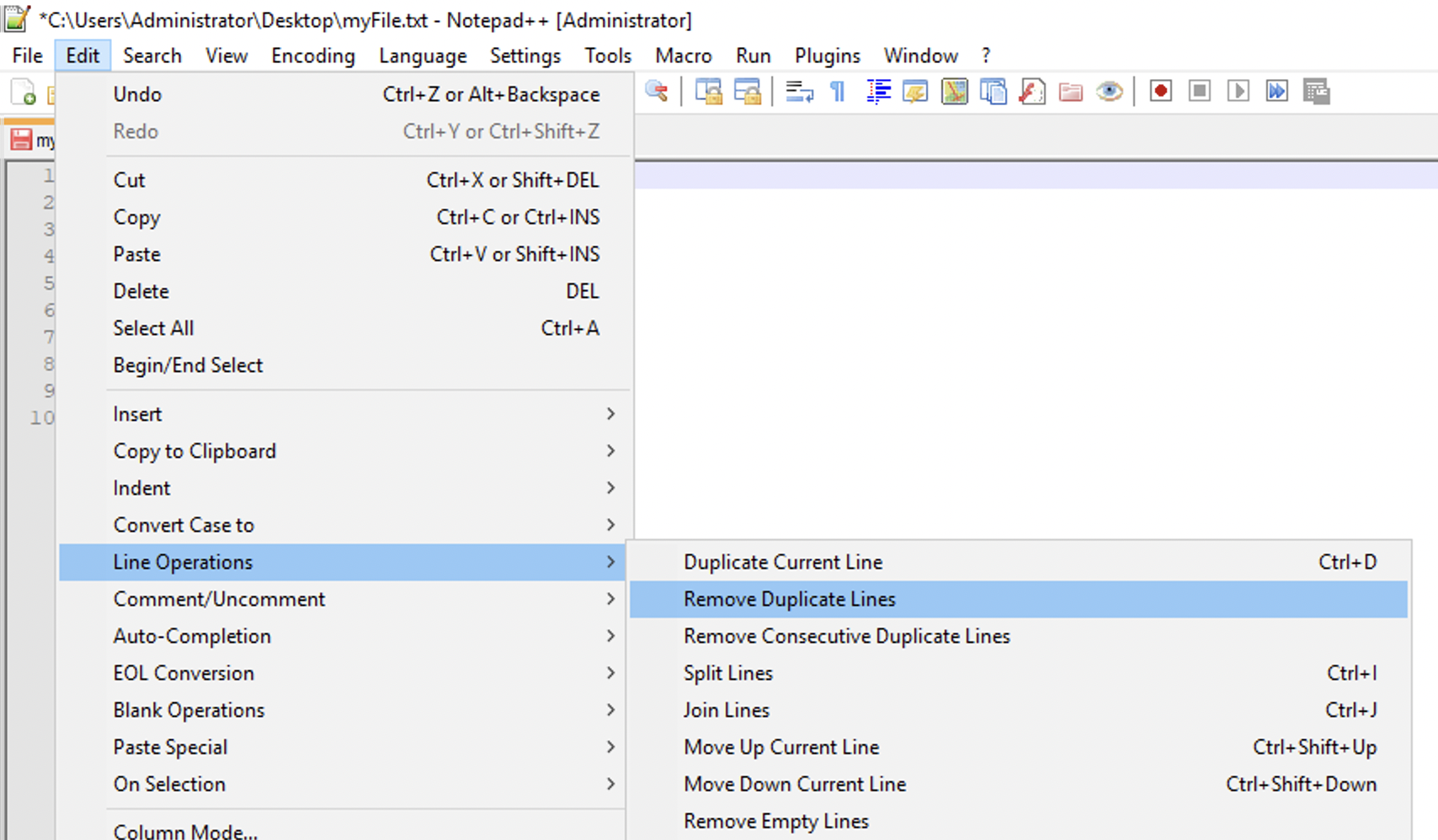
https://code2care.org/howto/remove-duplicate-lines-using-notepad-plus-plus/images/Remove duplicate line using Notepad++.png
Web Jan 5 2019 nbsp 0183 32 First uncomment out these lines client config dir ccd route 192 168 40 128 255 255 255 248 Then create a file ccd Thelonious with this line iroute 192 168 40 128 255 255 255 248 This will allow Thelonious private subnet to access the VPN
Templates are pre-designed documents or files that can be used for various functions. They can conserve time and effort by offering a ready-made format and layout for producing various type of material. Templates can be used for personal or expert tasks, such as resumes, invites, flyers, newsletters, reports, presentations, and more.
How To Remove Commented Lines In Notepad
Grep Usage In Linux Nipodsinc

Remove Duplicates Lines In Notepad Using SpotAssist YouTube

Regex Remove The First Blank Line From Every Document Notepad
Remove Empty Lines With Regex In Notepad Dirask
PHP Tutorial Archives Online Class Notes
24 How To Remove Avast Notification Android Advanced Guide 04 2023

Web Feb 12 2012 nbsp 0183 32 Use alt h to hide lines Fix The following describes the setup of code folding comment folding for in line and multi line comments on an existing language file using NPP WARNING Clicking the X at the top right will close the document so click Undock in step 4 to close the UDF dialog not the X
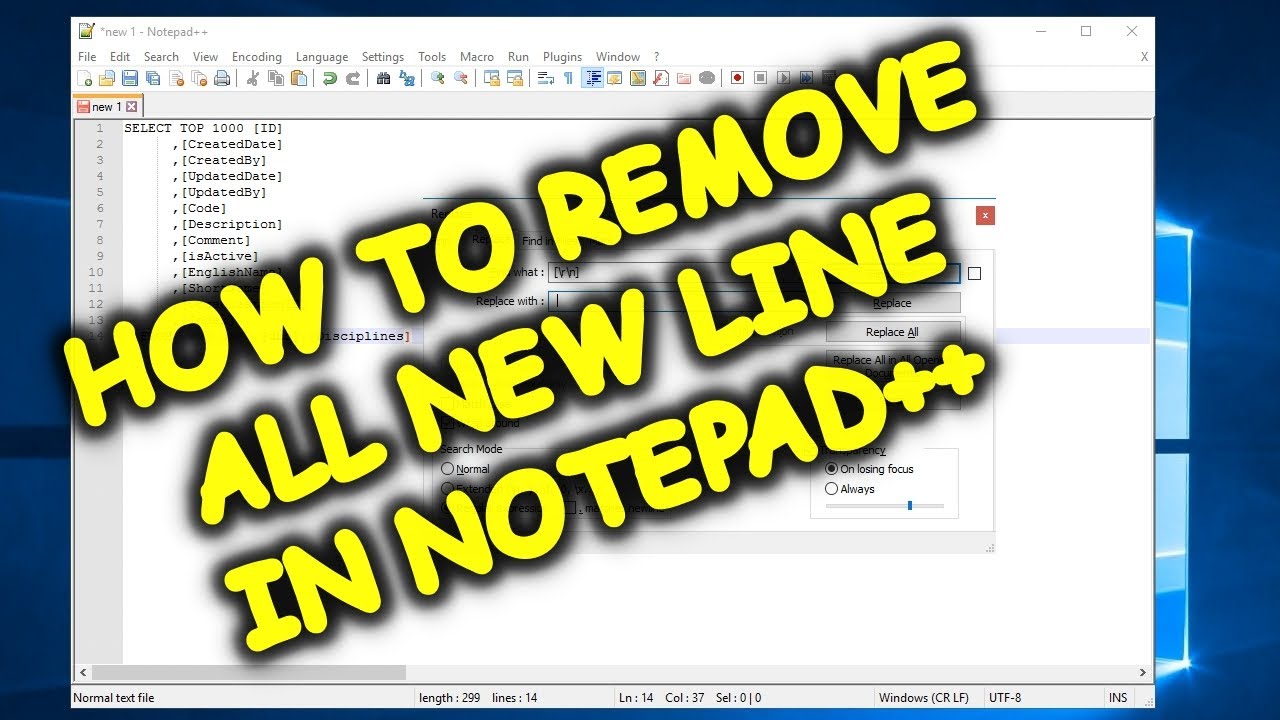
Web Feb 13 2019 nbsp 0183 32 I have an XML file saved in Notepad and I want to delete multi line comments from lt through gt How can I do this globally without going line by line For example amp lt Text amp gt amp lt

Web Sep 15 2017 nbsp 0183 32 2 Ctrl Shift K on the commented region allows you to perform block uncomment 3 Ctrl Shift K on an uncommented selected region does not comment it 4 Ctrl Q allows you to block comment uncomment in a toggled mode meaning you cannot add multiple s like in 1 Hope this helps another wandering soul

Web Jul 18 2021 nbsp 0183 32 In notepad there is a way to bookmark lines with a search and then delete those bookmarked lines No regex necessary If a search is not needed the you can bookmark the lines to remove with Ctrl F2 and then use menu Search gt Bookmark gt Remove Bookmarked Lines

Web Apr 21 2016 nbsp 0183 32 We are going to use NotePad replace functionality CTRL H to remove all multi line comments that are enclosed in a pair of and While in the source file you want to edit open up the Replace window either
Web Sep 21 2009 nbsp 0183 32 Ctrl Alt Shift C comment selection Ctrl Alt Shift R uncomment selection As for the Ctrl Shift K shortcut not working you should probably report the problem to the Notepad developer Edit Looks like the standard Block comment Ctrl K Block uncomment Ctrl Shift K and Toggle block comment Ctrl Q Web Jul 1 2019 nbsp 0183 32 8 Answers Sorted by 310 Notepad v6 5 Search menu gt Find gt Mark tab gt Find what your search text check Bookmark Line then Mark All This will bookmark all the lines with the search term you ll see the blue circles in the margin Then Search menu gt Bookmark gt Remove Bookmarked Lines This will delete all the bookmarked
Web May 19 2020 nbsp 0183 32 It can remove that space at the start of the comment lines fairly easily Otherwise go through ALL the old code and change them to suit the current format That s probably going to be the quickeest way to sort it out short to medium term Then ask for a feature request