How To Pull Git Command GIT Commands Basic To Advanced GIT Commands List That You Should Know Git Diff rence Entre Git Fetch Et Git Pull StackLima Git Cheat Sheet DataCamp Continuous Integration And DevOps Tools Setup And Tips Git Workflow How To Push Local Git Repository To Github YouTube WEB Learn how to perform Git PUSH and PULL requests through GitHub Desktop and the Command Line
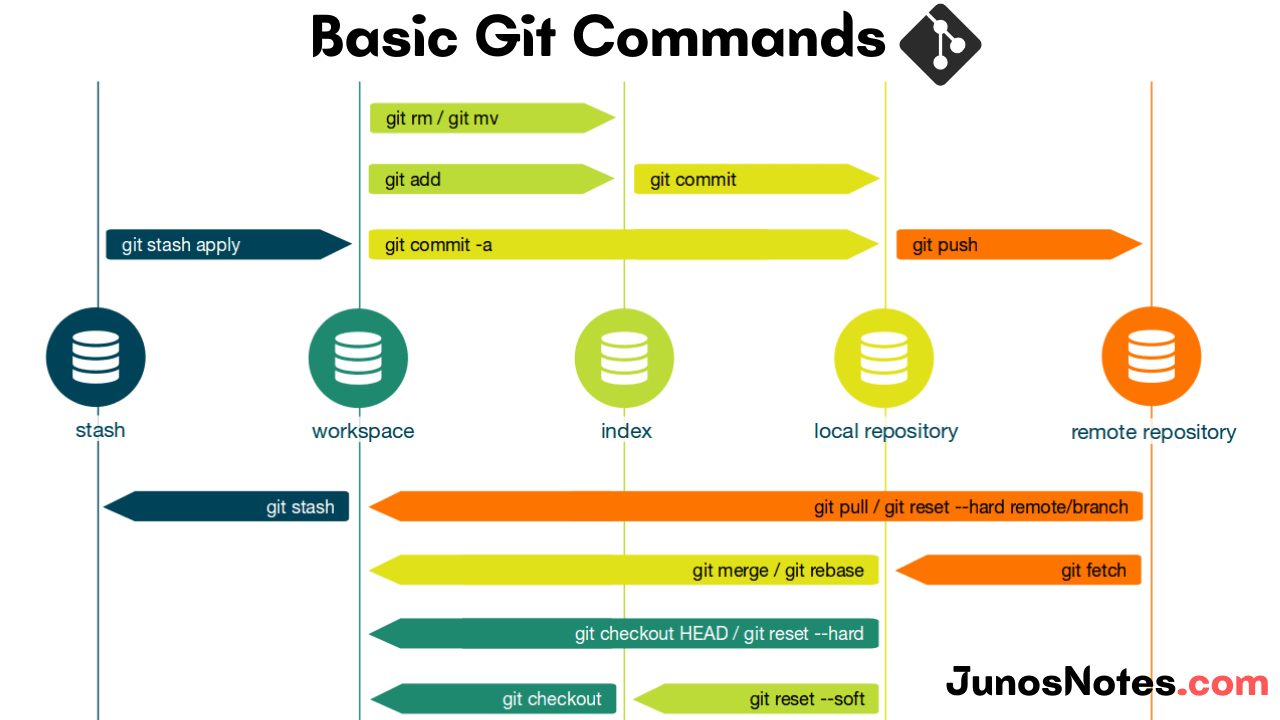
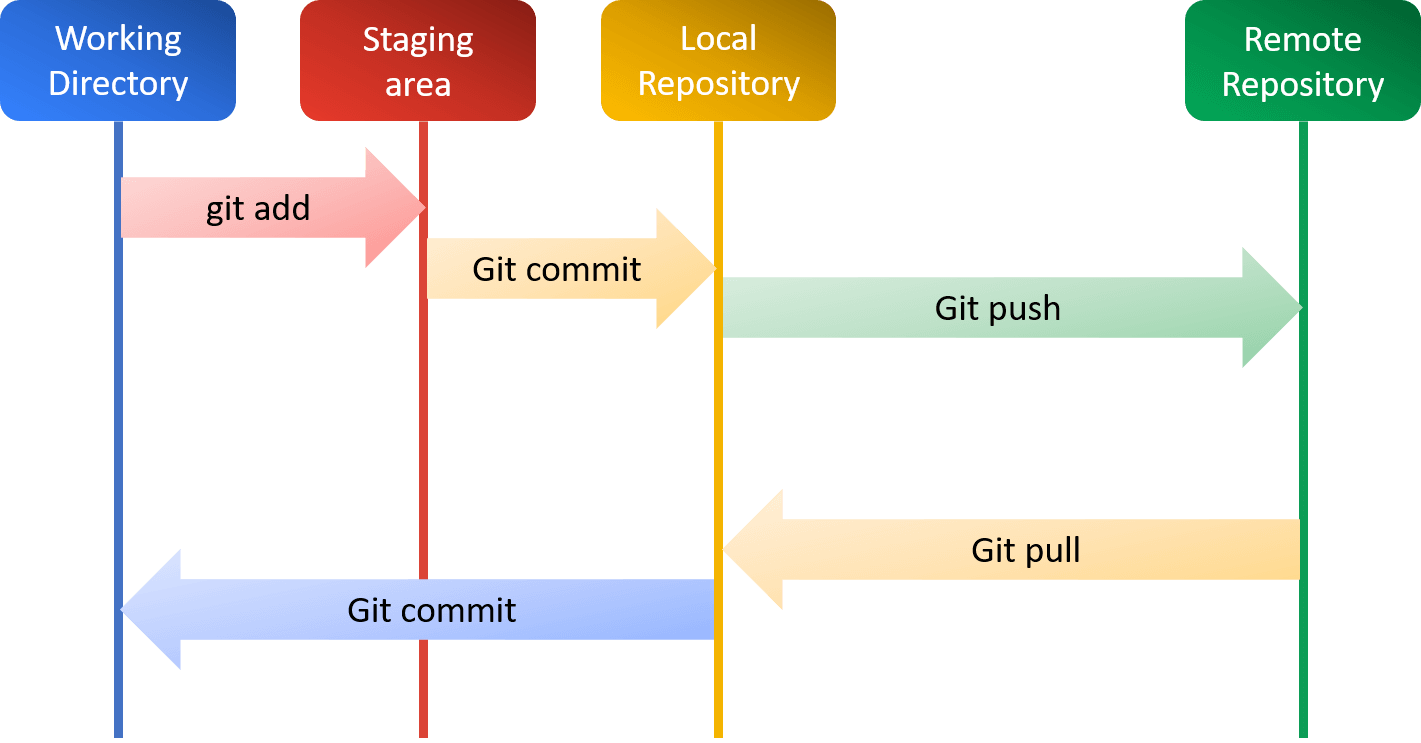
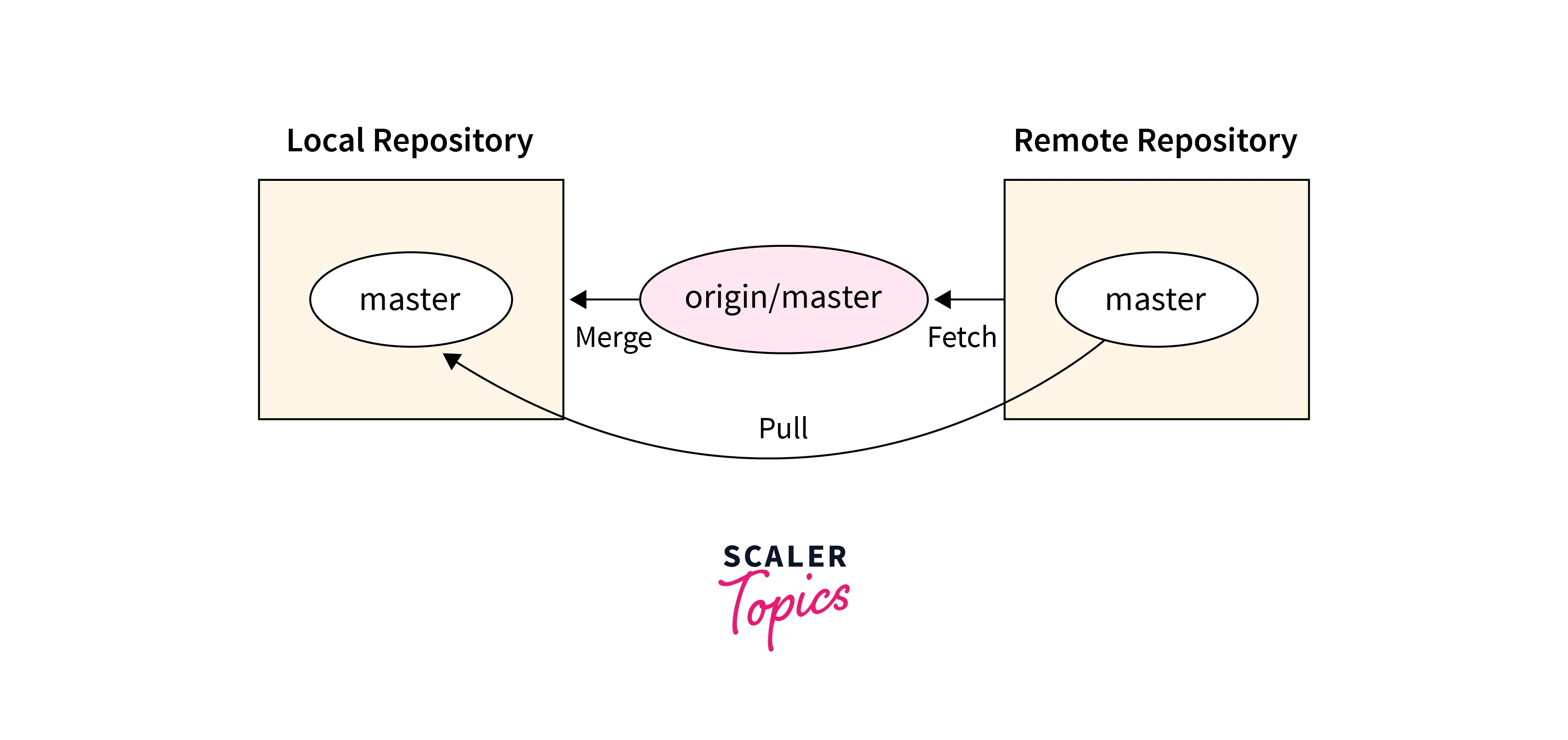
WEB The git pull command fetches and downloads content from the remote repository and integrates changes into the local repository The git pull command is called as the combination of git fetch followed by git merge WEB git pull Fetch from and integrate with another repository or a local branch SYNOPSIS git pull lt options gt lt repository gt lt refspec gt DESCRIPTION Incorporates changes from a remote repository into the current branch In its default mode git pull is shorthand for git fetch followed by git merge FETCH HEAD
How To Push Local Git Repository To Github YouTube Git Commands BytesofGigabytes Git Pull Force Scaler Topics 20 Git Sql Cheat Sheet Python Cheat Sheet Cheat Sheets Computer Coding Git Clone Branch H ng D n S D ng Git V Github C B n Gsviec Git V GitHub C n B n Git Create Branch From Another Popdase Git Commands Cloud Studio
How To Pull Git Command
 How To Pull Git Command
https://www.junosnotes.com/wp-content/uploads/2021/07/basic-git-commands.png
WEB git pull The quot pull quot command is used to download and integrate remote changes The target which branch the data should be integrated into is always the currently checked out HEAD branch By default pull uses a merge operation but it
Templates are pre-designed documents or files that can be used for different purposes. They can save time and effort by providing a ready-made format and layout for developing various kinds of content. Templates can be utilized for personal or professional projects, such as resumes, invites, leaflets, newsletters, reports, discussions, and more.
How To Pull Git Command
Guia Dos Principais Comandos Do GIT Bins
Git Commands BytesofGigabytes
Git Pull Force Scaler Topics
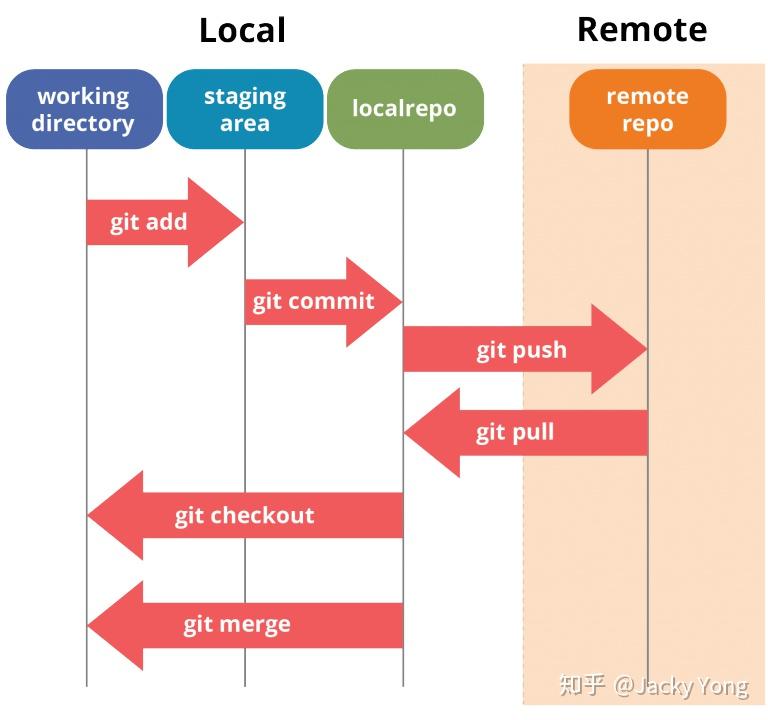
20 Git
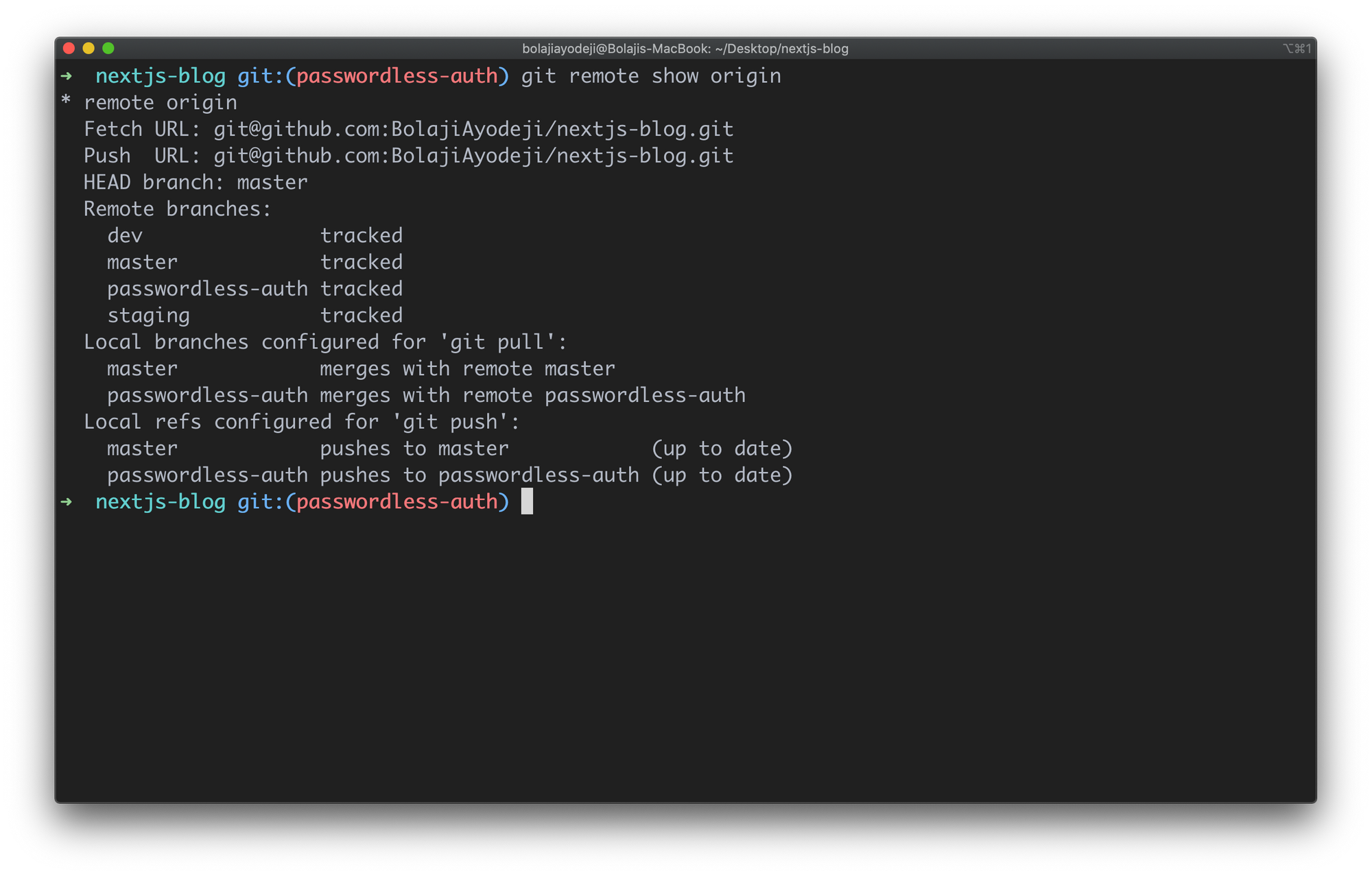
Git Clone Branch
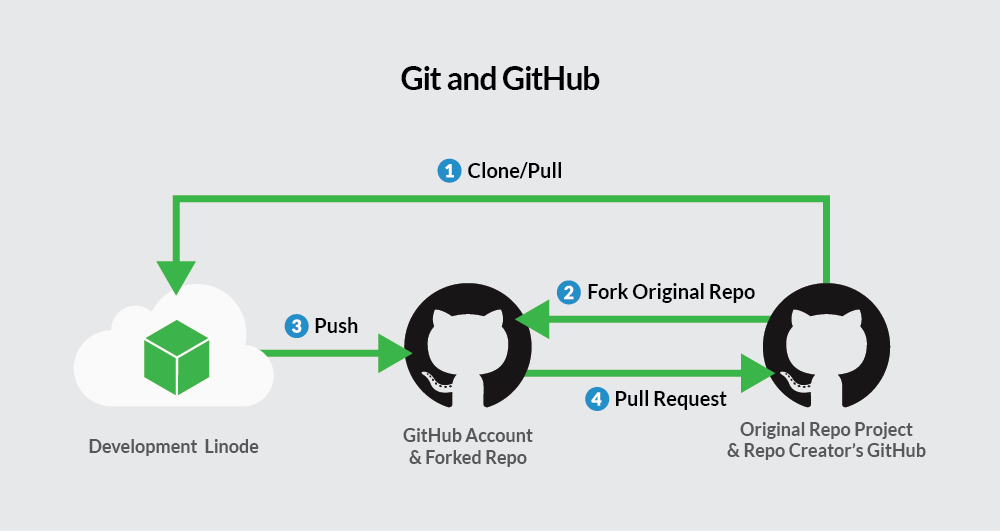
H ng D n S D ng Git V Github C B n Gsviec Git V GitHub C n B n

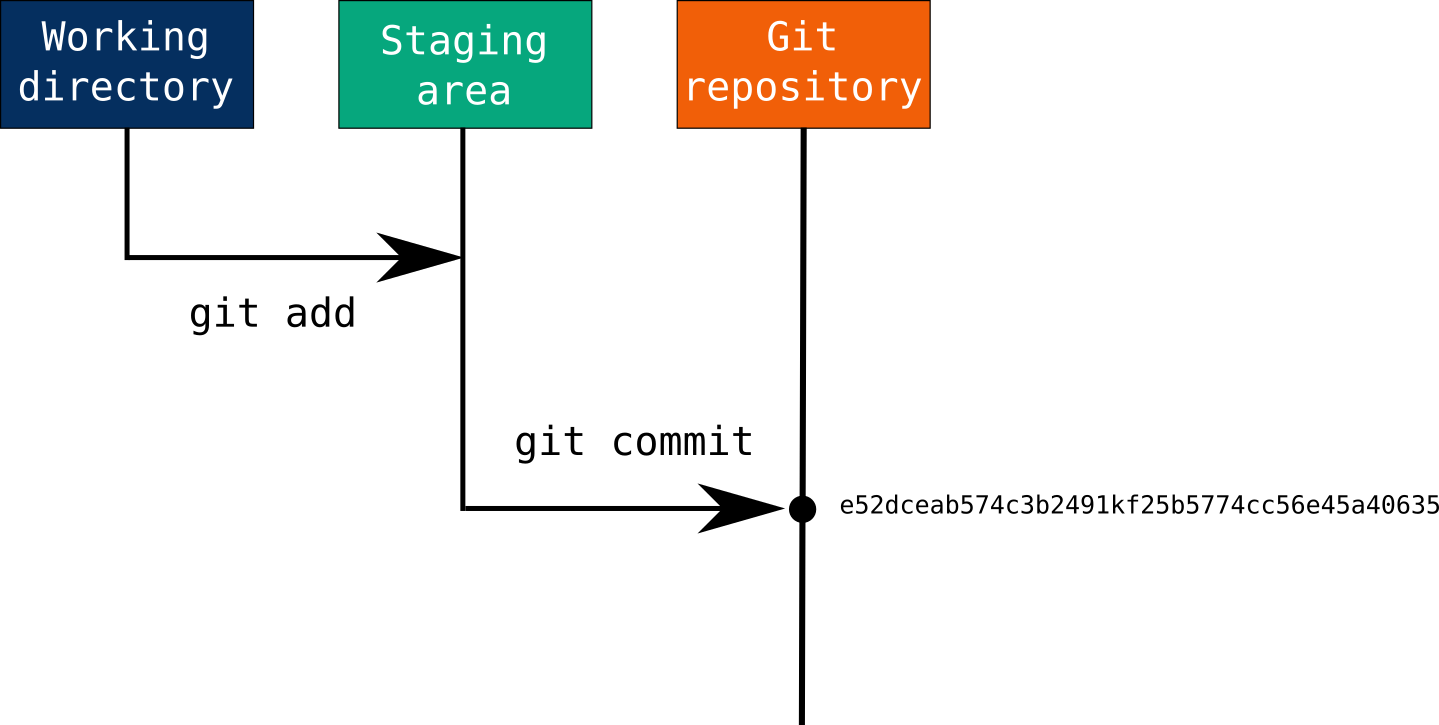
WEB Sep 11 2009 nbsp 0183 32 6 You can do it in two ways 1 Cloning the remote repo to your localhost git clone https github user name repository git 2 Pulling the remote repo to your localhost First you have to create a local git repo by git init or git init repo name

WEB git pull lt options gt lt repository gt lt refspec gt DESCRIPTION Incorporates changes from a remote repository into the current branch If the current branch is behind the remote then by default it will fast forward the current branch to match the remote
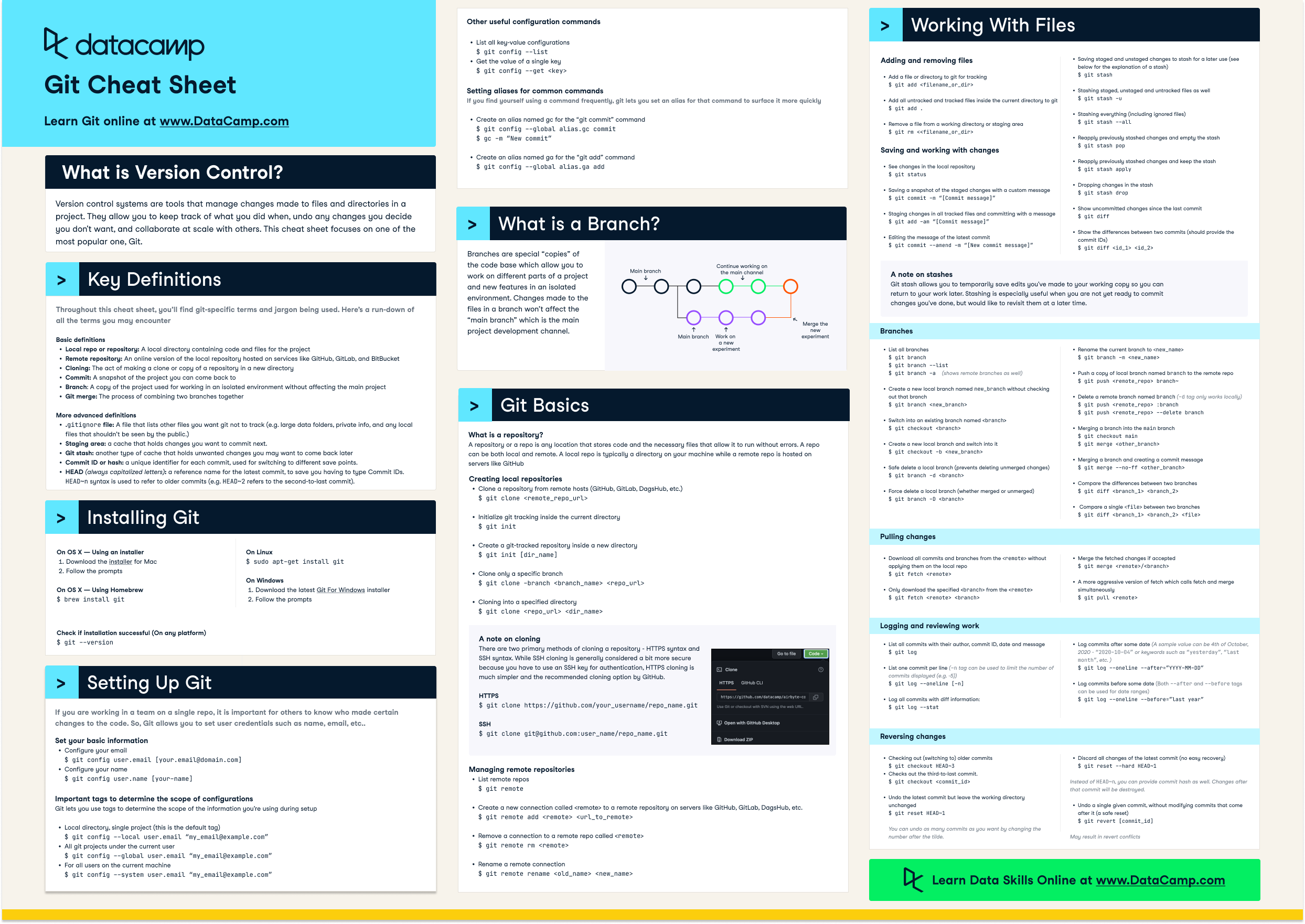
WEB I was able to follow the guide here and using the Git bash it works great However I need to perform these tasks from the Windows command line so that they can be executed by the script git pull origin master works in the Git bash cd quot c program files x86 git bin git git dir path to git pull origin master
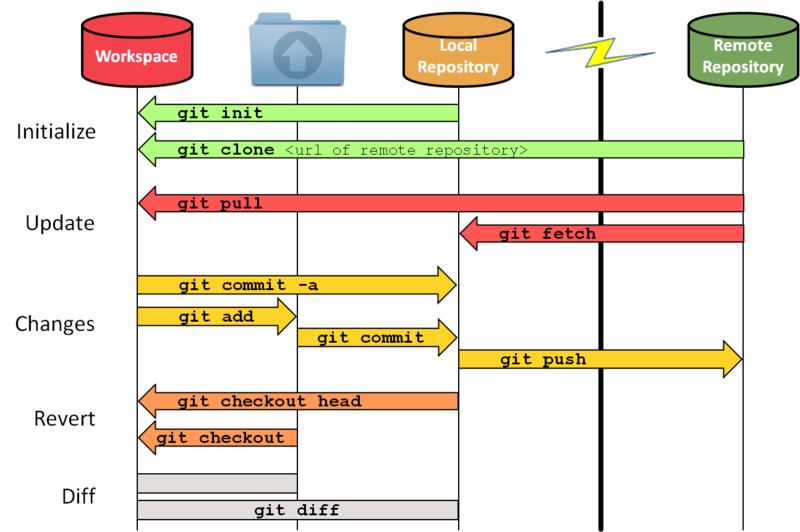
WEB The git pull command is used to fetch and download content from a remote repository and immediately update the local repository to match that content Merging remote upstream changes into your local repository is a common task in Git based collaboration work flows
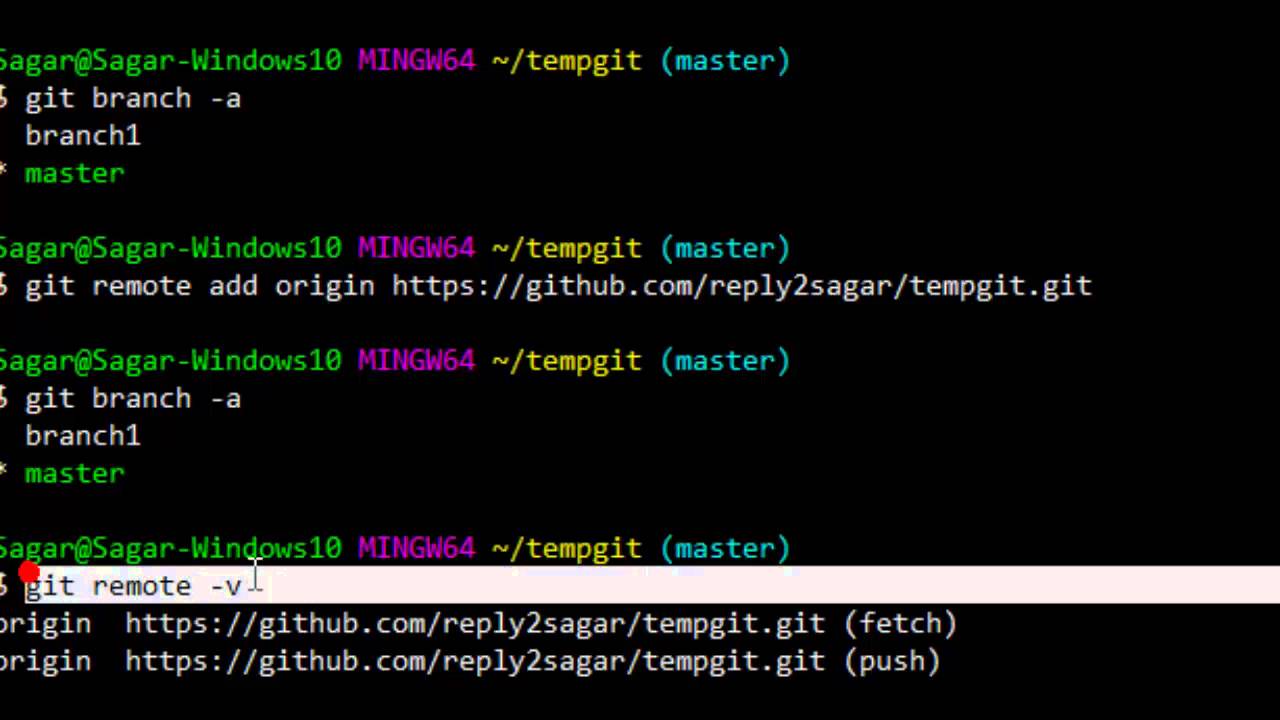
WEB Aug 18 2021 nbsp 0183 32 Git pull is the process of fetching and merging committed changes from a remote project to your local server To pull in git implies accepting data for your local workstation from your Github account Git employs the use of git pull command to get a remote repository to a local working environment
WEB Jul 9 2021 nbsp 0183 32 What is git pull In a nutshell it s the command you use to update your repository with new changes To better understand git pull you need to understand how network operations work in Git A Brief Overview of Git Commits Unlike in other VCSs commits in Git aren t deltas WEB May 4 2023 nbsp 0183 32 If you want to fetch remote branches and merge them with your work or modify your current work you can use the git pull command To achieve this use the following command git pull all You can then run the git branch r to verify if the remote repository has been added Wrapping Up
WEB May 27 2024 nbsp 0183 32 Steps to Pull from a Specific Branch Step 1 Check Current Branch First let s ensure that you are currently on the branch from which you want to pull changes You can do this by running the following command in your terminal git branch