How To Paste In Linux Terminal How To Copy And Paste In Linux Vim Systran Box How To Copy paste On Ubuntu Terminal DevsDay ru How To Paste In Whatsapp New Achievetampabay How To Copy And Paste In Linux And Ubuntu Terminal How To Paste Text Into A Putty Serial Terminal Window On A Linux Machine Systran Box The correct keyboard shortcut to copy text within a Linux terminal is Ctrl Shift C and Ctrl Shift X for cutting Similarly to paste a string of text press Ctrl Shift V The underlying reason for this behavior lies in Linux s Unix roots
Copying and pasting is one of the most used actions on a computer While it is easy to do so with the Ctrl C and Ctrl V keyboard shortcuts on the Linux terminal it is not so straightforward You have several options to get the job done Here is how you can copy and paste text files and directories in Linux terminal Bash Prompt Guides whoami Learn how to copy and paste from the desktop into and out of terminal sessions
How To Paste Text Into A Putty Serial Terminal Window On A Linux Machine Systran Box How To Copy Paste In Linux Terminal For Absolute Beginners Szkepticizmus Buny Kaliber Crear Archivo Texto Linux L nc Szil cium Vil g Ablak How To Copy And Paste In Linux Vim Systran Box How To Copy And Paste In Kali Linux Systran Box How To Cut Copy And Paste In Vim How To Paste In PowerShell Copy paste In Linux Using Xclip When Working On The Linux Desktop How By Sujit Patel Medium How To Paste Into Terminal Linux Tutorials Learn Linux Configuration
How To Paste In Linux Terminal
 How To Paste In Linux Terminal
https://syscdn.systranbox.com/1661339023618.jpg
2 Answers For pasting text into the terminal you can either use Ctrl Shift V or use your mouse s middle click if there is one For copying text in the terminal you can either use Ctrl Shift C or use your mouse to select the text of interest and then use its middle click to paste it
Pre-crafted templates offer a time-saving solution for creating a varied variety of documents and files. These pre-designed formats and designs can be utilized for various individual and expert jobs, including resumes, invites, flyers, newsletters, reports, presentations, and more, simplifying the content production process.
How To Paste In Linux Terminal
How To Copy Paste In Terminal In Ubuntu And Other Linux
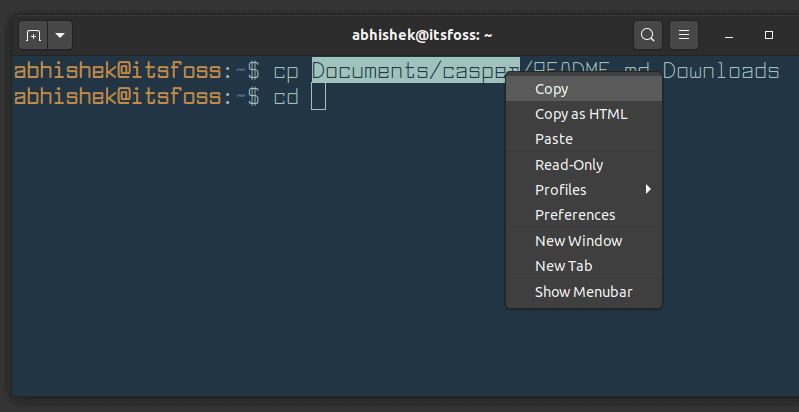
How To Copy Paste In Linux Terminal For Absolute Beginners

Szkepticizmus Buny Kaliber Crear Archivo Texto Linux L nc Szil cium Vil g Ablak

How To Copy And Paste In Linux Vim Systran Box

How To Cut Copy And Paste In Vim

How To Paste In PowerShell

How to Copy and Paste Text at Linux s Bash Shell The Usual Keyboard Shortcuts Won t Work Copying and pasting text is a staple part of using a computer When people use Ctrl C and Ctrl V in TTYs When a TTY was a physical device Ctrl C was chosen as a handy key combination to generate a
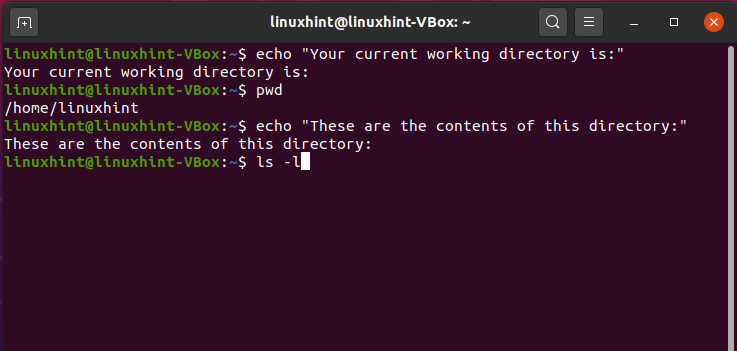
Method 1 Using keyboard shortcuts for copy pasting in the terminal On Ubuntu and many other Linux distributions you can use Ctrl Insert or Ctrl shift C for copying text and Shift Insert or Ctrl shift V for pasting text in the terminal Use CTRL Shift C to copy and use CTRL Shift V to paste what is selected

In this tutorial you will learn How to paste text into terminal via keyboard shortcut How to paste text via right click context menu How to paste text via mouse button shortcut How to copy text from terminal with mouse or keyboard
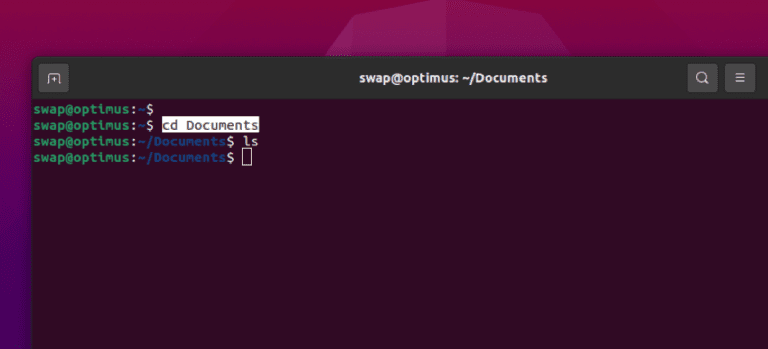
Press Ctrl Alt T to open a Terminal window if one is not already open Right click at the prompt and select Paste from the popup menu The text you copied is pasted at the prompt Press Enter to execute the command The command is executed like you typed in yourself

Software Requirements and Conventions Used Copy and Paste Text into the Terminal on Ubuntu 20 04 step by step instructions The first and preferred way to copy and paste text between the terminal window and any other application which allows text highlighting is to use mouse middle button or scroll wheel
[desc-11] [desc-12]
[desc-13]