How To Open Java Class File In Eclipse How To Create A Text File In Java In Eclipse How To Make A Text File How To Open A File In Java How To Create A Java Class File In Eclipse ST coder YouTube Java Eclipse Free Download Pilotur How To Open A File With Java With Examples Program 2023 A simple Eclipse plugin to open java file for a class file if the java file is present in one of the open Java projects in Eclipse workspace How does it work Monitors the opening of a class editor Then uses the JDT Java search mechanism to locate the corresponding java file in any of the Java projects in the Eclipse workspace
External Install Button The Eclipse class file browser is a plugin for Eclipse which allows for more comfortable viewing of Java class files than the supplied class file viewer The installation can be done through the regular update mechanism in eclipse Get the plugin from the update site https update libusb java ch Either right click on your Java class in the Package Explorer or right click in the Java class and select Run as Java application Eclipse will run your Java program You should see the output in the Console view
How To Open A File With Java With Examples Program 2023 Import Java Project In Eclipse TestingDocs Compile In Eclipse Learn Java Coding Class Methods In Java Explained DevsDay ru Ethical Hacking Tutorial Eclipse Create Java Class Search And Replace In A Class File In Eclipse Stack Overflow How To Open Java Class In Java Library Like Vscode Issue 198 How To Debug A C Program In Eclipse PeterElSt Java Decompiler Alternatives And Similar Software ProgSoft
How To Open Java Class File In Eclipse
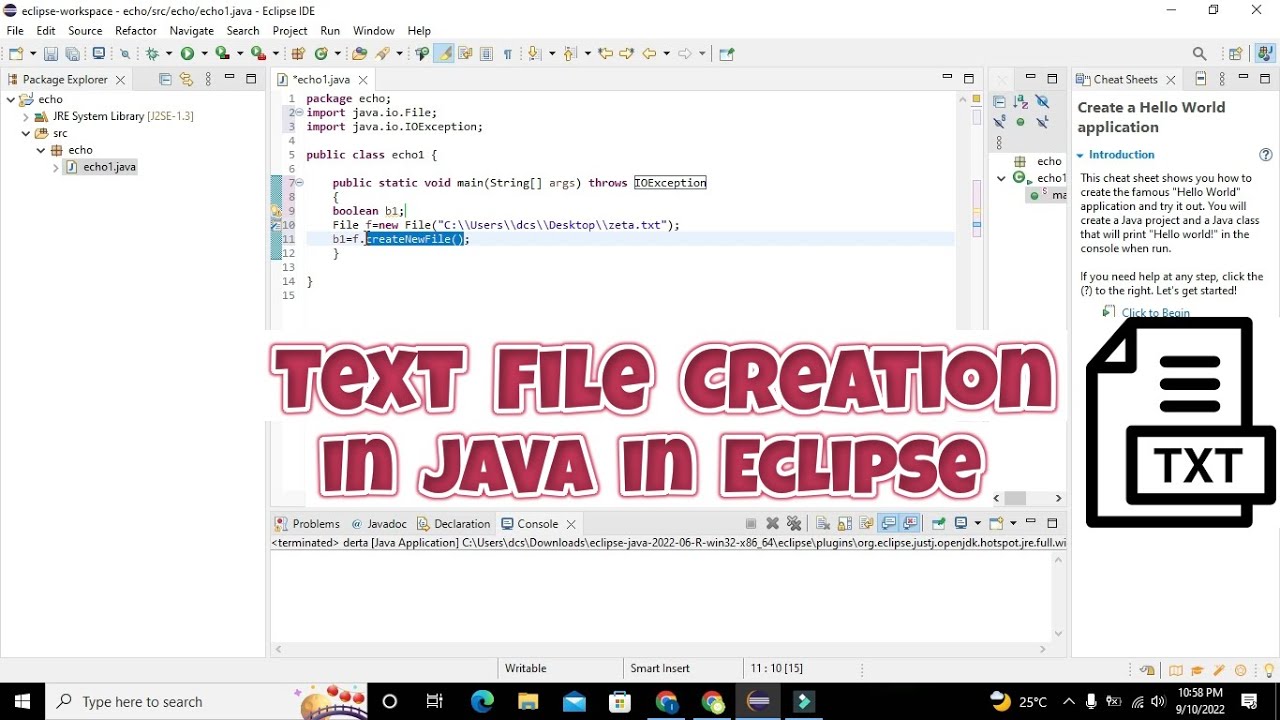 How To Open Java Class File In Eclipse
https://i.ytimg.com/vi/MGnj806BH9Q/maxresdefault.jpg
Open a class file in Eclipse with help from a software engineer in this free video clip Expert Mathew Pierce Filmmaker Paula Pierce Series Description The file extension of a program is used
Templates are pre-designed documents or files that can be used for different purposes. They can conserve time and effort by offering a ready-made format and layout for creating various kinds of content. Templates can be used for individual or expert projects, such as resumes, invites, flyers, newsletters, reports, presentations, and more.
How To Open Java Class File In Eclipse
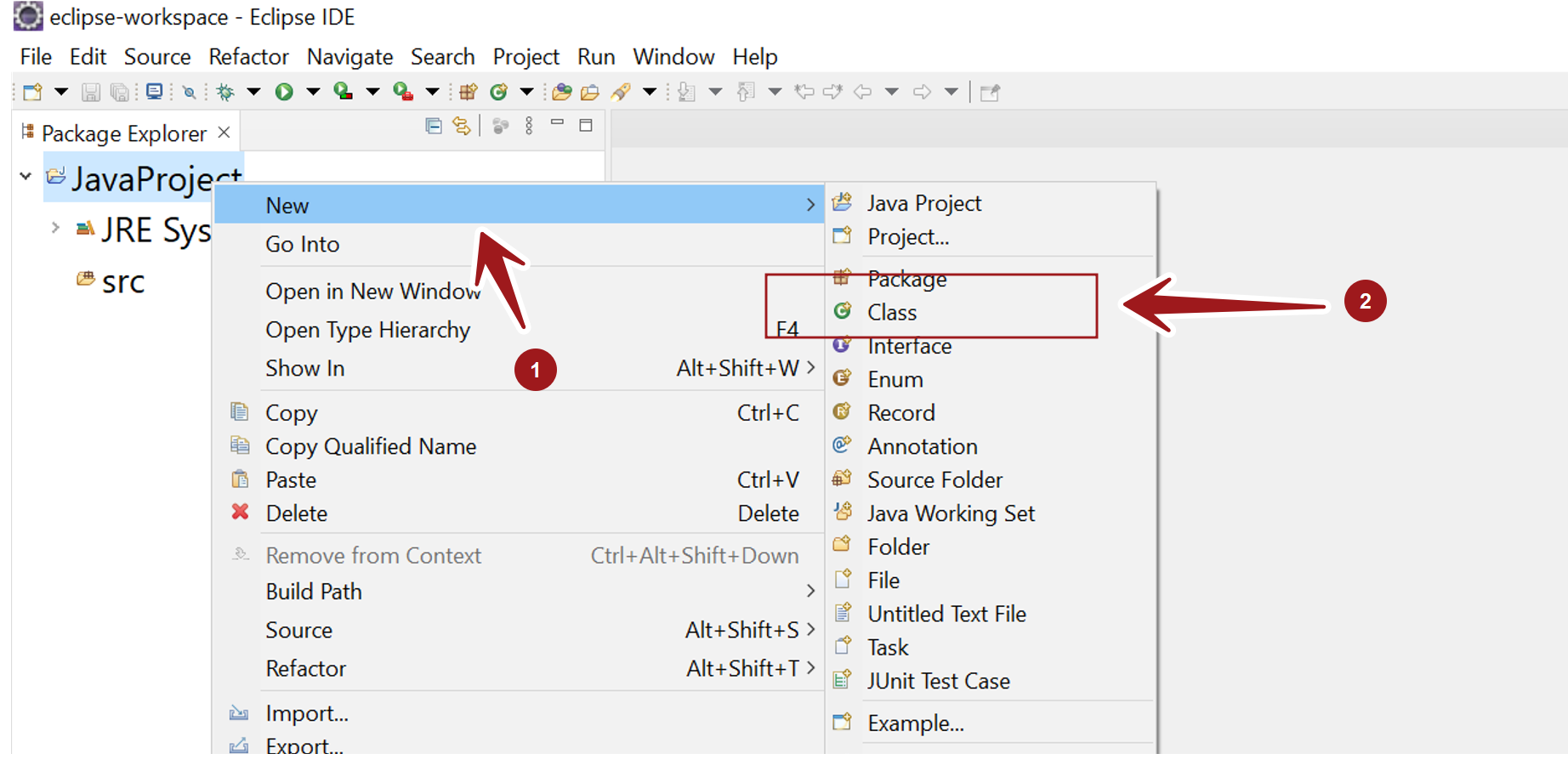
Create New Java Class In A Project TestingDocs
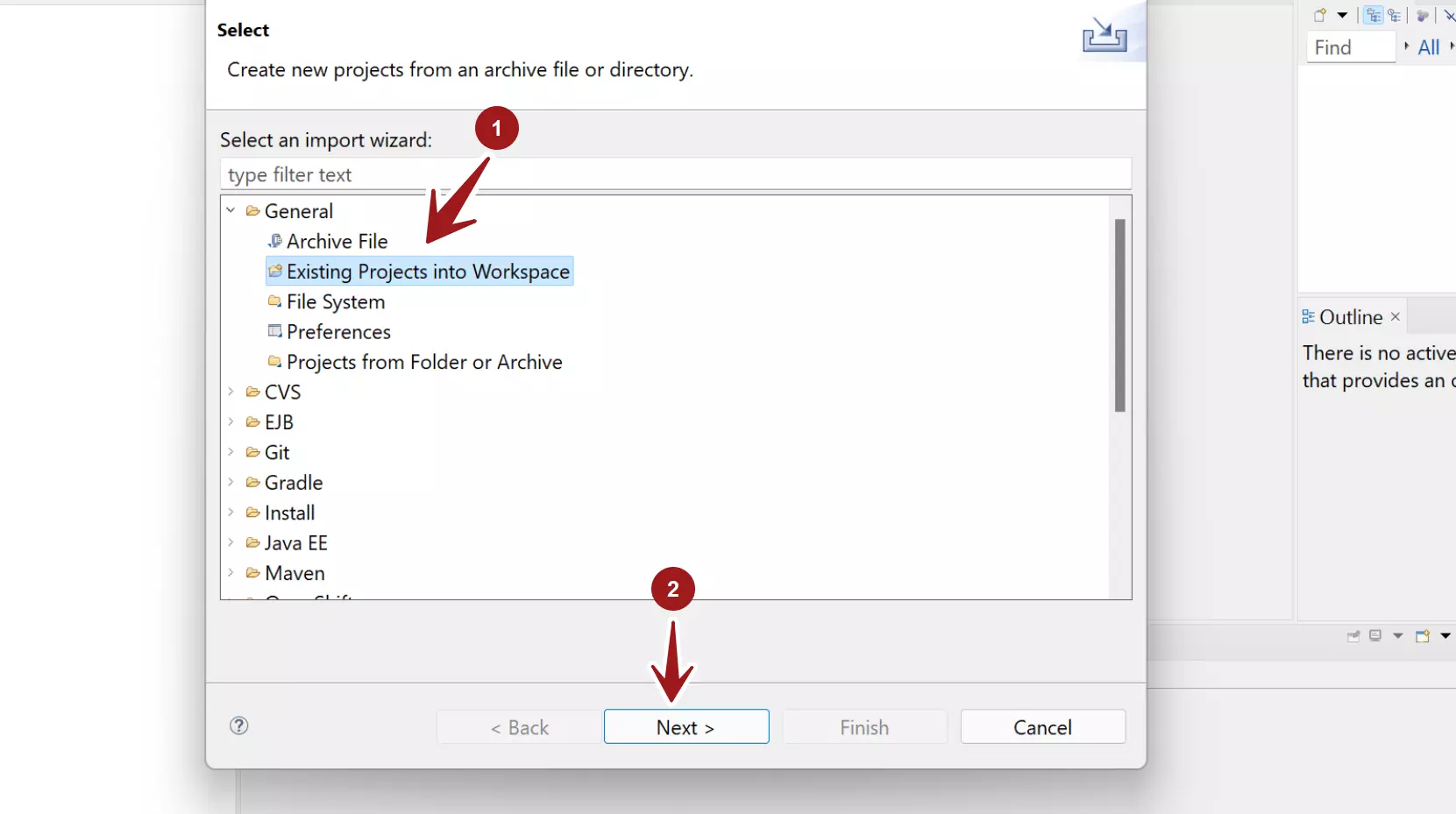
Import Java Project In Eclipse TestingDocs

Compile In Eclipse Learn Java Coding
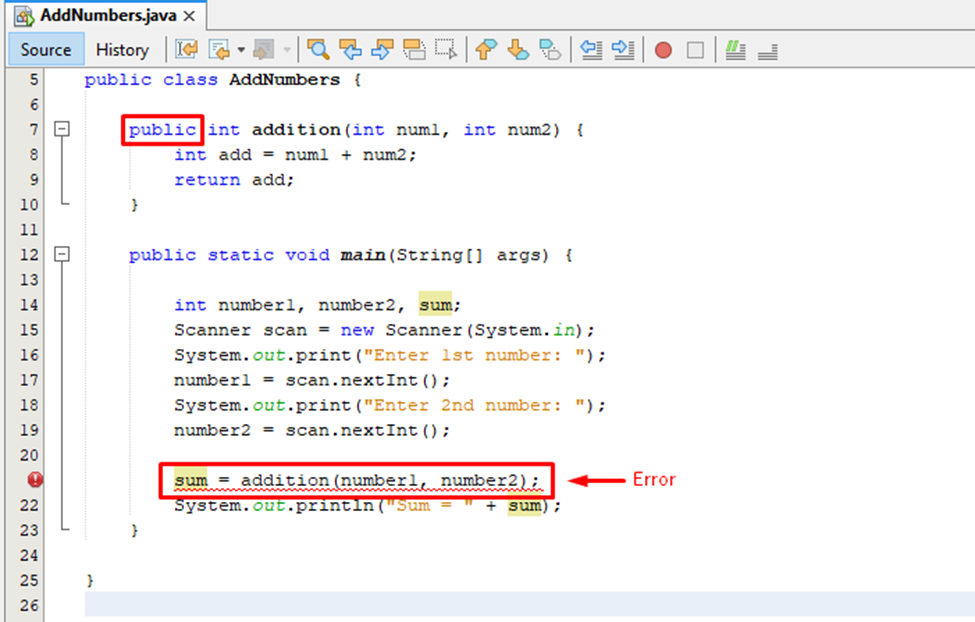
Class Methods In Java Explained DevsDay ru

Search And Replace In A Class File In Eclipse Stack Overflow

How To Open Java Class In Java Library Like Vscode Issue 198
1 Answer Just drag the class file into your ide and it should show you the contents of that file or you can use this http www javadecompilers to decompile the class file A class file contains Java Bytecode

In this article we looked at the most common ways to find and open a Java class with the Eclipse IDE including Open Type Open Resource Package Explorer Open Declaration and Type Hierarchy Partner Aegik AB NPI EA tag SQL

If you don t mind reading bytecode javap should work fine It s part of the standard JDK installation Usage javap where options include c Disassemble the code classpath Specify where to find user class files extdirs Override location of installed
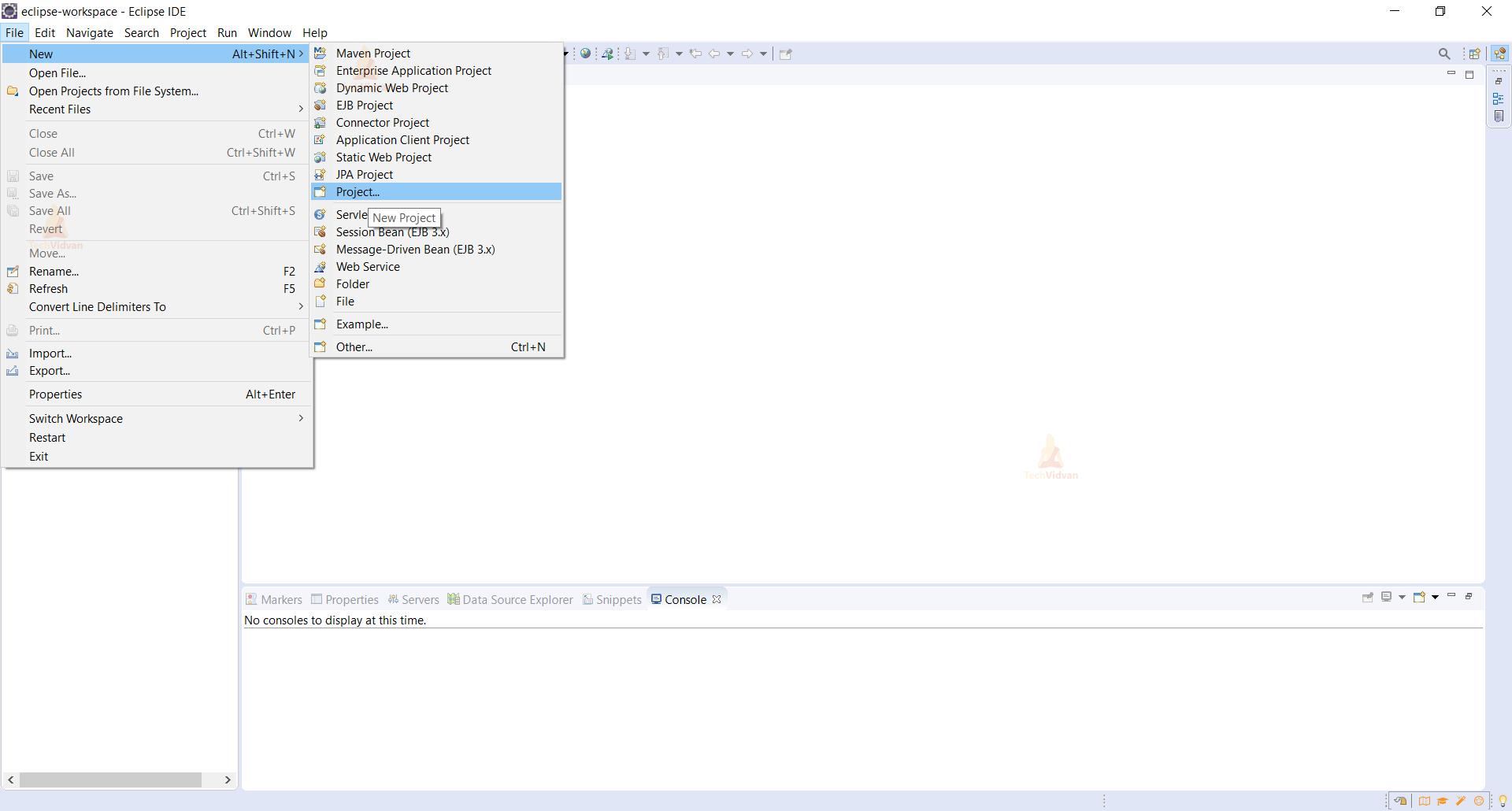
Subscribe Subscribed 15K views 2 years ago How to Open a Class File in Eclipse Part of the series How to Open Different File Types Eclipse is an open source and free integrated
Launch Eclipse IDE Click Help Eclipse Marketplace Search Java Decompiler or Enhanced Class Decompiler Select the Enhanced Class Decompiler Click the Install button Select all features and clicks Confirm For security warning clicks Install anyway Done and restart Eclipse IDE
More Information CLASS files can be compiled from JAVA files using the javac command which is included with a JVM installation Many Java IDEs such as Eclipse can compile CLASS files on the fly as developers write program code Since there are multiple versions of the JVM e g 1 4 1 5 and 1 6 some CLASS files may not be 1 Download and Install Java and Eclipse if the programs are not yet installed 2 Create a New Java Project 3 Create a new class with following File New Class 4 Enter name of the class and press finish 5
Is it possible to open class files in Eclipse Class files means that is already compiled You cannot open compiled files first you have to decompiles your files to open and after decompilation make all these files as JAVA BUILD PATH files