How To Move Character Unity Solved Ue5 AI MoveTo Does Not Work SolveForum Roll20 Tutorial For Virtual Tabletop Beginners Wargamer Blender Character Modeling For Beginners HD On Steam How To CLICK To MOVE HowToRoblox YouTube How To Move Character In VR Scene Unity Google VR Character Movement Unity Google VR Apr 23 2019 Posts 183 Character Movement Fundamentals A Rigidbody Character Controller for Unity Watch on Hi everyone I d like to introduce you to Character Movement Fundamentals a rigidbody based character movement system for Unity
A breakdown and explanation of how to properly move animated characters in Unity 3D Learn movement with the Built In Character Controller and New Input Syst Ways to move a character in Unity Ask Question Asked 3 years 7 months ago Modified 3 years 7 months ago Viewed 316 times 0 I am studying Unity and so far I encountered three different ways to move a character As far as I understand Directly changing the transform ignores both physics and colliders
How To Move Character In VR Scene Unity Google VR Character Movement Unity Google VR Unity Move Character With Animation FileIdea Making A Character Move Using Visual Scripting In Unity VionixStudio How To Download Character Sheet From Roll20 UPDATED Cline Earmeard How To Move Character In Game By Pygame 2 Pygame Tutorial YouTube POLYGON Starter Guide For Unity Tutorial By SyntyStudios How To Get A Character Moving How To Move Your Characters On Scratch Begginers Tutorial 2020 YouTube Tips And Tricks For Setting Up Your Game On Roll20 Tutorial YouTube Inregistreazate Iert tor Margine Character Controller Unity Script Clopo ei Practicant Celebrare
How To Move Character Unity
 How To Move Character Unity
https://i.stack.imgur.com/o76ry.png
Player Movement in Unity Using a Rigidbody and Collider Now that you know the names of the axes you can use them to control player movement In your Unity project s Hierarchy view right click and select 3D Object Capsule to create what you ll bestow movement upon Make sure to use the same tactic to create a ground Plane for your Capsule to stand on
Templates are pre-designed documents or files that can be utilized for different functions. They can conserve effort and time by supplying a ready-made format and design for creating various kinds of content. Templates can be utilized for personal or professional tasks, such as resumes, invites, flyers, newsletters, reports, discussions, and more.
How To Move Character Unity

Character Controller Wrong Moving Unity Answers
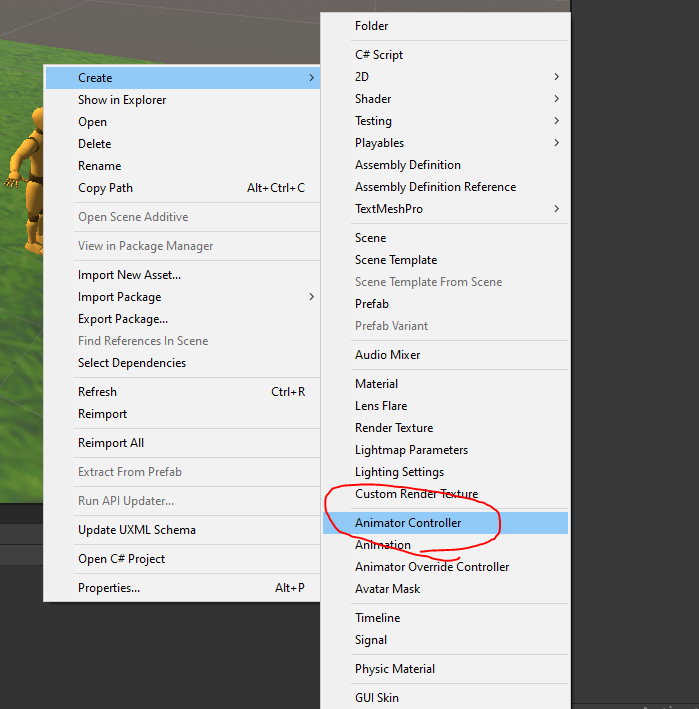
Unity Move Character With Animation FileIdea
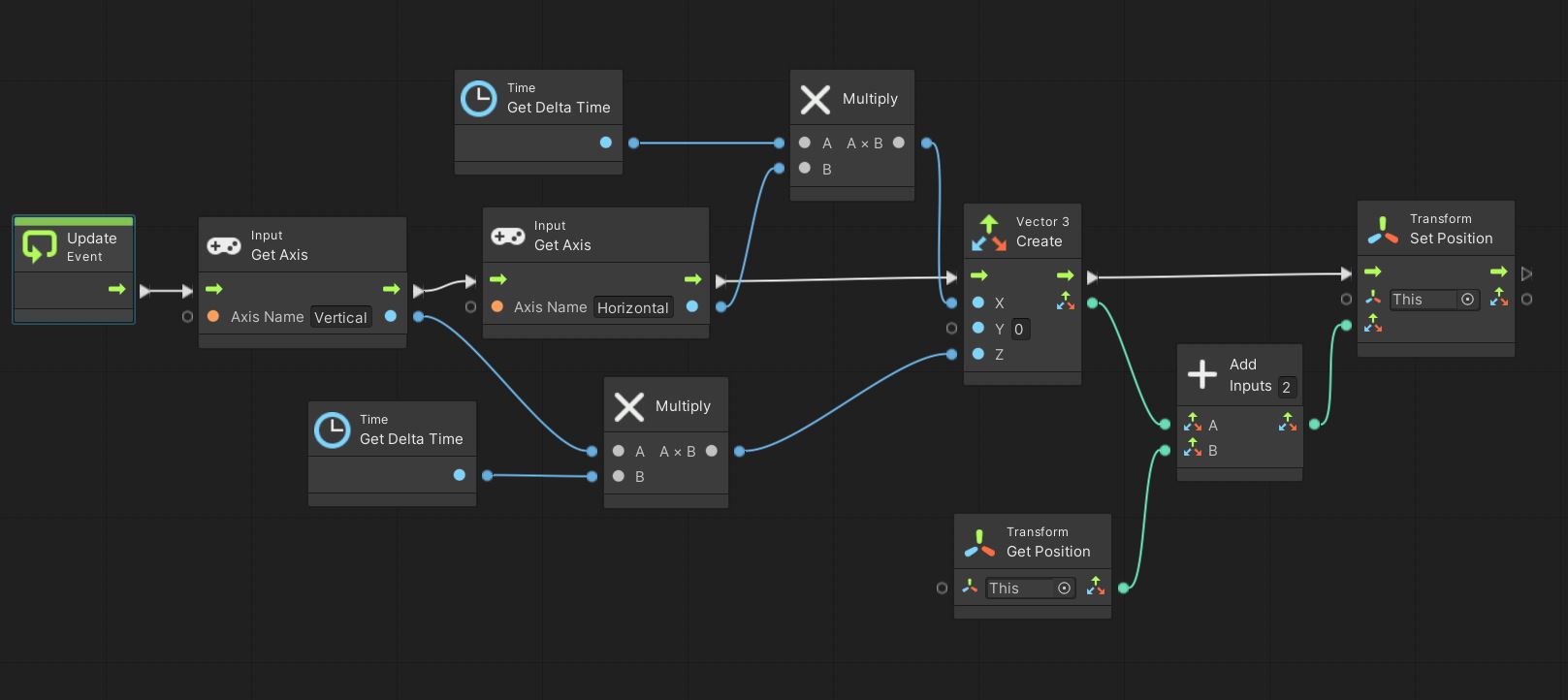
Making A Character Move Using Visual Scripting In Unity VionixStudio
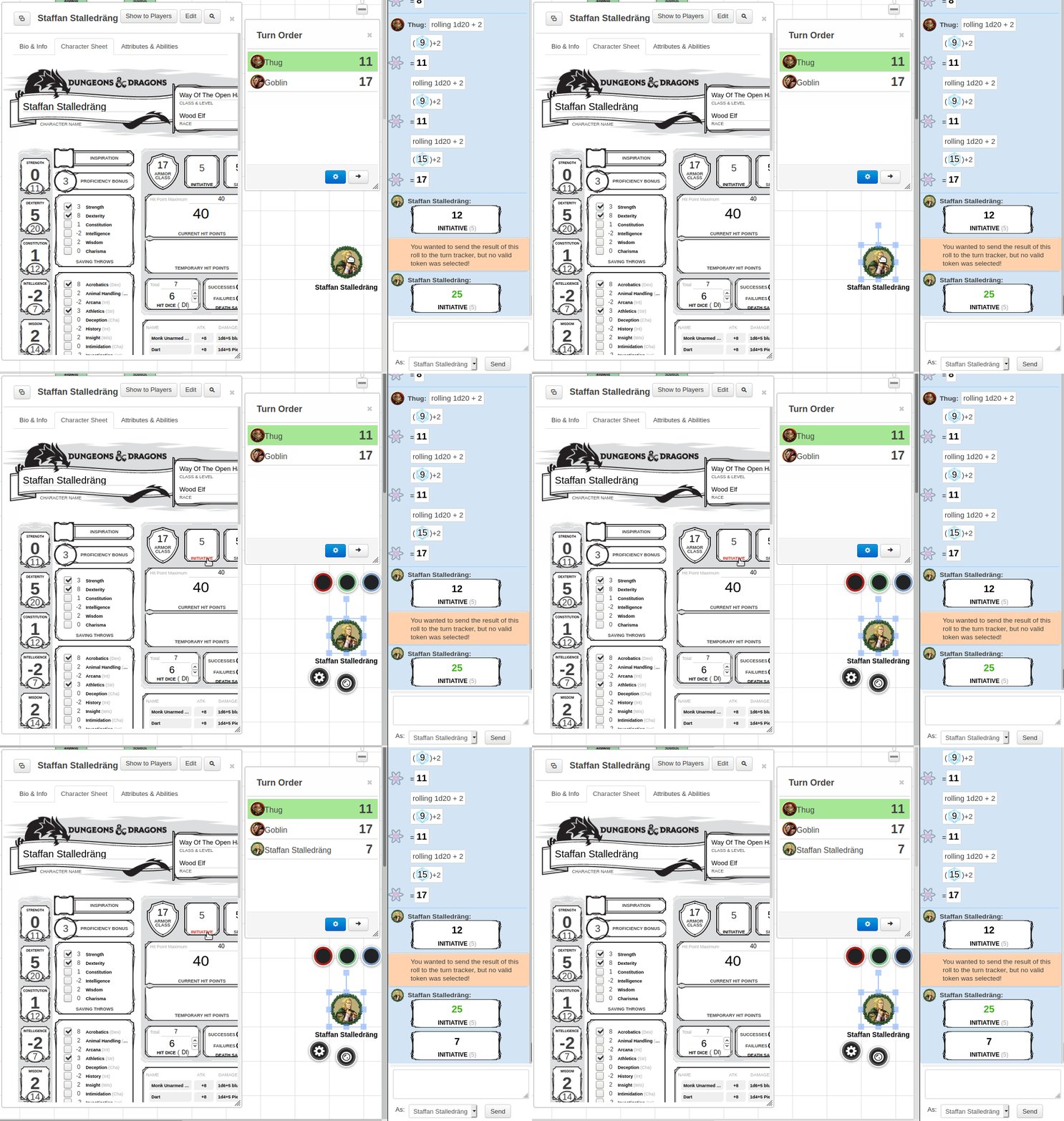
How To Download Character Sheet From Roll20 UPDATED Cline Earmeard

POLYGON Starter Guide For Unity Tutorial By SyntyStudios How To Get A Character Moving

How To Move Your Characters On Scratch Begginers Tutorial 2020 YouTube

Learn the fundamentals of moving Characters in Unity3d with an introduction to character controllers This beginner friendly tutorial is a thorough break down

Learn how to use the built in character controller to move your characters in Unity 3D with this detailed explanation and break down This beginner friendly t

Learn the basics of moving objects in Unity as well as a few different approaches to fit your game needs First you ll learn how to directly change the trans

Learn to move characters in Unity 3D with this beginner friendly explanation of Unity s new input system and root motion With this deep dive tutorial you wi

Get Horizontal and Vertical Input float horizontalInput Input GetAxis Horizontal float verticalInput Input GetAxis Vertical Calculate the Direction to Move based on the tranform of the Player Vector3 moveDirectionForward transform forward verticalInput Vector3 moveDirectionSide transform right horizontalInput fi
Unity supports triangulated or Quadrangulated polygon meshes Nurbs Nurms Subdiv surfaces must be converted to polygons More info See in Glossary It is recommended to always use around 2 meters for a human like character We recommend keeping Min Move Distance at 0 See the Character Controller script reference here Hints Description Moves the character with speed Velocity along the y axis is ignored Speed is in units s Gravity is automatically applied Returns if the character is grounded It is recommended that you make only one call to Move or SimpleMove per frame using UnityEngine using System Collections RequireComponent typeof
How to move an object in Unity The most straightforward method of changing an object s position in Unity is to set it directly which will instantly move it to a new vector 3 position in the world This works by setting the Position property of an object s Transform component to a new position Like this