How To Make Hard Disk Bootable Using Cmd Make A Bootable External Hard Drive In Windows 10 8 7 Without Losing Data How To Create A Bootable Windows Linux USB Using Cmd command prompt Best Way To Make Hard Drive Bootable In Windows 10 Cmd Create Boot Usb Iso Opecse How To Create A Bootable Windows Linux USB Using Cmd command prompt To create a USB flash drive to install Windows 10 use these steps Open Start on Windows 10 Search for Command Prompt right click the top result and select the Run as Administrator option Type the following command to open DiskPart and press Enter diskpart Type the following command to determine the USB flash drive and press Enter
Select an alternate solution to Step 1 when you wish to format a hard drive faster with third party free hard drive formatting software Step 1 Format the USB drive 1 In Windows 10 8 or 7 press Windows R keys simultaneously to open the Run Dialog box input cmd and press Enter Or just navigate to Start All Programs Accessories right click on the Command Prompt and select Run If not continued to click Browse to manually select ISO image Step 6 Select the installation ISO file to make Windows to go Windows 10 and click Open Then click OK to confirm the selection Step 7 Click Proceed to start make external hard drive bootable windows 10 Notes
How To Create A Bootable Windows Linux USB Using Cmd command prompt How To Create A Bootable Pendrive Using Cmd Mbr Gpt CLOUD HOT GIRL How To Create Windows 11 Boot Usb Disk Using Command Prompt Cmd Youtube Cara Membuat Bootable Flashdisk Windows Lewat CMD Tanpa Software Zona How To Make A Pendrive Bootable Using CMD Command Prompt Step By Make A Bootable Usb From Iso Cmd Thingpsawe How To Fix Reboot And Select Proper Boot Device Or Insert Boot Media In Cmd Create A Bootable Usb Drive Windows 7 Iso Jewishlop How To Create Bootable USB Drives In Very Simple Steps LotofTech
How To Make Hard Disk Bootable Using Cmd
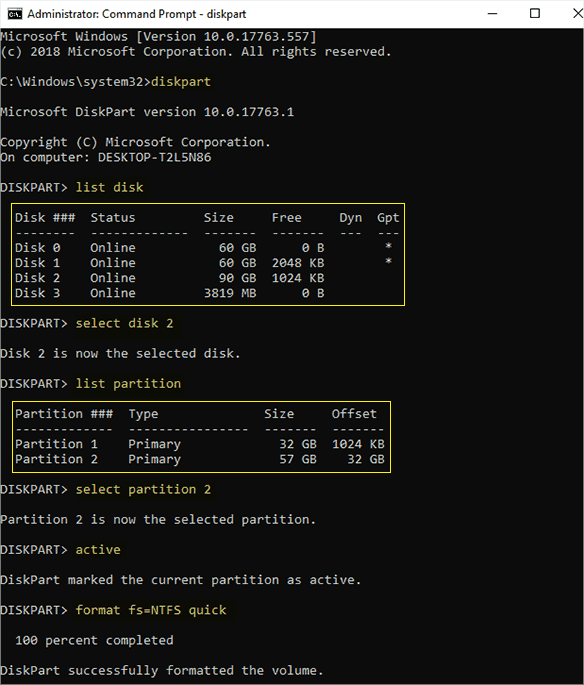 How To Make Hard Disk Bootable Using Cmd
https://www.cocosenor.com/images/articles/computer/make-bootable-external-hard-drive-for-windows-without-losing-data/make-bootable-disk-by-cmd.png
Select the USB drive you want to use then click Next The Media Creation Tool will download Windows 10 and create a bootable USB drive The download is several gigabytes in size so it could take a while if you ve got slower internet Once it is done downloading and configuring the bootable drive click Finish
Templates are pre-designed files or files that can be used for numerous purposes. They can save effort and time by supplying a ready-made format and layout for creating different sort of material. Templates can be used for individual or professional tasks, such as resumes, invitations, leaflets, newsletters, reports, presentations, and more.
How To Make Hard Disk Bootable Using Cmd
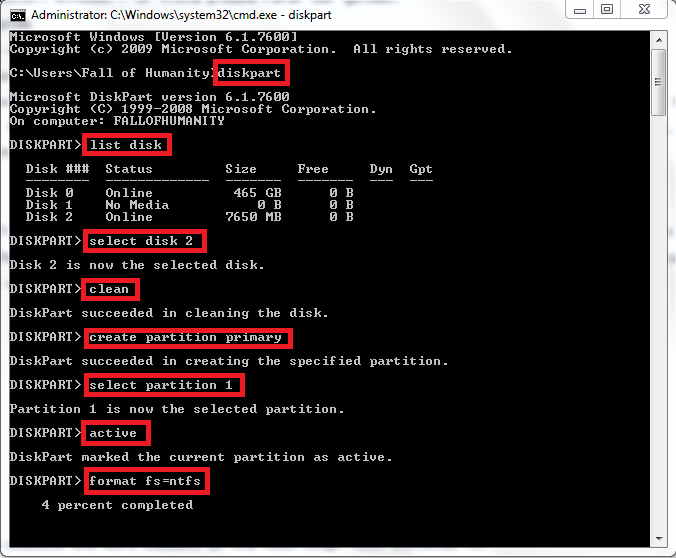
How To Make Bootable USB Drives Using CMD Nikul Chaudhary s
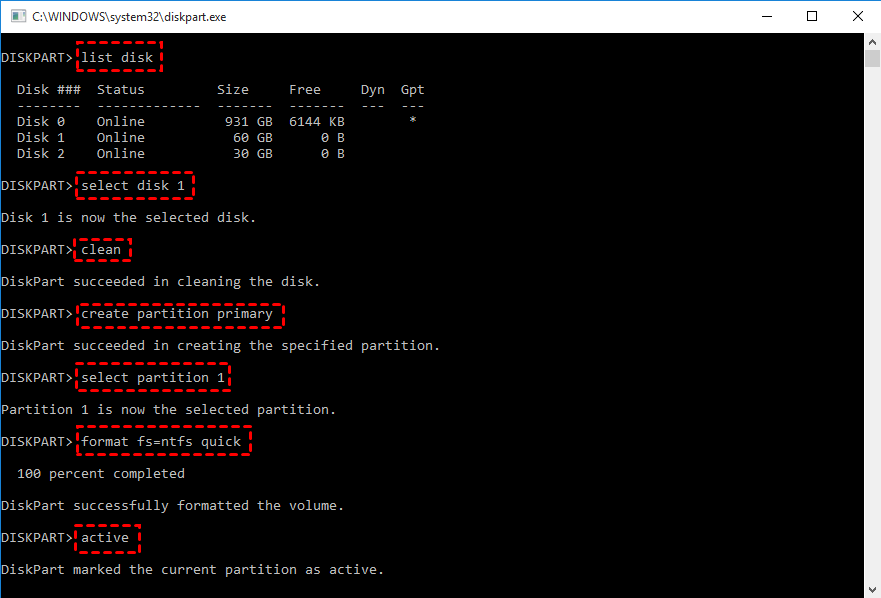
How To Create A Bootable Pendrive Using Cmd Mbr Gpt CLOUD HOT GIRL
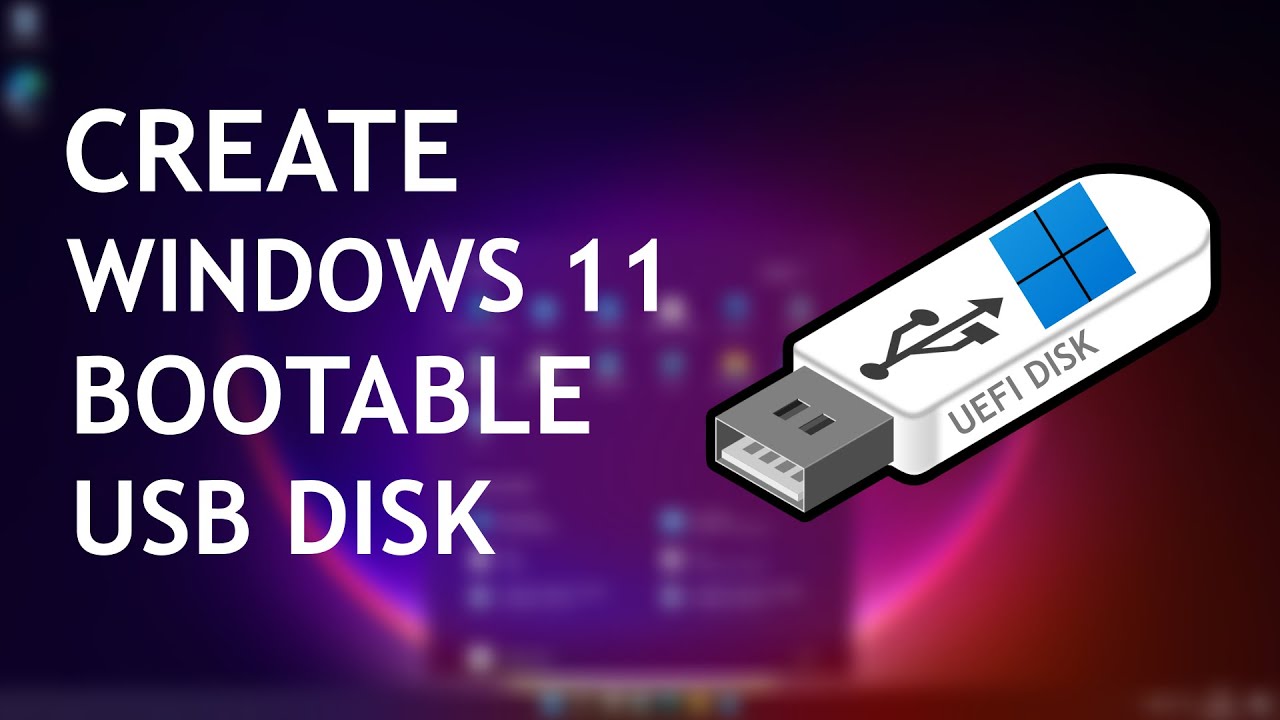
How To Create Windows 11 Boot Usb Disk Using Command Prompt Cmd Youtube

Cara Membuat Bootable Flashdisk Windows Lewat CMD Tanpa Software Zona

Make A Bootable Usb From Iso Cmd Thingpsawe

How To Fix Reboot And Select Proper Boot Device Or Insert Boot Media In
Launch AOMEI Backupper and select System Clone option under the Clone tab Step 2 Select the target drive that you want to make it bootable The System Clone will select the boot related partitions by default Here you just need to select your prepared drive as the destination path and then click Next
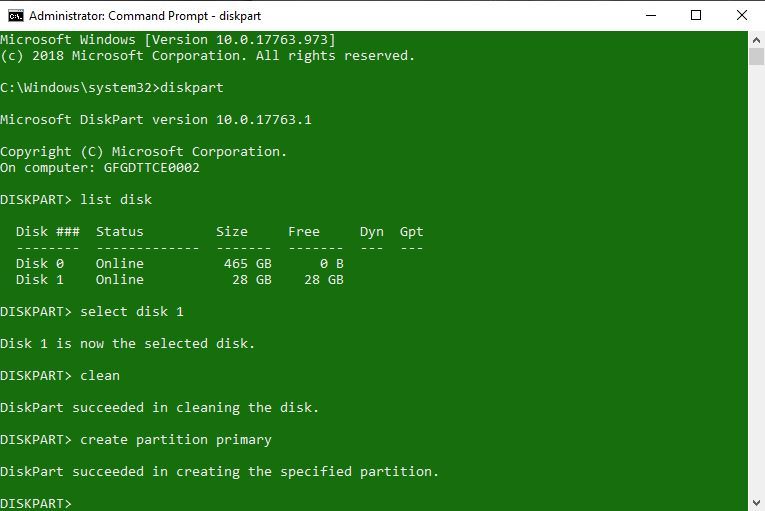
Three methods have been used to make the external hard drive bootable which offers you different choices Method 1 clones the system to your external disk by means of system cloning Method 2 copies the startup file on the CD to the external disk by means of the command line Method 3 uses Windows 10 built in features

BCDBoot is a command line tool used to configure the boot files on a PC or device to run the Windows operating system You can use the tool in the following scenarios Add boot files to a PC after applying a new Windows image In a typical image based Windows deployment use BCDBoot to set up the firmware and system partition to boot to your image

Step 2 Please click Clone Disk on the Tools page to continue Step 3 Please choose system disk and click Next to continue Step 4 Please select the external hard disk to save the copy and click Start to continue Tip If your external hard disk is too small then you cannot continue
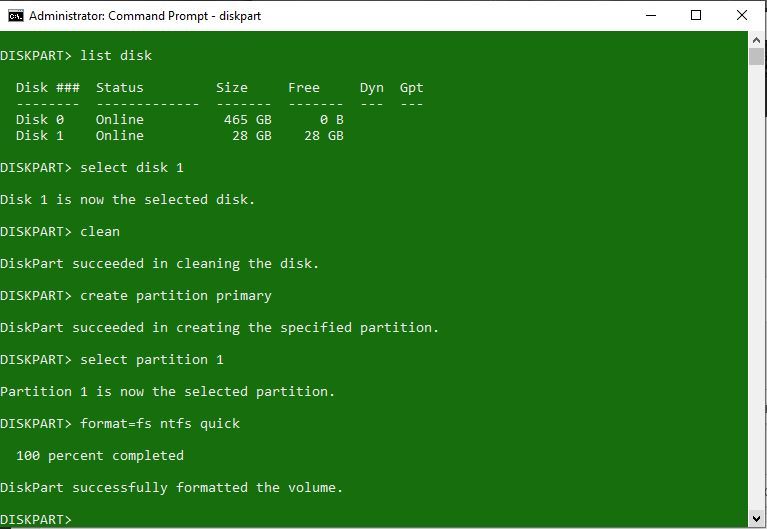
Insert your USB flash drive into your computer Open Start Menu and type CMD to find Command Prompt Right click on Command Prompt and click Run as Administrator Alternatively you can also open
Microsoft provides an application to automatically create a bootable Windows 11 USB drive on their website Scroll down until you see a section titled Create Windows 11 Installation Media Then under that click Download Now When it finishes downloading hit Ctrl J to open the downloads menu on your browser Visit www fixitestore for more tech guidesFor people installing windows regularly on devices or just a NOOB here s a CMD version of making a bootable Ext
That s all you need to do to create a Windows 10 bootable external hard drive using Command Prompt Bonus Tips How to boot from the external hard drive 1 In Windows 10 click Start Power then select Restart from the Power option while holding the Shift key 2 When the PC boots to the Choose an option screen choose Use a device 3