How To Make A Folder Using Command Prompt How To Share Folder Using Command Prompt In Any Windows YouTube How To Create Multiple Folders In Windows Command Prompt Season Submit How To Open A Command Prompt In A Folder In Windows 10 TechwithGuru Three Ways To Create Folders In Linux Using The Command Line YouTube How To Create Folder Using CMD Command On Your Computer 2020 YouTube Press the Windows key E to open Windows Explorer On the left side of the window select the drive or folder where you want to create the new folder for example the C drive Or you can create a folder in the root directory In Windows 11 click the New option in the menu bar and select Folder in the drop down menu
First open the Command Prompt on your PC by typing cmd in the Windows Search bar and then selecting Command Prompt from the search results You may also enter cmd into a Run box Windows R if you prefer that With the Command Prompt opened you re ready to find and open your file Find Files Using Command Prompt 1 Create a File or Folder in CMD To create a folder type the folder name with the location where you want to create the folder Here is the command mkdir folder name with
How To Create Folder Using CMD Command On Your Computer 2020 YouTube How To Copy Files And Folders Faster Using Command Prompt DOS YouTube How To Open Command Prompt On Current Folder Directory Open Cmd Prompt How To Delete Folder Using Cmd In Windows YouTube How To Delete A Folder Or Directory Using Command Prompt For Windows 7 How To Use Command Prompt For Creating Folder Remove Copy Move Windows Command Prompt Tutorial 2 Making Folders Deleting Folders Create Delete Folder And Text File With Command Prompt YouTube How To Make A Folder Using CommandPrompt CMD In WindowsPC If You Ask
How To Make A Folder Using Command Prompt
 How To Make A Folder Using Command Prompt
https://i.ytimg.com/vi/7ekGQBrLQAM/maxresdefault.jpg
Click the Windows Start button from the taskbar and type cmd in the Windows Search bar to open Command Prompt Then choose Command Prompt from the search results You can change directories in Command Prompt using the cd command and switch to the directory where you want to make folders
Templates are pre-designed files or files that can be utilized for numerous purposes. They can save time and effort by supplying a ready-made format and layout for creating various sort of material. Templates can be utilized for personal or professional projects, such as resumes, invitations, leaflets, newsletters, reports, presentations, and more.
How To Make A Folder Using Command Prompt

4 Mani res De Cr er Et Supprimer Des Dossiers Et Fichiers Sous Windows
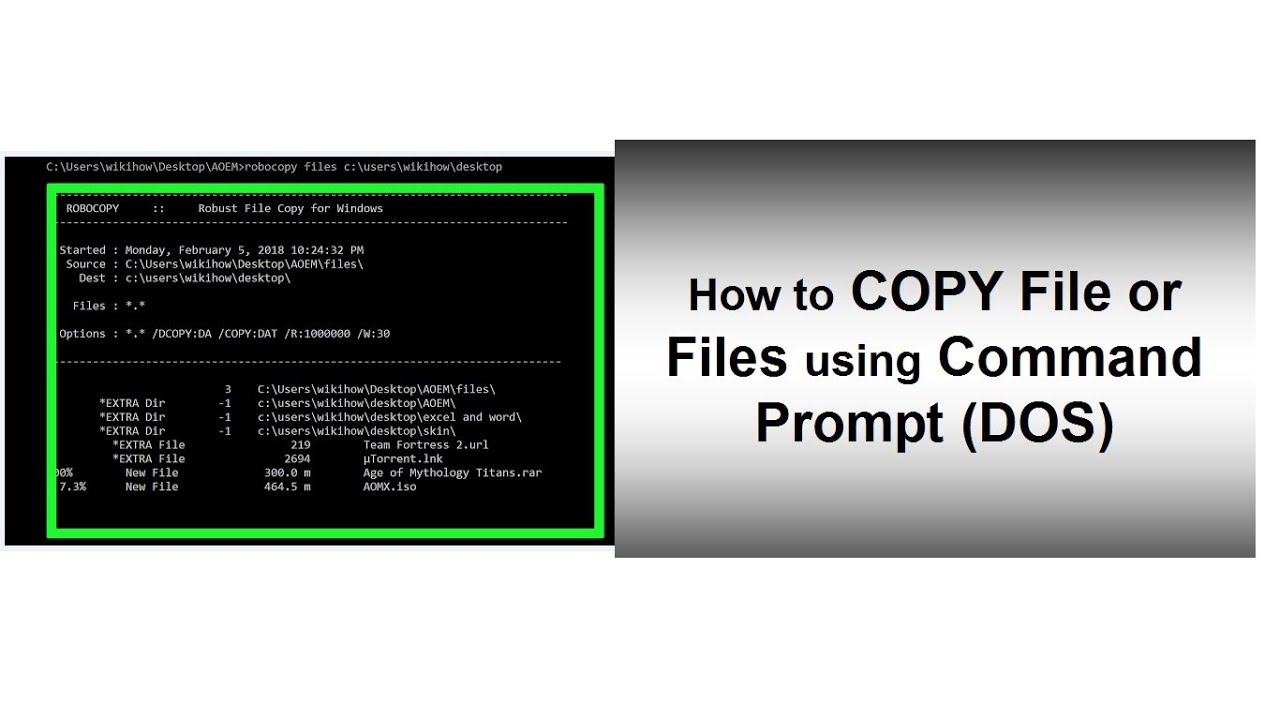
How To Copy Files And Folders Faster Using Command Prompt DOS YouTube
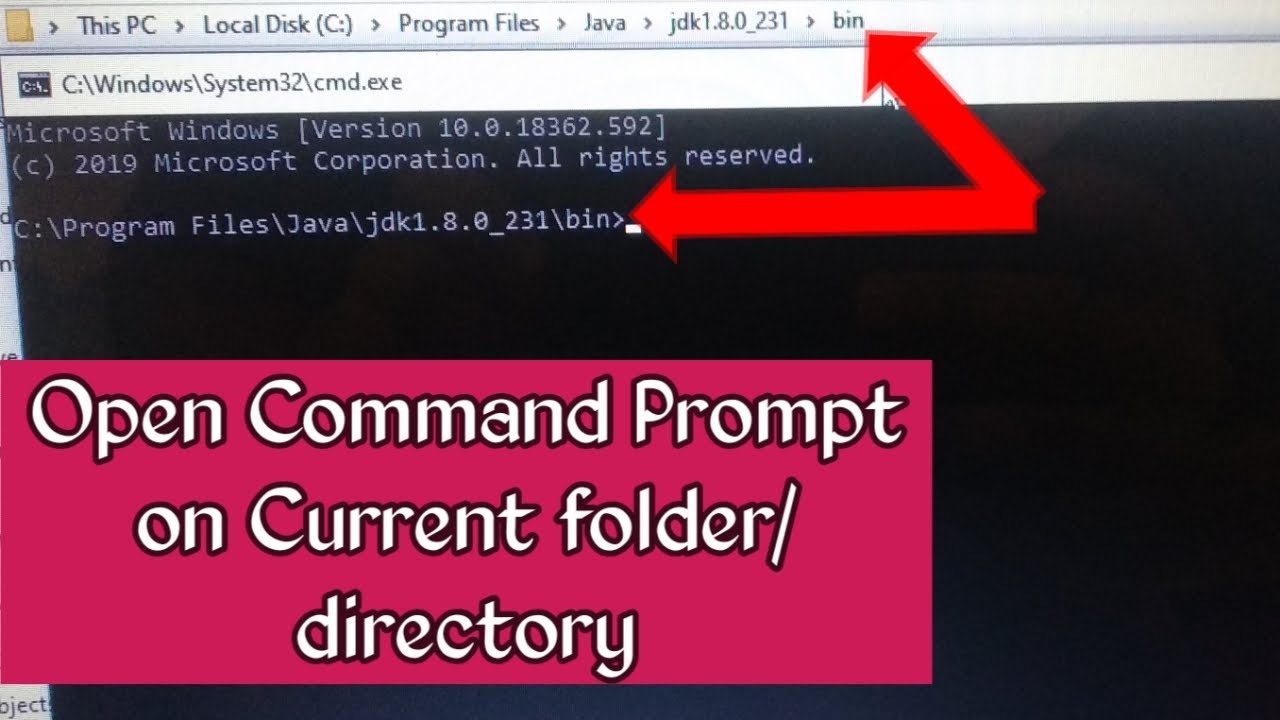
How To Open Command Prompt On Current Folder Directory Open Cmd Prompt
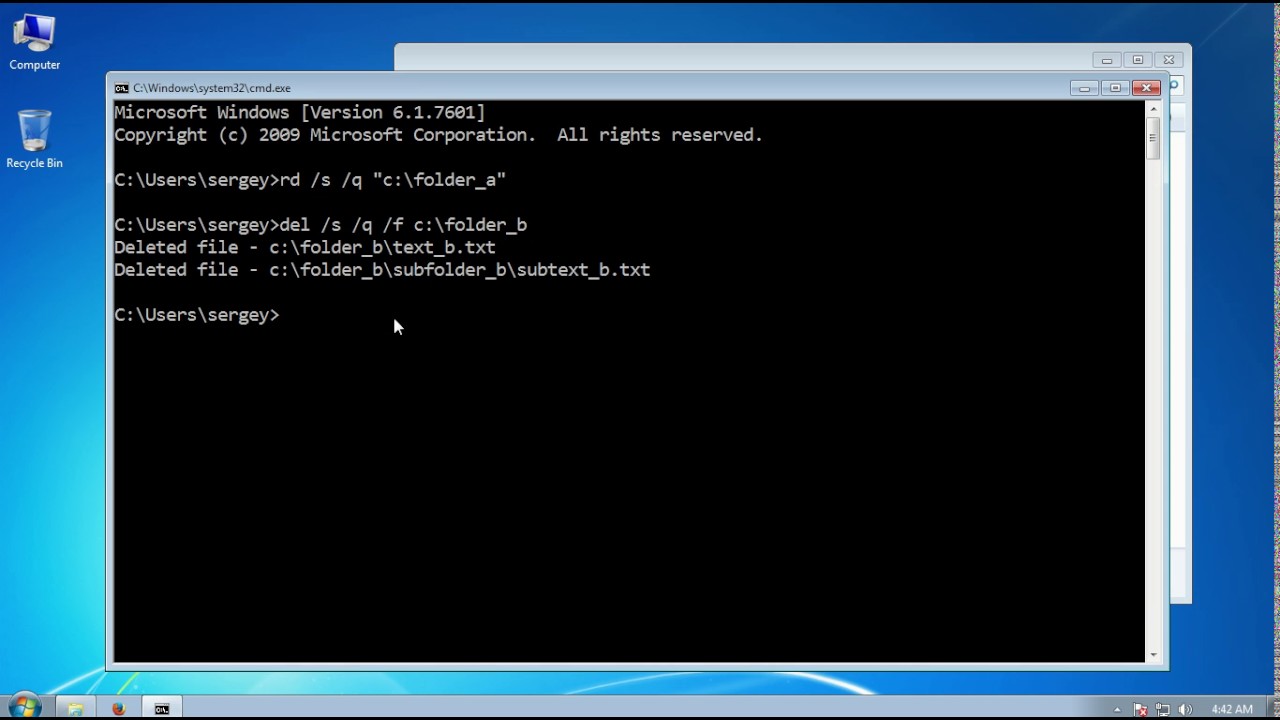
How To Delete Folder Using Cmd In Windows YouTube

How To Use Command Prompt For Creating Folder Remove Copy Move
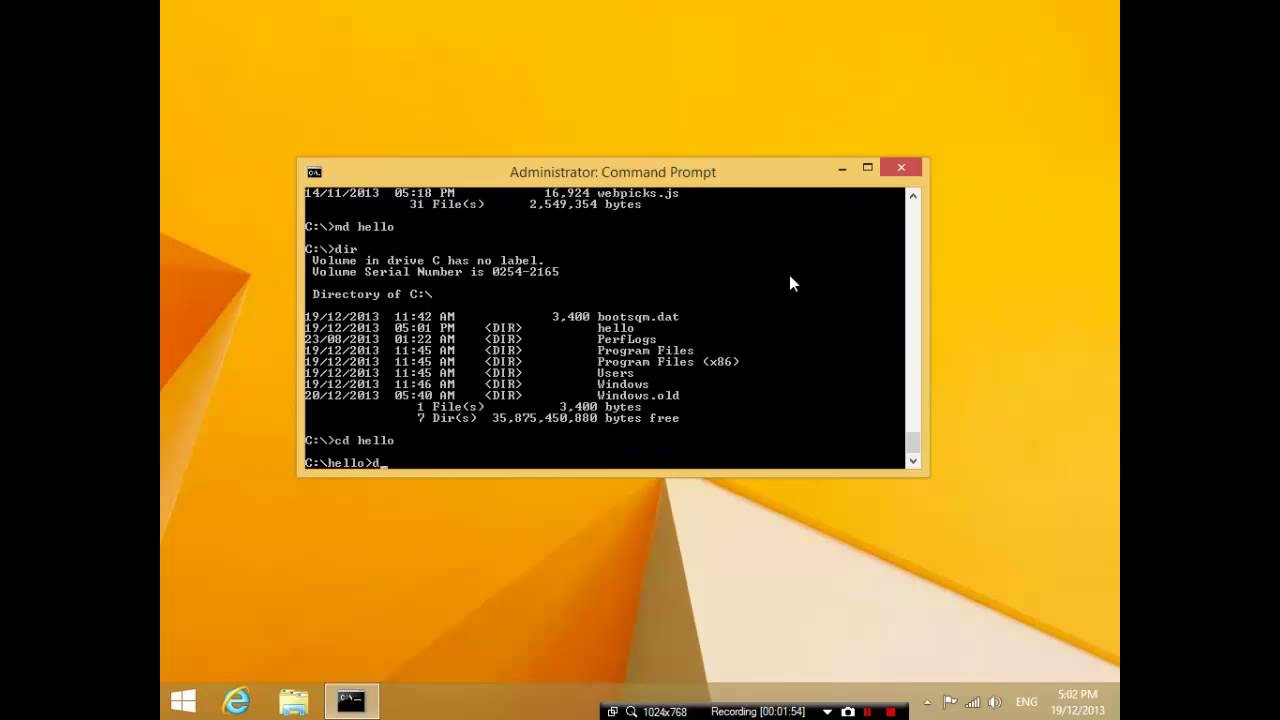
Windows Command Prompt Tutorial 2 Making Folders Deleting Folders

Click on the Command Prompt app to open it Tip You can also access it by pressing Win R typing cmd and then hitting Enter 2 Finding the Desired Directory Once you have the Command Prompt open you need to navigate to the directory where you want to create the new folder

Create a folder from command line mkdir foldername For example to create a folder named newfolder the command is mkdir newfolder Create directory hierarchy We can create multiple directories hierarchy creating folder and sub folders with a single command using mkdir command

Navigating Windows File System Using Command Prompt To navigate the Windows file system with CMD first open the Command Prompt For this press the Windows X keyboard shortcut and

The easiest way to do this is to press Win S to activate the search bar type cmd and then click Command Prompt in the search results 2 Go to the directory in which you want to create the file The prompt will open to C Users YourName by default If the directory is somewhere else type cd path to directory and press Enter

In this video I will show you how to create folders using Command Prompt on Windows 10
The script was originally made for Windows XP but it also works in Windows 7 x64 Ultimate no guarantee s if Windows will keep around the various Shell objects this uses Usage in the run box or command line put C zipper vbs C folderToZip C mynewzip zip Method 1 Using File Explorer Download Article 1 Press Win E to open File Explorer File Explorer is the default file browser for Windows To open File Explorer press the Windows key and E at the same time 1 2 Navigate to the folder you want to open in Command Prompt Use File Explorer to browse to the folder you want to open
Open the Command Prompt window Use the cd command to go to the folder where you want to create the file Use the below command to create a new file in Command Prompt echo some content of your choice filename txt echo command to create new file in command prompt