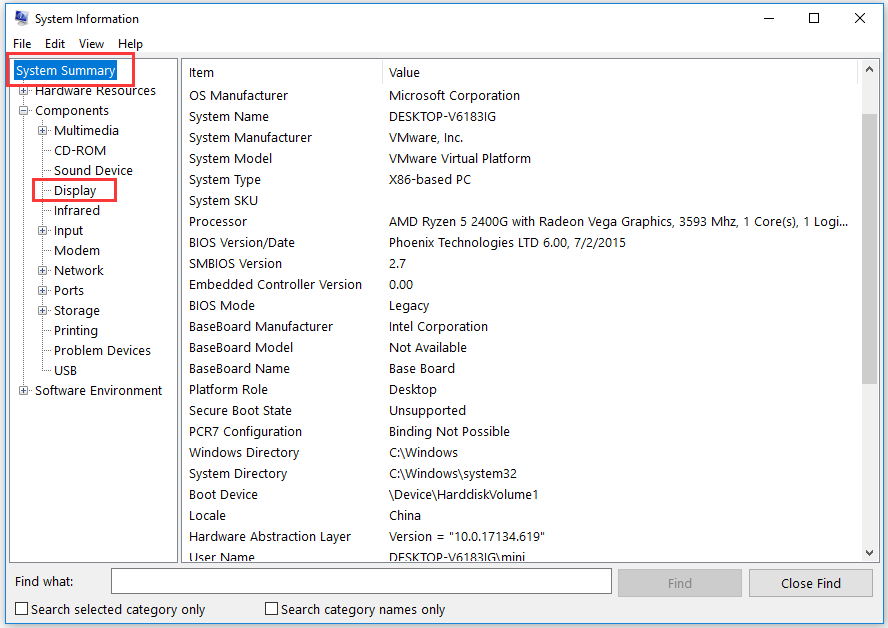
How To Know Computer Specs Using Cmd Learn New Things How To Check Laptop Or PC Serial Number Or Product ID My Pc Specs Find Your Cpu Gpu Motherboard And Ram Dashtech Images And How To Find Computer Specs On Windows 10 Bryan Nescrall Here s How To Find The Specs On Your Windows 11 PC How To Find Computer Specs On Windows 11 5 Methods Web Nov 12 2022 nbsp 0183 32 1 Type quot System Information quot into the Windows search box and click the app from the search results Image credit Tom s Hardware 2 System Summary is already highlighted and gives you a vast
Web Apr 10 2023 nbsp 0183 32 1 Click the Start menu This is the Windows logo You can also use the Command Prompt to view your specifications Open CMD type in systeminfo and press Enter 2 Type in About your PC Web September 8 2020 11 09 am CEST 3708 0 Contents hide 1 How to Check PC Specs via About your PC 2 How to Check Computer Specs via Windows 10 System Information 3 How to Check
How To Find Computer Specs On Windows 11 5 Methods Pl skanice V k ik Napsat How Can I See My Pc Specs Manifest K ivka How To Find Out What Your Computer Specs Are How To Check Computer How To Find Out What Your Computer Specs Are How To Check Computer How To Find Computer Specs Windows How To Find Your Cpu Ram Video My How To Find Computer Specs On Windows 11 In 5 Different Ways Gambaran How To See My PC Specs Ubergizmo SOLVED How To Find Computer Specs Windows 10 Windows How To Show Computer Specs In Command Line Cmd Systeminfo YouTube
How To Know Computer Specs Using Cmd
 How To Know Computer Specs Using Cmd
https://4.bp.blogspot.com/-H1815bX0L6o/WKg-0D3QVOI/AAAAAAAAQUU/_7t_yq-kq34GhEUPeoXqUQsw3QU5m2acwCEw/s1600/title.png
Web Apr 23 2021 nbsp 0183 32 Be Familiar With Your PC Specs Windows built in tools give you several ways to find your PC specs Depending on the level of detail you need you can try any of the methods we ve suggested in this article Moreover you
Pre-crafted templates provide a time-saving option for creating a varied series of documents and files. These pre-designed formats and layouts can be utilized for different personal and professional jobs, consisting of resumes, invites, flyers, newsletters, reports, presentations, and more, simplifying the content development process.
How To Know Computer Specs Using Cmd
How To Check Specs Of Computer Playerhurt30
Pl skanice V k ik Napsat How Can I See My Pc Specs Manifest K ivka
How To Find Out What Your Computer Specs Are How To Check Computer
How To Find Out What Your Computer Specs Are How To Check Computer
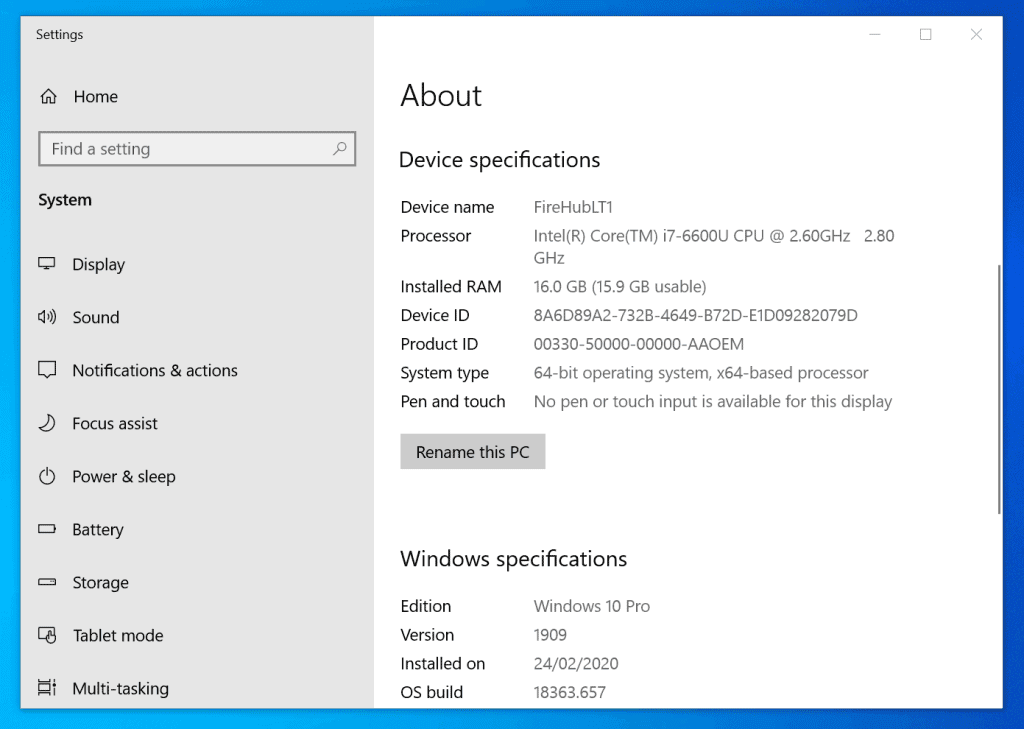
How To Find Computer Specs On Windows 11 In 5 Different Ways Gambaran
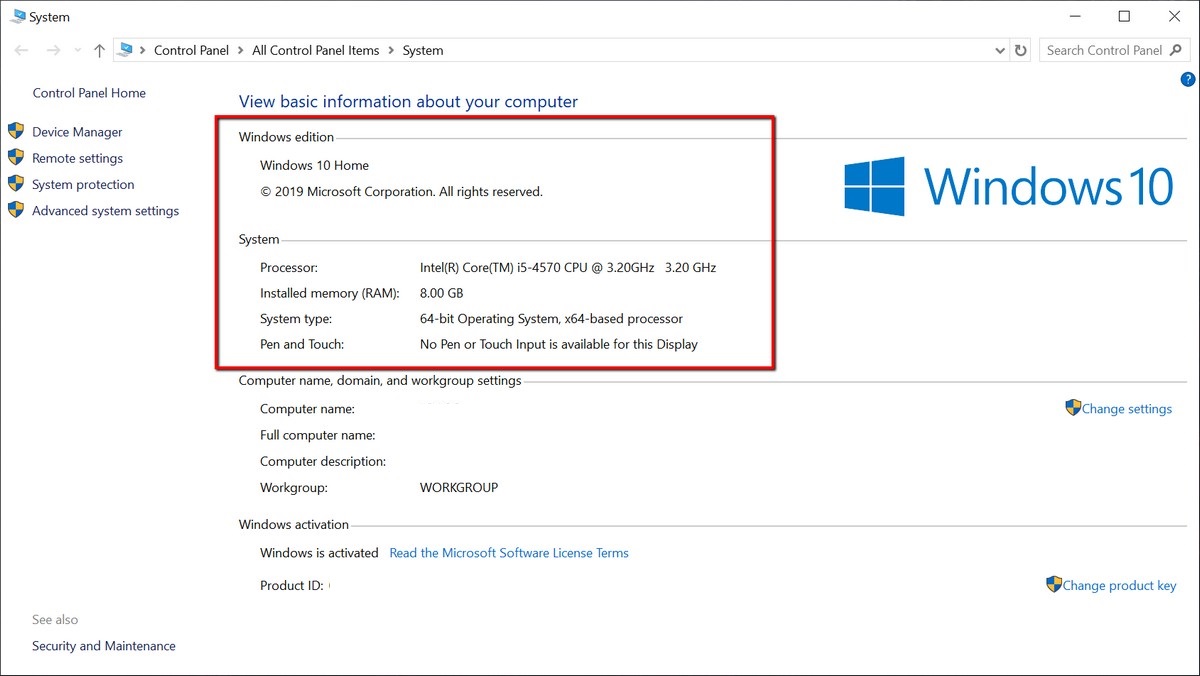
How To See My PC Specs Ubergizmo

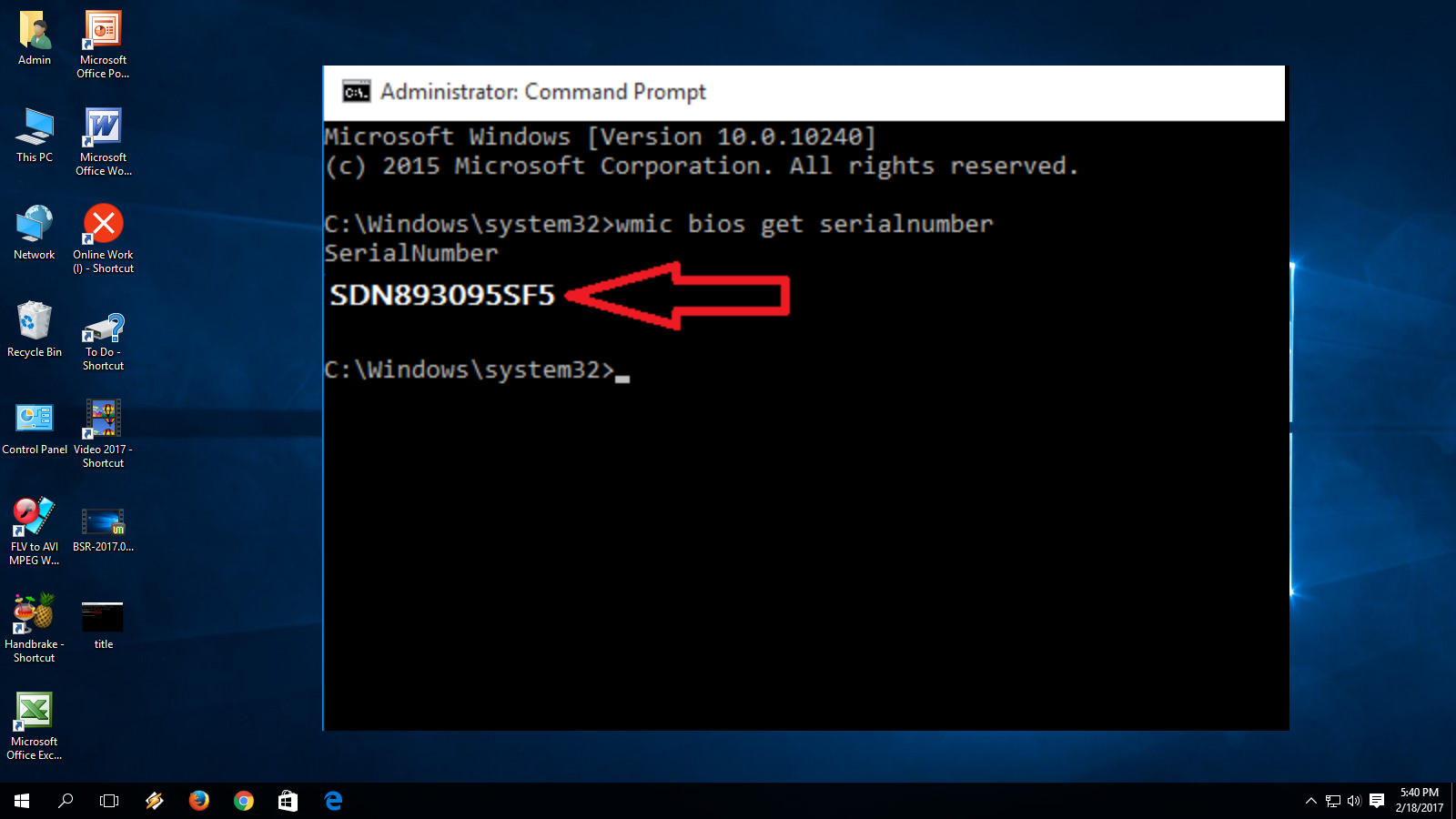
Web Nov 3 2023 nbsp 0183 32 How to Check PC Specs Windows 10 with Command Prompt Another way to find computer specs Windows 10 is to use Command Prompt Step 1 Open Command Prompt Tool At first you need to open this PC specs checker Command Prompt You have two ways to open it Just press Windows R key then type cmd in the RUN

Web Step 1 Click the quot Start quot button Video of the Day Step 2 Type quot cmd quot in the Search box then click quot CMD quot under quot Programs quot to open the Command Prompt Step 3 Type quot systeminfo quot and press quot Enter quot You should see a brief overview of your computer s specifications We Recommend Tech Support How to Look Up a Serial Number Tech

Web Sep 15 2023 nbsp 0183 32 Using just the built in tools on Windows 10 and Windows 11 you can check your PC s specs like the processor type RAM graphics card model storage type SSD or HDD network adapter model and more We ll show you two quick ways to find that information on your machine
Web Jul 20 2021 nbsp 0183 32 How to check your PC specs in Windows 10 Use the command prompt If System Information gives you too much information you can get a more digestible summary of your PC specifications through

Web Dec 18 2020 nbsp 0183 32 Check computer specs using the Command Prompt Put on your helpful hacker hat and type Windows R to bring up your computer s Run window Enter cmd and press Enter to open the Command Prompt window Type the command line systeminfo and press Enter Your computer will show you all the specs for your system just scroll
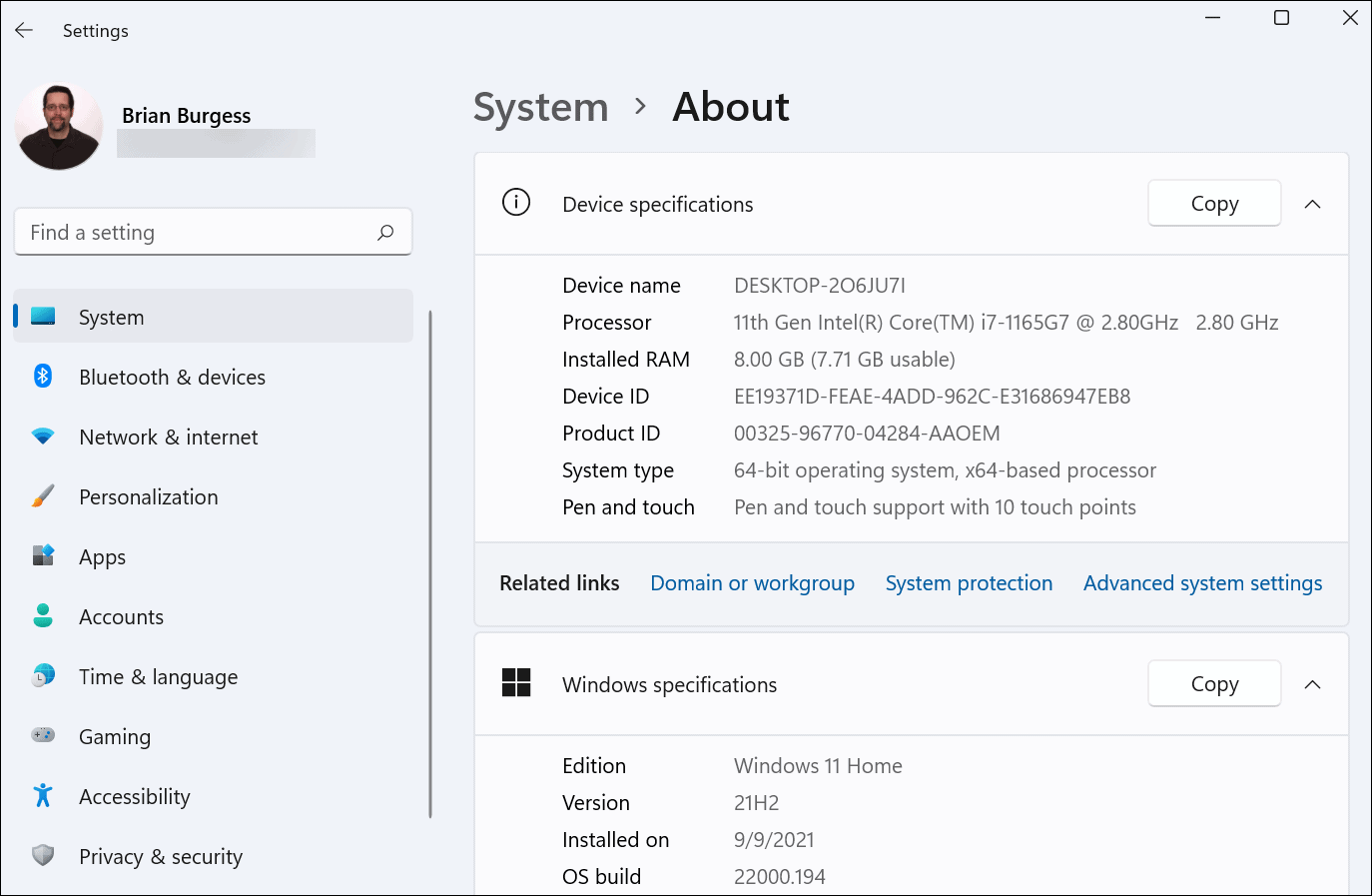
Web Jan 25 2024 nbsp 0183 32 To check your basic specs on a Windows 10 PC click on the Windows start button then click on the gear icon for Settings In the Windows Settings menu select System Scroll down and select About From here you will see specs for your processor RAM and other system info Click the Windows Start button Web Jan 25 2022 nbsp 0183 32 Open Start Type Command Prompt right click the top result and select the Run as administrator option Type the following command to determine the part number of the memory module and press
Web Apr 13 2022 nbsp 0183 32 To determine the computer specifications with Command Prompt on Windows 11 use these steps Open Start Search for Command Prompt right click the top result and select the Run as