How To Install Platform Tools In Linux How To Install PipeWire On Ubuntu Linux Linux Tutorials Learn Linux Set Up Power Platform Tools In Visual Studio Code Power Platform CLI Tool X Is A Kali Linux Hacking Tools Installer For Termux And Linux System How To Install Wow Mods Plumtito Set Up Power Platform Tools In Visual Studio Code Power Platform CLI Install Android SDK Platform Tools in Linux You can download the most recent version of the Android SDK Platform command line tools from the SDK Platform Tools release page Alternatively run the following commands to download the archived package extract it and move it into the extracted folder
Install android sdk platform tools Using apt get Update apt database with apt get using the following command sudo apt get update After updating apt database We can install android sdk platform tools using apt get by running the following command sudo apt get y install android sdk platform tools Install ADB on Linux Download the ADB Platform Tools for Linux from Google s official page and unzip the file to a suitable location like your home directory After that open the Linux terminal and move to the extracted folder location Execute the below command to move to the particular folder
Set Up Power Platform Tools In Visual Studio Code Power Platform CLI Gallery Sliding Platforms Car Storage Commercial Vehicle Mounting How To Install How To Install Kali Linux On Virtualbox Asrposcook How To Install Kdenlive On Ubuntu 22 04 LTS Technology News Einf hrung In Microsoft Power Platform F r Entwickler Power Platform How To Install Java On Ubuntu 20 04 Cloudbooklet Riset How To Install MySQL 8 In Ubuntu 22 04 LTS Step by Step DaftSex HD GAMING TrekCore
How To Install Platform Tools In Linux
 How To Install Platform Tools In Linux
https://linuxconfig.org/wp-content/uploads/2021/12/00-how-to-install-pipewire-on-ubuntu-linux.png
Packages to install Here are the SDK package names you ll definitely wish to select Tools Android SDK Tools Tools Android SDK Platform tools Tools Android SDK Build tools One version of the Android Platform E g Android 5 1 1 API 22 It should be the one you named in the android compileSdkVersion section of your
Pre-crafted templates offer a time-saving solution for developing a diverse series of documents and files. These pre-designed formats and layouts can be made use of for numerous personal and professional jobs, consisting of resumes, invitations, leaflets, newsletters, reports, discussions, and more, streamlining the content creation process.
How To Install Platform Tools In Linux
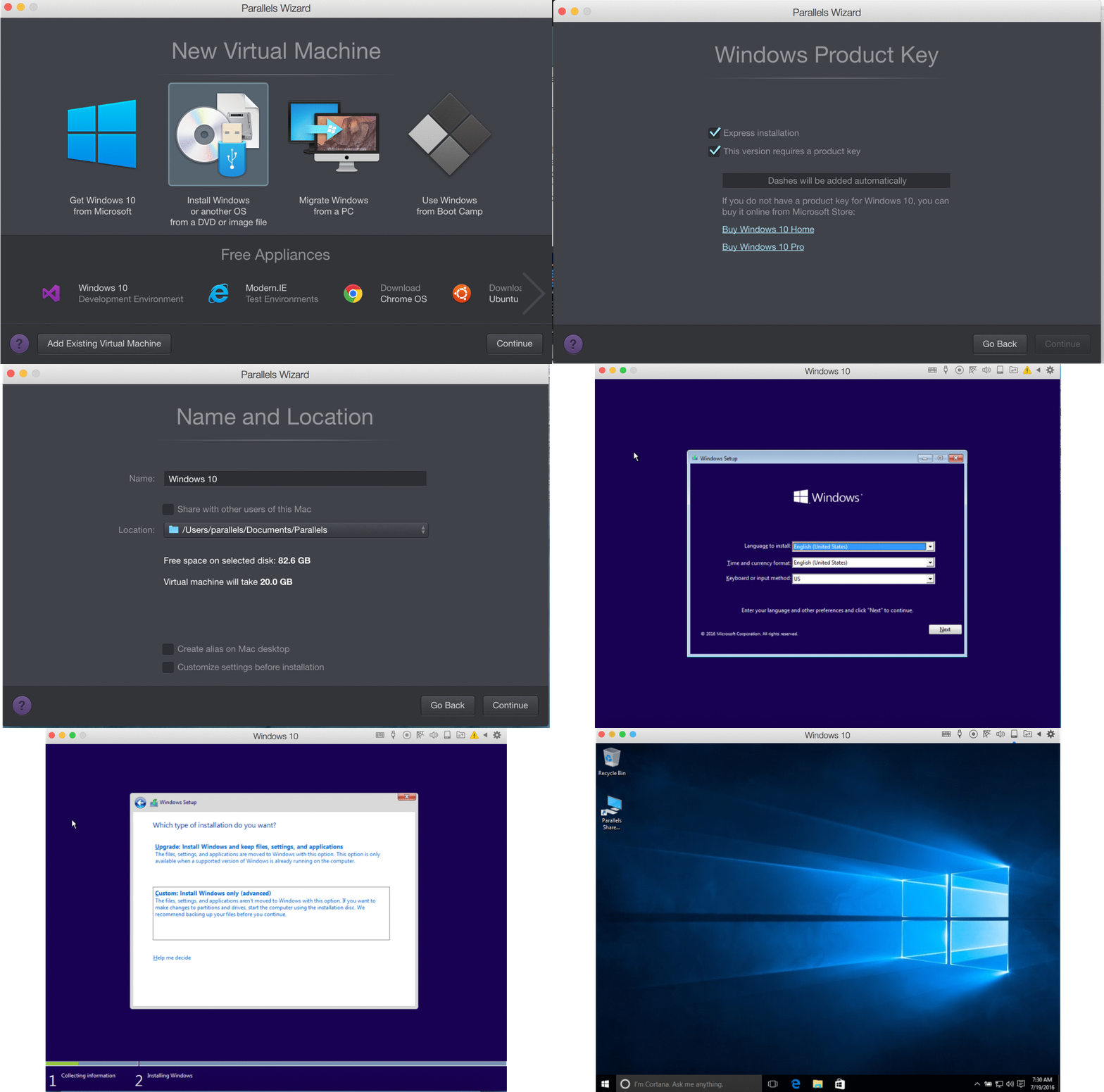
How To Install Mac Virtual Machine On Windows 10 Licioushopde

Gallery Sliding Platforms Car Storage Commercial Vehicle Mounting
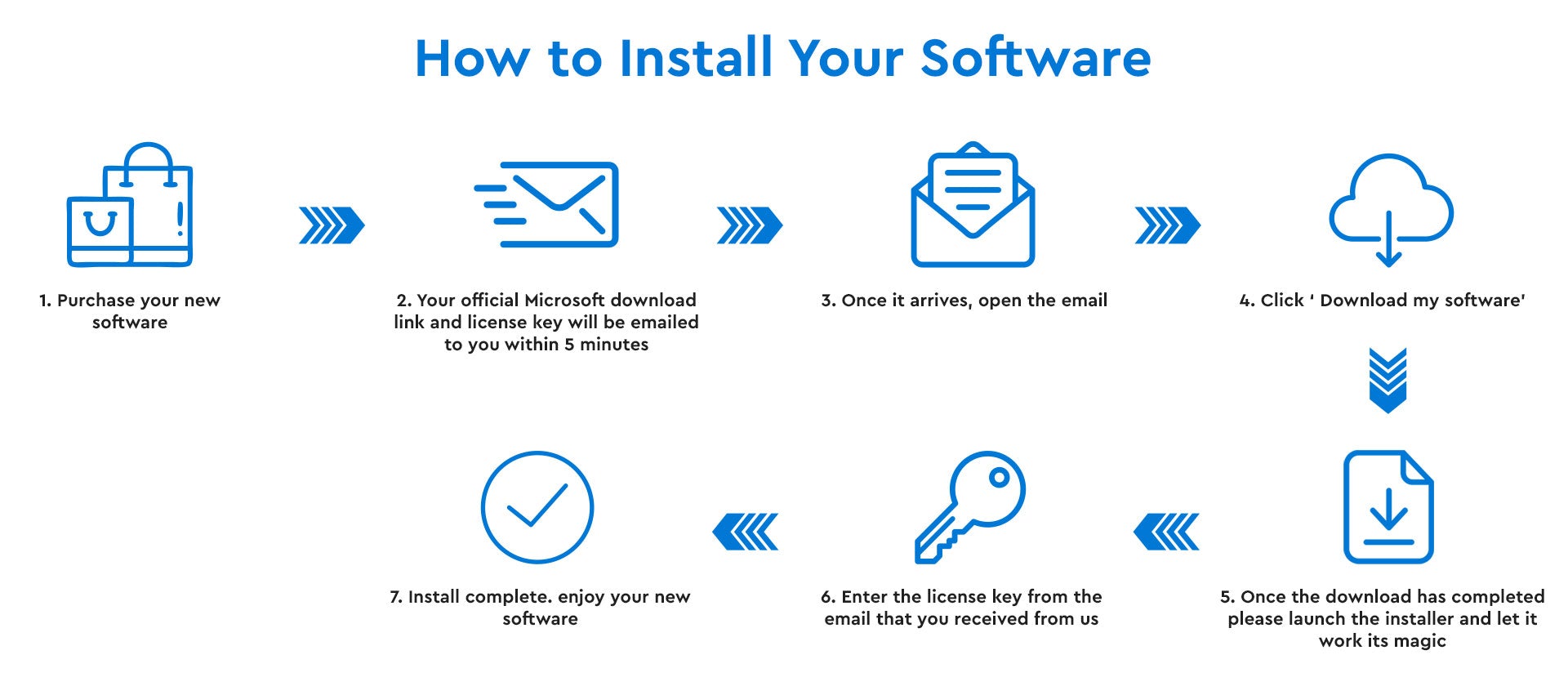
How To Install

How To Install Kali Linux On Virtualbox Asrposcook
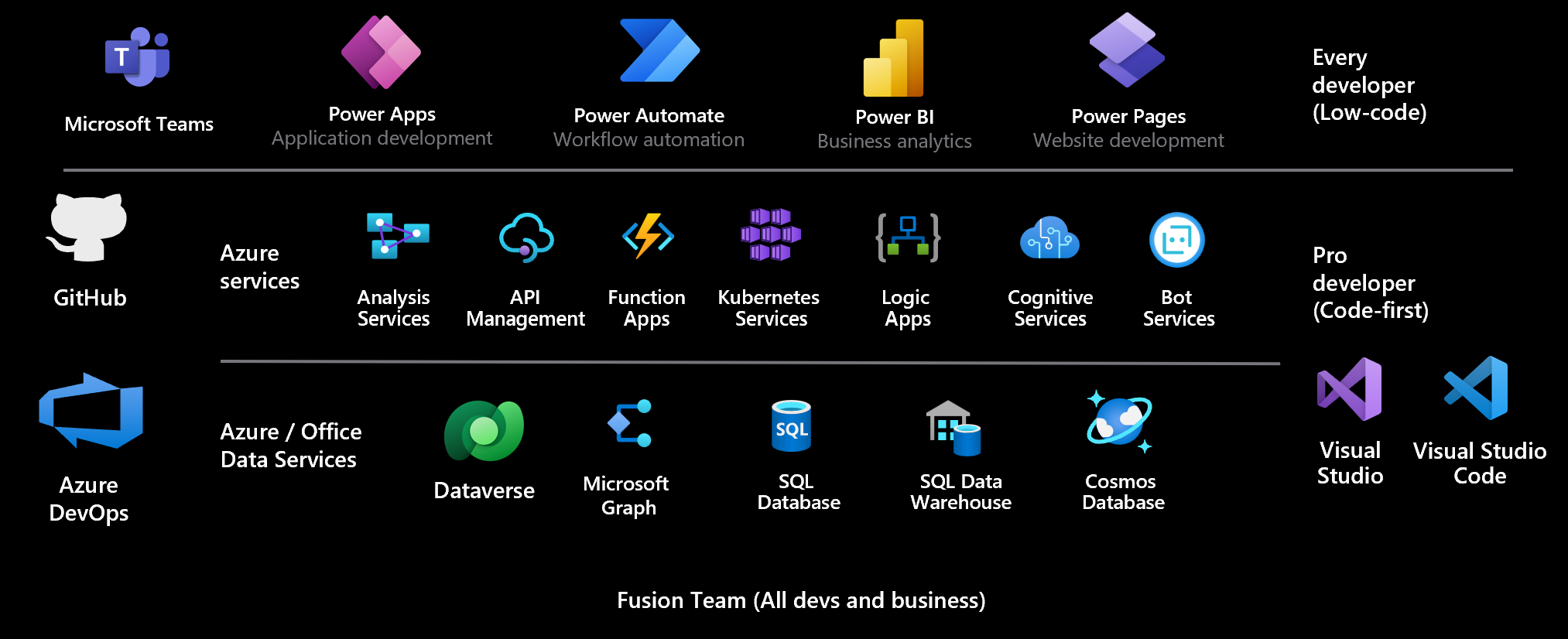
Einf hrung In Microsoft Power Platform F r Entwickler Power Platform
How To Install Java On Ubuntu 20 04 Cloudbooklet Riset

Installing the tools Extract the file you downloaded above into a folder named Android on the root of your C drive Windows or into your Home folder Mac Linux You might notice a few

For example here s how to install the latest platform tools which includes adb and fastboot and the SDK tools for API level 28 androidsdk platform tools platforms android 28 Alternatively you can pass a text file that specifies all packages androidsdk package file package file options

Download SDK Platform Tools for Windows Download SDK Platform Tools for Mac Download SDK Platform Tools for Linux Although these links do not change they always point to the most recent version of the tools Revisions 34 0 5 October 2023 adb adb now defaults to libusb on macOS to address issue 270205252

I don t have dedicated Linux Mac box but there s a Debian VPS no desktop environment BTW just text mode So first I grabbed the Android command line tools for Linux sdk tools linux 4333796 zip unzipped it to root android sdk Then installed some packages via sdkmanager

You can download platforms tools manually from google You can also install adb abd fast tools using terminal commands in Linux sudo apt install adb sudo apt install fastboot or sudo
Next download and extract the platform tools from Google wget https dl google android repository platform tools latest linux zip unzip platform tools latest linux zip Now the latest adb fastboot and other tools are available to run directly from the newly extracted platform tools directory Use bash aliases to make Below you can download the latest SDK platform tools Zip for Windows Linux and macOS X directly from the Google servers Using ADB and Fastboot commands you can install uninstall debug and emulate apps customize your Android device enable and disable hidden settings back up your data push and full files and remotely
Method 2 Using apt get The apt database will be updated using the following command sudo apt update After upgrading the apt database we can use apt to install android tools adb by performing the following command sudo apt