How To Install Brew On Mac Without Sudo How To Install Brew On Ubuntu Bollyinside On The Occation Of International Coffee Day SUDO BREW Reach 2 MURI How To Install Brew On Mac And More YouTube Install Update Composer On MAC Install Composer For PHP 8 Laravel How To Install HomeBrew On Linux Follow these steps 1 From the Finder select Go and click Utilities to display all the utilities 2 Locate and launch the Terminal app 3 In the terminal run the following command to install Xcode command line tools xcode select install
Why brew installation needs sudo access Is it even safe to install brew as sudo bin bash c curl fsSL https raw githubusercontent Homebrew install HEAD install sh Checking for sudo access which may request your password Sorry user XXX may not run sudo on XXXXXX Naturally you need a Mac Requirements are as follows to install brew on Mac A 64 bit Intel CPU or Apple Silicon CPU M1 macOS Mojave 10 14 or higher Command Line Tools CLT for Xcode A Bourne compatible shell for installation Always install Homebrew in the following directory as per your CPU architecture usr local on macOS Intel
How To Install HomeBrew On Linux On The Occation Of International Coffee Day SUDO BREW Reach 2 MURI Run Docker Command Without Sudo In Ubuntu Docker For Beginners 2 Mac Subjective Developer Medium How To Install 7Zip With Brew On MacOS Mac Tutorials Sudo Brew 1 Kabarhiburan Installing Brew On M1 M2 ARM Mac How To Install Ant On MacOS Easy Guides Mac Tutorials Docker Deamon Don t Work Without sudo With Sudo All Services Is
How To Install Brew On Mac Without Sudo
 How To Install Brew On Mac Without Sudo
https://cdn.bollyinside.com/articles/wp-content/uploads/sites/4/2021/12/Guide-Install-Brew-on-Ubuntu-2048x1201.jpg
Which is usually Library Caches Homebrew My Mac apps don t find Homebrew utilities GUI apps on macOS don t have Homebrew s prefix in their PATH by default If you re on Mountain Lion or later you can fix this by running sudo launchctl config user path brew prefix bin PATH and then rebooting as documented in man launchctl Note that this sets the launchctl PATH for all
Pre-crafted templates offer a time-saving service for developing a varied variety of documents and files. These pre-designed formats and designs can be utilized for numerous personal and professional jobs, consisting of resumes, invites, flyers, newsletters, reports, discussions, and more, enhancing the material creation process.
How To Install Brew On Mac Without Sudo
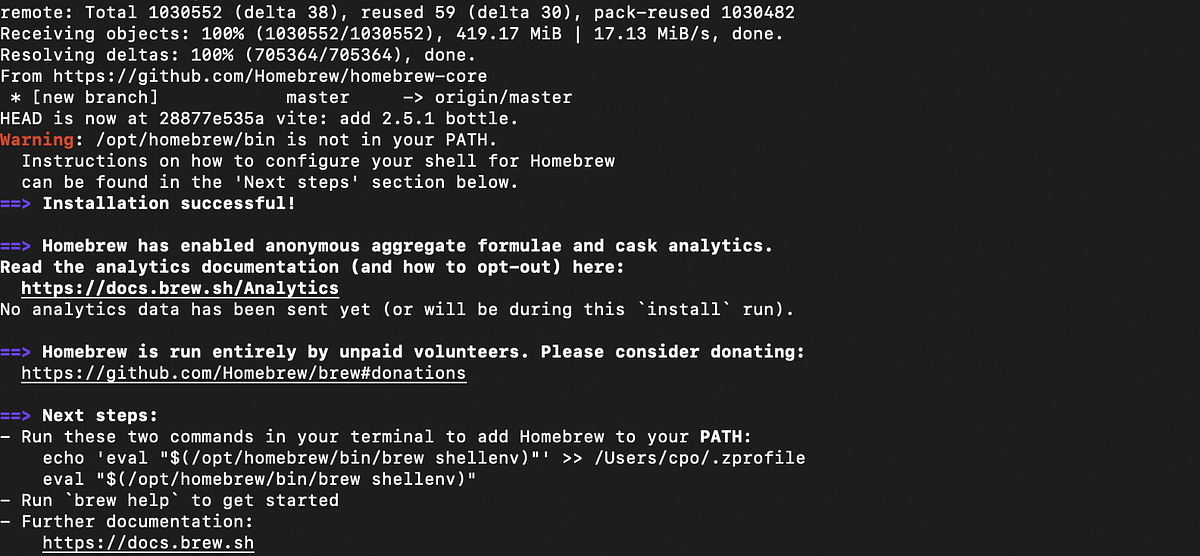
How To Install Brew On Mac MacOS Aoftionstyle Medium

On The Occation Of International Coffee Day SUDO BREW Reach 2 MURI

Run Docker Command Without Sudo In Ubuntu Docker For Beginners 2

Mac Subjective Developer Medium

Sudo Brew 1 Kabarhiburan
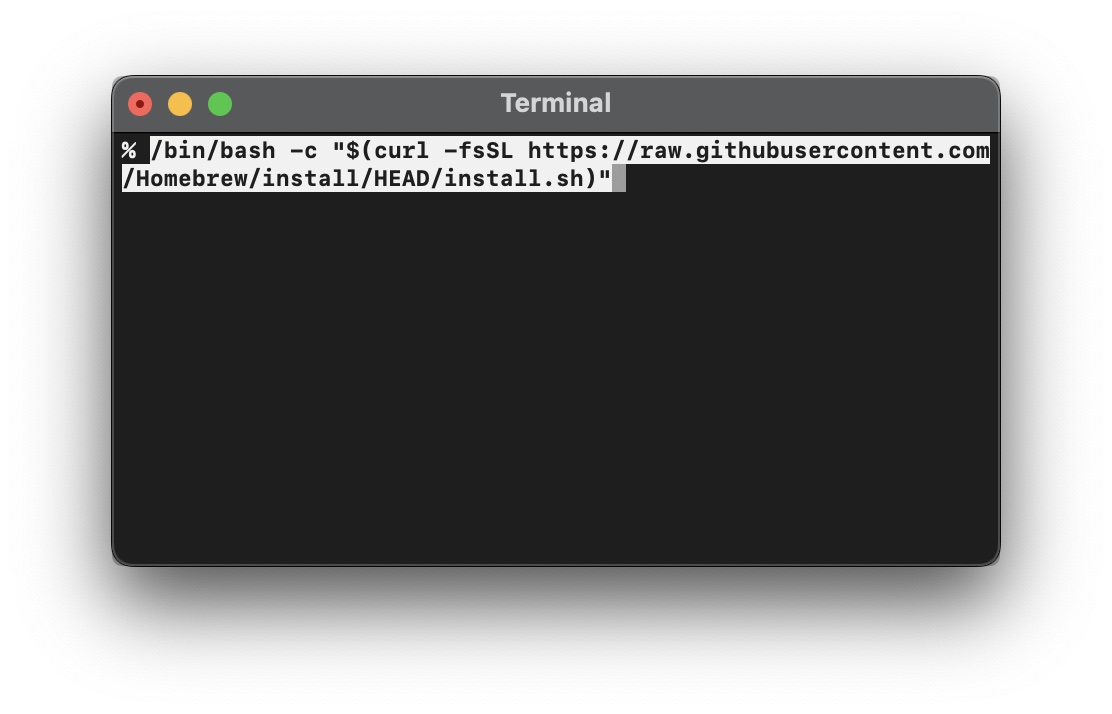
Installing Brew On M1 M2 ARM Mac

Installation Instructions for a supported install of Homebrew are on the homepage The script installs Homebrew to its default supported best prefix opt homebrew for Apple Silicon usr local for macOS Intel and home linuxbrew linuxbrew for Linux so that you don t need sudo after Homebrew s initial installation when you brew install

2 November 2020 Homebrew is a popular framework for quickly installing development tools on macOS including Gfortran macOS cloud services such as MacInCloud may say they provide Homebrew but you may not be able to install packages without a sudo admin account

Step 1 Using the macOS Terminal To access the command line interface on your Mac you ll use the Terminal application provided by macOS Like any other application you can find it by going into Finder navigating to the Applications folder and then into the Utilities folder From here double click the Terminal application to open it up

Installing Homebrew without sudo Nelson Aloysio Follow 2 min read Oct 14 2023 Figure Homebrew for MacOS and Linux Homebrew is an open source software package manager generally
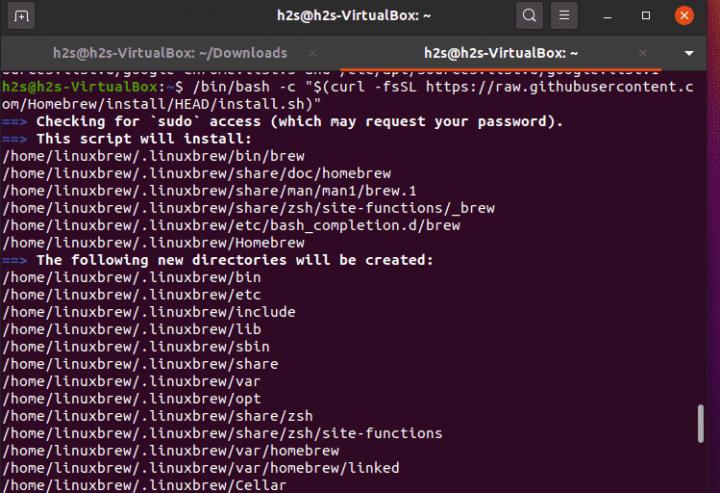
Install Homebrew Without Sudo macOS YouTube 0 00 6 37 Install Homebrew Without Sudo macOS fracnull 38 subscribers Subscribe 104 10K views 1 year ago Even if you re not an
Search and open Terminal Write the following command xcode select install hit return Select Install Once you ve gone through the License Agreement then choose Agree If your Mac is not connected to a power source you might be prompted to If there s enough charge choose to Continue on Battery Power 1 I honestly don t know enough about brew to say whether it s possible But a tar gz is pretty easy to work with so I figured I d point out that there is an alternative VGR Oct 23 2019 at 20 18 1 brew doesn t require sudo Have you installed brew follow the instructions on brew sh
Open up a Terminal window on your screen by going to your Finder and then Applications Utilities Now copy and paste the following into the Terminal window and press the Enter button usr bin