How To Insert Worksheet In Excel How Many Worksheets Are In A New Workbook Worksheets Master Use A Shortcut To Insert A New Worksheet In Excel How To Insert Column Excel Shortcut Shoplasopa How To Insert Delete Rows Columns Cells Sheets In Ms Excel Vrogue Abc MICROSOFT EXCEL 2010 WORKSHEET Insert Worksheet the Insert Microsoft Helps 88 3K subscribers 5 4K views 1 year ago Microsoft Excel more In Excel you can easily insert rename and delete worksheets in your workbook In this tutorial from
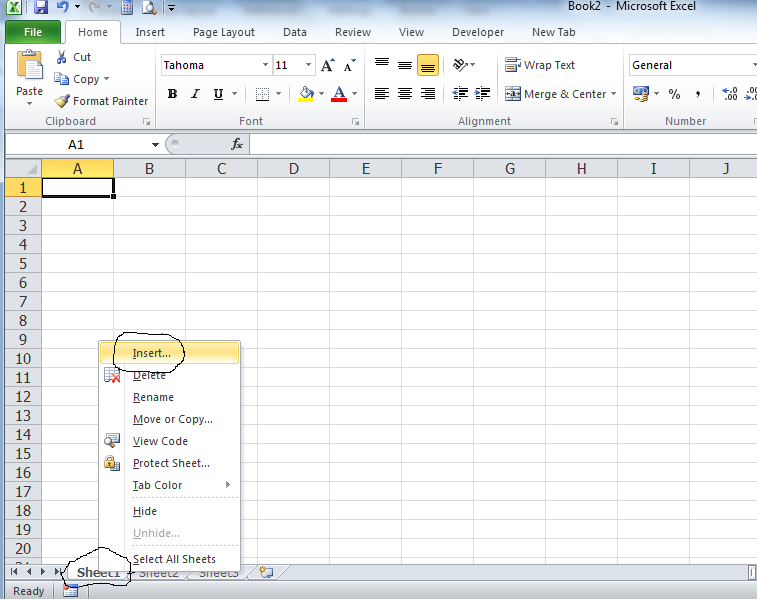
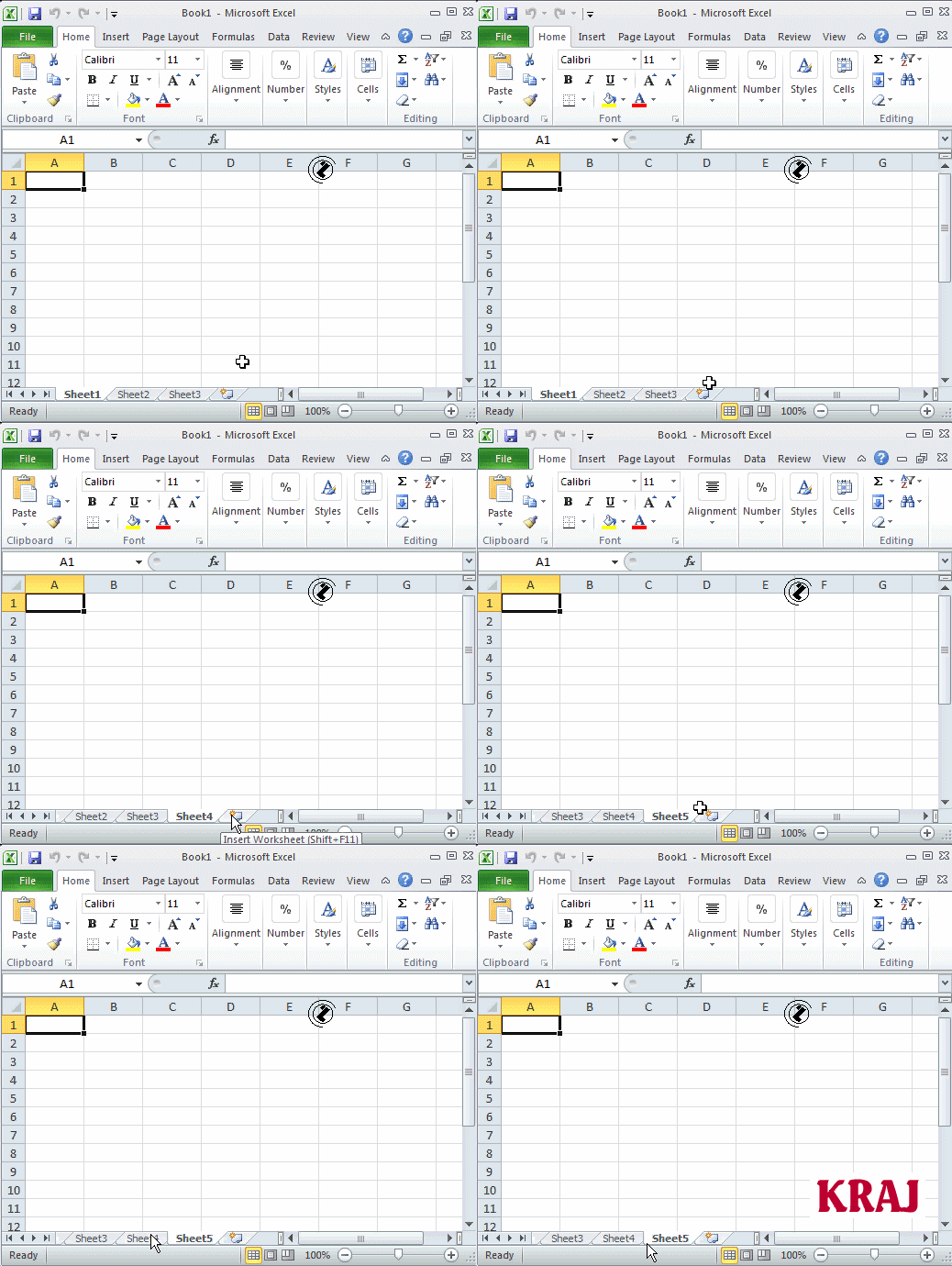
Step 1 Open Microsoft Excel Open Microsoft Excel on your computer When you open Excel you ll usually see a blank worksheet or the last workbook you were working on If it s a new worksheet you want you re already halfway there Step 2 Locate the Insert Worksheet Tab Look for the Insert Worksheet tab at the bottom of the screen To insert a new worksheet in Excel hold the Shift key and press the F11 function key Shift F11 To use the function key in some keyboards you will have to press the function key and then the F11 key This instantly inserts the worksheet towards the left of the existing worksheet
Abc MICROSOFT EXCEL 2010 WORKSHEET Insert Worksheet the Insert Insert New Worksheet Shortcut Key Kidz Activities Worksheet Template EXCEL WORKSHEET INSERT WORKSHEET How To Insert A Page Break In An Excel Worksheet 11 Steps Riset How To Link Excel 2010 Worksheet To Another Workbook YouTube Shift F11 Excel Shortcut Insert New Worksheet Into Current Workbook How To Insert A Background Image In Excel 2010 YouTube How To Insert Columns And Rows Easily In Microsoft Word Computer Amp Exclusive Guide How To Insert PDF Into Excel Cloud PDF Blog
How To Insert Worksheet In Excel
 How To Insert Worksheet In Excel
https://worksheets.myify.net/wp-content/uploads/2021/02/how_to_insert_a_new_worksheet_in_excel_step_by_step__shortcut_keys_3.png
PC Shortcut Shift F11 Mac Shortcut F11 See All Excel Shortcuts Insert a New Worksheet in Excel In Excel there are a few ways to add a new worksheet like using the mouse going through the Ribbon right clicking using shortcuts or running a macro Try our AI Formula Generator Use the Mouse to Insert a Worksheet
Templates are pre-designed documents or files that can be used for different functions. They can save time and effort by offering a ready-made format and layout for creating various sort of content. Templates can be used for personal or expert jobs, such as resumes, invitations, leaflets, newsletters, reports, discussions, and more.
How To Insert Worksheet In Excel
Can t Insert Worksheet In Microsoft Excel For Mac 2016
Insert New Worksheet Shortcut Key Kidz Activities Worksheet Template
EXCEL WORKSHEET INSERT WORKSHEET

How To Insert A Page Break In An Excel Worksheet 11 Steps Riset
Shift F11 Excel Shortcut Insert New Worksheet Into Current Workbook
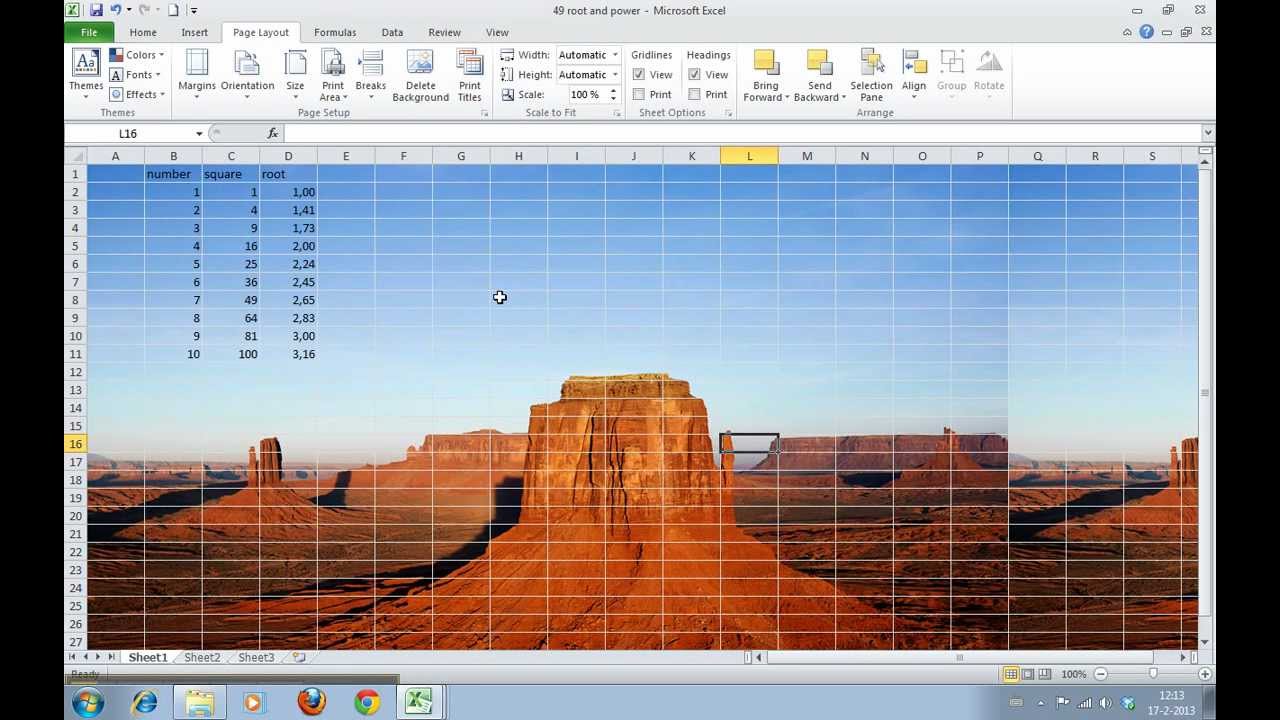
How To Insert A Background Image In Excel 2010 YouTube

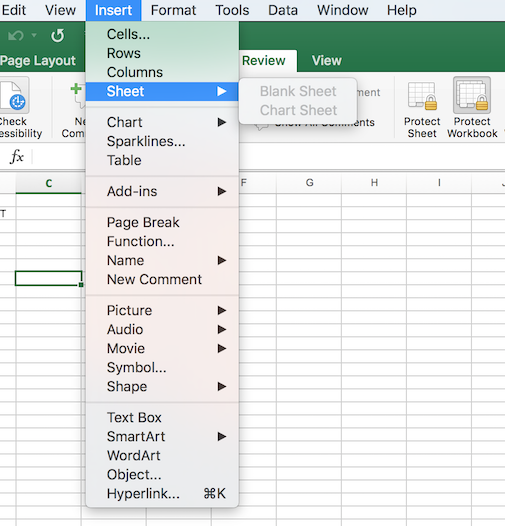
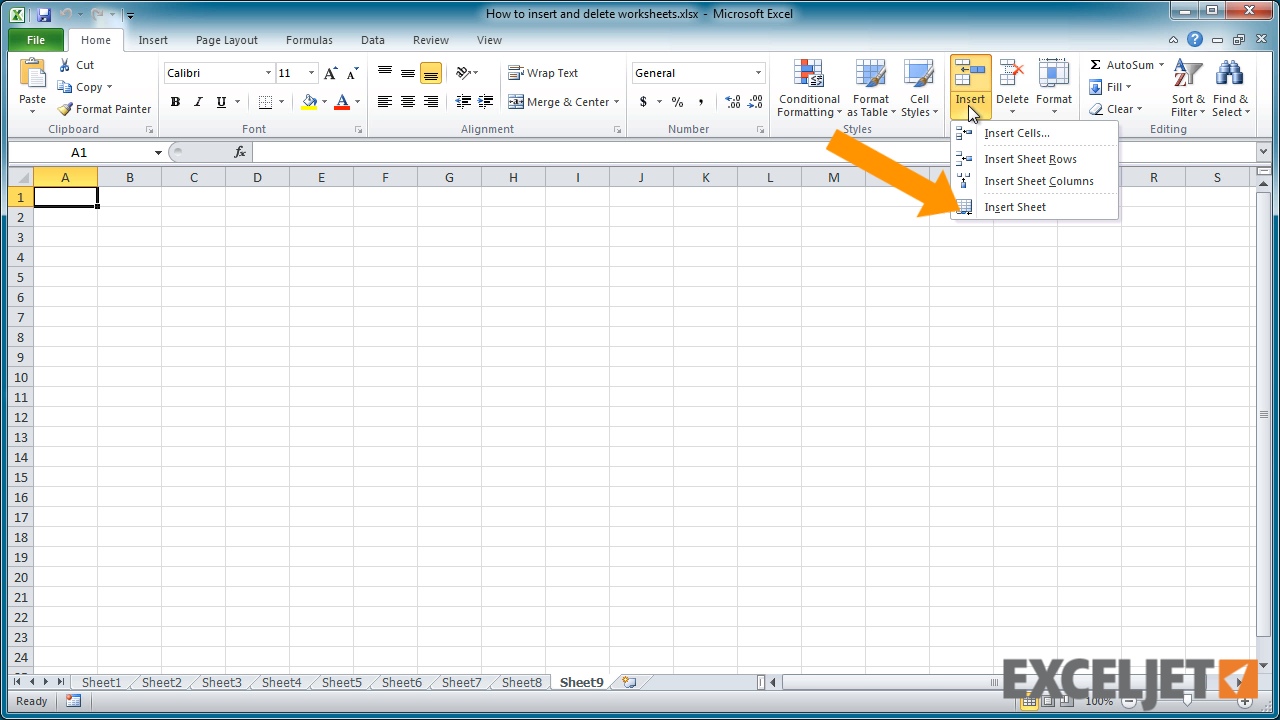
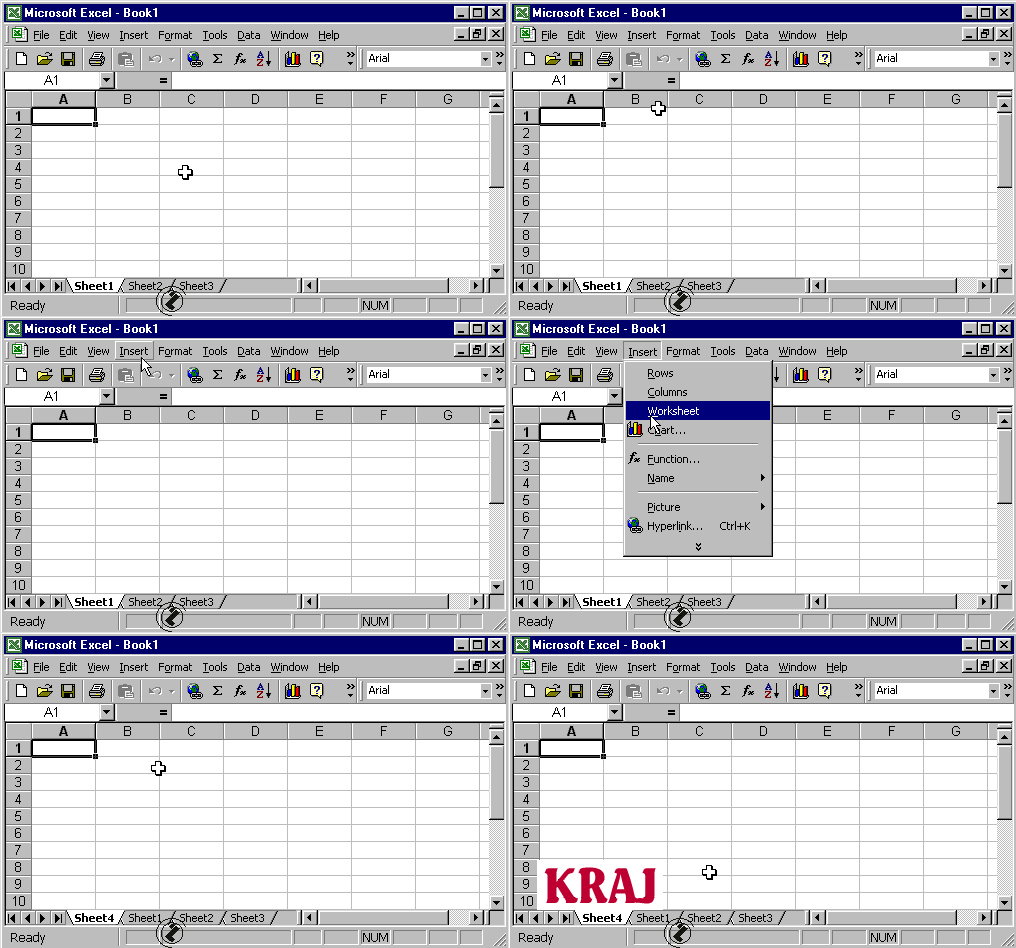
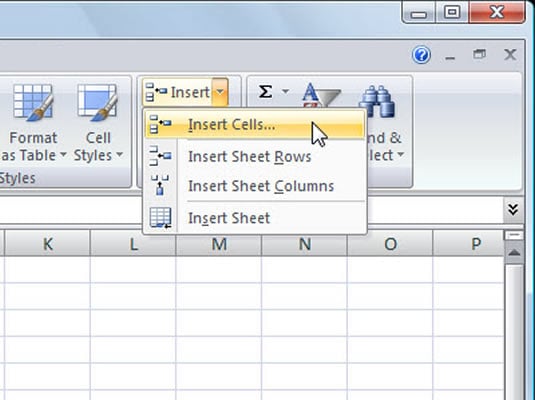
Insert a worksheet Select the New Sheet plus icon at the bottom of the workbook Or select Home Insert Insert Sheet Rename a worksheet Double click the sheet name on the Sheet tab to quickly rename it Or right click on the Sheet tab click Rename and type a new name Move a worksheet

The quickest and easiest way to insert a new sheet in Excel is using the New Sheet button located to the right of the current sheet tabs Left click on the plus sign icon to the right of the sheet tabs and Excel will create a new blank sheet in your workbook Add a New Sheet from the Home Tab
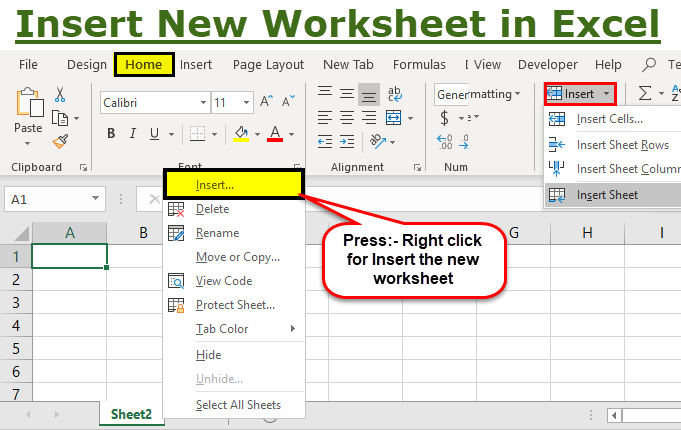
Right click on the Sheet2 tab Select Insert The Insert dialog box will appear It will show you what you can insert Click Worksheet Finally click OK The new worksheet will be inserted before the selected sheet tab In our case between Sheets 1 and 2
Click on the Insert Within the Cells group locate and click on the Insert button Upon clicking a drop down menu will appear with a set of insert options including the ability to insert cells rows columns and worksheets Done This will immediately add a new worksheet to your workbook before the activate sheet
In Microsoft Excel you can easily add rename and delete worksheets in your workbook Learn more at the Excel Help Center https msft it 6000TiutM Subsc
[desc-11] [desc-12]
[desc-13]