How To Insert Process Flow In Excel Flow Chart Template Excel Lovely Excel Flowchart Template Process Riset Process Flow Chart Template Powerpoint Free Download How To Implement A QA Process Flow In A Sprint Pricing Process Flow In behalf 10 Smartart Flowchart AlisterKallen Important When you create a Google Account for your business you can turn business personalization on A business account also makes it easier to set up Google Business Profile
In Incognito mode third party cookies are blocked by default If a site that relies on third party cookies doesn t work as expected you can try temporarily allowing them for that site Learn Before you delete your Google Account Review the info in your account Learn how to download data that you want to keep If you use your Gmail address for online banking social media or
10 Smartart Flowchart AlisterKallen Excel Process Workflow Template Riset Create Flowchart With Excel SMM Medyan How To Make A Flow Chart In Excel Tutorial Youtube Riset How To Insert Equations In Google Slides A Simple Way Art Of Process Map Template Visio How To Create Process Flow In PowerPoint HiSlide io Visio Cross Functional Flowchart From Excel Flow Chart Images And PROCESS FLOW DIAGRAM FOR THE DFFAF METHOD Download Scientific Diagram
How To Insert Process Flow In Excel
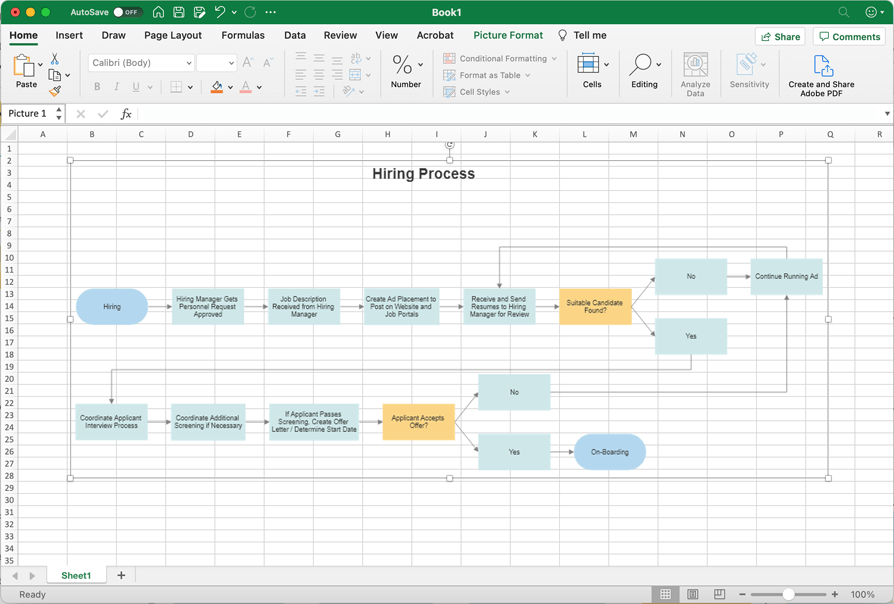 How To Insert Process Flow In Excel
https://wcs.smartdraw.com/flowchart/img/flowchart-in-excel.png?bn=1510011165
Looking for more advanced controls Dive into topics like customizing settings using offline access and managing photos photos backups in our advanced Drive for
Templates are pre-designed files or files that can be utilized for different functions. They can conserve time and effort by providing a ready-made format and design for creating various type of content. Templates can be used for personal or expert projects, such as resumes, invites, flyers, newsletters, reports, presentations, and more.
How To Insert Process Flow In Excel

Procurement 101 How To Optimize Procurement Process Flow In 2023
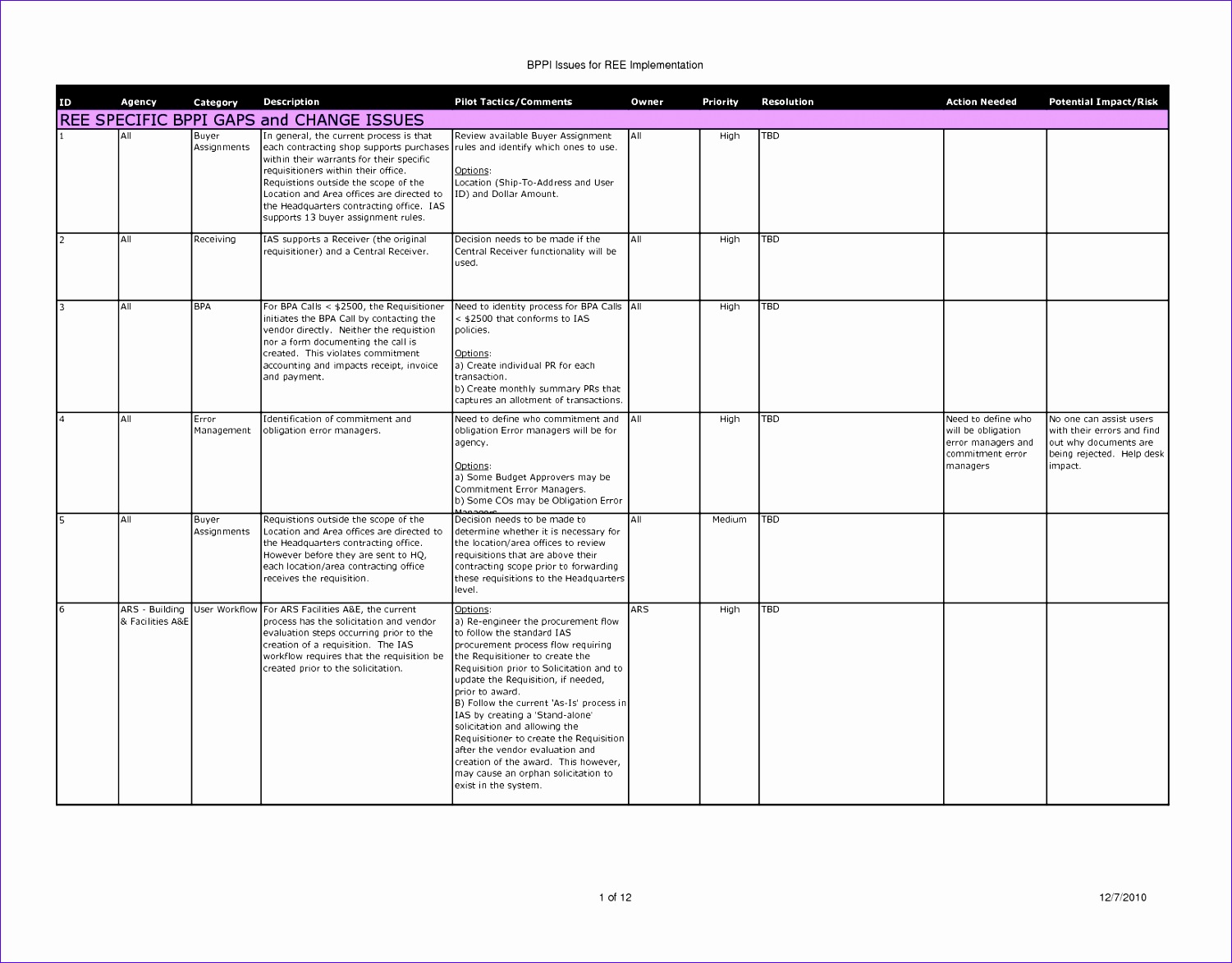
Excel Process Workflow Template Riset

Create Flowchart With Excel SMM Medyan

How To Make A Flow Chart In Excel Tutorial Youtube Riset
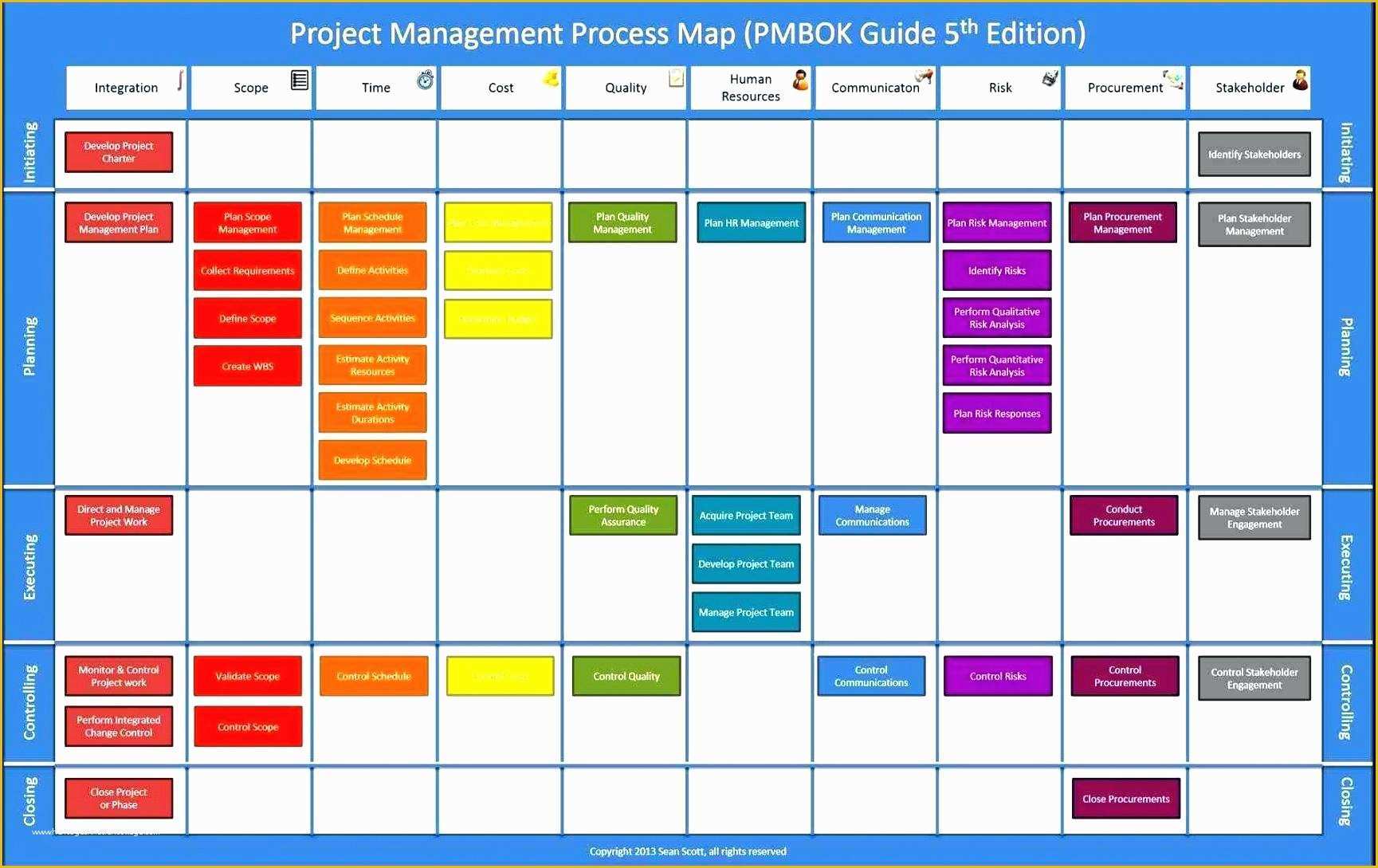
Process Map Template Visio

How To Create Process Flow In PowerPoint HiSlide io

How to install Chrome Important Before you download you can check if Chrome supports your operating system and other system requirements

A question often asked is how to remove not delete as that is something totally different Google Accounts from the list of Google Accounts on the sign in page For example if someone used

If you change or reset your password you ll be signed out everywhere except Devices you use to verify that it s you when you sign in Some devices with third party apps that you ve given

You can add update or remove phone numbers on your Google Account Phone numbers are used for different reasons and you have controls to manage how your numbers are used

Create an account Tip To use Gmail for your business a Google Workspace account might be better for you than a personal Google Account With Google Workspace you get increased
[desc-11] [desc-12]
[desc-13]