How To Insert Multiple Rows And Columns In Excel How To Insert Multiple Rows And Columns In Excel Youtube All In One Photos Lesson 6 How To Insert And Delete Rows And Columns In Excel Worksheet Computer System Ploios Accor Pr fuit How To Insert More Rows In Word Table A Noastra So Facem Puls Postgresql Insert Into Table Values Example Brokeasshome Insert Into Table Sql Multiple Rows Mysql Query Brokeasshome Web Oct 2 2023 nbsp 0183 32 Employing Formula Bar In this section of the article we will learn to employ the Formula Bar to combine multiple rows in one cell in Excel Now let s use the procedure discussed in the following section to do this Steps Firstly select the cells you want to combine and press CTRL C to copy the cells
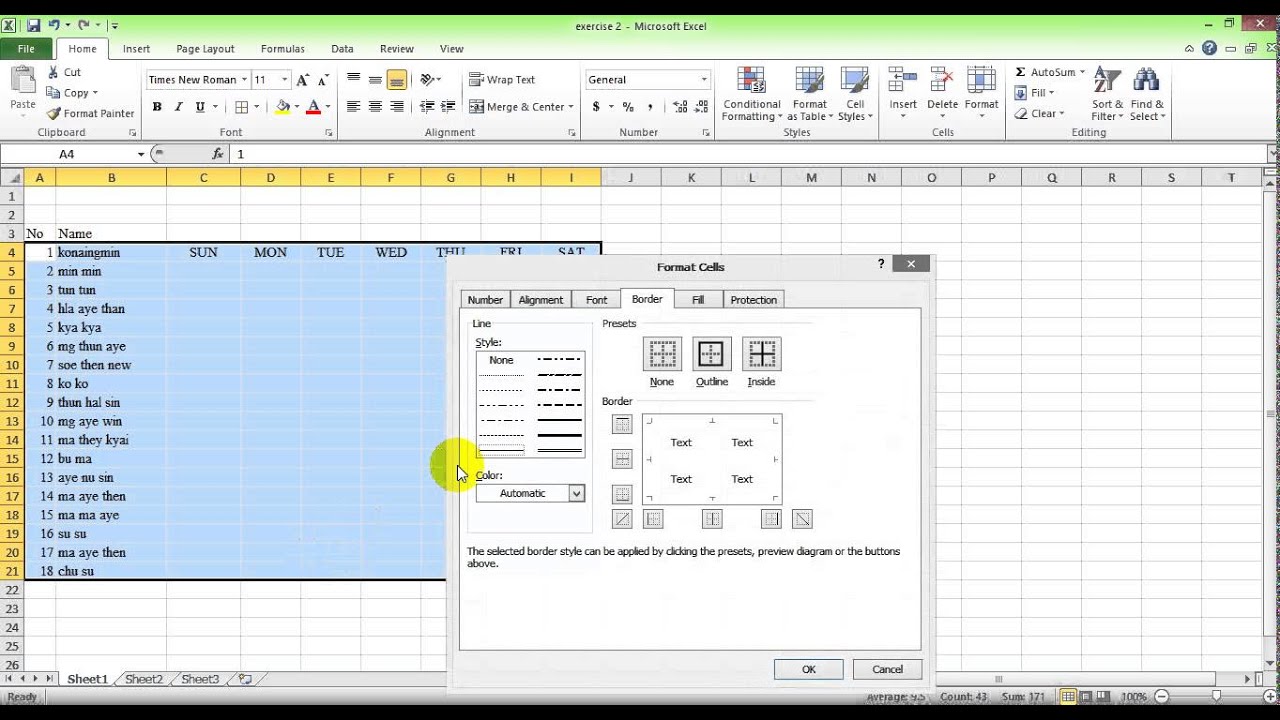
Web Sep 15 2023 nbsp 0183 32 1 Insert multiple rows by right clicking To insert multiple rows in Excel by right clicking and using the drop down menu Select multiple rows on the worksheet by dragging over the row headings or click the first row heading and Shift click the last row heading Right click one of the selected rows and select Insert from the drop down menu Web Oct 9 2023 nbsp 0183 32 The Microsoft Graph API call to add rows to a table requires the Excel workbook s Drive ID and Item ID To obtain these IDs go back to Power Automate and add the Excel for Business Online List Rows Present In A Table action to the flow Select the Excel table named tblCarSales from the Car Sales Report xlsx spreadsheet
Insert Into Table Sql Multiple Rows Mysql Query Brokeasshome How To Sum Multiple Rows In Excel LaptrinhX How To Insert Cells Rows And Columns In Ms Excel Riset How To Freeze Panes In Excel Ms Excel 2010 Unfreeze Panes Virarozen Excel Sum Formula To Total A Column Rows Or Only Visible Cells Ablebits How To Freeze Rows And Columns At The Same Time In Excel 2019 Youtube Riset How To Add Multiple Rows In Excel Table Lopsql Convert Rows To Columns In Excel Osemedic How To Add Multiple Columns In Excel Formula Design Talk
How To Insert Multiple Rows And Columns In Excel
 How To Insert Multiple Rows And Columns In Excel
https://i.ytimg.com/vi/20B6CdMbdug/maxresdefault.jpg
Web Oct 5 2023 nbsp 0183 32 You can use the following syntax to sum values in Excel based on both column and row criteria SUM IF B1 F1 quot Year 4 quot IF A2 A9 quot Mavs quot B2 F9 This particular formula calculates the sum of values in the range B2 F9 where The column value in the range B1 F1 is equal to Year 4 The row value in the range A2 A9 is equal to
Pre-crafted templates provide a time-saving option for developing a diverse series of documents and files. These pre-designed formats and designs can be utilized for various personal and expert projects, including resumes, invites, leaflets, newsletters, reports, discussions, and more, simplifying the content creation procedure.
How To Insert Multiple Rows And Columns In Excel

How To Insert Multiple Rows In Excel
How To Sum Multiple Rows In Excel LaptrinhX

How To Insert Cells Rows And Columns In Ms Excel Riset
How To Freeze Panes In Excel Ms Excel 2010 Unfreeze Panes Virarozen

How To Freeze Rows And Columns At The Same Time In Excel 2019 Youtube Riset
How To Add Multiple Rows In Excel Table Lopsql

Web Jul 28 2023 nbsp 0183 32 How to insert multiple columns in Excel Adding multiple columns in Excel can be done without the need to insert each one individually Here s a more productive approach to inserting multiple columns at once Method 1 Add multiple columns with right click Select the same number of adjacent columns as the number of

Web Select the heading of the row above where you want to insert additional rows Hold down CONTROL click the selected rows and then on the pop up menu click Insert

Web Insert or delete a row Select any cell within the row then go to Home gt Insert gt Insert Sheet Rows or Delete Sheet Rows Alternatively right click the row number and then select Insert or Delete
Web Sep 15 2023 nbsp 0183 32 1 Insert multiple columns by right clicking To insert multiple columns in Excel by right clicking and using the drop down menu Select multiple columns on the worksheet by dragging over the column headings or click the first column heading and Shift click the last column heading

Web Notes 1 To insert multiple blank columns please select multiple columns firstly and then press Ctrl Shift and keys together 2 Pressing the F4 key will repeat the last action and insert 3 rows each time Insert multiple blank
Web Dec 11 2022 nbsp 0183 32 Option 1 Right click on the row headers Option 2 In the Menu select Insert In both instances you are given the options to insert the new blank rows either above or below the selected rows Select an option and rows are quickly inserted into your worksheet Easy Excel Automation Add Excel automation to your workbook with just a Web 2 days ago nbsp 0183 32 Hold down the Ctrl key while dragging tab for Sheet1 to the right Excel will make a copy of the worksheet
Web Sep 21 2023 nbsp 0183 32 Method 1 How To Insert Multiple Rows in Excel Using Insert Menu Method 2 How To Insert Multiple Rows in Excel Using Keyboard Shortcuts Method 3 How To Insert Multiple Rows in Excel by Copy and Pasting How To Add a Row in between Rows Multiple Times in Excel Frequently Asked Questions