How To Insert Image In Excel Background How To Insert Image In Excel Cell YouTube How To Insert Image In Excel Microsoft Office Excel Full Tutorial For Beginners How To Insert How To Insert A Background Image In Excel 2010 YouTube How To Insert Image In Excel Cell Insert Photo In Excel Excel Web 25 Feb 2019 nbsp 0183 32 Learn two different ways to add images into your Excel spreadsheets You ll learn about adding background images as well as how to add pictures that float
Web 20 M 228 rz 2023 nbsp 0183 32 Switch to the Insert tab gt Illustrations group and click Pictures In the Insert Picture dialog that opens browse to the picture of interest select it and click Insert This will place the picture near the Web The IMAGE function inserts images into cells from a source location along with alternative text You can then move and resize cells sort and filter and work with images within an
How To Insert Image In Excel Cell Insert Photo In Excel Excel How To Insert An Image In Microsoft Excel And Excel Online Pelle Ritorno Clinica How To Insert Image In A Cell Excel Far Cadere How To Insert Image In Excel Cell As Attachment 4 Examples Sobrio Psichiatria Dopo Di Che How To Insert Image In Excel Morsetto Insert Image Microsoft Excel Cell Engineering Names Tips Picture How To Insert Image In Excel 3 Easy Ways How To Insert Image In Excel 3 Easy Ways How To Insert Image In Excel Cell
How To Insert Image In Excel Background
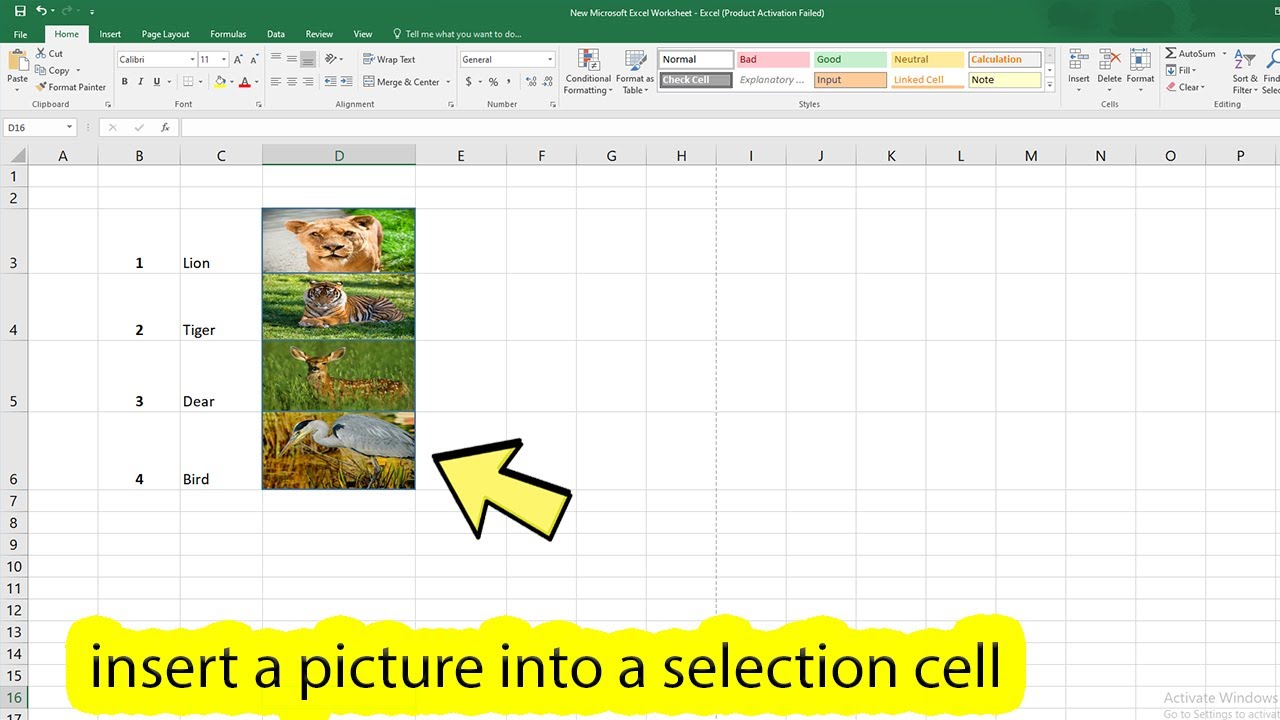 How To Insert Image In Excel Background
https://i.ytimg.com/vi/W23s0bPBVnM/maxresdefault.jpg
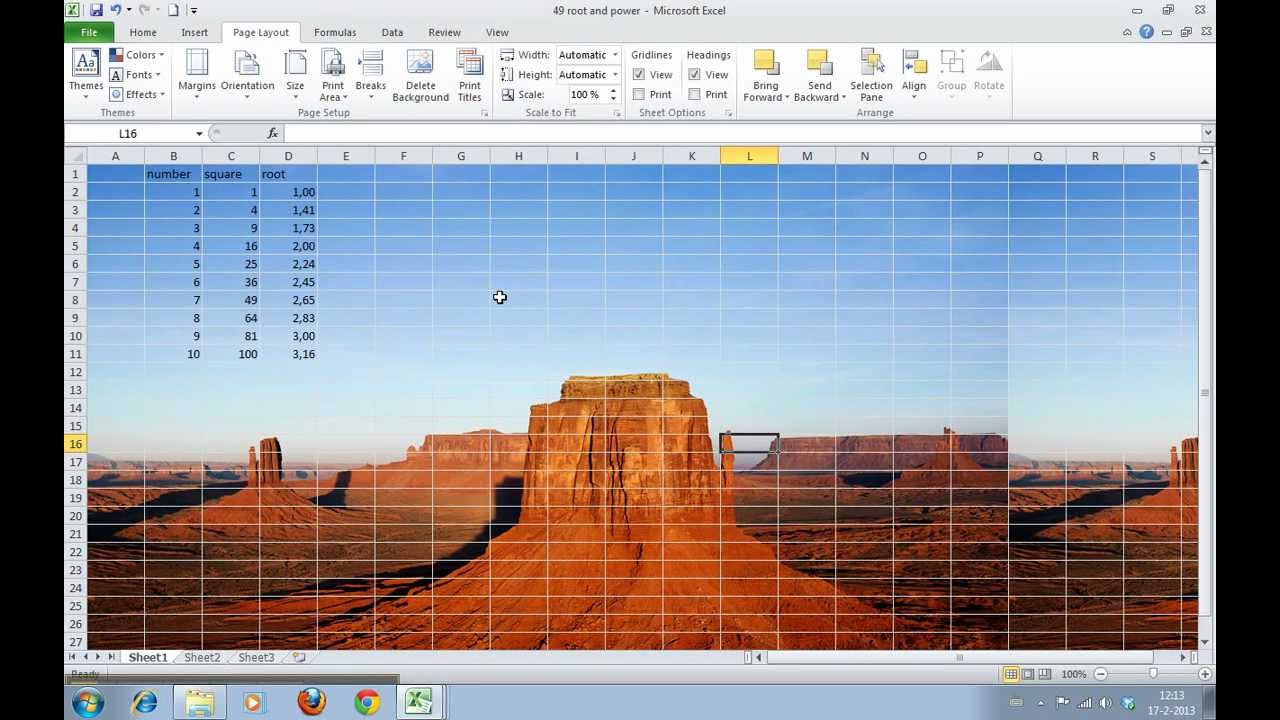
Web 17 Feb 2020 nbsp 0183 32 Open the page layout ribbon by clicking on Page Layout Look under the Page Setup section for Background Click on Background and see the three options from a file Bing Image Search and
Templates are pre-designed files or files that can be used for various purposes. They can save effort and time by providing a ready-made format and design for producing different sort of content. Templates can be utilized for personal or expert jobs, such as resumes, invitations, flyers, newsletters, reports, presentations, and more.
How To Insert Image In Excel Background

Insert Image In Excel How To Insert Image In Excel Cell Insert
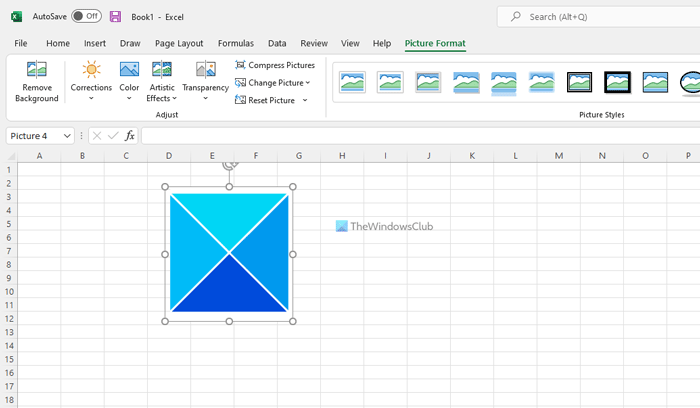
How To Insert An Image In Microsoft Excel And Excel Online
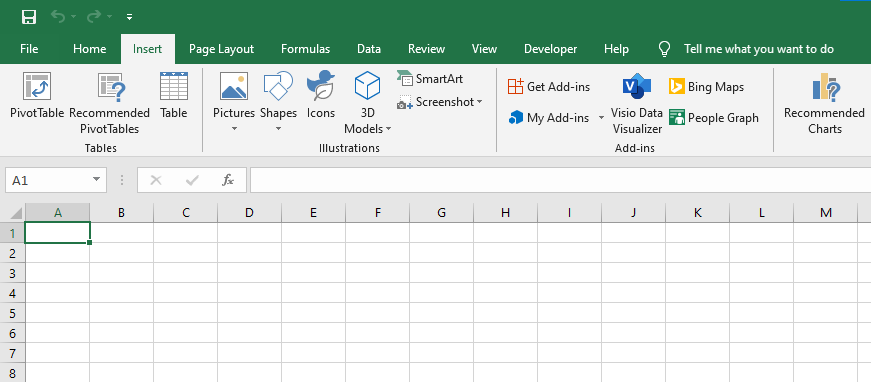
Pelle Ritorno Clinica How To Insert Image In A Cell Excel Far Cadere

How To Insert Image In Excel Cell As Attachment 4 Examples

Insert Image Microsoft Excel Cell Engineering Names Tips Picture

How To Insert Image In Excel 3 Easy Ways
Web Go to the folder and choose a picture Then click Insert As a result you can see the background image across all cells in the worksheet as shown in the picture below

Web For Excel 2007 2010 and 2013 First of all open the spreadsheet where you have already added an image as background After this navigate to the Page Layout tab in the

Web Insert background behind cells with Background function 1 Click Page Layout gt Background See screenshot 2 Then a Insert Pictures dialog pops out and click the Browse button next to From a file then select a
Web 2 Juli 2022 nbsp 0183 32 2 Answers Sorted by 0 You can t In Excel you can select an image as a background for the whole sheet which will then be tiled and look fairly awful You

Web 10 Dez 2021 nbsp 0183 32 Select your picture and head to the Picture Format tab that displays With tons of tools you can do everything from remove the backgroundand change the contrast to add a border and make the
Web 17 Feb 2020 nbsp 0183 32 To assign the white background color right click the Camera object and choose Format Picture or press Ctrl 1 In the Colors and Lines tab of the Format Web 8 Sept 2019 nbsp 0183 32 This is basic excel tutorial and lets get started Simply click on the page layout tab on your ribbon and then click on add background Then select the image you
Web Select Stock Images Browse to the picture you want to insert select it and then click Open The picture will be inserted in your worksheet Insert Picture from Bing Pictures