How To Insert Data Into Excel From A Website Insert Data From Picture In Excel FormToExcel How To Insert Data In Excel Mechanicaleng Blog How To Import Data To Excel Coupler io Blog Insert Data Into Tables In SQL Server Inserting Excel Data Into Microsoft Word YouTube Learn how to change more cookie settings in Chrome For example you can delete cookies for a specific site In other browsers If you use Safari Firefox or another browser check its support
Sign in to Gmail Tip If you sign in to a public computer make sure to sign out before you leave the computer Learn how to sign in on a device that s not yours When your account reaches its storage limit you won t be able to upload or create files in Drive send or receive emails in Gmail or back up photos or videos to Google Photos If you re over
Inserting Excel Data Into Microsoft Word YouTube Microsoft Brings Insert Data From Picture Excel Feature To IOS Idea To Insert Value Into Excel File Help UiPath Community Forum How Do I Create A Chart In Excel Printable Form Templates And Letter How To Convert A PDF To Excel From A Website URL PDFTables Excel Import Pdf Table Leatherkol Insert Data From A Picture Into Microsoft Excel Alexander s Blog How To Insert PDF Into Excel Import Data From A Web Page In Excel YouTube
How To Insert Data Into Excel From A Website
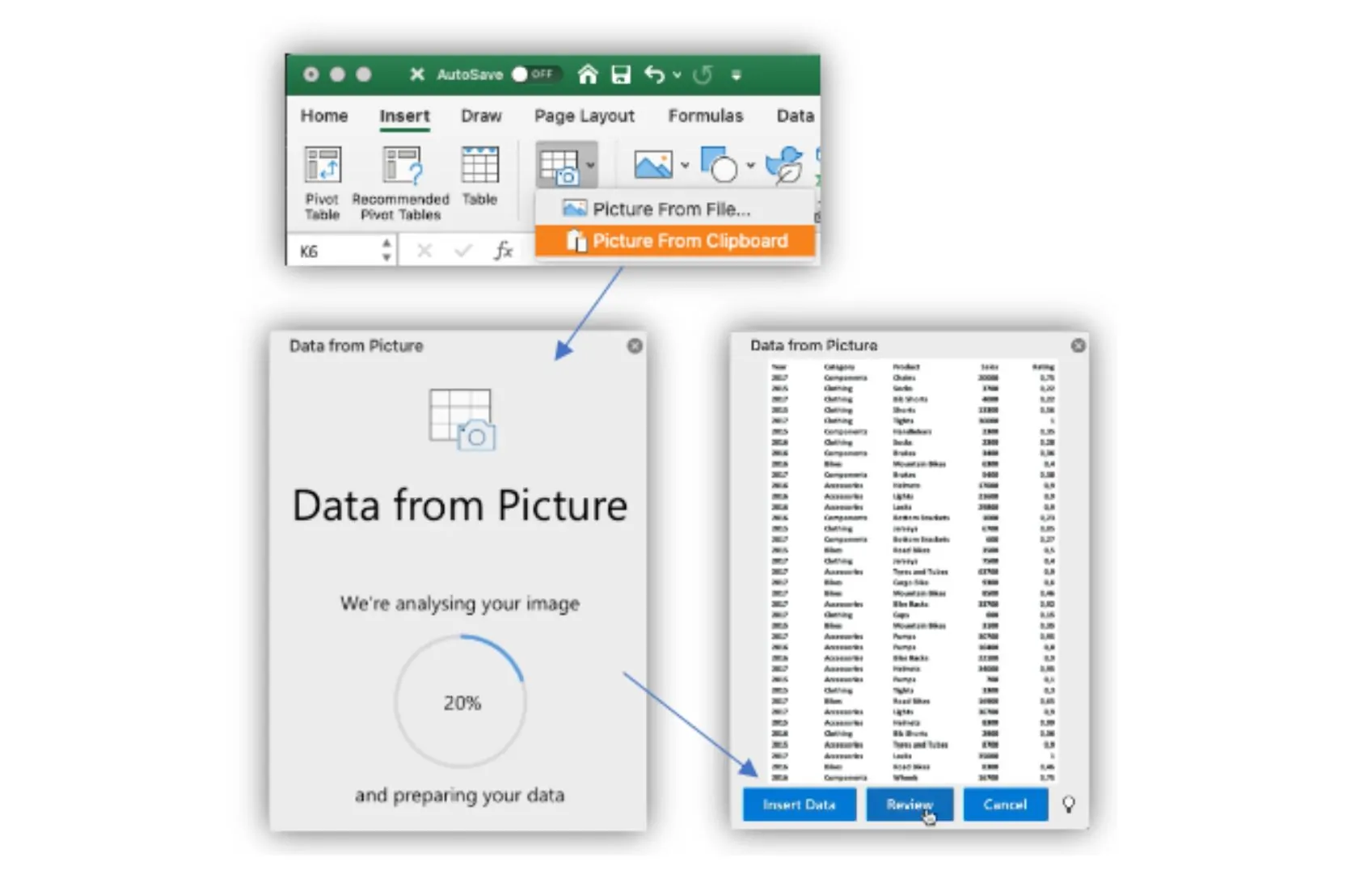 How To Insert Data Into Excel From A Website
https://www.formtoexcel.com/blog/img/blog/Insert data from picture excel 1.webp
Official Gmail Help Center where you can find tips and tutorials on using Gmail and other answers to frequently asked questions
Templates are pre-designed files or files that can be used for various purposes. They can conserve effort and time by providing a ready-made format and layout for producing various kinds of content. Templates can be used for individual or professional projects, such as resumes, invitations, leaflets, newsletters, reports, discussions, and more.
How To Insert Data Into Excel From A Website
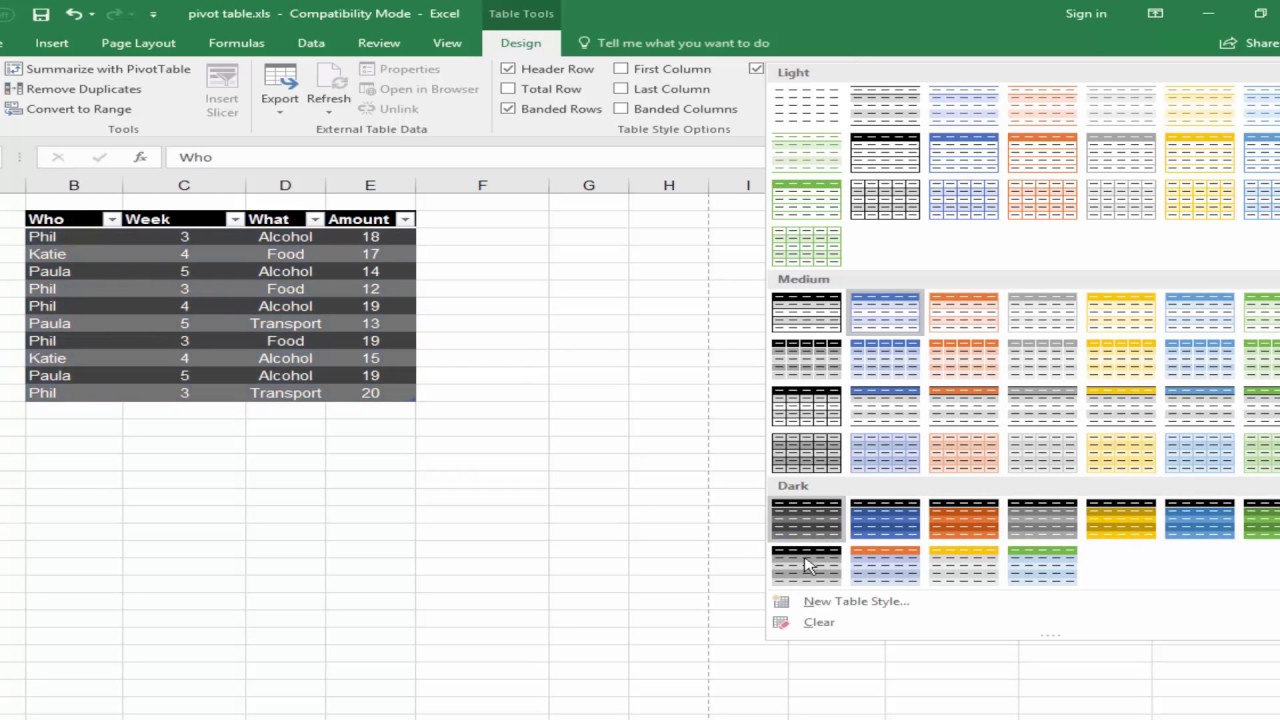
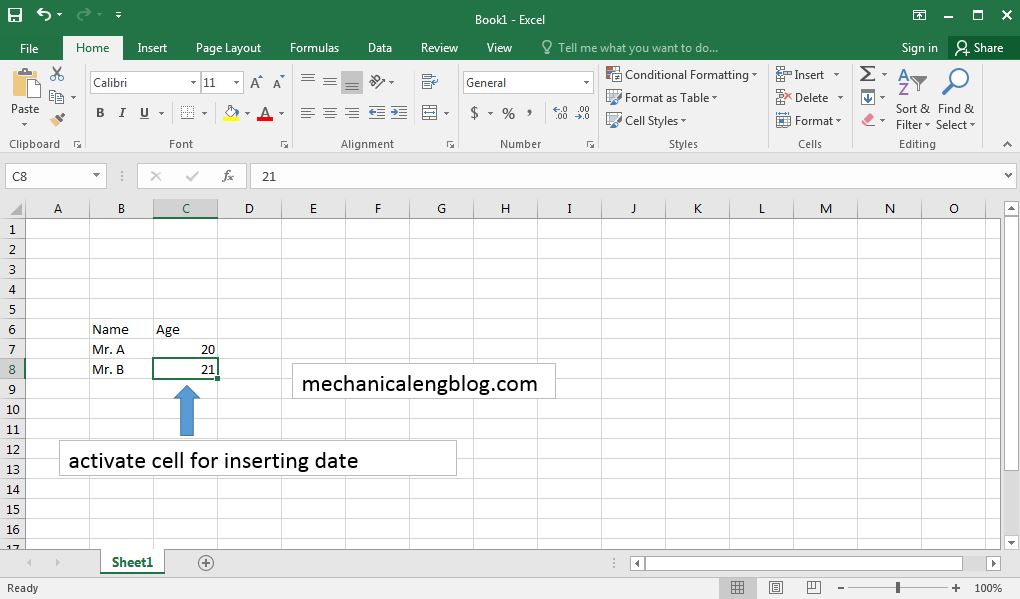
How To Create Or Insert Table Into Existing Data In Microsoft Excel
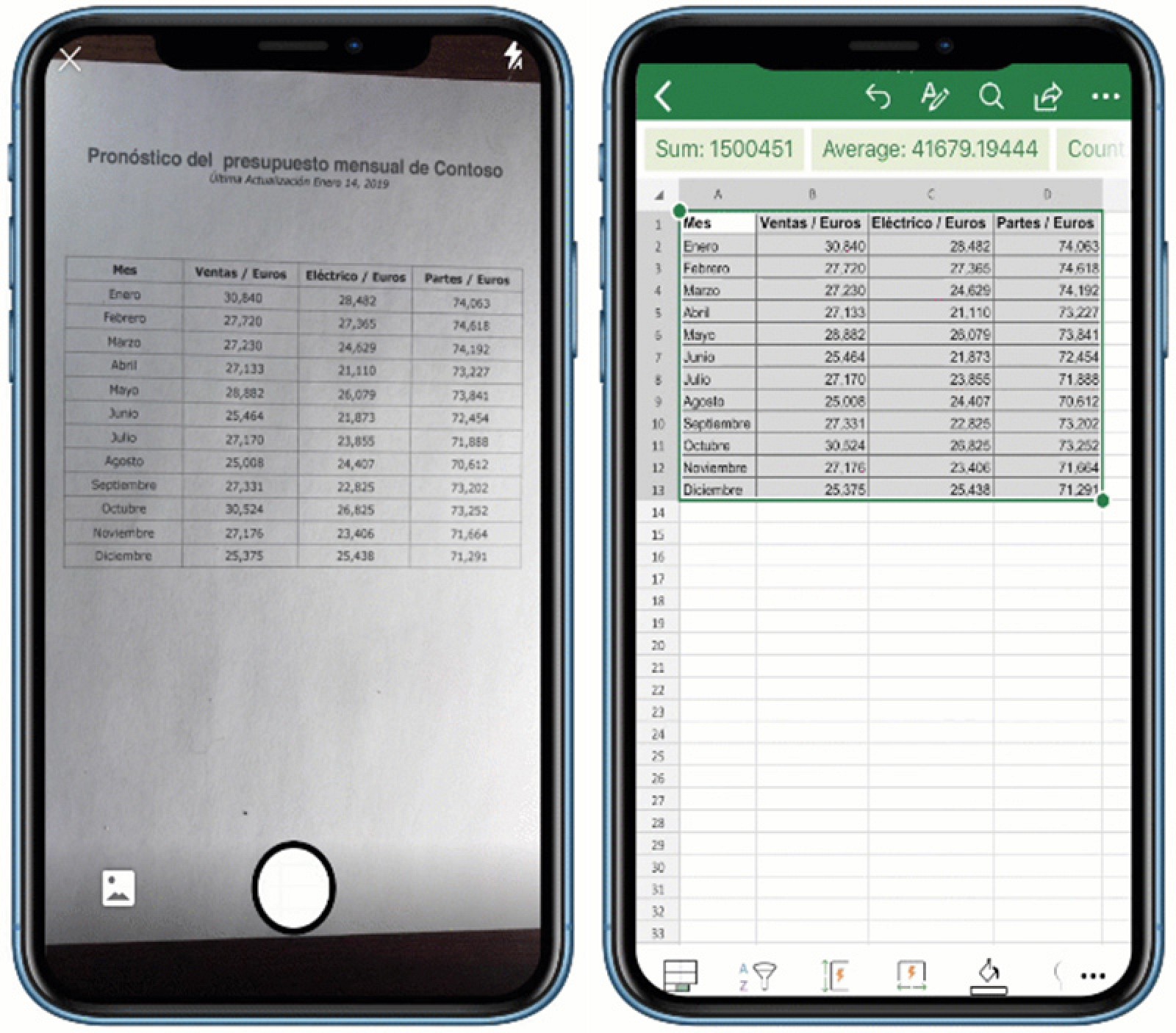
Microsoft Brings Insert Data From Picture Excel Feature To IOS

Idea To Insert Value Into Excel File Help UiPath Community Forum
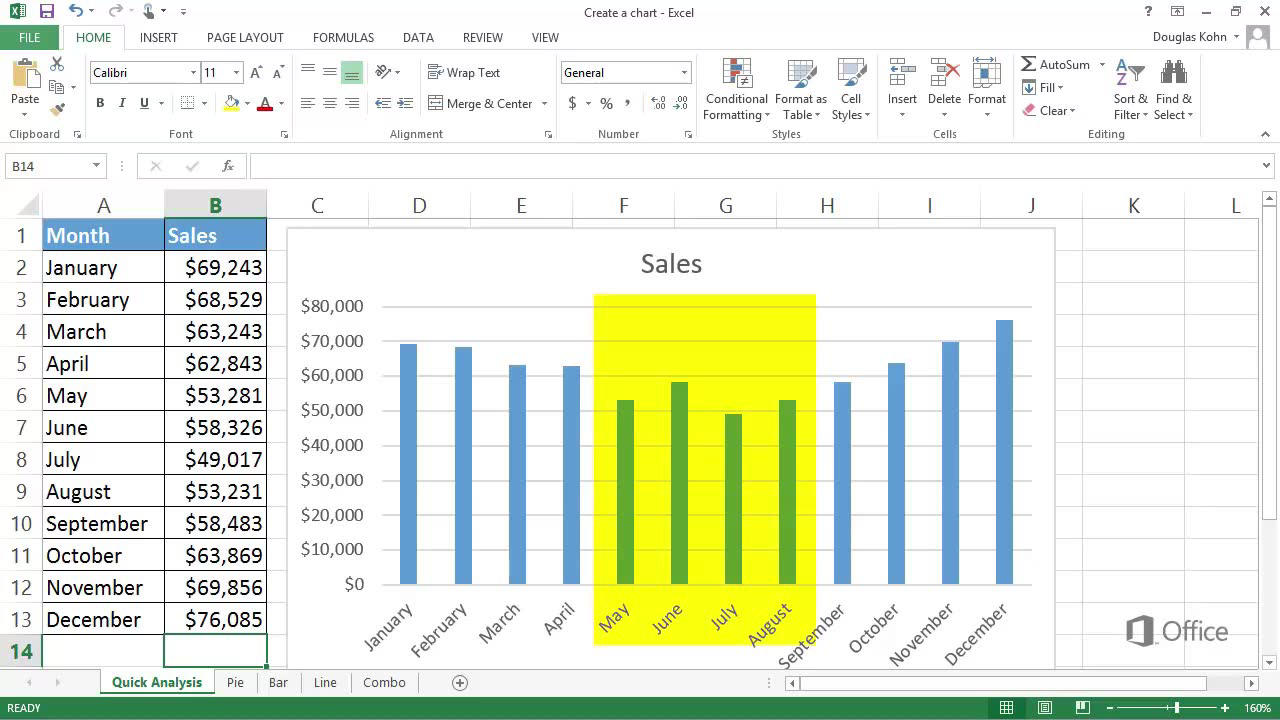
How Do I Create A Chart In Excel Printable Form Templates And Letter
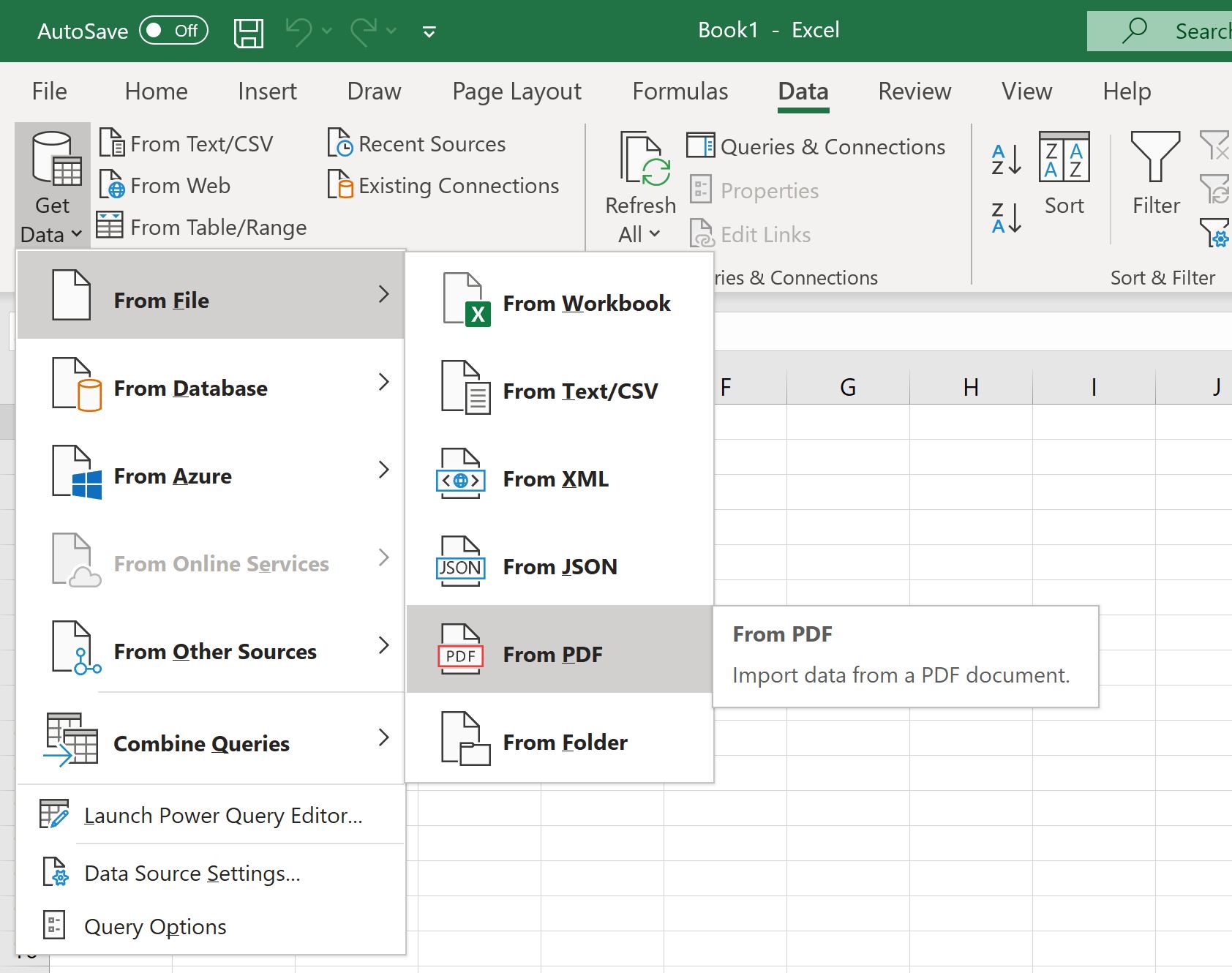
Excel Import Pdf Table Leatherkol
Insert Data From A Picture Into Microsoft Excel Alexander s Blog
A question often asked is how to remove not delete as that is something totally different Google Accounts from the list of Google Accounts on the sign in page For example if someone used
Important When you create a Google Account for your business you can turn business personalization on A business account also makes it easier to set up Google Business Profile

To find your username follow these steps You need to know A phone number or the recovery email address for the account The full name on your account Follow the instructions to

Important Before you set up a new Gmail account make sure to sign out of your current Gmail account Learn how to sign out of Gmail From your device go to the Google Account sign in

Learn how to update apps on Android Related resources Fix problems with the Google Play app How to update apps on Android
[desc-11] [desc-12]
[desc-13]