How To Insert Checklist In Excel Mac Comment Cr er Une Liste De Contr le Dans Excel Moyens I O Microsoft How To Prepare A Checklist In Excel Excel Templates How To Insert Pdf File Into Excel For Mac Excel Drop Down List Based On Another Cell Value Printable Forms Free How To Create Checkbox In Excel How To Insert Checklist In Excel Web May 20 2023 nbsp 0183 32 From the drop down menu select Fill Right and then click on OK This will create a new column to the right of your current selection Step 2 Inserting the
Web To add a check box select the Developer tab select Insert and under Form Controls select To add an option button select the Developer tab select Insert and under Form Controls select Click in the cell where Web Dec 23 2022 nbsp 0183 32 1 Enable the Developer Tab You must enable the Developer tab on the ribbon to create a checklist To do this right click on the ribbon and select Customize the Ribbon In the list of Main Tabs on the right
How To Create Checkbox In Excel How To Insert Checklist In Excel How To Insert Checkbox In Excel 2010 2013 2016 2019 Checklist In Excel How To Create Checklist In Excel Examples Cara Menghitung Observation Checklist Di Excel 2007 Warga Co Id 39 Excel Add To Formula Shortcut Image Formulas A Screenshot Of A Spreadsheet Showing The Risk Management Checklist In Learn New Things How To Add Check Boxes In MS Excel Sheet Easy How To Insert A Header In Excel Mac Bustersdpok How To Create A Checklist In Microsoft Excel
How To Insert Checklist In Excel Mac
 How To Insert Checklist In Excel Mac
https://i.pinimg.com/736x/bf/b4/06/bfb40676da17d952c799cc2ad8452cf6.jpg
Web Go to Developer Tab gt Controls gt Insert gt Form Controls gt Check Box Click anywhere in the worksheet and it will insert a checkbox as shown below Now to need to link the checkbox to a cell in Excel To do
Pre-crafted templates provide a time-saving service for developing a diverse variety of files and files. These pre-designed formats and designs can be made use of for various personal and professional jobs, consisting of resumes, invites, flyers, newsletters, reports, presentations, and more, enhancing the content development process.
How To Insert Checklist In Excel Mac

How To Create A Checklist In Microsoft Excel Excel Shortcuts

How To Insert Checkbox In Excel 2010 2013 2016 2019
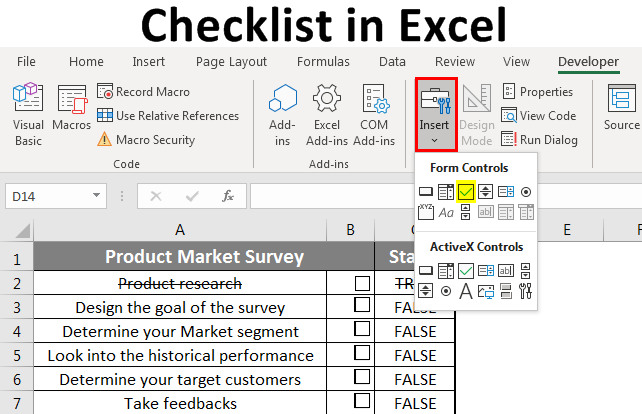
Checklist In Excel How To Create Checklist In Excel Examples
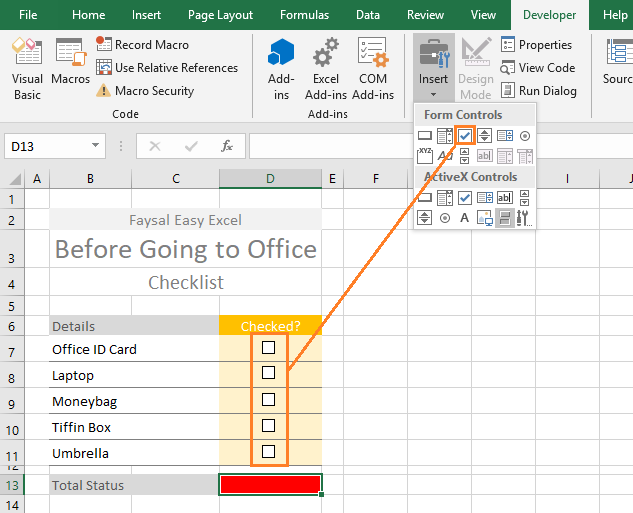
Cara Menghitung Observation Checklist Di Excel 2007 Warga Co Id

A Screenshot Of A Spreadsheet Showing The Risk Management Checklist In
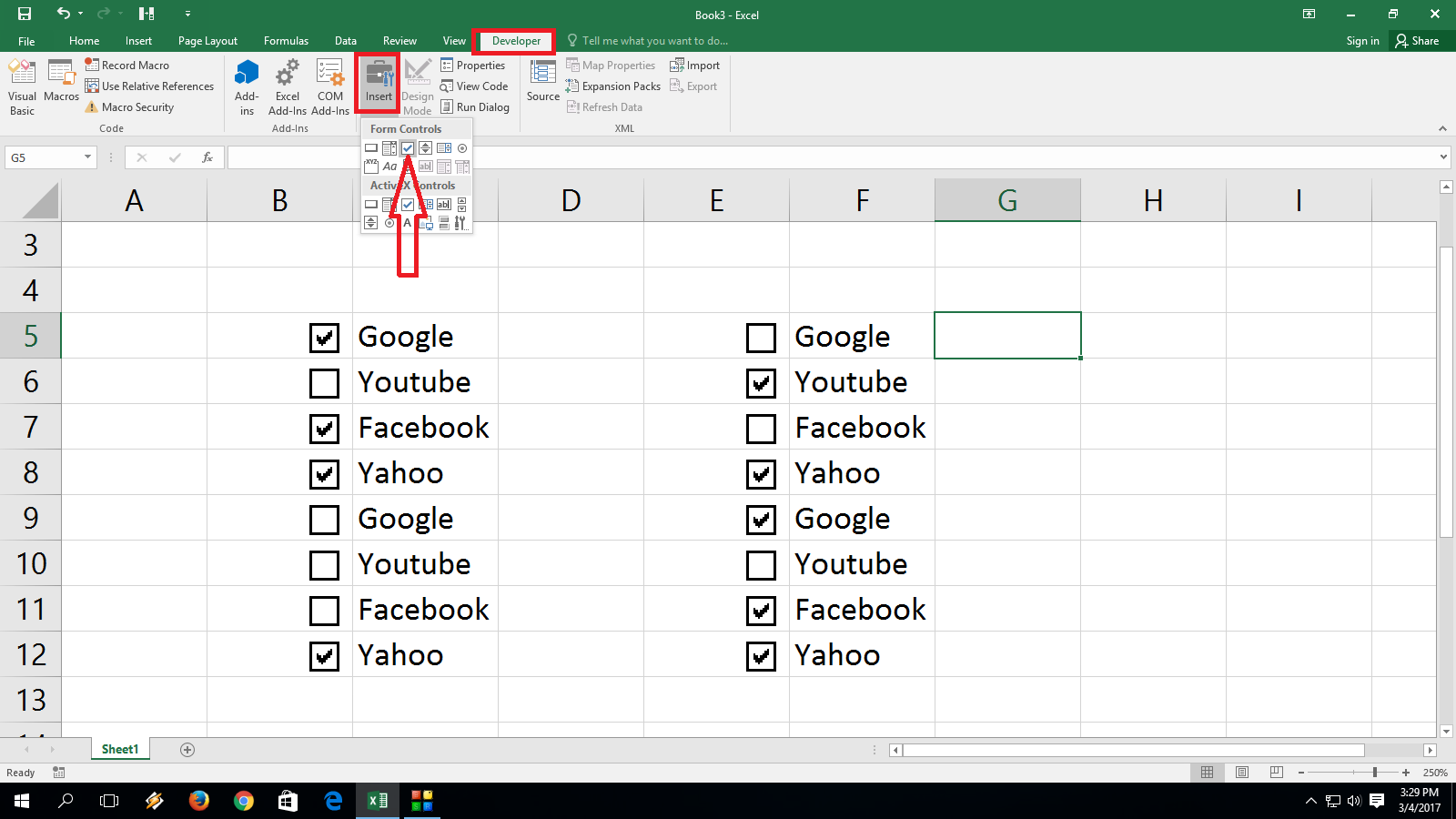
Learn New Things How To Add Check Boxes In MS Excel Sheet Easy

Web Oct 12 2019 nbsp 0183 32 35K views 4 years ago Mac In today s tutorial we will teach you how to create a checkbox in Excel for macOS First you need to open Excel or the Excel file you want to work with
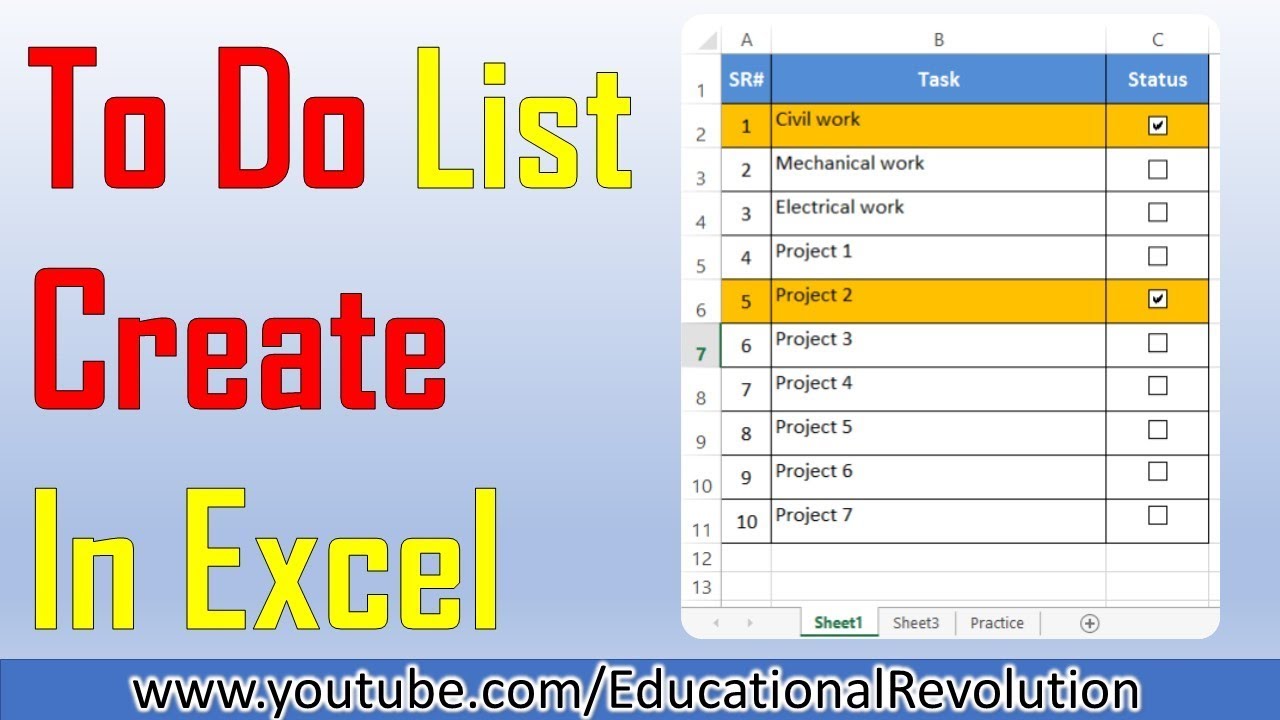
Web Mar 11 2016 nbsp 0183 32 Click the File Excel tab Click Options Preferences Click Customize Ribbon Under Customize the Ribbon and under Main Tabs select the Developer check box Go
Web Introduction Adding check boxes in Excel for Mac can be a useful way to keep track of tasks create interactive spreadsheets and make your data more dynamic Check boxes

Web Jun 3 2022 nbsp 0183 32 Open the Excel Options dialog box by clicking on the Microsoft Office button Excel Options Click on the Popular option Check the Show Developer tab in the Ribbon checkbox 2 Add your checklist

Web Dec 14 2021 nbsp 0183 32 Go to the Controls section of the ribbon and click the Insert drop down arrow At the top of the pop up menu under Form Controls select quot Check Box quot You ll see your cursor turn into a crosshairs symbol
Web Feb 5 2018 nbsp 0183 32 Easy Guide on how to add check box in your excel file for Mac users Hope this has helped you out I am in the Affiliate program so any purchase you make I w Web Feb 17 2021 nbsp 0183 32 Select quot Advanced quot on the left and scroll down to the quot General quot section Click quot Edit Custom Lists quot On Mac go to Excel gt Preferences In the quot Formulas and Lists quot
Web The guide below offers basic instructions for how to create and customize your own checklist By using Microsoft Excel templates you can make a checklist in minutes