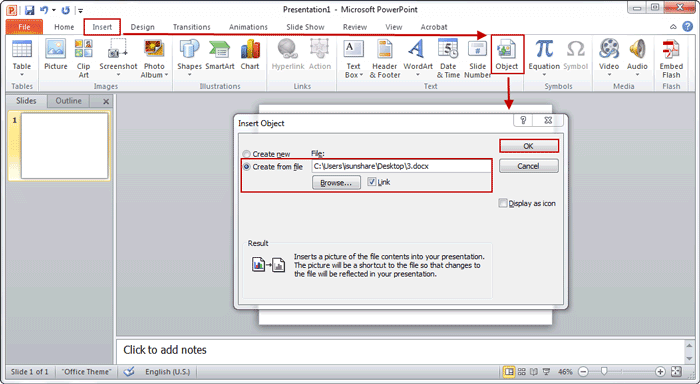
How To Insert A Document In Word How To Create Placeholder Text In Word 2013 Tidefinance 2 Ways To Insert A PDF Into A Word Document The Easiest Way To Insert A File Into A Word Document WikiHow How To Add An Attachment To A Word Document Word 2010 YouTube How To Add Comment In Word How To Insert A Hyperlink In Word 2016 Web Jan 5 2023 nbsp 0183 32 Select the Object menu down arrow and pick Object In the Object box go to the Create from File tab Enter the path to the document in the File name box or use the Browse button to choose the document Check the box for Display as Icon Optionally you can use the Change icon button to pick a different one
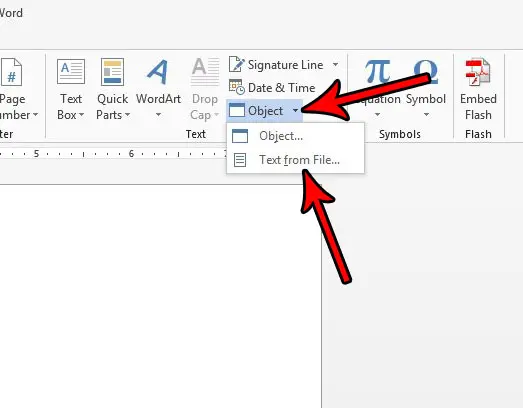
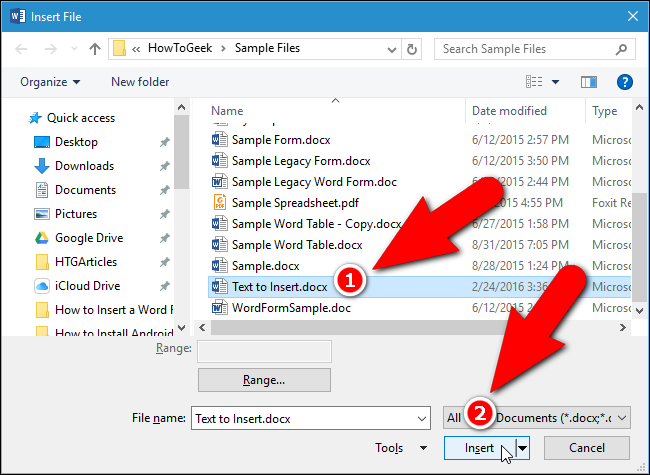
Web Locate the file that you want and then double click it To add in the contents of additional Word documents repeat the above steps as needed Important If you want to insert the header and footer also be sure to insert the text from the file in a new section so that the header and footer are applied to only those pages Web Nov 21 2021 nbsp 0183 32 Insert a document within Word by going to Insert gt Object gt Text from File Select a file and choose Insert Insert a portion of a document by going to Insert gt Object gt Text from File and selecting a file Adjust Range to choose a portion A common method to insert text into a Microsoft Word document is to cut and paste it
How To Add Comment In Word How To Insert A Hyperlink In Word 2016 How To Insert The Contents Of One Word Document Into Another How To Insert The Contents Of One Word Document Into Another Object Linking And Embedding Object Linking And Embedding Insert Icons Into Your Word Documents Weston Technology Solutions How To Insert An Object In To A Document In Word 2016 YouTube Insert Text Or Data From A Document In A Word Document How To Insert A PDF File Into Word Doc 3 Approachs How To Insert Logo In Word Document Inserting A Logo In Microsoft Word
How To Insert A Document In Word
 How To Insert A Document In Word
https://v8r5x7v2.rocketcdn.me/wp-content/uploads/2018/05/how-insert-file-word-2013-3.jpg
Web Jan 28 2021 nbsp 0183 32 Created by Anand Khanse MVP How to insert a Word document into another Word document Microsoft has made it super easy to copy and insert a Word document into another Word document This
Templates are pre-designed documents or files that can be used for different purposes. They can save time and effort by supplying a ready-made format and layout for developing different kinds of material. Templates can be utilized for individual or professional jobs, such as resumes, invitations, leaflets, newsletters, reports, presentations, and more.
How To Insert A Document In Word

How To Insert A File Inside A Word 2007 Word 2010 Document I Have A PC
How To Insert The Contents Of One Word Document Into Another
How To Insert The Contents Of One Word Document Into Another
Object Linking And Embedding Object Linking And Embedding
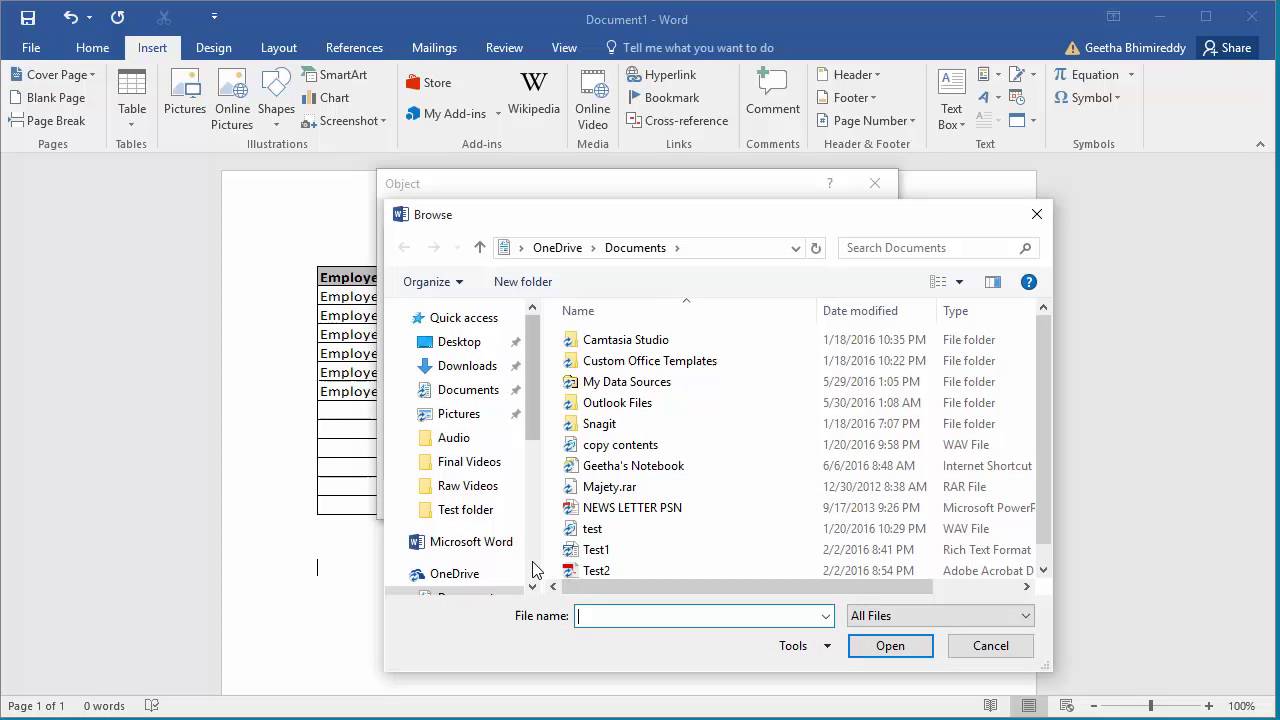
How To Insert An Object In To A Document In Word 2016 YouTube

Insert Text Or Data From A Document In A Word Document

Web Jun 5 2023 nbsp 0183 32 Click Object to insert a PDF image or another type of non text file into your Word document Then click From File on If you prefer to insert a link to and or icon of the file rather than the entire document click Options on the left Click Text from File to insert the text of another
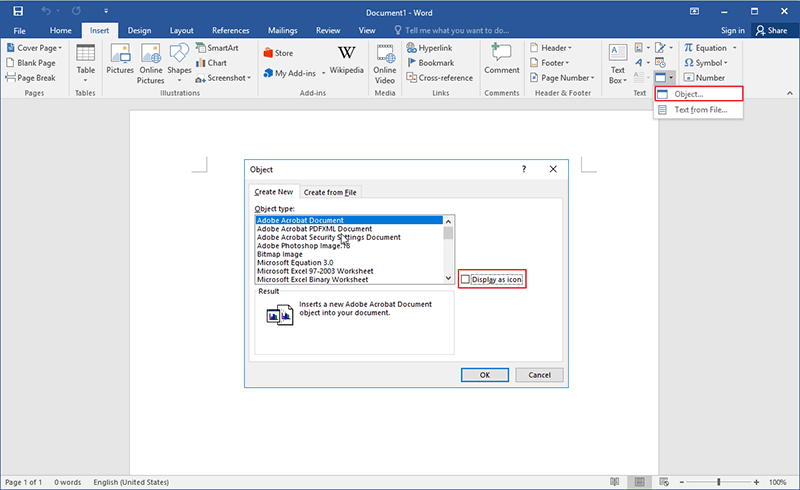
Web Jan 7 2021 nbsp 0183 32 You have two options Link to File Inserts the contents of the selected file into your Word document and creates a link back to the source Display as Icon Inserts an icon to show the reader that there is an embedded object This is ideal when saving space is

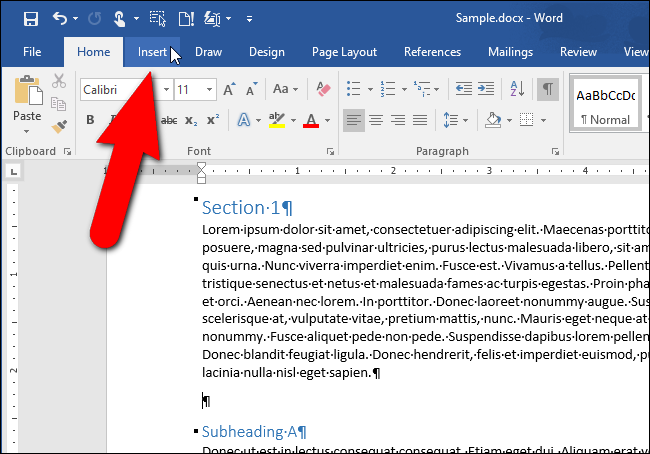
Web Sep 6 2022 nbsp 0183 32 How to Insert a Word Document Into Another Word Document Start Word and open the document into which you want to insert another Word document Alternatively select New gt Blank Place the cursor on the spot in the document where you want to insert an existing Word file Select the Insert tab
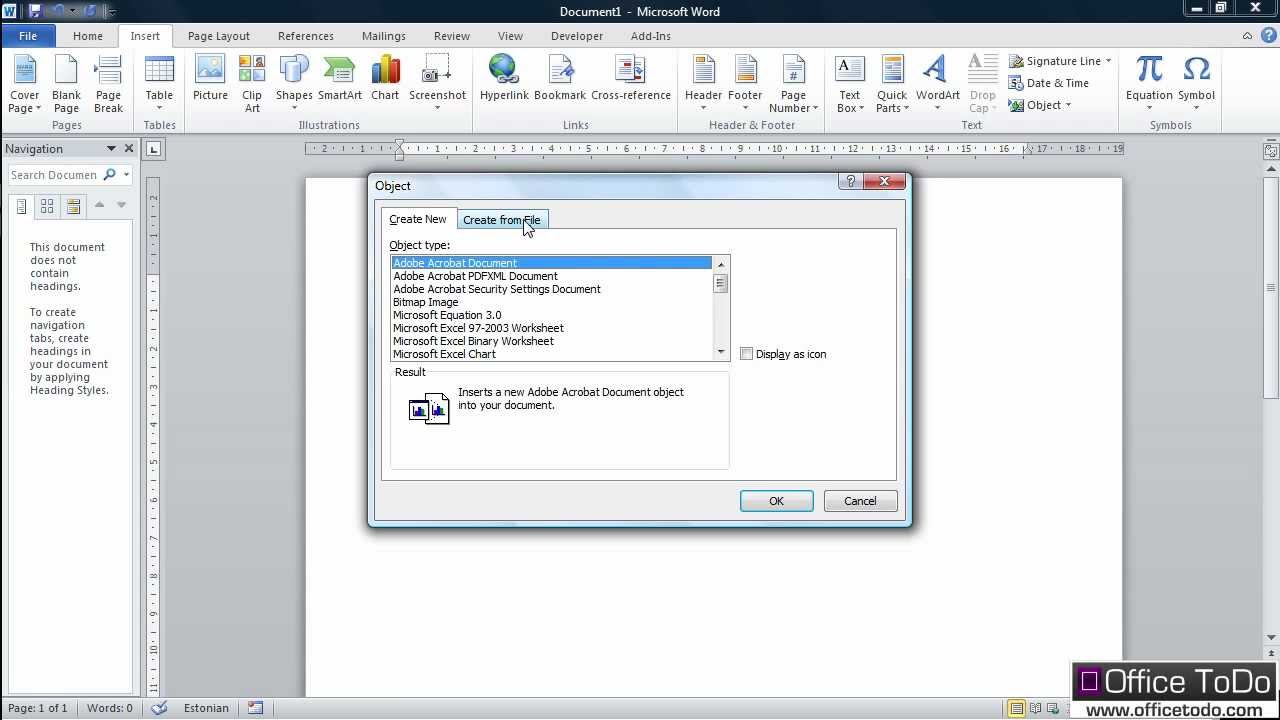
Web Mar 5 2023 nbsp 0183 32 Insert a file into a Word document Open a Microsoft Word document Locate the file on your computer that you want to insert into the Word document Click the file and while holding down the left mouse button drag the file

Web Link or Embed a file To insert a copy of your file into another embed or link to it Go to Insert gt Object Select Create from File Select Browse and choose the file you want to use Select Insert Choose Display as icon to embed or Link to file for a link Select OK
[desc-11] [desc-12]
[desc-13]