How To Highlight In Adobe Reader Adobe Reader Change Highlight Color How To Highlight Text In A PDF Document 12 Steps with Pictures How To Highlight PDF In Adobe Acrobat And Its Alternative Adobe Reader XI PDF Annotations YouTube How To Redline A Pdf In Adobe Pro Angelo Sells Web May 28 2016 nbsp 0183 32 5 How do i neatly highlight text in Acrobat michaeldifeo New Here May 28 2016 Hi I m wondering if something has changed in the program In the past i was able to click and drag over pdf text after it was converted to neatly highlight blocks of text Now the highlight tool is operating freehand and it s making my documents messy
Web Feb 18 2021 nbsp 0183 32 In this tutorial we will be discussing about Highlight Tool and Notes in Highlight in Acrobat Reader acrobat acrobatreader acrobatreaderdcLearn the basic Web Dec 2 2020 nbsp 0183 32 An alternative method of highlighting text from within Adobe Acrobat Reader is to select the text you want to highlight then select the highlighter from the context menu that appears If you miss the context menu you can right click the highlighted text and select Highlight Text How to Change Highlight Color in Adobe Acrobat Reader
How To Redline A Pdf In Adobe Pro Angelo Sells 4 Ways To Highlight Text In A PDF Document WikiHow Solved Acrobat DC Highlighting How To Highlight In A Str Adobe Support Community How To Highlight Text In PDF Files Kdan PDF Reader Adobe Highlight Text Shortcut Bapsf How To Highlight In Pdf Using Adobe Acrobat Pro Dc YouTube How To Change Highlight Color In Pdf Document Hathcock Sheatran How To Change Highlight Color In Adobe Acrobat Reader DC Guiding Opusten Pl Spacie More Highlight Color In Adobe Reader Hranie Po ta ov ch Hier V h ad Termin l
How To Highlight In Adobe Reader
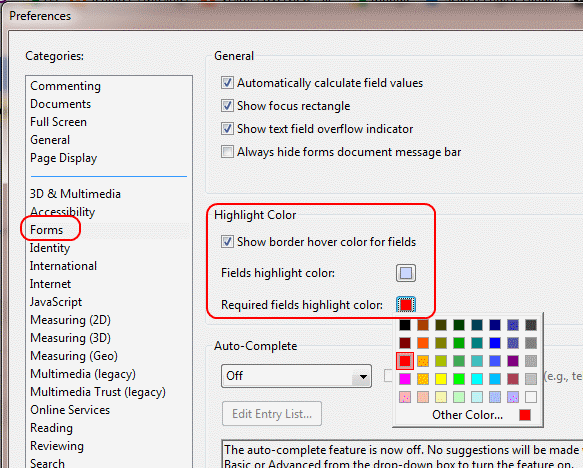 How To Highlight In Adobe Reader
http://www.technipages.com/wp-content/uploads/2012/07/Adobe-Reader-change-highlight.png
Web Open a web browser on your laptop or smartphone and head to the Adobe Acrobat online services hub Choose the tool to Edit a PDF Drag and drop your PDF file into the box that appears Go to the toolbox at the top of the PDF editor and choose the highlighter tool You ll see a colour palette grid
Templates are pre-designed documents or files that can be used for various functions. They can save effort and time by offering a ready-made format and design for creating different sort of content. Templates can be utilized for personal or expert tasks, such as resumes, invitations, flyers, newsletters, reports, presentations, and more.
How To Highlight In Adobe Reader

How To Highlight PDF In Adobe Acrobat And Its Alternative

4 Ways To Highlight Text In A PDF Document WikiHow

Solved Acrobat DC Highlighting How To Highlight In A Str Adobe Support Community
How To Highlight Text In PDF Files Kdan PDF Reader
How To Highlight In Pdf Using Adobe Acrobat Pro Dc YouTube
How To Change Highlight Color In Pdf Document Hathcock Sheatran

Web Jul 28 2022 nbsp 0183 32 Method 1 Using Adobe Reader DC 1 Open a PDF document in Adobe Reader Do so by opening the red Adobe Reader app with the stylized white A icon Then click on File in the menu bar at the top of the screen click on Open select the PDF document you want to type on and click on Open

Web How to Highlight a PDF Document With Adobe Reader 9 Step 1 Click on quot Tools quot in the top menu bar Select quot Comment amp Markups quot and the quot Highlight Text quot tool The highlight text tool is a square button Step 2 Step 3
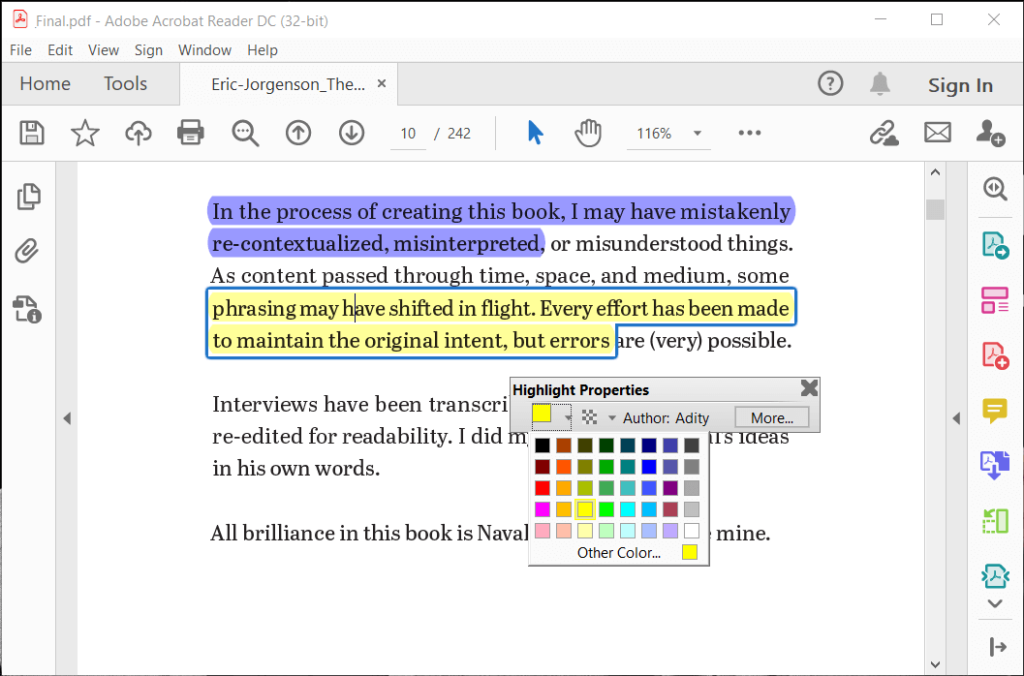
Web Jan 10 2022 nbsp 0183 32 Right click the text you want to highlight in Adobe Acrobat Reader and click quot Highlight Text quot Right click the highlighted text again then go to Properties gt Appearance and select a highlight color Check quot Make Properties Default quot to change the default highlight color

Web Here s how easy it is to highlight important text directly in a PDF Open your PDF in Acrobat Click and drag the cursor to select the area of text you want to highlight A small toolbox will appear above your text Select the highlighter tool icon and it

Web Mar 9 2021 nbsp 0183 32 Steps to Highlight Text in PDF Using Adobe Acrobat Reader DC Open your PDF in Adobe Acrobat Reader DC Select the Highlight text icon from the toolbar at the top of the screen Once you select it the Highlight text tool will be active indicating it as the chosen option Locate the text or sentence
Web Oct 23 2015 nbsp 0183 32 In Acrobat select the text you want to highlight and press your chosen shortcut in my code it s Alt CTRL shift h You can use the AHK Window Spy provided with autohotkey to find the position needed for your code windows or button name etc You can also add just before the return a new line with Send Web Aug 20 2021 nbsp 0183 32 Oct 20 2021 Acrobat 101 right click on any tool select Properties from the context sensitive pop out menu In your case the highlighter s properties will include its color Since this basic task is unfamiliar to you consider taking a class in Acrobat or even some free online tutorials
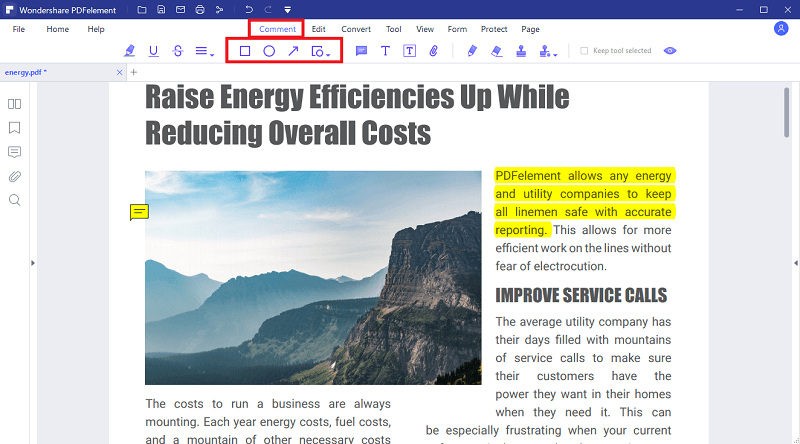
Web May 23 2023 nbsp 0183 32 Post questions and get answers from experts Use the annotation and drawing markup tools such as lines arrows boxes and other shapes to add comments to your PDF document in Adobe Acrobat and Acrobat Reader You can also customize the appearance of the commenting tools