How To Highlight Duplicates In Google Sheets Using Conditional Formatting Highlight Duplicates In Google Sheets Conditional Formatting Vs Add on Highlight Duplicates In Google Sheets Conditional Formatting Vs Add on Google Sheets Duplicate Values The Ultimate Guide To Using How To Highlight Duplicates In Google Sheets Gambaran Highlight Duplicates In Google Sheets With Conditional Formatting Web Jul 22 2023 nbsp 0183 32 Click here to get your free Google Sheets cheat sheet Method 1 Highlight duplicates with conditional formatting custom formula is The most common way to highlight duplicates in Google Sheets is by using the Custom formula is option in the conditional formatting rules
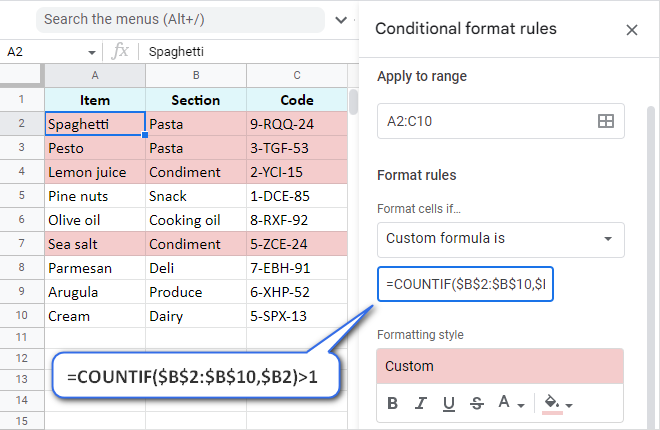
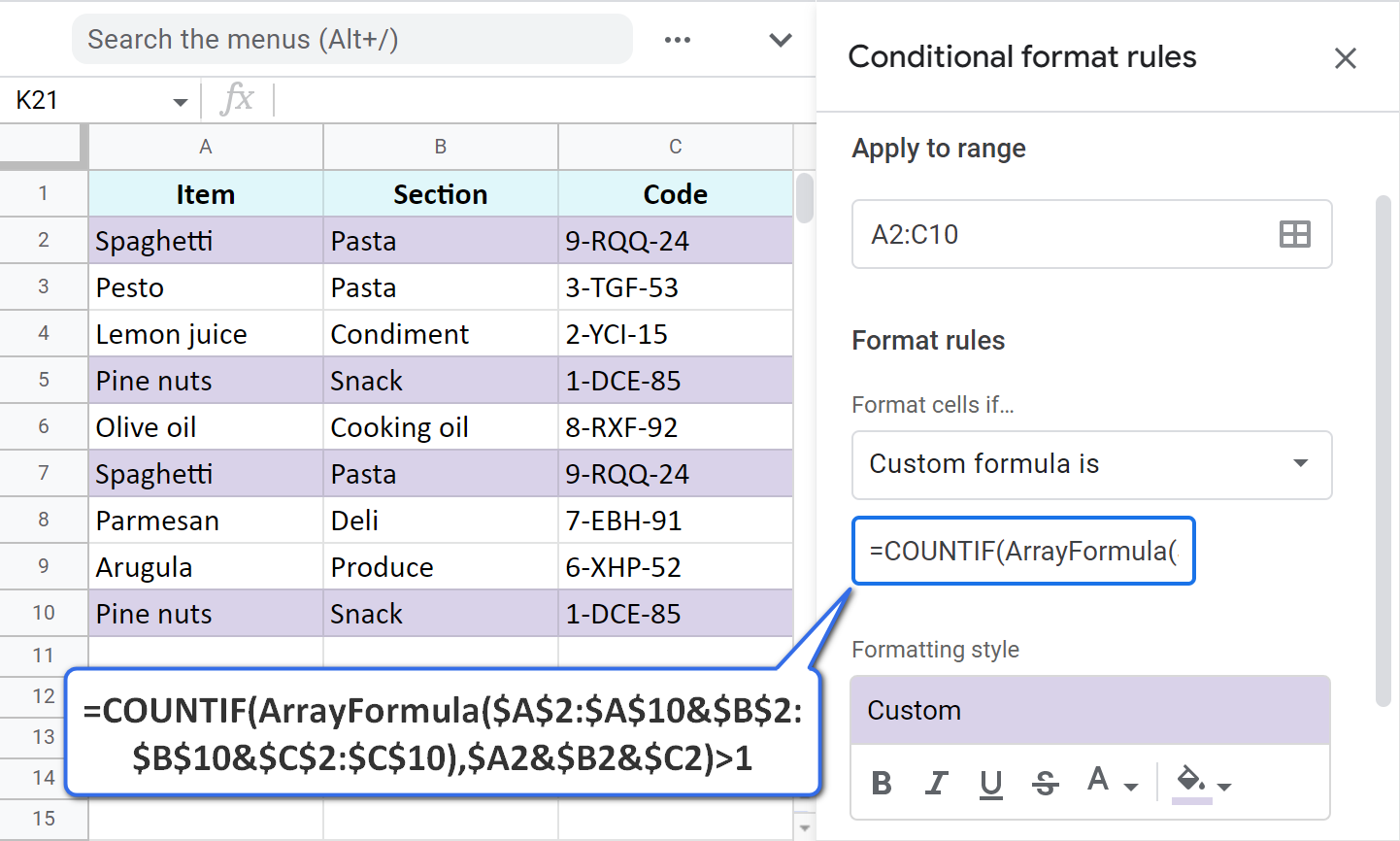
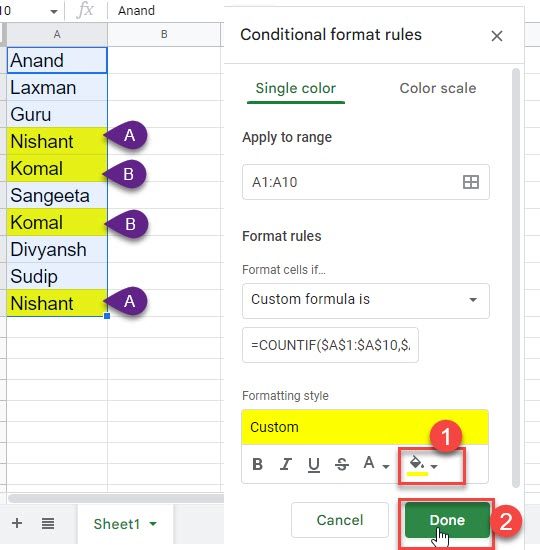
Web Jul 12 2023 nbsp 0183 32 Below are the steps to highlight duplicate rows using conditional formatting Select the dataset excluding the headers Click the Format option in the menu In the options that show up click on Conditional formatting Click on the Add another rule option Web Jul 12 2022 nbsp 0183 32 Step 1 Open your spreadsheet Step 2 Highlight the data you want to check Step 3 Under Format select Conditional Formatting Step 4 Select Custom formula is Step 5 Enter the custom duplicate checking formula Step 6 Click Done to see the results Step 1 Open your spreadsheet
Highlight Duplicates In Google Sheets With Conditional Formatting Z Druhej Ruky portova Kopec Google Spreadsheets Highlight Duplicates Google Sheets Highlight Duplicates Everything You Need To Know Highlight Duplicates In Google Sheets With Conditional Formatting Highlight Duplicates In Google Sheets Top 5 Methods Highlight Duplicates In Google Sheets Computing How To Highlight Duplicates In Google Sheets How To Highlight Duplicates In Google Sheets Gambaran How To Highlight Duplicates In Google Sheets Layer Blog
How To Highlight Duplicates In Google Sheets Using Conditional Formatting
 How To Highlight Duplicates In Google Sheets Using Conditional Formatting
https://cdn.ablebits.com/_img-blog/google-sheets-highlight-duplicates/highlight-entire-rows.png
Web Highlighting duplicates in Google Sheets requires conditional formatting using the custom formula COUNTIF A A A1 gt 1 Let s review how to use it TIP If you d rather not dive into formulas just yet you can download an add on from Google Sheets that will find and highlight duplicates for you 1
Templates are pre-designed files or files that can be utilized for different purposes. They can save effort and time by providing a ready-made format and layout for creating various sort of material. Templates can be utilized for personal or expert tasks, such as resumes, invites, leaflets, newsletters, reports, discussions, and more.
How To Highlight Duplicates In Google Sheets Using Conditional Formatting

Como A Formata o Condicional Duplica C lulas Em Uma Coluna Na Planilha
Z Druhej Ruky portova Kopec Google Spreadsheets Highlight Duplicates

Google Sheets Highlight Duplicates Everything You Need To Know

Highlight Duplicates In Google Sheets With Conditional Formatting

Highlight Duplicates In Google Sheets Computing
How To Highlight Duplicates In Google Sheets
Web On your computer open a spreadsheet in Google Sheets Select the cells you want to apply format rules to Click Format Conditional formatting A toolbar will open to the right Create a rule
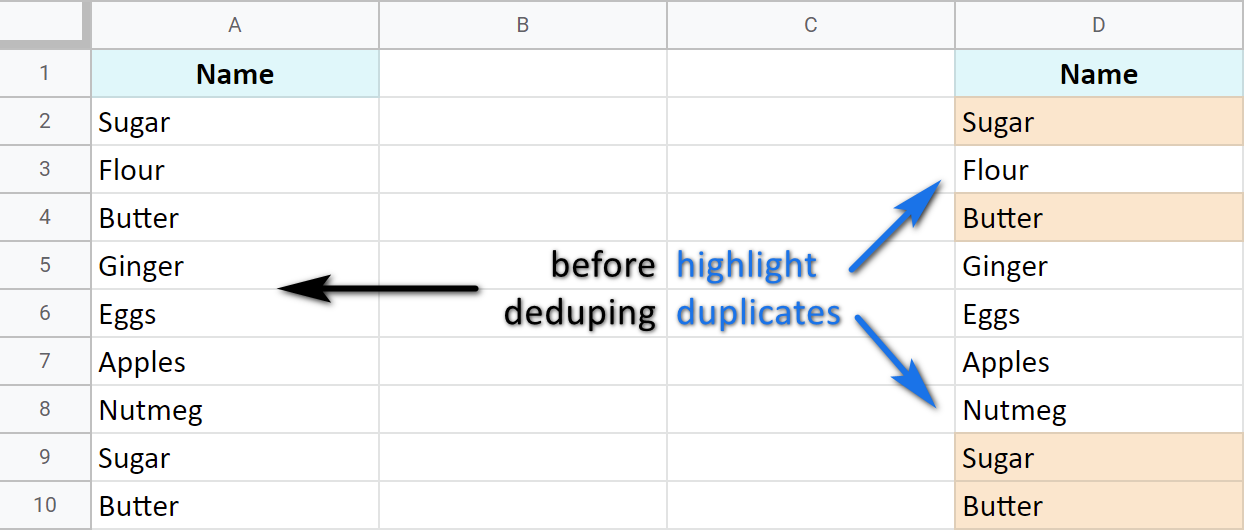
Web The main function we can use to find duplicates is the COUNTIF function In this guide we will show you how to use conditional formatting to highlight duplicate values in Google Sheets We will also provide a few different variations of the formula for different use cases
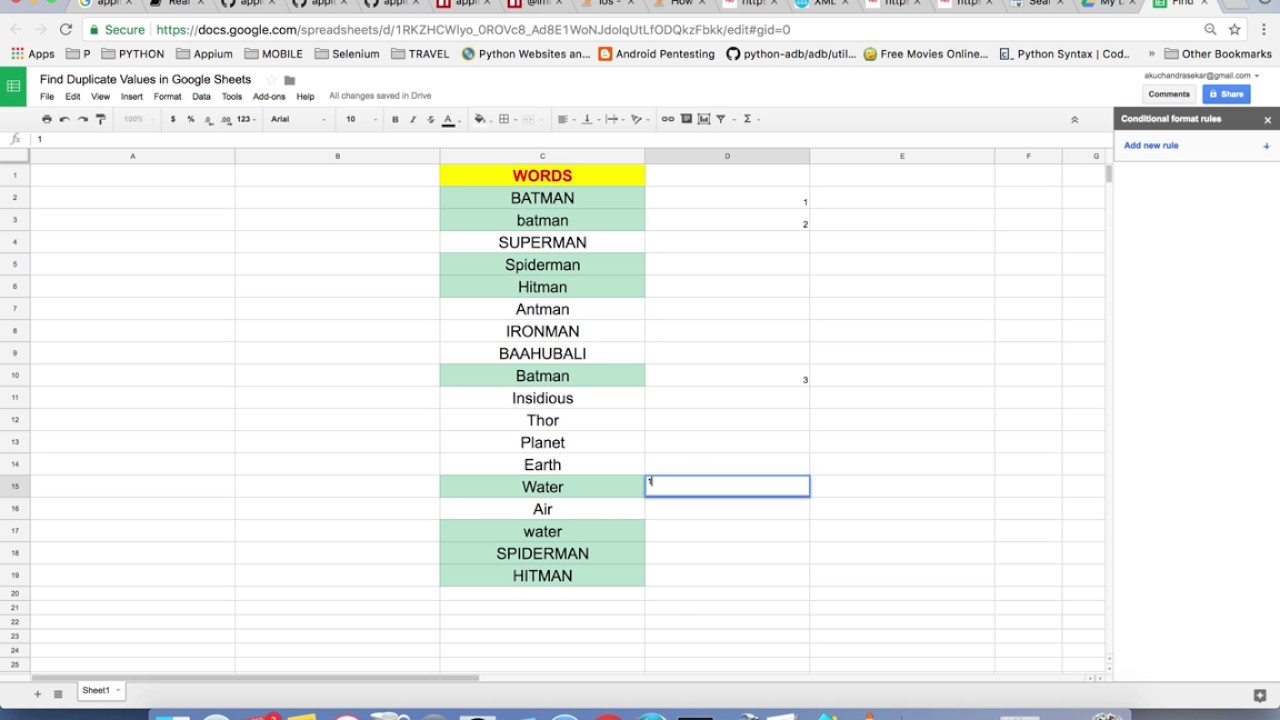
Web Mar 9 2023 nbsp 0183 32 To highlight duplicate cells in one Google Sheets column open conditional formatting and set the following options apply the rule to your range of cells A2 A10 in my example pick Custom formula from the drop down with the condition and enter the following formula COUNTIF A 2 A 10 A2 gt 1 Note

Web Sep 16 2022 nbsp 0183 32 Select Format gt Conditional Formatting Select Custom formula is in the Format cells if menu Then enter countif A A A1 gt 1 adjust the letters for the chosen column range Choose a color in the Formatting Style section Other methods Use the UNIQUE formula or an add on
Web Apr 28 2023 nbsp 0183 32 You can only highlight duplicates in Google Sheets using formula based conditional formatting And you can add formula based conditional formatting using the Custom formula rule To do so first under the Format rules click on the drop down and select Custom formula is from the list Step 4 Enter the formula COUNTIF
[desc-11] [desc-12]
[desc-13]