How To Get Proxy Settings In Cmd How To Check Proxy Settings Through Cmd How To Setup A Proxy In Windows 10 HydraProxy How To Change Proxy Setting In Google Chrome And Chromium Settings Vrogue How To Change Proxy Settings In Windows 10 Tutorial YouTube How To Configure Proxy Settings In Chrome And Chromium By The Social In the newly opened window click or tap the section labeled Network Internet Here you find several subsections with settings The last one should be named Proxy To change the proxy settings in Windows 10 click or tap on it Two separate sections can be configured on the right Automatic proxy setup and Manual proxy setup
Command to change the proxy address reg add HKCU Software Microsoft Windows CurrentVersion Internet Settings v ProxyServer t REG SZ d proxyserveraddress proxyport f I have added line continuation for improved readability Also in this case it is more like a per user setting than a system wide setting To configure a proxy server by using the Netsh exe tool To use the Netsh exe tool to configure a proxy server follow these steps Click Start click Run type cmd and then click OK At the command prompt type netsh winhttp set proxy proxyservername portnumber and then press ENTER
How To Configure Proxy Settings In Chrome And Chromium By The Social Edge TechCult GAMINGDEPUTY KOREA 4 Ways To Disable Proxy Settings WikiHow Enable Application Proxy Greyed Out How To Configure Proxy Settings On Ubuntu 20 04 HTTP Proxy Configuration On Windows 10 Perfect Privacy Carte Proxy Yu Gi Oh How To Change Internet Browser Proxy Settings After A Malware Infection Windows 10 Proxy Virus 127 0 0 1 8080 Windows 10
How To Get Proxy Settings In Cmd
 How To Get Proxy Settings In Cmd
https://i.stack.imgur.com/D61uZ.png
Windows Settings Proxy Method 2 Using command prompt Note For device machine wide Applies globally to the device not just the current user replace the user only path from HKEY CURRENT USER Software Microsoft Windows CurrentVersion Internet Settings to HKEY LOCAL MACHINE SOFTWARE Microsoft Windows CurrentVersion Internet Settings OR HKEY LOCAL MACHINE SOFTWARE
Templates are pre-designed files or files that can be utilized for numerous functions. They can conserve effort and time by offering a ready-made format and design for developing different kinds of material. Templates can be used for individual or expert jobs, such as resumes, invitations, leaflets, newsletters, reports, presentations, and more.
How To Get Proxy Settings In Cmd
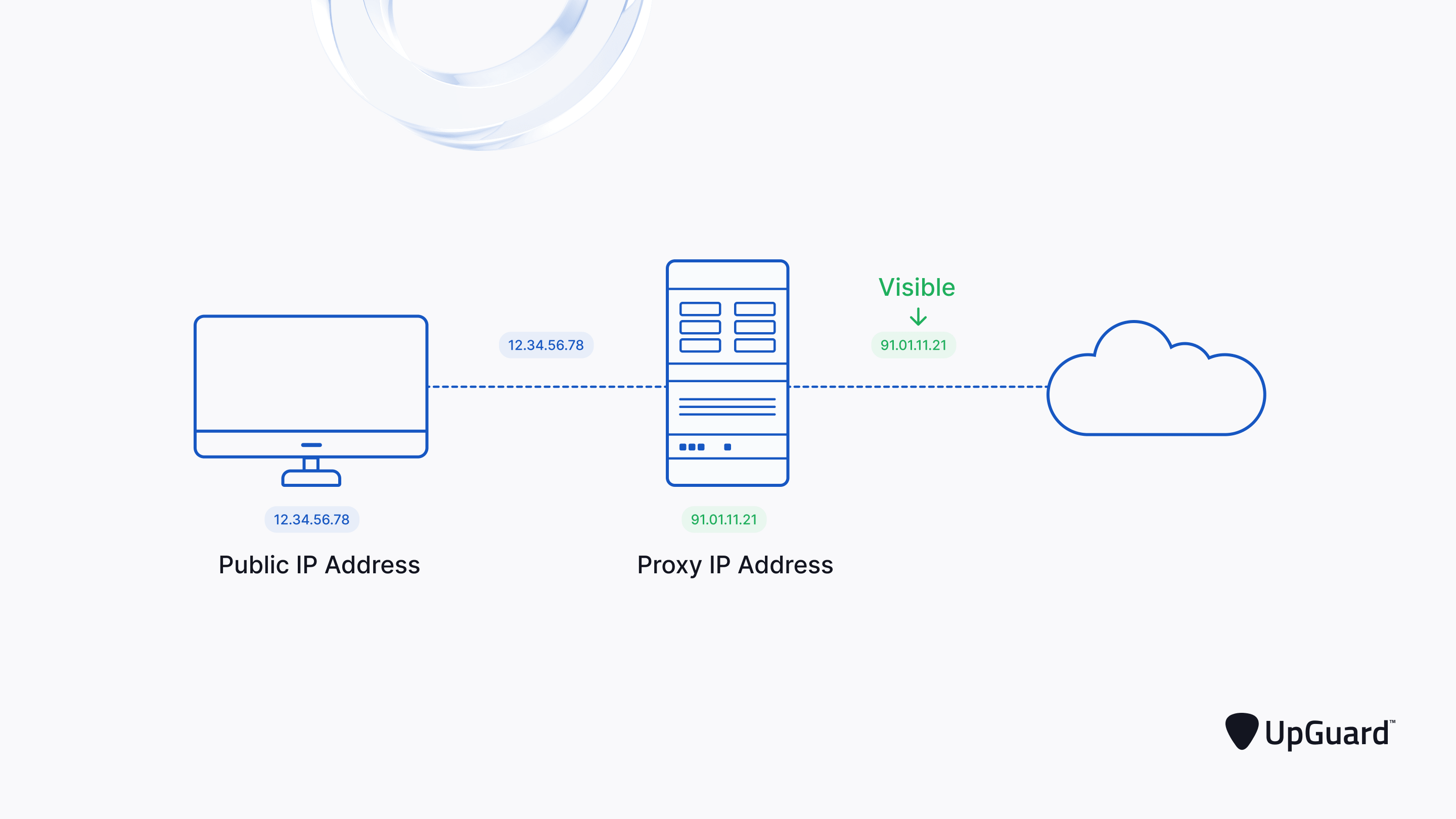
Common Function Of A Proxy Server AbramrosFitzgerald
Edge TechCult GAMINGDEPUTY KOREA

4 Ways To Disable Proxy Settings WikiHow
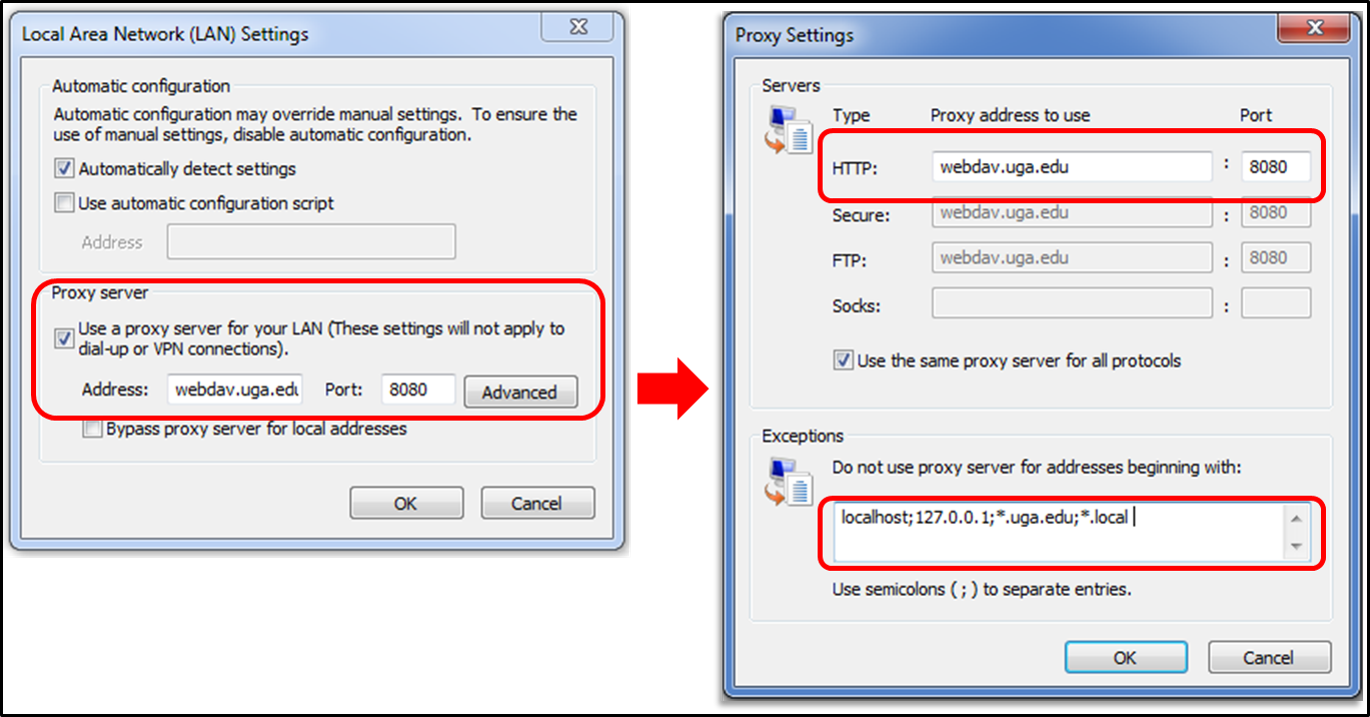
Enable Application Proxy Greyed Out
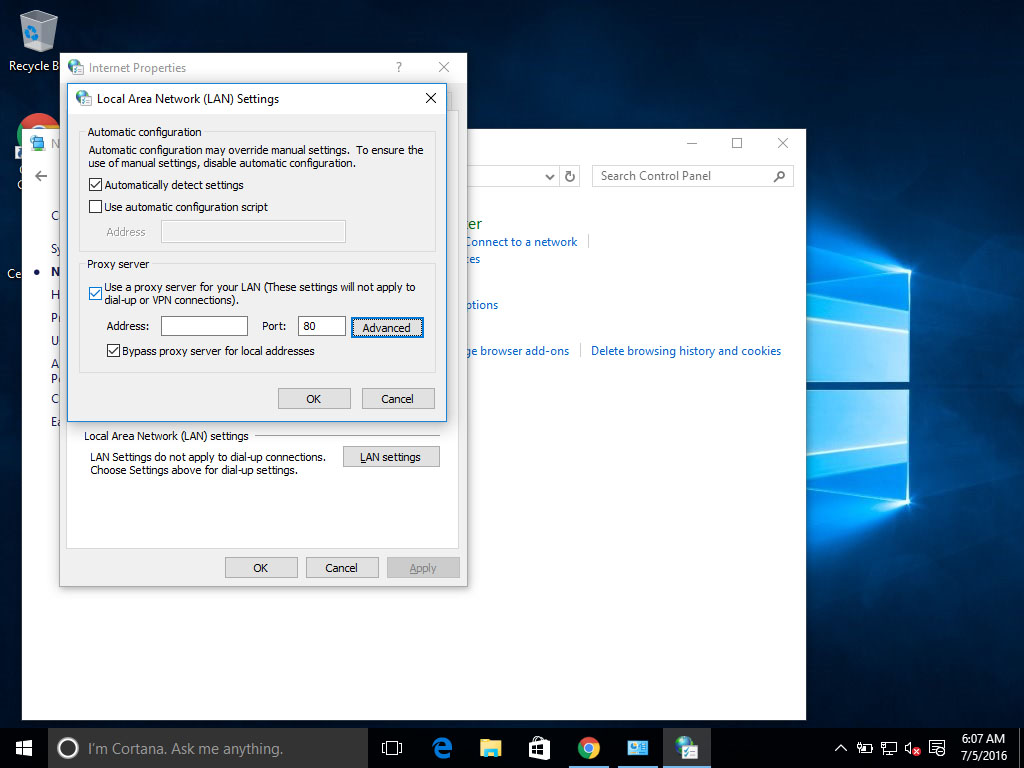
HTTP Proxy Configuration On Windows 10 Perfect Privacy
Carte Proxy Yu Gi Oh

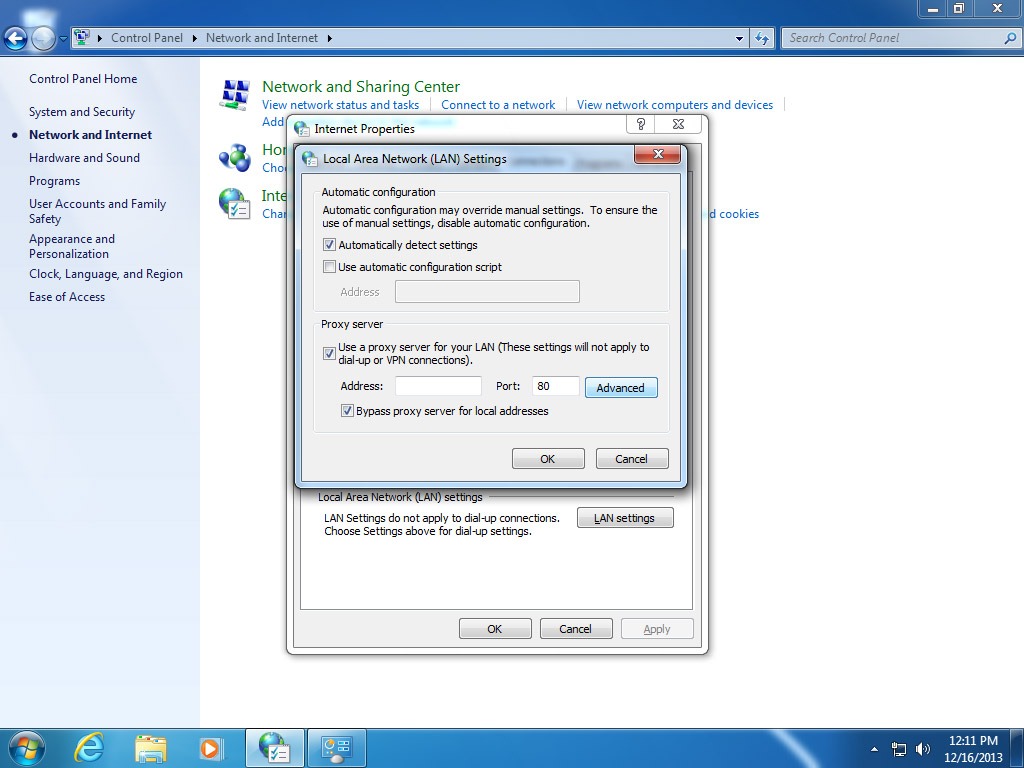
Is there a way to print out Windows proxy setting via CLI accurately At the moment I found 2 ways to do it unfortunately when I compare with IE Lan Settings GUI it s not accurate netsh winhttp show proxy or reg query HKEY CURRENT USER Software Microsoft Windows CurrentVersion Internet Settings findstr ProxyServer AutoConfigURL Example 1
1 Answer Sorted by 2 On Windows one can modify the network settings via commandline by using the netsh command

Learn how to set up a connection to a proxy server on your Windows PC

Windows How do I configure proxy settings for LOCAL SYSTEM Server Fault If I edit Proxy Settings through the Control Panel the settings are stored in HKEY CURRENT USER Software Microsoft Windows CurrentVersion Internet Settings ProxyEnable and ProxyServer These Stack Exchange Network
1 I know I can manually set the proxy via windows settings under Manual Proxy Setup But is there a way to do this via the command line I ve tried netsh winhttp set proxy proxy port using administrator cmd but when I try to load chrome it still says my normal IP If I do the manual changes in the settings though chrome shows the proxy
Open an elevated command prompt Go to Start and type cmd Right click Command Prompt and select Run as administrator Type the following command and press Enter PowerShell Copy netsh winhttp set proxy For example netsh winhttp set proxy 10 0 0 6 8080 Setting up proxies via Command Prompt Setting up proxies via Network Settings Step 1 Click on the Start button and then click on the gear icon Settings Step 2 In Settings click on Network Internet Step 3 In the left column choose the Proxy tab It s located at the very bottom Step 4
Fortunately the pip installer works for Windows as well allowing the installation of Python packages automatically with a simple command pip install package name But at work we re behind a proxy server so I have to set the HTTP PROXY environment variable first before pip can connect to download the packages