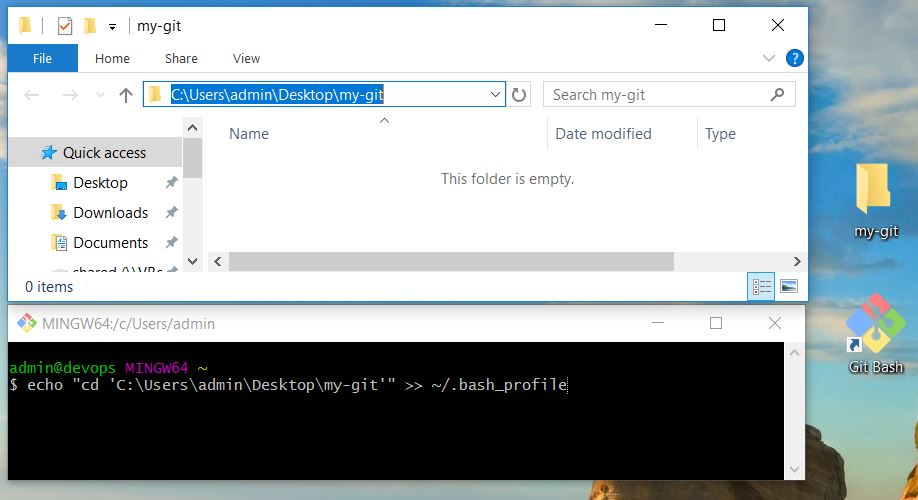
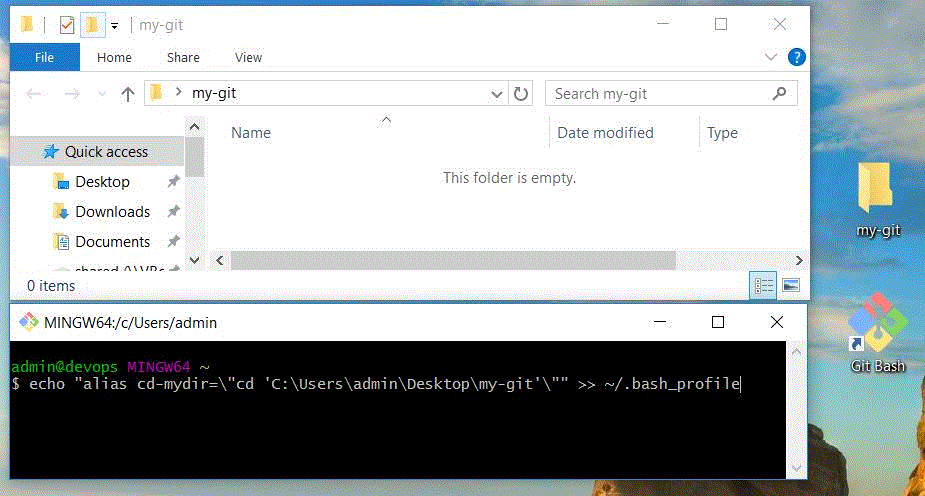
How To Get Into A Directory In Git Bash Clone Into A Non Empty Git Directory Delft Stack Git Bash How To Change Directory How To Change Directory In Git Bash YouTube Git Architecture Unix Linux Extract Tar Archive To Existing Directory In Git bash YouTube Web Apr 7 2022 nbsp 0183 32 You should have a file bashrc into your home directory It should be under C Users login Add the following line in the file cd quot projet directory full path quot Open a new session and it should start on your project directory
Web May 27 2017 nbsp 0183 32 Please make sure you have the correct access rights and the repository exists git remote add origin https github TracyExcell Portfolio fatal remote origin already exists cd https github TracyExcell Portfolio bash cd https github TracyExcell Portfolio No such file or directory Web Aug 28 2019 nbsp 0183 32 I have just installed Git and added PyCharm as my default text editor I then opened the quot Git Bash quot at the end of installation I successfully made the new directory quot git work flow quot just as he did in the video I then used quot cd quot to move to the new folder
Unix Linux Extract Tar Archive To Existing Directory In Git bash YouTube Adding Git Bash To Windows Terminal Tim Schaeps How To Set Git Bash Default Directory How To Set Git Bash Default Directory Git Bash Change Directory What Is Git Bash Working With Git Bash Commands Copy And Paste In Git Bash Solved How Do I Change The Directory In Git Bash With 9to5Answer How To Copy And Paste In Git Bash
How To Get Into A Directory In Git Bash
 How To Get Into A Directory In Git Bash
https://www.delftstack.com/img/Git/feature image - git clone into current directory.png
Web Read tutorial How to navigate folders The Bash command pwd is used to print the present working directory pwd is equivalent to executing cd on a DOS Windows console host terminal This is the folder or path that the current Bash session resides in
Templates are pre-designed files or files that can be used for different purposes. They can conserve effort and time by supplying a ready-made format and design for developing different kinds of content. Templates can be used for individual or professional tasks, such as resumes, invites, flyers, newsletters, reports, discussions, and more.
How To Get Into A Directory In Git Bash
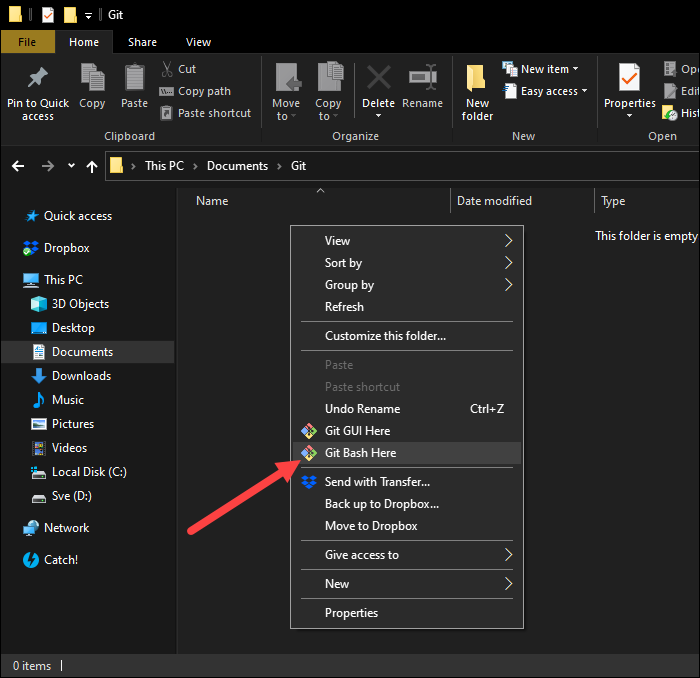
How To Get Started With Git Bash On Windows
Adding Git Bash To Windows Terminal Tim Schaeps
How To Set Git Bash Default Directory
How To Set Git Bash Default Directory
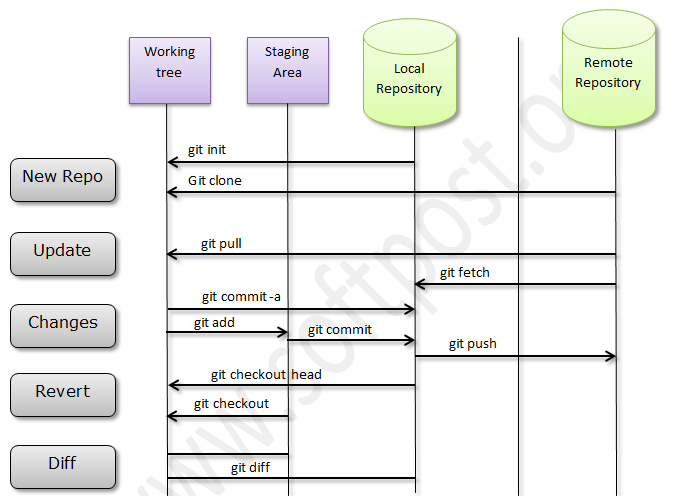
What Is Git Bash Working With Git Bash Commands

Copy And Paste In Git Bash

Web Aug 17 2013 nbsp 0183 32 You will need to use quotes in your directory name or the short version of the filename You can find the short version of the file name by issuing the command dir x If I remember correctly I do not have a windows machine It is a version of bash shell though so you should be able to simply

Web Jul 7 2021 nbsp 0183 32 Open Git Bash Navigate to the directory in which you want to create a folder Type the following command mkdir lt folder name gt and Press enter to create the directory Note Remember that when you do not mention a more than one word directory name in quotes it will create two directories namely First and Project

Web for Linux cd home user my project for macOS cd Users user my project for Windows cd C Users user my project and type git init This creates a new subdirectory named git that contains all of your necessary repository files a Git repository skeleton At this point nothing in your project is tracked yet
Web Jun 17 2021 nbsp 0183 32 To go back to particular directory without pasting the entire directory simply input this command quot cd quot quot quot That is the normal Change directory command quot cd quot plus two fullstops quot quot This will simply go backspace the current directory and goes back to the previous directory An example if you had quot C Users quot

Web Nov 1 2023 nbsp 0183 32 Open Git Bash and change the current working directory to your local project by use of the cd command Step 2 Commit Repository in Git Bash Initialize the local directory as a Git repository
Web Go to a folder in git bash Use the pwd command to see which path you are currently in cd c project Web The following are the basic steps to create a directory through your shell Go into the repository or project that you ll be working on cd NAME OF PROJECT Download the latest changes in the project so that you work on an up to date copy git pull
Web Where is the Git Bash directory Ask Question Asked 6 years 8 months ago Modified 1 year 11 months ago Viewed 84k times 50 When I open Git Bash on Windows 7 the default directory is It has nix style subdirectories and cd doesn t change the directory Where is this directory on my Windows machine