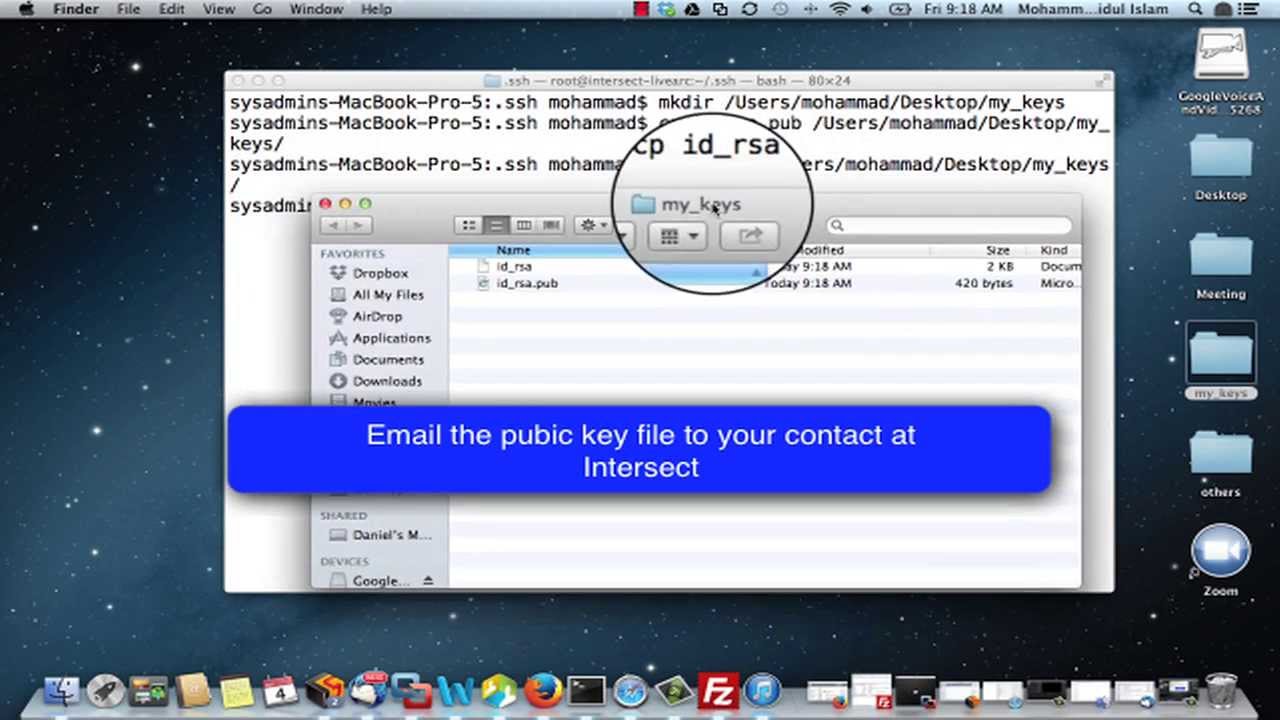
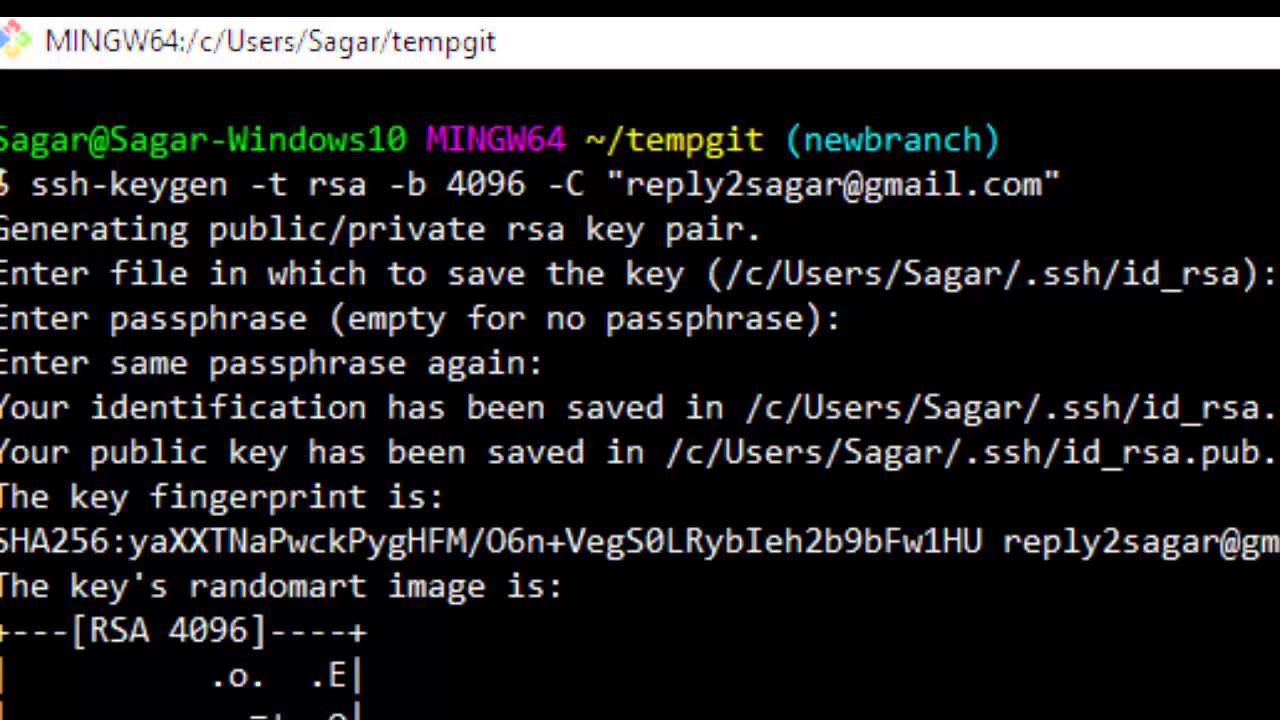
How To Generate Ssh Key For Git On Mac How To Generate SSH Keys On A Mac YouTube Git Generate Ssh Private Key How To Generate And Add SSH Key In Gitlab ItSolutionStuff Solved Showing Invalid SSH Key Git How To Add Your Computer s SSH Key To Your Github Account Using In order to generate SSH keys for your Git repository use the ssh keygen command and specify the encryption algorithm that you want to use ssh keygen t rsa b 4096 C email example Note that it is recommended to generate your SSH keys in the ssh directory of your home directory
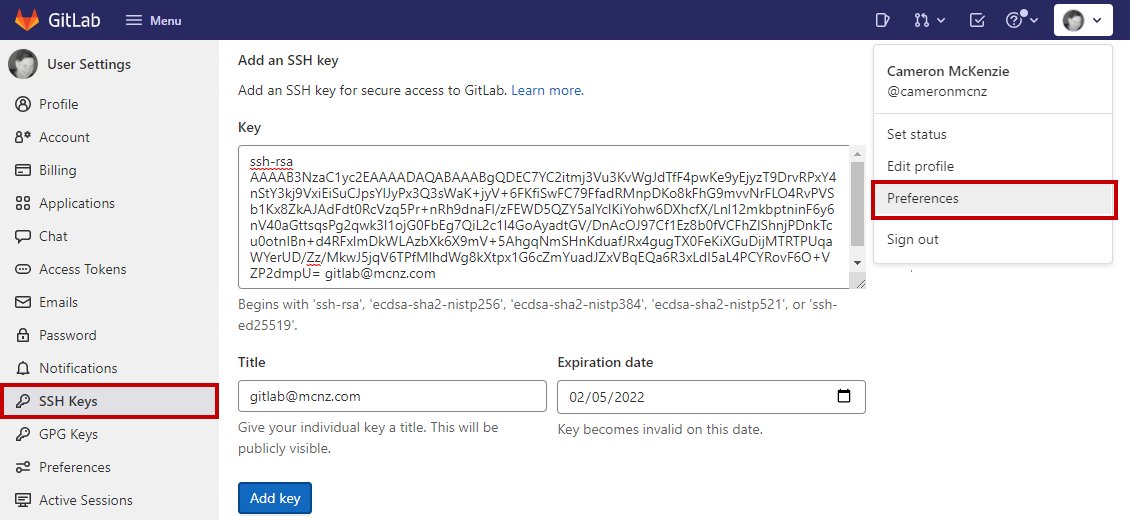
Let s get into it Create another SSH key pair and add it to your other GitHub account Keep in mind the name of the file you re assigning the new key to ssh keygen t ed25519 C work email Create the SSH config file The config file tells the ssh program how it should behave Execute the following command ssh keygen t rsa when prompted enter password key name can stay the same Open the file you ve just created ssh id rsa pub with your favorite text editor and copy contents to your Git repository s keys field GitHub beanstalk or any other repository provider under your account
Git How To Add Your Computer s SSH Key To Your Github Account Using How To Generate SSH Key With Git To Connect GitHub YouTube Git Bash Windows 10 Generate Ssh Key How To Setup The Git Ssh Keys Algebra Doh ny Farag Add Ssh Key To Server Linux Belf ldi Csomag sszetett How To Generate Ssh Key In Windows 10 Setup Ssh Key In Windows YouTube How To Generate SSH Key For GIT On Windows YouTube How To Generate A SSH Key And Add Your Public Key To The Server For How To Use Native Ssh Client In Windows 10 Windows Os Hub Riset Windows Generate Ssh Key For Git Priceyellow
How To Generate Ssh Key For Git On Mac
 How To Generate Ssh Key For Git On Mac
https://i.ytimg.com/vi/a6tbQRNyfss/maxresdefault.jpg
1 Generate a new SSH key on your computer or use an existing SSH key 2 Add the SSH key to the ssh agent 3 Add the SSH key to your Github account As of August 13 2021
Templates are pre-designed documents or files that can be used for various functions. They can save time and effort by supplying a ready-made format and layout for creating various sort of material. Templates can be utilized for individual or expert jobs, such as resumes, invitations, flyers, newsletters, reports, presentations, and more.
How To Generate Ssh Key For Git On Mac
How To Generate New Ssh Keys In Git YouTube

How To Generate SSH Key With Git To Connect GitHub YouTube
Git Bash Windows 10 Generate Ssh Key How To Setup The Git Ssh Keys
Algebra Doh ny Farag Add Ssh Key To Server Linux Belf ldi Csomag sszetett

How To Generate SSH Key For GIT On Windows YouTube

How To Generate A SSH Key And Add Your Public Key To The Server For

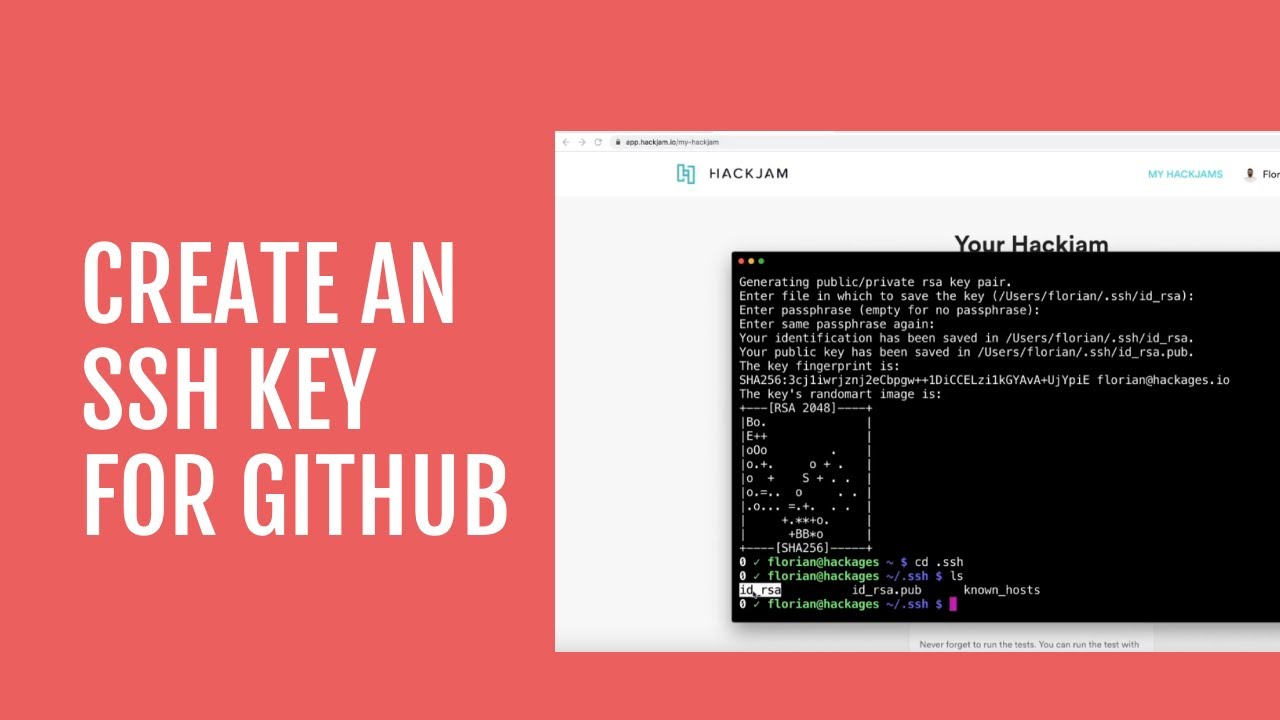
If you don t have these files or you don t even have a ssh directory you can create them by running a program called ssh keygen which is provided with the SSH package on Linux macOS systems and comes with Git for Windows ssh keygen o Generating public private rsa key pair
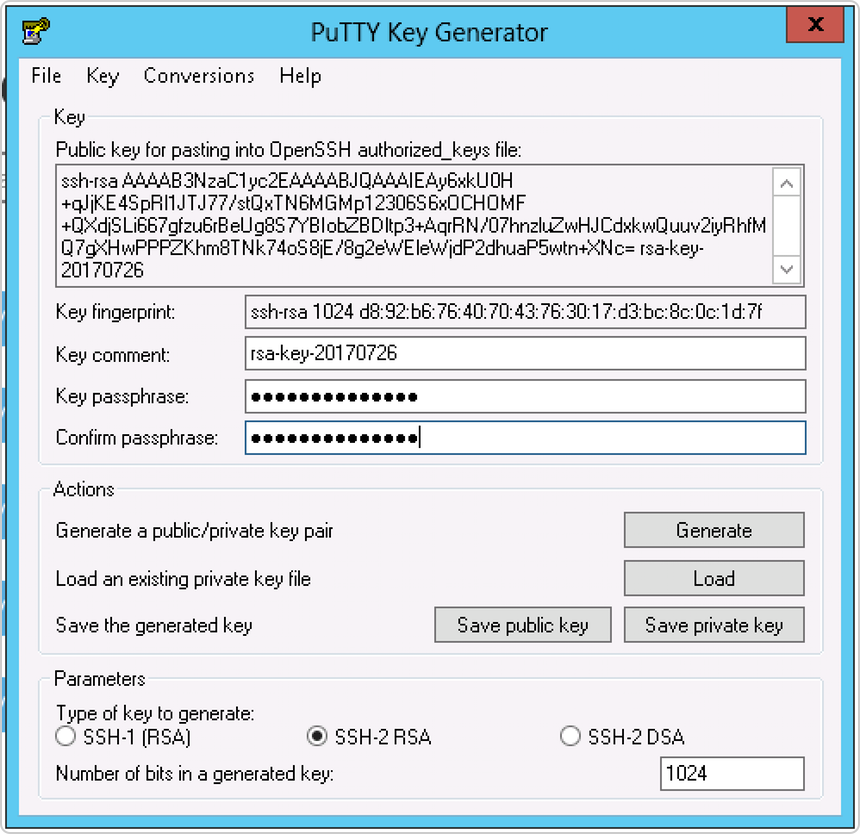
43 Question How do I generate ssh private and public keys to be used in GitHub GitLab using command line The command below generates the error sh exe syntax error near unexpected token I am using Windows XP ssh keygen t rsa C xxxx gmail Generating public private rsa key pair
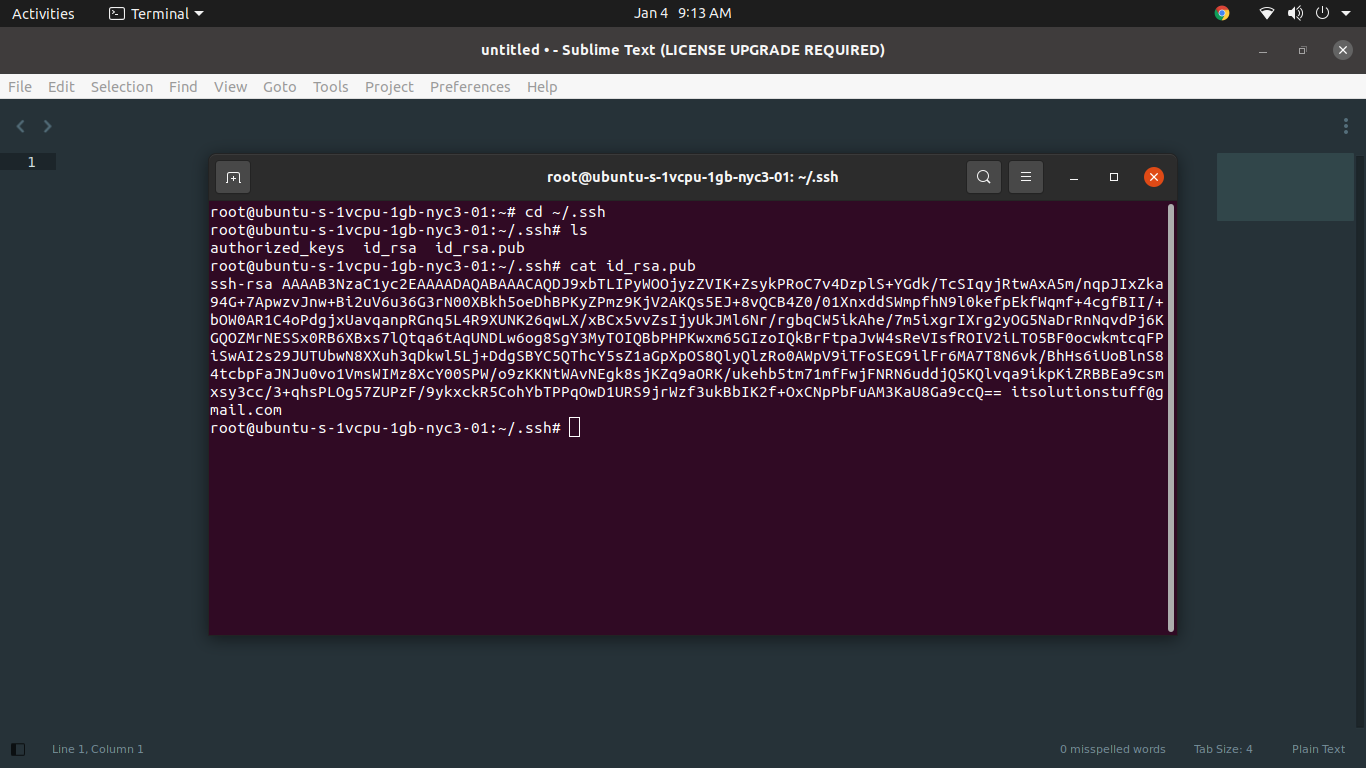
Open a terminal Go to your home directory by typing cd Type the following command ssh keygen t rsa This will prompt you to enter a filename to store the key Just press enter to accept the default filename Users you ssh id rsa Then it will ask you to create a passphrase

GitHub CLI Web browser About addition of SSH keys to your account You can access and write data in repositories on GitHub using SSH Secure Shell Protocol When you connect via SSH you authenticate using a private key file on your local machine For more information see About SSH You can also use SSH to sign commits and tags

1 execute the following to begin the key creation ssh keygen t rsa b 4096 C your email example related material Git cheat sheet Check it out SEE SOLUTION Learn Git with Bitbucket Cloud Read tutorial This command will create a new SSH key using the email as a label 2 You will then be prompted to Enter a file in which to save the key
1 brew install openssh To check that OpenSSH was installed successfully run 1 ssh V The output should show the installed version of OpenSSH Start the SSH agent To allow git to use your SSH key an SSH agent needs to be running on your device To check if it is already running run the ps command Solutions If you are a security and compliance professional we would love to hear how you prioritize your work responsibilities We can use that information when planning what GitLab features to work on Take the survey and help us shape our roadmap On this page Use SSH keys to communicate with GitLab All tiers All offerings
To check for the presence of the SSH key open a terminal and type ls al ssh This command lists down all the files in the ssh directory if any Now check the listing of directories to see if you already have an SSH public key By default GitHub supports public key filenames that are either id rsa pub id ecdsa pub id ed25519 pub