How To Format Notes On Iphone How To Format Notes On Your IPhone The IPhone FAQ 40 Best Friendly Letter Format Examples Cornell Note Taking The Best Way To Take Notes 56 OFF Aesthetic Google Docs Ideas Aesthetic Google Fonts Aesthetic Words Bcba Session Notes Template Printable Word Searches Learn how to update apps on Android Related resources Fix problems with the Google Play app How to update apps on Android
Want advanced Google WoTo edit a document On your computer open a document in Google Docs To select a word double click it or use your cursor to select the text you want to change Google Slides is an online presentation app that lets you create and format presentations and work with other people Step 1 Create a presentation To create a new presentation
Bcba Session Notes Template Printable Word Searches How To Write Board Meeting Minutes Notes Format Sample Example Desktop How To Geek Changing Font Size In Notes Apple Community Free Safety Memo Template Edit Online Download Template Pin On High School Hacks Apple Notes Icon How To Make Your Display Name And Avatar On Discord Invisible For More Adding And Formatting Speaker Notes To A Presentation In PowerPoint
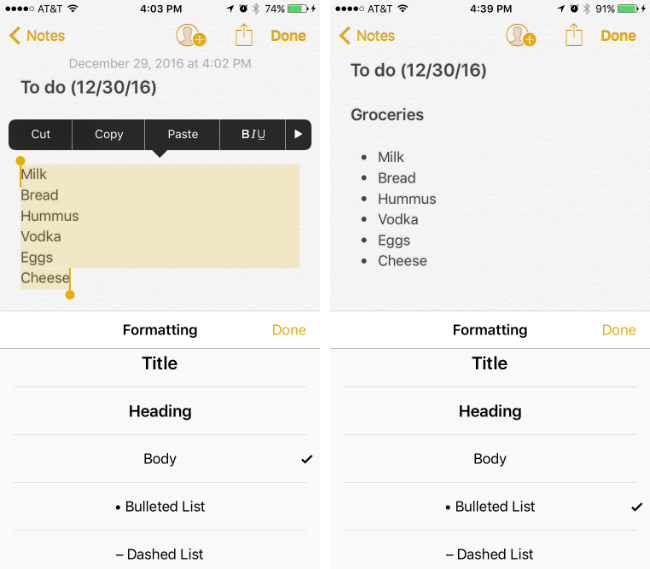
How To Format Notes On Iphone
 How To Format Notes On Iphone
https://www.iphonefaq.org/files/styles/large/public/notes-f.png?itok=kgqA-dy8
When your account reaches its storage limit you won t be able to upload or create files in Drive send or receive emails in Gmail or back up photos or videos to Google Photos If you re over
Pre-crafted templates provide a time-saving service for creating a diverse variety of documents and files. These pre-designed formats and layouts can be used for different individual and expert projects, including resumes, invitations, leaflets, newsletters, reports, discussions, and more, enhancing the content production process.
How To Format Notes On Iphone
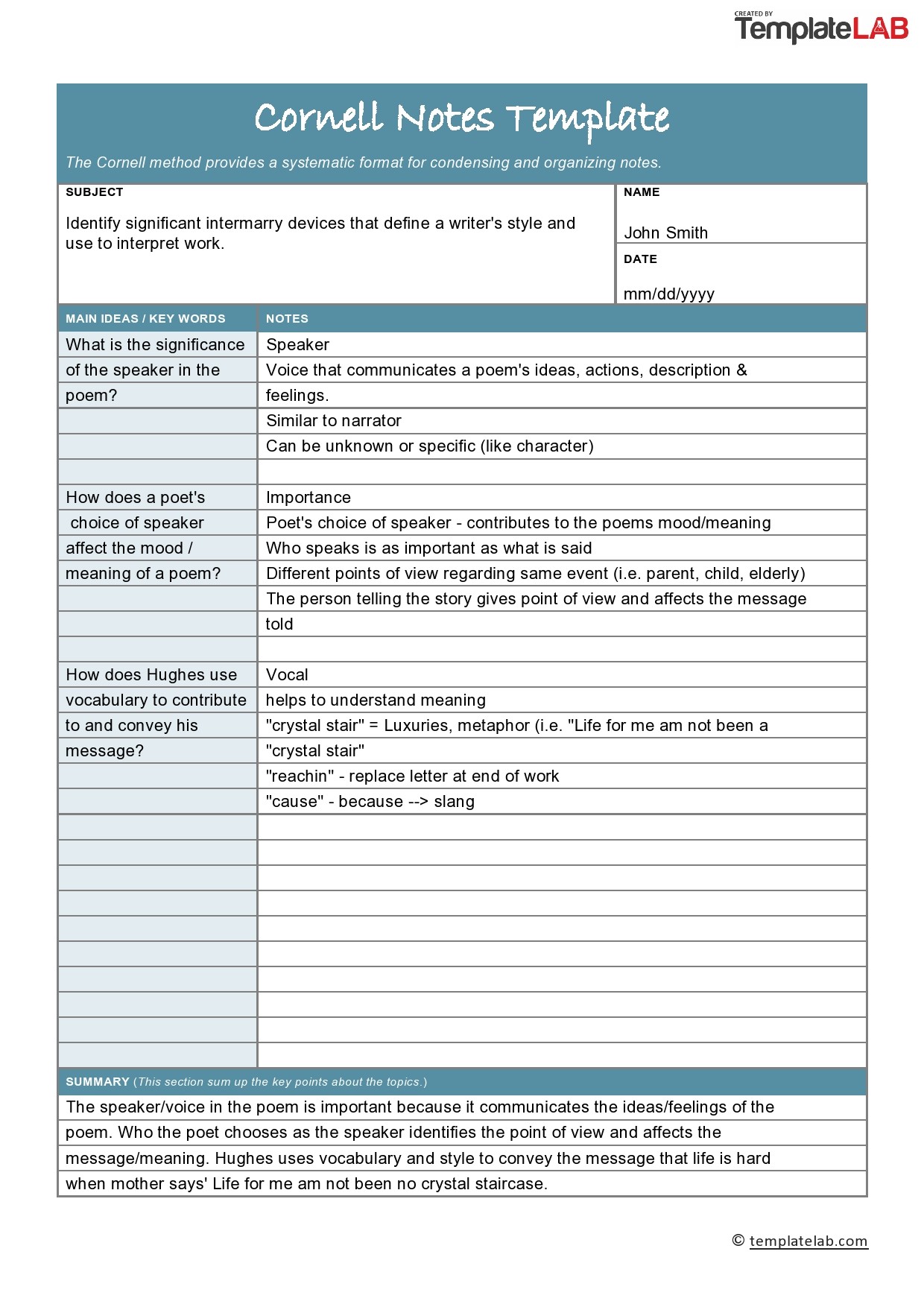
16 Printable Cornell Notes Templates Word Excel PDF

How To Write Board Meeting Minutes Notes Format Sample Example

Desktop How To Geek
Changing Font Size In Notes Apple Community

Pin On High School Hacks
Apple Notes Icon
Important When you create a Google Account for your business you can turn business personalization on A business account also makes it easier to set up Google Business Profile

How to install Chrome Important Before you download you can check if Chrome supports your operating system and other system requirements
On your computer open Chrome At the top right click More Delete browsing data Choose a time range like Last hour or All time Select the types of information you want to remove Click

You can use Google Forms to create online surveys quizzes and forms send them to others to fill in and then analyse their responses in real time To edit forms and analyse responses with

Sign in to Gmail Tip If you sign in to a public computer make sure to sign out before you leave the computer Learn how to sign in on a device that s not yours
[desc-11] [desc-12]
[desc-13]