How To Export And Import Data In Teradata Sql Assistant Teradata SQL Assistant Web Edition Alternative Tech Blog By Guy Galboiz Import How To Make Importing Data Faster In Teradata Stack Overflow How Do I Run A Query In Teradata Sql Assistant A Wise Future How To Connect Teradata SQL Assistant To Teradata Teradata Point Techie Friend Title Command In Teradata SQL 1 It s actually possible to change the delimiter of exported text files within Teradata SQL Assistant without needing any separate applications Go to Tools Options Export Import From there you can change the Use this delimiter between column option from Tab to
Run the command CREATE TABLE TableName column1 datatype column2 datatype PRIMARY INDEX column1 Import the file Go to File Import Data Run the command INSERT INTO TableName VALUES where the number of matches the number of columns in your data file In the popup window Open your file Teradata SQL Assistant has the ability to automatically export results to a csv which Excel is usually the default program to open csv You ll want to select Export Results from under the File menu in SQL Assistant If it s not exporting properly then select Tools Options Export Import and change the delimiter to a comma
Techie Friend Title Command In Teradata SQL Connect To Your DB2 Database Using Teradata SQL Assistant A Step by October 2015 TheSQLReport Teradata SQL Assistant Teradata Tutorial For Beginners HKR Teradata SQL Assistant Tutorialsbook How To Connect Teradata SQL Assistant To Teradata Teradata Point Connect To Your DB2 Database Using Teradata SQL Assistant A Step by Using Teradata SQL How To Find The Number Of AMPs And Nodes Teradata SQL To Find The First Or Last Record In A Sequence
How To Export And Import Data In Teradata Sql Assistant
 How To Export And Import Data In Teradata Sql Assistant
https://www.techburgeon.com/wp-content/uploads/2018/04/data-1188512_640.jpg
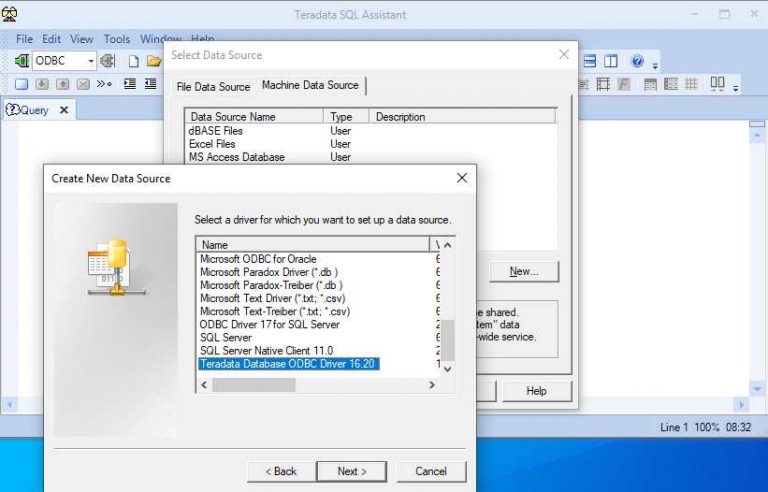
How to connect to the Teradata database using SQL Assistant Connecting to a Teradata Database using SQL Assistant is a straightforward process Follow the steps below to establish a connection Launch SQL Assistant In the menu bar click on File and then select New Connection or click the Connect icon in the toolbar
Templates are pre-designed files or files that can be used for different purposes. They can save time and effort by offering a ready-made format and design for producing different kinds of content. Templates can be utilized for personal or professional jobs, such as resumes, invites, flyers, newsletters, reports, discussions, and more.
How To Export And Import Data In Teradata Sql Assistant
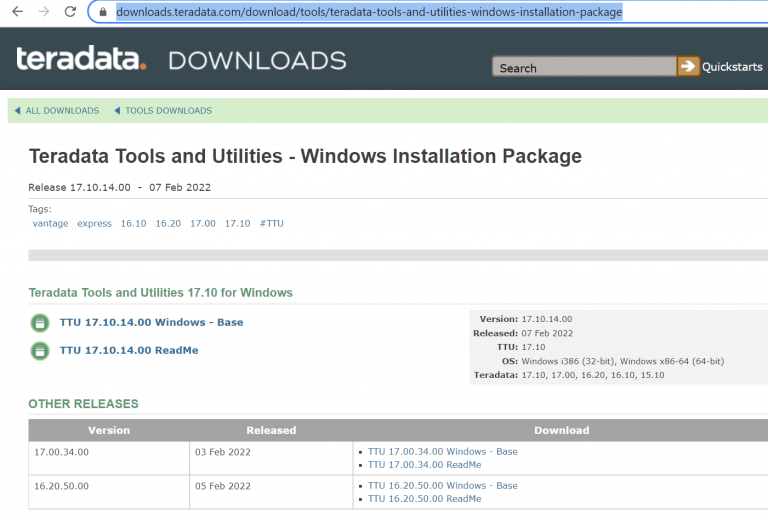
How To Connect Teradata SQL Assistant To Teradata DevOpsSchool
Connect To Your DB2 Database Using Teradata SQL Assistant A Step by
October 2015 TheSQLReport

Teradata SQL Assistant Teradata Tutorial For Beginners HKR
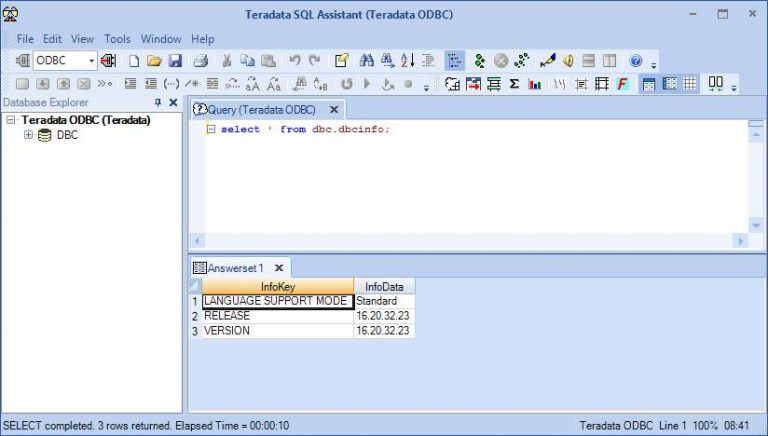
How To Connect Teradata SQL Assistant To Teradata Teradata Point

Connect To Your DB2 Database Using Teradata SQL Assistant A Step by
Free SQL Pattern Training https etlsql kartra page sps free trainingThis is a quick tutorial of Teradata SQL Assistant and we will cover following top

How to import data in teradata sql assistant Go to FILE Import Data Now when you run the query it will display the browse window and will ask you to select the file to which you want to use to import data Points to consider while importing data from table a Delimiter Whether you want to import FIXED WIDTH or DELIMITED file

Step 1 The excel file should be in the format of csv to begin the import operation To do that Just open your excel file and click Sava as in the File menu Then Select the CSV Comma delimited csv from the drop down and save that file Select CSV format option in excel File saved in csv file for import in Teradata
Loading Application Tracking Consent PDFs Site Feedback Help

4 Teradata SQL Assistant for Microsoft Windows User Guide Release 16 10 The spreadsheet includes supported Teradata Database versions platforms and product release numbers Prerequisites The following prerequisite knowledge is required for this product Teradata SQL or the SQL of another ODBC compliant database
Allows you to submit SQL statements import and export data and generate reports BTEQ provides report for matting and routing options for queries BTEQ can also be used to import and export data between your client and database tables Teradata administrator Teradata Administrator is an easy to use data dictionary management tool Teradata SQL Assistant for Microsoft Windows It is a data discovery tool designed for Windows XP and Windows 2000 We can connect to the database through ODBC connection retrieve the data analyze it and store it locally on a PC Teradata SQL Assistant Web Edition It is a web based version of SQL Assistant
Expand table Configure the Teradata source You can configure the Teradata source programmatically or by using SQL Server Integration Services SSIS Designer The Teradata Source Editor pane is shown in the following image For more information go to each of the following Teradata Source Editor sections The Connection Manager pane