How To Enable Remote Desktop Remotely Using Powershell How To Enable Remote Desktop RDP Using Command Line CMD YouTube Activate Remote Desktop In Windows 11 And Windows Server 55 OFF Windows 10 Allow Access To Use Remote Desktop GROK Knowledge Base Microsoft Remote Desktop Configuration Serystreet Romano El Camarero Bolita Enable Remote Desktop Connection Matem tico About the metrics Engagement rate and bounce rate are important metrics in Google Analytics that enable you to measure and analyze user engagement with your website or app
You can add update or remove phone numbers on your Google Account Phone numbers are used for different reasons and you have controls to manage how your numbers are used This help content amp information General Help Center experience Search Clear search
Romano El Camarero Bolita Enable Remote Desktop Connection Matem tico How To Enable Remote Desktop In Windows Server 2022 Remotely Enable RDP 4 Working Methods Windows 10 Remote Access Settings GHacks Tech News How To Enable Remote Desktop Remotely Using PowerShell Command PUPUWEB 11 8 3 Allow Remote Desktop Connections Windows 10 Remote Assistance Easy Connect Greyed Out Cole Notney Full Tutorial How To Remote Restart A Server Windows 10 11 How To Enable Remote Desktop On Windows Server 2022 V Vrogue co
How To Enable Remote Desktop Remotely Using Powershell
 How To Enable Remote Desktop Remotely Using Powershell
https://i.ytimg.com/vi/_DuNamM2nts/maxresdefault.jpg
Jan 31 2008 nbsp 0183 32 How the weather is cold how cold the weather is what what a what
Templates are pre-designed files or files that can be utilized for numerous functions. They can save time and effort by providing a ready-made format and design for producing various kinds of material. Templates can be used for personal or professional jobs, such as resumes, invites, leaflets, newsletters, reports, presentations, and more.
How To Enable Remote Desktop Remotely Using Powershell
Enable Remote Desktop Via Powershell Remotely Tim s Tech Thoughts
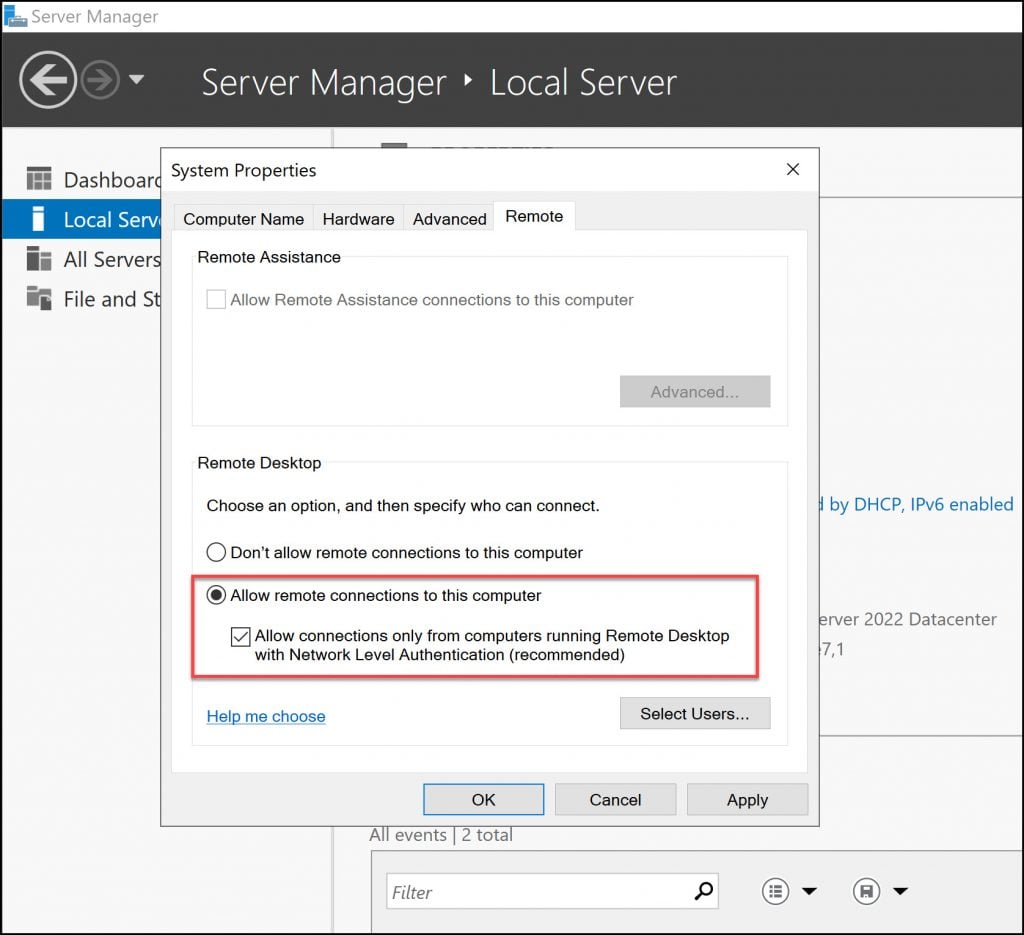
How To Enable Remote Desktop In Windows Server 2022
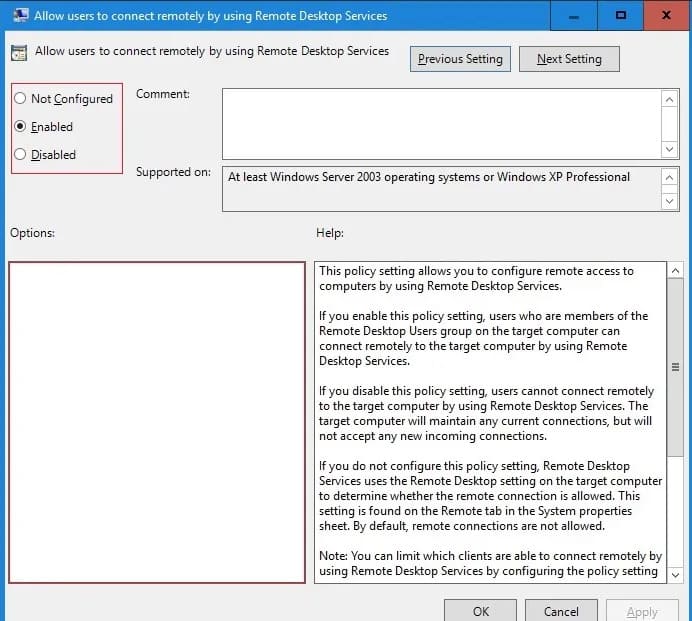
Remotely Enable RDP 4 Working Methods
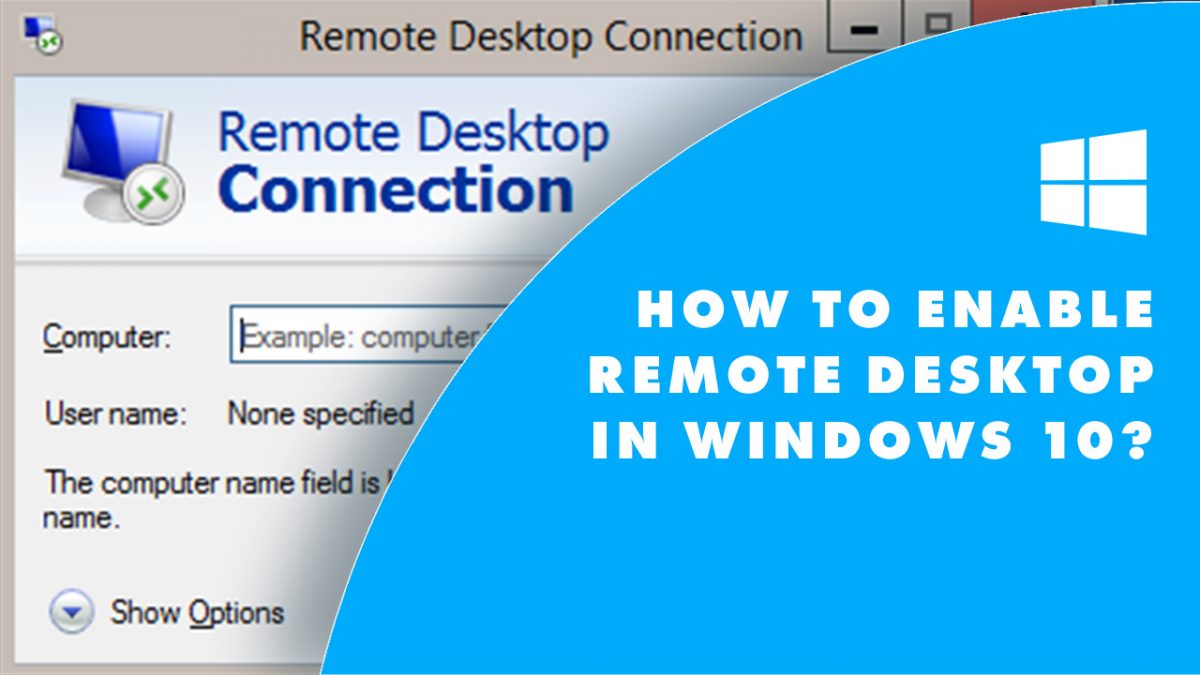
Windows 10 Remote Access Settings GHacks Tech News
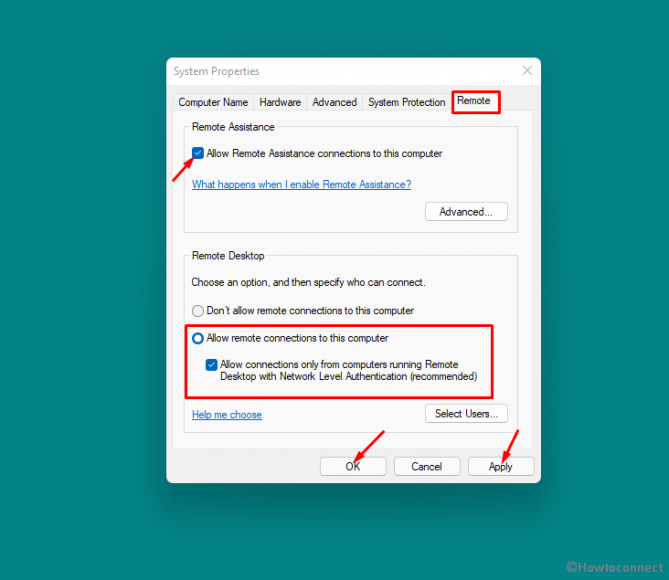
11 8 3 Allow Remote Desktop Connections
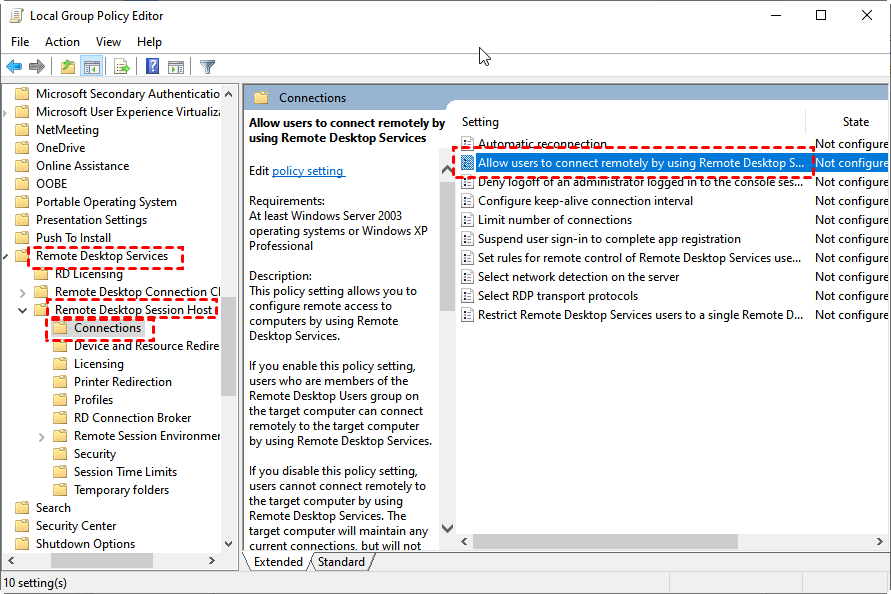
Windows 10 Remote Assistance Easy Connect Greyed Out Cole Notney

Super File Shredder sougouinput

Dec 3 2023 nbsp 0183 32 1 app 2
To use Chrome on Mac you need macOS Big Sur 11 and up On your computer download the installation file Open the file named quot googlechrome dmg quot

Quit Chrome and reopen it Windows Press Ctrl q Mac Press q Try loading the page again

To find your username follow these steps You need to know A phone number or the recovery email address for the account
[desc-11] [desc-12]
[desc-13]