How To Edit Pdf Security Settings How To Check PDF Security Settings In Adobe Reader VeryPDF Knowledge How To Check PDF Security Settings In Adobe Reader VeryPDF Knowledge PDF Security And Watermarks How To Edit Pdf File In Laptop Pdf Editor For Windows Free Pdf How To Change PDF Security WEB The seven day free trial lets you add encryption options encrypt PDFs with certificates or manage security settings and permissions to restrict editing printing or copying Acrobat Pro also lets you edit PDFs organize PDF pages and convert PDFs to and from Microsoft Office apps including Microsoft Word documents PowerPoint presentations
WEB Quickly remove PDF password security from a PDF document you created if you no longer need the protection Just type in the owner password then opt to remove the PDF security Now you have an unlocked PDF WEB Directly see and remove the restrictions from your pdf without any tricks 1 Online method If you want to do in your browser without installing a tool then use PDFUnlock You just need to upload your pdf drop it to the available box and it removes the security restrictions
How To Change PDF Security How To Edit Pdf File Edit Pdf File Free Pdf File Editor Learn How To Reduce File Sizes And Password protect PDF Files Request How To Edit PDF On Mac YouTube How To Edit PDF Documents For Free NG Universities PdfMachine Help How To Mail Merge With Attached PDFs Using Word Mail PDF Security And Watermarks How To Edit Pdf Fillable Form Zatop How To Change PDF Security Settings Easily
How To Edit Pdf Security Settings
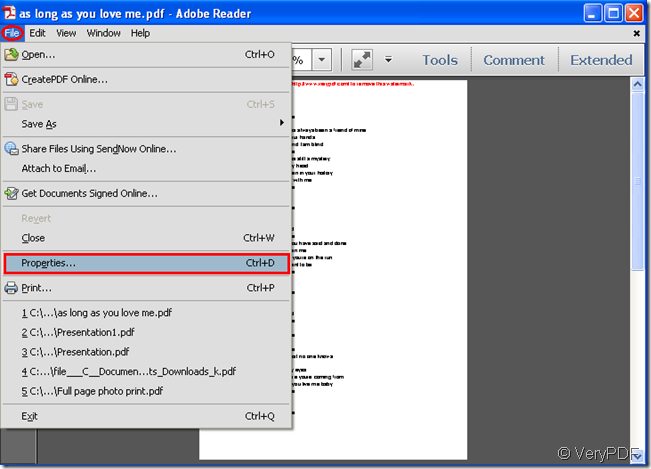 How To Edit Pdf Security Settings
https://www.verypdf.com/wordpress/wp-content/uploads/2011/10/image_thumb403.png
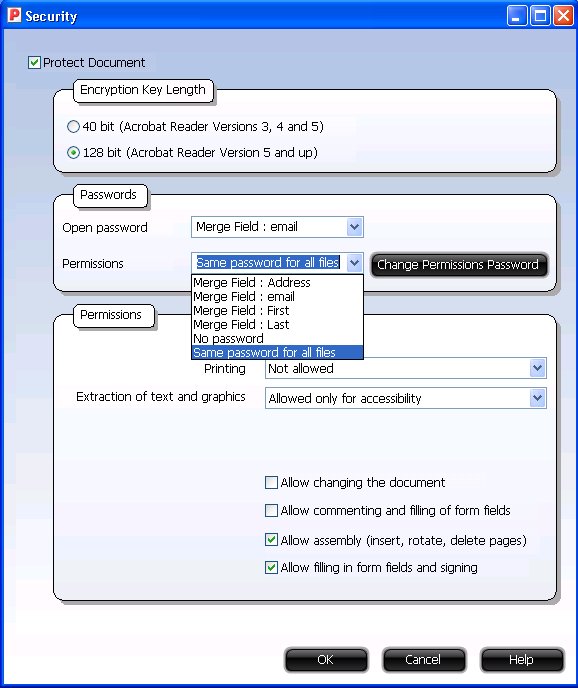
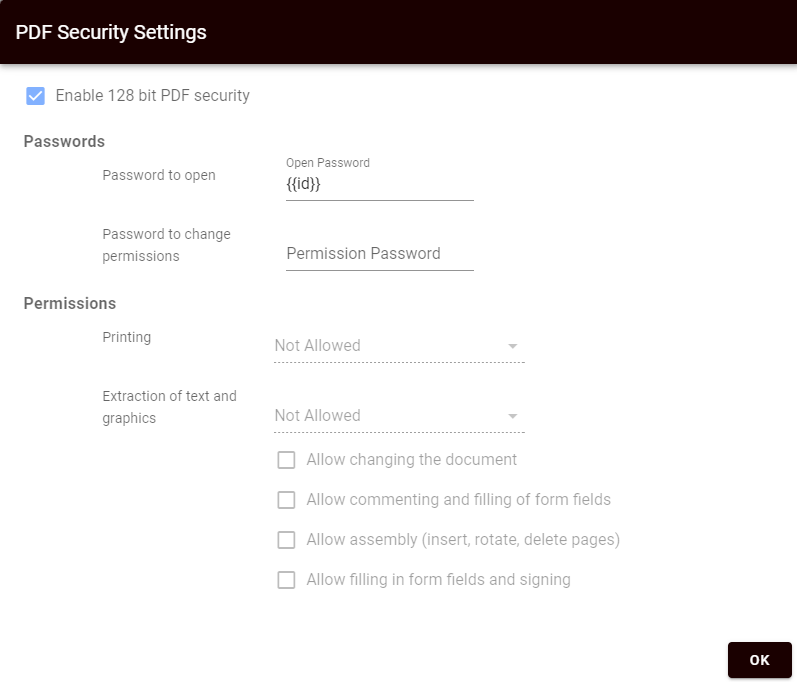
WEB Oct 4 2023 nbsp 0183 32 How can I change the security settings of a PDF file 1 Using Soda PDF Editor Open the PDF file with Soda PDF Go to File and choose Restrict permissions Choose to protect either opening or editing the file by checking the corresponding option Click OK And that s it
Templates are pre-designed files or files that can be used for various purposes. They can conserve effort and time by providing a ready-made format and design for developing various sort of material. Templates can be used for personal or expert projects, such as resumes, invites, flyers, newsletters, reports, presentations, and more.
How To Edit Pdf Security Settings

How To Edit PDF File In Laravel

How To Edit Pdf File Edit Pdf File Free Pdf File Editor

Learn How To Reduce File Sizes And Password protect PDF Files Request
How To Edit PDF On Mac YouTube
PdfMachine Help How To Mail Merge With Attached PDFs Using Word Mail
PDF Security And Watermarks

WEB Aug 21 2023 nbsp 0183 32 With Smallpdf unlocking your file for editing is easy Our tools help you to access edit and print password protected PDFs by removing their encryption A secured PDF document should only be edited by its author Make sure you have the rights to remove the protection on your file before starting

WEB Nov 29 2023 nbsp 0183 32 Creating policies for password and certificate security in Adobe Acrobat lets you reuse the same security settings for any number of PDFs
WEB Oct 30 2023 nbsp 0183 32 Enhanced security for PDFs in Adobe Acrobat lets you protect your computer against these threats by blocking or selectively permitting actions for trusted locations and files

WEB Feb 29 2024 nbsp 0183 32 Protected PDFs are files that have restrictions on what changes can be made to them They might be simply prevented from printing or copying the content or be fully encrypted and require a password In this guide we ll explain different kinds of PDF protection and 4 ways of editing secured PDFs
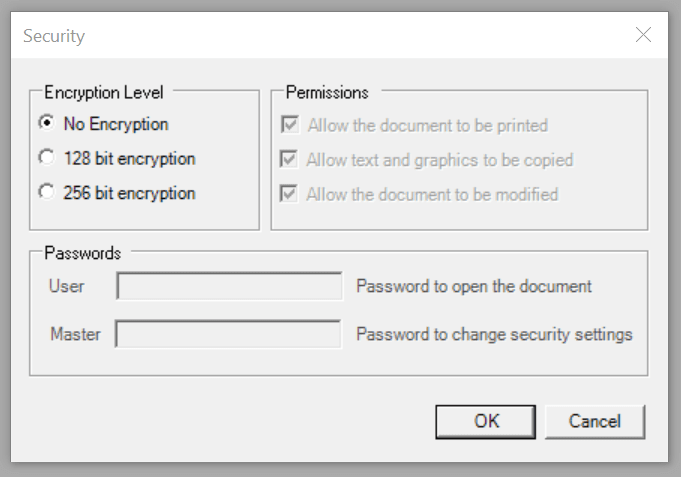
WEB You can redact password protect a PDF and save your file with edit and copy restrictions applied automatically Simplify document security for your team Create custom security policies to help everyone apply PDF password protection and permissions the
WEB Mar 6 2024 nbsp 0183 32 Follow these steps to limit access to a PDF by setting passwords and by restricting certain features such as printing and editing in Adobe Acrobat WEB Jan 17 2017 nbsp 0183 32 The work around I have found is to drop both secured PDF files into the google drive and then print to PDF This gives you versions that don t have security that you can then compare This at least allowed me to get the two documents side by side with the changes highlighted
WEB Aug 25 2017 nbsp 0183 32 Every time I open a pdf with my Adobe Acrobat Reader and attempt to change the security settings so that I can make a document quot unprintable quot the security method simply reads as quot no security quot There s not even a drop down box